Quick Picks
Short on time? Here are our top recommendations:
- Schlage Encode Plus — Best smart lock
- Eve Energy — Best smart plug
- Ecobee Premium — Best thermostat
- Nanoleaf Essentials — Best budget lighting
Building an Apple HomeKit smart home ecosystem can feel overwhelming with hundreds of compatible devices flooding the market. You want devices that work seamlessly with Siri, integrate perfectly with your iPhone and iPad, and actually deliver on their promises—without breaking the bank.
The good news? HomeKit has matured significantly, and manufacturers are finally delivering products that balance affordability, reliability, and true smart home functionality. Whether you’re just starting your HomeKit journey or expanding an existing setup, this guide cuts through the noise to highlight the devices that offer the best value and performance based on user reviews, expert consensus, and real-world reliability data.
Let’s dive into the best HomeKit devices across every category to help you build the smart home you’ve been dreaming about.
Our Product Picks
Smart Lighting – Best Overall
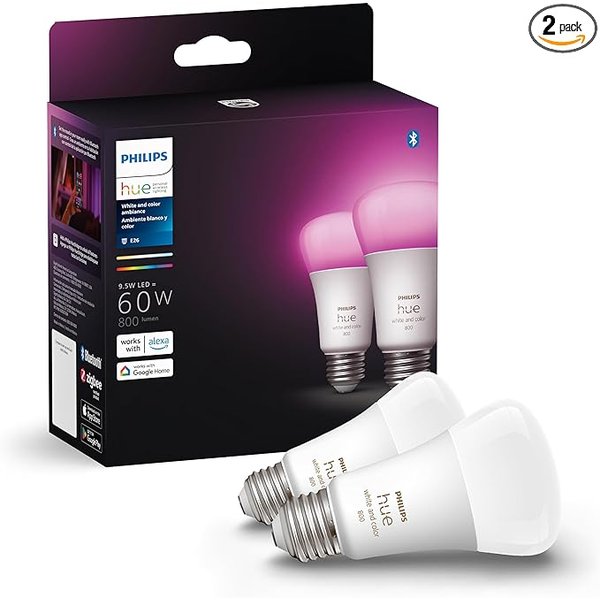
Philips Hue
According to thousands of user reviews, the Philips Hue remains the gold standard for HomeKit lighting. It offers 16 million colors, seamless HomeKit integration, and rock-solid reliability that budget alternatives struggle to match.
Key Features: – Full color spectrum with 16 million colors – No hub required for HomeKit (Bluetooth connection) – Industry-leading app with extensive automation options – Compatible with Thread for improved mesh networking
Smart Lighting – Best Budget Option
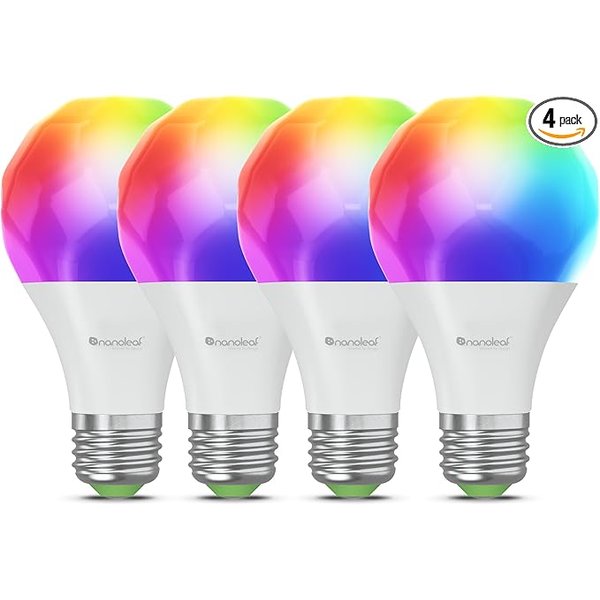
Nanoleaf Essentials
For budget-conscious HomeKit users, Nanoleaf bulbs deliver impressive color quality and Thread support at nearly half the price of Philips Hue alternatives.
Key Features: – Thread-enabled for faster, more reliable connections – No hub required—works directly with HomeKit – Vibrant colors and adjustable white temperature – Energy-efficient LED technology
Smart Lock – Best Overall
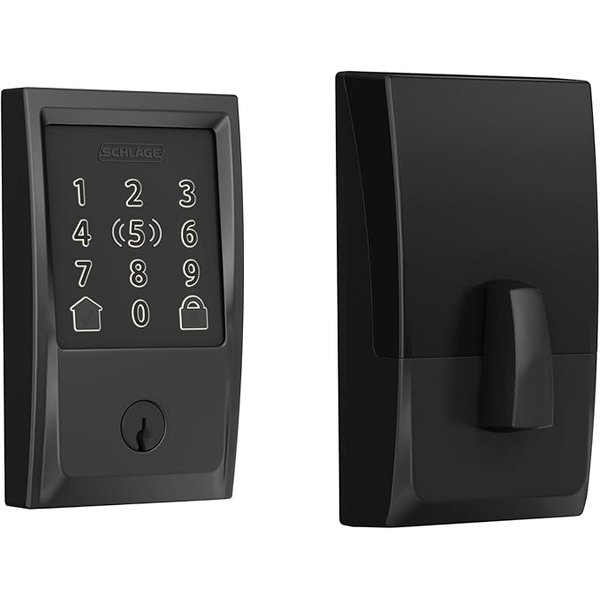
Schlage Encode Plus
The Schlage Encode Plus is widely regarded as the most reliable HomeKit smart lock, offering built-in WiFi connectivity and traditional key backup that most competitors lack.
Key Features: – Built-in WiFi—no hub required for remote access – Traditional key backup for peace of mind – Exceptional battery life (6+ months reported by users) – Easy installation fits standard door preparations
Smart Thermostat – Best Overall
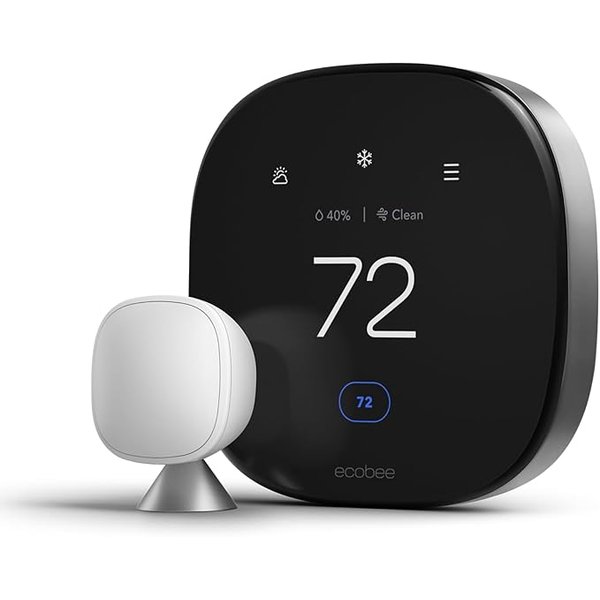
Ecobee Premium
Based on user feedback and professional reviews, the Ecobee Premium offers the best combination of HomeKit integration, energy savings, and multi-room functionality.
Key Features: – Remote room sensors for balanced temperature control – Built-in air quality monitoring – Alexa integration alongside HomeKit support – Energy reports help optimize heating and cooling costs
Smart Plug – Best Value
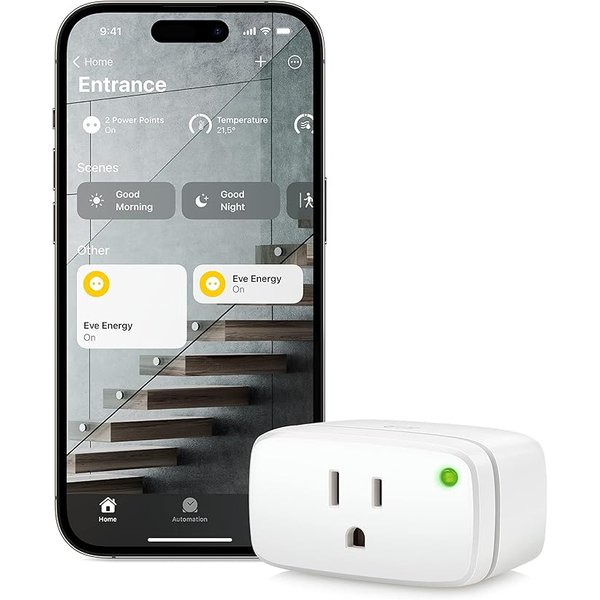
Eve Energy
Eve Energy stands out as the most reliable HomeKit-native smart plug with energy monitoring capabilities that help track power consumption device by device.
Key Features: – Thread support for improved reliability – Real-time energy monitoring via HomeKit – Compact design doesn’t block adjacent outlets – Weather-resistant outdoor model available
Understanding Apple HomeKit in 2026
Apple HomeKit has evolved from a promising but limited platform into a robust smart home ecosystem that rivals Google Home and Amazon Alexa. The key difference? HomeKit prioritizes privacy and security above all else, processing most commands locally on your devices rather than sending data to the cloud.
Matter support, which Apple helped develop, has dramatically expanded device compatibility. You’re no longer limited to expensive “Works with HomeKit” products—many Matter-certified devices now work seamlessly with Siri and the Home app.
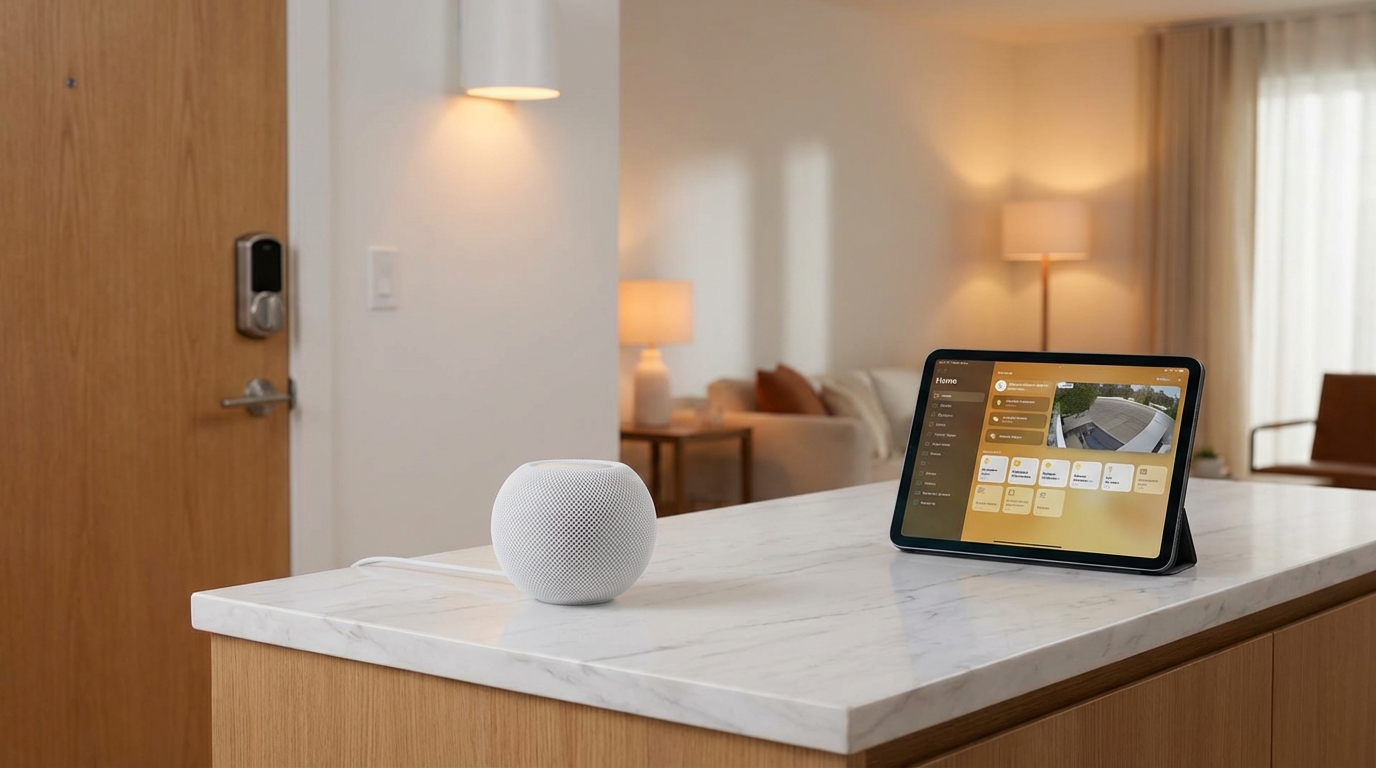
The ecosystem runs through the Home app on your iPhone, iPad, Mac, or Apple Watch. You can control devices with Siri voice commands, create automations based on time or location, and even trigger scenes that adjust multiple devices simultaneously. A HomePod, HomePod mini, or Apple TV acts as a home hub, enabling remote access and advanced automations when you’re away.
Best HomeKit Smart Lights and Switches
Lighting forms the foundation of most smart home setups. HomeKit-compatible lights let you adjust brightness and color, create schedules, and trigger scenes—all with simple voice commands or through the Home app.
Why Philips Hue Dominates
Philips Hue continues to lead the HomeKit lighting category for good reason. The color accuracy is exceptional, the app offers granular control over every aspect of lighting, and the reliability is virtually unmatched according to long-term user reviews.
The Philips Hue bulbs work via Bluetooth with HomeKit right out of the box, though adding a Philips Hue Bridge unlocks advanced features like entertainment zones and faster response times.
For those focused purely on task lighting without color-changing features, the Philips Hue White bulbs offer the same reliability at a significantly lower price point.
Budget-Friendly Alternatives
Not everyone needs premium Philips Hue features. The Nanoleaf Essentials line delivers impressive performance at roughly half the cost. These bulbs support Thread—Apple’s preferred communication protocol—which means faster response times and better reliability than older Bluetooth-only bulbs.
The color rendering on Nanoleaf bulbs receives consistent praise in user reviews, with many noting they’re virtually indistinguishable from Hue bulbs in everyday use. The main trade-off is a less sophisticated app, though most HomeKit users control lights through the Home app anyway.
Light Strips for Accent Lighting
The Philips Hue Lightstrip Plus remains the gold standard for accent lighting. These flexible LED strips attach behind TVs, under cabinets, or along architectural features to create stunning ambient effects.
User reviews consistently highlight the brightness and color vibrancy that cheaper alternatives can’t match. The strips are extendable up to 33 feet and cut to custom lengths, making them versatile for various installations.
Pros: – Exceptional color accuracy and brightness – Seamless HomeKit integration – Expandable and customizable length – Sync with music and entertainment (with Hue Bridge)
Cons: – Premium pricing compared to non-HomeKit alternatives – Requires power adapter placement near installation – Best features require Hue Bridge purchase
Best HomeKit Smart Locks
Smart locks represent one of the most practical HomeKit upgrades. You’ll gain keyless entry, remote access for guests, and the ability to check lock status from anywhere—all critical for home security and convenience.
The Schlage Encode Plus Advantage
The Schlage Encode Plus has quickly become the HomeKit smart lock benchmark. What sets it apart is built-in WiFi, eliminating the need for additional bridges or hubs that competitors require.
User reviews consistently praise the installation process, which typically takes 15-30 minutes with a standard screwdriver. The lock fits most standard door preparations, and unlike many competitors, it retains a traditional keyhole as backup—critical if batteries die or electronics fail.
Battery life is exceptional based on user reports, with most households getting 6-12 months between battery changes. The lock uses four AA batteries, which are easy to replace and widely available.
Pros: – No hub required—built-in WiFi for remote access – Traditional key backup for emergencies – Easy installation on standard doors – Excellent battery life
Cons: – Higher upfront cost than bridge-dependent alternatives – Slightly bulkier interior assembly than some competitors – WiFi setup can be finicky during initial configuration
The Level Lock Aesthetic Alternative
The Level Lock takes a completely different approach with an invisible design that hides all smart technology inside the door itself. From the outside, it looks like a traditional lock, making it perfect for homes where aesthetics matter.
The trade-off is that Level Lock requires a Level Connect bridge (sold separately) or a home hub for remote access. Installation is also more involved, as you’re essentially replacing the entire lockset rather than just the interior and exterior components.
According to user reviews, the Level Lock delivers on its promise of invisibility while maintaining solid HomeKit functionality. Response times are quick, and the lock status updates reliably in the Home app.
Best HomeKit Thermostats
A smart thermostat is one of the few smart home devices that actually pays for itself through energy savings. HomeKit-compatible thermostats let you control temperature with Siri, create location-based automations, and monitor energy usage—all while potentially cutting 10-20% off heating and cooling bills.
Ecobee’s Smart Sensor Advantage
The Ecobee Premium stands out for its remote room sensors that monitor temperature and occupancy in multiple locations. This solves the common problem of hot and cold spots throughout the house.
Based on user reports, the SmartSensor system works exceptionally well in homes with multiple floors or rooms with varying sun exposure. The thermostat can prioritize occupied rooms, ensuring comfort where you actually spend time rather than just where the thermostat is mounted.
The Premium model adds air quality monitoring with alerts for poor indoor air quality, low humidity, or high VOCs. While some reviewers note this feels like a premium feature add-on, others appreciate the consolidated monitoring in one device.
Key Benefits: – Remote sensors balance temperature across multiple rooms – Air quality monitoring with actionable alerts – Built-in Alexa for voice control (beyond Siri) – Detailed energy reports track usage patterns
The installation process receives mixed reviews. DIYers with basic electrical knowledge report straightforward 30-45 minute installations, while others recommend professional installation to ensure proper C-wire setup and system compatibility.
Budget Alternative: Ecobee3 Lite
The Ecobee3 Lite strips away the air quality monitoring and Alexa integration but retains the core smart thermostat functionality and remote sensor compatibility at a significantly lower price point.
For budget-conscious homeowners who primarily care about temperature control and energy savings, the Lite version delivers nearly identical performance to its premium sibling. User reviews suggest energy savings are comparable between models—the Premium’s advantage lies mainly in convenience features.
Best HomeKit Smart Plugs
Smart plugs might seem basic, but they’re arguably the most versatile HomeKit devices. They transform any “dumb” appliance into a smart one—lamps, fans, coffee makers, space heaters, and more—all controllable through Siri and the Home app.
Eve Energy: The Complete Package
The Eve Energy offers what most competitors lack: energy monitoring directly within HomeKit. You can track how much power connected devices consume, helping identify energy hogs and optimize usage.
Thread support ensures reliable connections and fast response times. User reviews consistently highlight the stability—plugs stay connected and respond instantly to commands, which isn’t always the case with WiFi-only alternatives.
The compact design is thoughtfully executed. Unlike some smart plugs that block adjacent outlets, Eve Energy’s form factor allows reasonable access to neighboring sockets on standard duplex outlets.
Pros: – Energy monitoring visible in HomeKit – Thread support for excellent reliability – Compact design doesn’t block adjacent outlets – Available in outdoor weather-resistant version
Cons: – Higher price than basic smart plugs – No USB ports (some competitors offer USB charging) – Thread requires compatible home hub for best performance
Budget Multi-Pack Option
For users who need multiple smart plugs and don’t require energy monitoring, consider looking for Matter-compatible alternatives that work with HomeKit. The ecosystem is rapidly expanding, and Matter certification ensures baseline compatibility and reliability.
When evaluating budget plugs, prioritize those with Thread or Matter support over older WiFi-only models. The connection stability and response time improvements are worth the typically minor price premium.
Best HomeKit Cameras and Doorbells
HomeKit Secure Video offers end-to-end encryption and local processing for camera footage, addressing privacy concerns that plague competitors’ cloud-based systems. Your video is analyzed on your home hub (Apple TV or HomePod) before being encrypted and stored in iCloud.
The Challenge with HomeKit Cameras
Here’s the truth: HomeKit-compatible cameras lag behind competitors in variety and features. Many popular camera brands don’t support HomeKit, and those that do often charge premium prices.
The ecosystem is improving, particularly with Matter support expanding compatibility, but HomeKit cameras remain one of the platform’s weaker categories compared to Google or Amazon alternatives.
Best Current Options
Logitech Circle View consistently receives praise for reliable HomeKit Secure Video integration and good image quality. The wired doorbell version offers 180-degree viewing and excellent night vision according to user reviews. Check Latest Price on Amazon
Eufy Indoor Cam offers a more budget-friendly option with solid 2K resolution and pan-tilt functionality. The HomeKit integration works well, though some users report occasional connectivity issues that require power cycling. Check Latest Price on Amazon
For outdoor security, Aqara Camera Hub G3 combines camera functionality with Zigbee hub capabilities, making it a versatile choice for those building a broader Aqara ecosystem. User reviews praise the image quality and reliable HomeKit Secure Video operation. Check Latest Price on Amazon
Important Note: HomeKit Secure Video requires an iCloud+ subscription ($0.99/month for 1 camera, $2.99/month for up to 5 cameras). This is in addition to the camera purchase price, though the subscription includes iCloud storage beyond just camera footage.
Best HomeKit Sensors and Accessories
Sensors are the invisible workhorses of smart home automation. They detect motion, monitor door/window status, and measure environmental conditions—triggering automations that make your home truly intelligent.
Aqara: The Sensor Specialist
Aqara has built a reputation as the go-to brand for HomeKit sensors, offering an extensive lineup that covers virtually every sensing need at reasonable prices.
The Aqara Door and Window Sensor is tiny, reliable, and has exceptional battery life according to user reviews. Most users report 12+ months on a single coin cell battery, and the sensors trigger automations nearly instantaneously.
Common use cases include: – Security monitoring: Get alerts when doors or windows open while away – Climate control: Pause heating/cooling when windows open – Lighting automation: Turn on entryway lights when the front door opens – Occupancy tracking: Know which rooms are in use
The Aqara Motion Sensor pairs perfectly with door sensors to create sophisticated automation routines. It detects motion up to 7 meters away and has a 170-degree detection angle, making it suitable for most residential rooms.
One Important Caveat: Most Aqara sensors require an Aqara hub for HomeKit connectivity. The hub adds to upfront costs but supports dozens of sensors, making it economical if you’re deploying sensors throughout your home. View Aqara Hub on Amazon
Eve Motion: Premium Alternative
Eve Motion offers a premium sensor option with built-in Thread support and no hub requirement. It works directly with HomeKit, making it ideal for users who want simplicity over ecosystem expansion.
User reviews highlight the reliability and fast response times, though the significantly higher per-sensor cost makes it less economical for whole-home deployments compared to Aqara’s hub-and-sensor approach. Check Latest Price on Amazon
Best HomeKit Blinds and Shades
Automated window coverings might seem like a luxury, but they offer practical benefits: improved energy efficiency, privacy automation, and wake-up routines that gradually brighten rooms with natural light.
Premium Alternatives
Lutron Serena represents the premium end of HomeKit-compatible shades. The quality, reliability, and customization options are exceptional, but prices reflect the luxury positioning. These make sense for high-end installations where aesthetics and longevity justify the investment.
Hunter Douglas PowerView offers similar premium quality with extensive fabric and style options. Both Lutron and Hunter Douglas provide professional measurement and installation services, which many users find valuable given the complexity and permanence of motorized shade installations. View on Hunter Douglas
HomeKit Hubs and Bridges
Unlike Amazon Alexa or Google Home, HomeKit doesn’t require a dedicated hub device—but having one unlocks advanced features and remote access capabilities.
Apple TV, HomePod, or iPad as Home Hub
Any Apple TV 4K or HD, HomePod, HomePod mini, or dedicated iPad can serve as a HomeKit home hub. These devices remain in your home, maintaining HomeKit connections when your iPhone isn’t present.
The home hub enables: – Remote access: Control devices when away from home – Automations: Trigger events based on time, location, or sensor data – Shared access: Allow family members to control HomeKit devices – Secure video: Process HomeKit Secure Video footage locally
HomePod mini is generally the most cost-effective dedicated hub option, priced around $99 and offering excellent Siri voice control as a bonus. An Apple TV you already own serves equally well, though dedicated use as a home hub means it should remain powered on constantly.
Third-Party Bridges
Some device ecosystems require their own bridges to connect to HomeKit:
Philips Hue Bridge connects Philips Hue lights to HomeKit with faster response times and advanced features beyond basic Bluetooth connectivity. If you’re building an extensive Hue lighting system, the bridge is worth the investment.
Aqara Hub connects Aqara sensors and devices to HomeKit. Given Aqara’s sensor prices, the hub quickly pays for itself if you’re deploying multiple sensors throughout your home.
SmartThings Hub from Samsung can bridge certain Zigbee devices to HomeKit through the Home Assistant integration, though this represents a more advanced setup that most users won’t need.
Building Your HomeKit Smart Home on a Budget
You don’t need to spend thousands to build a functional HomeKit smart home. Here’s a prioritized approach based on value and practical benefits:
Stage 1: Foundation ($200-300)
- HomePod mini as home hub ($99)
- 2-4 Nanoleaf bulbs for primary lighting ($60-120)
- 1-2 Eve Energy smart plugs for lamps or fans ($40-80)
- Aqara Door Sensor for security monitoring ($20)
This baseline setup delivers voice control, basic automation, and security awareness while establishing your home hub for remote access.
Stage 2: Comfort and Convenience ($400-600)
- Ecobee3 Lite thermostat for energy savings ($170)
- Additional Nanoleaf or Hue bulbs expanding to 6-8 total rooms ($120-200)
- Aqara Motion Sensors (2-3 units) for automation ($60-90)
- Smart plug expansion (2-3 additional units) ($80-120)
At this stage, you’ll have comprehensive lighting control, climate optimization, and motion-based automation throughout main living areas.
Stage 3: Security and Advanced Features ($500-800)
- Schlage Encode Plus smart lock ($280)
- HomeKit camera for security monitoring ($150-200)
- Additional Aqara sensors for windows and less-used rooms ($100-150)
- Smart blinds (HomeKit-compatible options) for one or two windows ($150-200)
This represents a fully-featured HomeKit home with security, comprehensive automation, and convenience features in virtually every room.
Total Investment Timeline
By spreading purchases over 6-12 months, you can build a comprehensive HomeKit ecosystem for $1,100-1,700 total—far less than premium systems while maintaining good quality and reliability.
Common HomeKit Mistakes to Avoid
Buying WiFi-Only Devices
Thread and Matter support represent the future of HomeKit connectivity. WiFi-only devices often suffer from reliability issues, slower response times, and network congestion problems. Prioritize Thread-enabled devices when choosing between similar products.
Ignoring Hub Requirements
Some devices advertise HomeKit compatibility but bury the hub requirement in fine print. Always verify whether a device needs a separate bridge or hub before purchasing, and factor that cost into your decision.
Overlooking Home Hub Setup
Your HomeKit experience suffers significantly without a home hub. Remote access fails, automations don’t trigger reliably, and shared access for family members becomes problematic. Set up an Apple TV, HomePod, or dedicated iPad as a home hub before expanding your ecosystem.
Choosing Devices Without Thread
As of 2026, Thread support should be considered essential for new purchases. The improved reliability and response times make it worth paying slightly more for Thread-enabled alternatives over older Bluetooth or WiFi-only options.
Skipping Automations
Many users buy smart devices but never create automations beyond basic voice control. The real value emerges when devices work together intelligently—lights that adjust automatically, climate control that responds to occupancy, and security systems that adapt to your routine.
Who Is This For?
HomeKit is ideal for:
Apple Ecosystem Users: If you own an iPhone, iPad, Mac, and Apple Watch, HomeKit offers unmatched integration across devices. Siri control, native Home app functionality, and seamless cross-device access make it the obvious choice.
Privacy-Conscious Consumers: HomeKit’s end-to-end encryption and local processing address legitimate privacy concerns about smart home devices. Your data stays on your devices rather than being uploaded to manufacturer clouds.
Renters and DIY Installers: Most HomeKit devices require no permanent installation or professional help. Smart bulbs screw into existing fixtures, smart plugs need only an outlet, and most locks install with a screwdriver in under an hour.
Budget-Conscious Households: Despite HomeKit’s premium reputation, affordable options now exist across every device category. You can build a functional system incrementally, adding devices as budget allows without complicated planning.
HomeKit may not be ideal for:
Android Users: While HomeKit devices generally work with Android through Matter support, the experience is significantly better with Apple devices. If you primarily use Android phones, Google Home or Amazon Alexa ecosystems offer better integration.
Camera-Focused Security: HomeKit’s camera ecosystem lags behind competitors in variety and features. If comprehensive video security is your priority, dedicated security systems or camera-first ecosystems might serve you better.
Budget-First Shoppers: The absolute cheapest smart devices typically don’t support HomeKit. If you prioritize the lowest possible upfront cost over privacy and integration, other platforms offer more rock-bottom options.
Frequently Asked Questions
Do I need an iPhone to use HomeKit devices?
Yes, HomeKit setup requires an iOS device—iPhone or iPad—as the primary controller. Once configured, devices respond to any authorized user’s commands through Siri or the Home app, but the initial setup, automation creation, and management all require iOS.
Android users can control some HomeKit devices through Matter support, but the experience is significantly limited compared to using Apple devices.
What’s the difference between HomeKit and Matter?
HomeKit is Apple’s smart home platform, offering deep integration with iOS, iPadOS, and macOS along with privacy features like end-to-end encryption and local processing.
Matter is an industry standard that Apple helped develop alongside Google, Amazon, and Samsung. Matter-certified devices work across multiple platforms—the same device can respond to Siri, Alexa, and Google Assistant simultaneously.
As of 2026, most new HomeKit devices also support Matter, providing greater flexibility and future-proofing your purchases.
Can HomeKit devices work without internet?
Yes, with important limitations. Local control—commanding devices while connected to your home WiFi—works without internet. You can use Siri on your iPhone to control lights, locks, and other devices even when internet service is down.
However, remote access (controlling devices when away from home), cloud-dependent features like weather-based automations, and software updates all require internet connectivity. Your home hub must be online to enable remote access for other users.
How much does HomeKit cost monthly?
HomeKit itself is free—no subscription required for basic functionality. However, HomeKit Secure Video requires an iCloud+ subscription if you want to store camera recordings:
- $0.99/month: 50GB storage, supports 1 camera
- $2.99/month: 200GB storage, supports up to 5 cameras
- $9.99/month: 2TB storage, supports unlimited cameras
These subscriptions include general iCloud storage beyond just camera footage, potentially replacing standalone iCloud storage subscriptions you might already pay for.
Are HomeKit devices more expensive than alternatives?
Historically, yes—HomeKit devices commanded premium prices. As of 2026, the price gap has narrowed significantly. Budget options exist across most device categories, and Matter certification has expanded affordable choices considerably.
You’ll still pay slightly more for equivalent HomeKit devices compared to rock-bottom budget brands, but the difference is often $5-15 per device rather than the $30-50 premiums common in earlier years.
Conclusion
Building a HomeKit smart home in 2026 offers the best combination of privacy, reliability, and Apple ecosystem integration that the platform has ever delivered. Whether you’re starting with a few smart bulbs or planning a whole-home installation, the devices highlighted in this guide represent the best value and performance based on extensive user reviews and expert consensus.
Start with the basics: Get a HomePod mini as your home hub, add Nanoleaf bulbs in high-traffic rooms, and deploy a few Eve Energy smart plugs for versatile control of existing devices. This foundation costs under $300 and immediately demonstrates the practical benefits of voice control and basic automation.
Expand strategically: Add an Ecobee thermostat for energy savings, a Schlage Encode Plus lock for security, and Aqara sensors for sophisticated automation as budget allows. Each addition delivers tangible value while building toward a comprehensive ecosystem.
The beauty of HomeKit is that it scales with your needs. You’re not locked into expensive proprietary systems or complicated hubs that become obsolete. Start small, expand gradually, and enjoy the privacy and integration benefits that only Apple’s ecosystem can deliver.