Quick Picks
Short on time? Here are our top smart home picks for a dorm room:
- Amazon Echo Dot (newest model) (~$50) — Best overall
- Kasa Smart Plug Mini 4-Pack (EP25P4) (~$25) — Best smart plug
- Govee RGBIC LED Strip Lights (16.4ft) (~$14) — Best mood lighting
- Govee Smart Light Bulbs A19 4-Pack (~$30) — Best budget upgrade
- Wyze Cam v4 (~$36) — Best security camera
Moving into a dorm means working with what you’ve got: one or two outlets, overhead lighting you can’t stand, walls you can’t drill into, and a lease that says you’ll pay for any damage. The good news is that the best smart home devices for dorm rooms in 2026 are cheap, renter-friendly, and take about five minutes to set up — no tools, no wiring, and nothing that leaves a mark when you move out in May.
This guide skips the expensive stuff you’d never put in a shared building. Instead, it focuses on small, plug-and-play gadgets that make a cramped room feel like yours: voice control for hands-free everything, color lighting that sets the mood for studying or movie night, and a little camera to keep an eye on your things. Every product below is something you can buy for the price of a couple of textbooks, and most of it comes off the wall with zero residue.
What to Look For in Dorm Smart Home Gear
Dorm rooms have their own rules, and a few things matter more here than they would in a house or apartment.
Renter-friendly install. Anything you mount should use removable adhesive or simply sit on a shelf. Avoid devices that need drilling, hardwiring, or an in-wall neutral. Everything in this guide either plugs in or peels off cleanly.
Wi-Fi only, no hub required. Most dorms won’t let you plug a hub into the building network, and you don’t want extra boxes anyway. Stick to devices that connect straight to Wi-Fi (or Bluetooth) and pair with a phone app. Note that many campus networks block device-to-device discovery, so a personal travel router or your phone’s hotspot can help if a gadget refuses to connect on the school’s Wi-Fi.
Small footprint. Desk and shelf space is precious. Compact devices that don’t hog an outlet or a whole shelf earn their spot.
Cheap enough to not cry over. Dorms get crowded, borrowed-from, and occasionally flooded by the person upstairs. Keep the per-item cost low so a lost or damaged gadget isn’t a disaster.
Our Top Smart Home Picks for Dorm Rooms
1. Amazon Echo Dot (newest model) — Best Overall
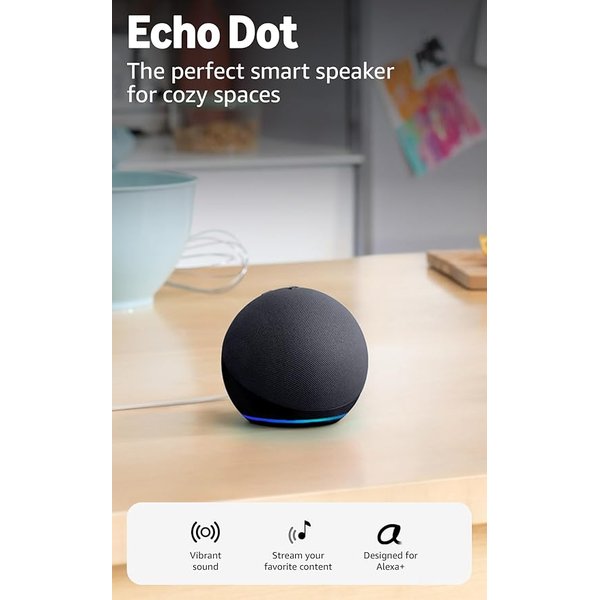
If you buy one smart device for your dorm, make it this one. The Amazon Echo Dot is a tiny voice-controlled speaker that becomes the command center for everything else in the room. Ask it to set an alarm, start a study timer, play music, check the weather, or turn off your lights without getting out of bed — all hands-free. For a small room the sound is genuinely good, with more bass than you’d expect from something the size of a softball, and you can stream from Amazon Music, Spotify, Apple Music, or straight over Bluetooth.
What makes the current model especially good for a dorm is what’s hiding inside it: built-in motion and indoor temperature sensors. You can set a routine that turns your lights on when you walk in the door, or kicks on a fan plugged into a smart plug when the room creeps above a set temperature — which is a real problem in older dorm buildings with no thermostat of your own. It’s also designed for Alexa+, doubles as an alarm clock you can snooze with a tap on the top, and has a physical mic-off button for when you want privacy in a shared room.
Pros:
- Hands-free voice control for alarms, timers, music, and lights
- Built-in motion and temperature sensors enable genuinely useful routines
- Tap the top to snooze the alarm — no fumbling for your phone
- Ties your smart plugs and bulbs together into one voice command
- Physical mic-off button for privacy with a roommate
Cons:
- Needs Wi-Fi and an Amazon account
- No built-in battery — it has to stay plugged in
- The eero mesh extender feature only helps if you already have an eero network (you won’t in a dorm)
2. Kasa Smart Plug Mini 4-Pack (EP25P4) — Best Smart Plug
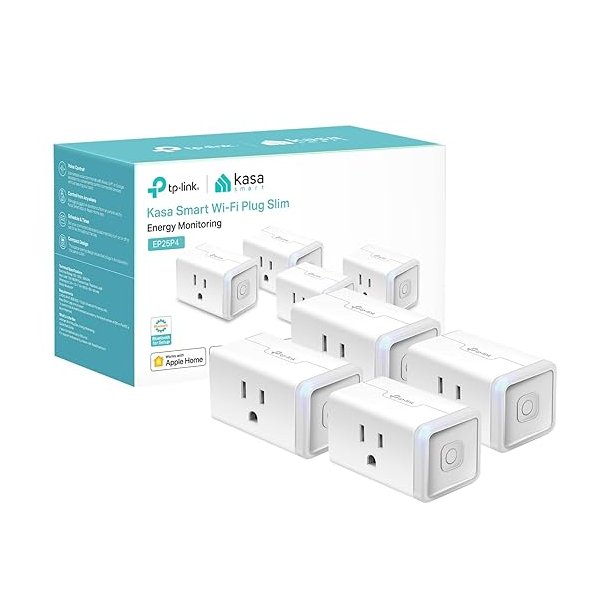
A four-pack of smart plugs is the cheapest way to make a dorm feel automated. The Kasa Smart Plug Mini turns any lamp, fan, string of lights, or coffee maker into something you can control by voice or phone — and, crucially, schedule. Set your desk lamp to switch on before your alarm, or have your fan turn off automatically an hour after you fall asleep. Because they’re mini-sized, they don’t block the second socket on a shared outlet, which matters a lot when you only have two.
The Kasa app is one of the most reliable in the budget space, and these plugs work with Alexa, Google Home, and Apple HomeKit via Siri — so they’ll fit whatever phone your roommate has too. Getting four in one box means you can spread them across the lamp, the fan, the fairy lights, and the coffee maker and still spend less than the price of a single premium plug.
Pros:
- Four plugs in one affordable box
- Compact design doesn’t block the second outlet
- Reliable scheduling and timers via the Kasa app
- Works with Alexa, Google Home, and Apple HomeKit (Siri)
- No hub required — connects straight to Wi-Fi
Cons:
- 2.4GHz Wi-Fi only
- Not rated for high-wattage appliances like space heaters
- Status LED can be a little bright in a dark room
3. Govee RGBIC LED Strip Lights (16.4ft) — Best Mood Lighting
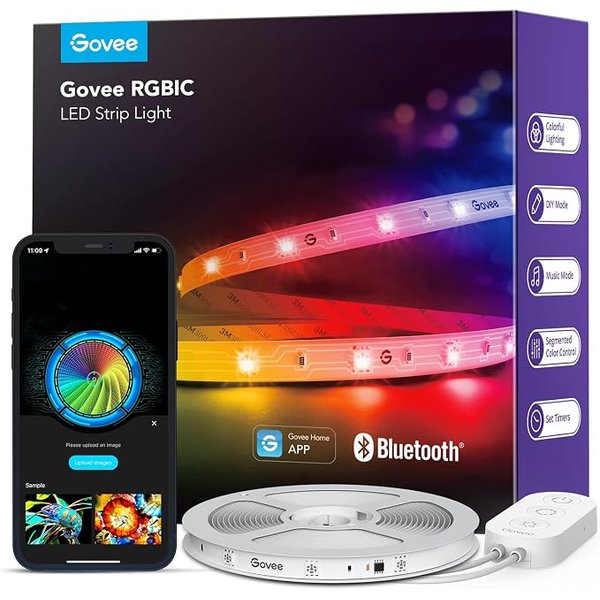
Nothing transforms a bland dorm room faster than LED strip lighting, and the Govee RGBIC strip is the one everyone ends up with for good reason. RGBIC means different sections of the strip can show different colors at the same time — so you get flowing rainbow effects, not just one flat color. Stick it behind your headboard, along a desk, or around a mirror using the built-in adhesive backing, and control it all from the Govee app.
The music-sync feature makes the lights pulse to whatever you’re playing, which is a cheap thrill during a study break or a small hangout. At 16.4 feet, one roll is enough to outline most of a dorm wall. It runs on Bluetooth through the app rather than Wi-Fi, so it pairs instantly and never fights with the campus network — the tradeoff is you control it from your phone within the room rather than remotely. Just peel it off carefully at move-out and the adhesive comes away clean.
Pros:
- RGBIC multi-color effects, not just single colors
- Music sync reacts to whatever you’re playing
- 16.4ft covers most of a dorm wall
- Adhesive backing installs and removes cleanly
- Bluetooth pairing sidesteps campus Wi-Fi restrictions
Cons:
- Bluetooth control only — no remote/away access
- Adhesive can lift on textured or painted cinderblock walls
- No voice control without the Wi-Fi models
4. Govee Smart Light Bulbs A19 4-Pack — Best Budget Upgrade
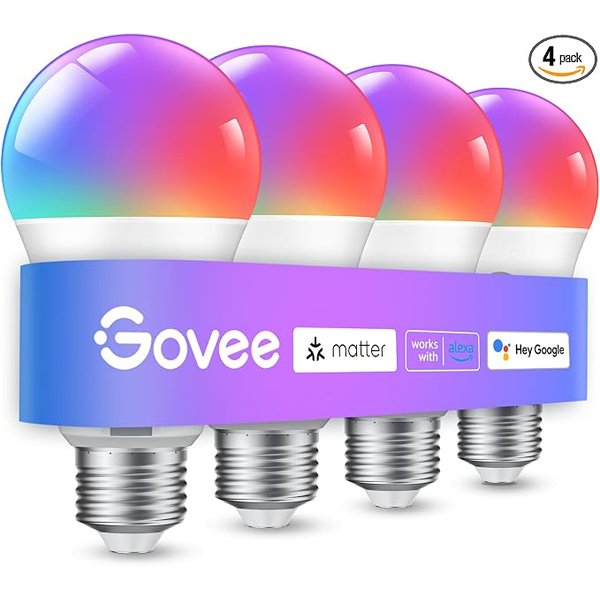
Dorm overhead lighting is famously harsh, so the easiest fix is to bring your own lamps and drop in smart bulbs. This Govee 4-pack gives you 16 million colors and adjustable white tones across four standard A19 bulbs, so you can put warm light on your desk lamp for late-night reading and a color on the nightstand for winding down. They screw into any normal lamp socket — no lease-violating wiring involved.
Because they connect over both Wi-Fi and Bluetooth, they work with Alexa and Google Assistant, meaning you can pair them with the Echo Dot and control everything by voice. Music sync is built in here too, and the four-pack price makes it painless to light every lamp in the room. When you move out, they unscrew and go with you to the next place.
Pros:
- Four color-changing bulbs at a low per-bulb price
- Warm-to-cool white plus 16 million colors
- Works with Alexa and Google Assistant by voice
- Fits any standard lamp — nothing to install
- Comes with you when you move out
Cons:
- 800 lumens is bright enough for lamps, not whole-room ceiling fixtures
- 2.4GHz Wi-Fi only for the smart features
- Colors are best in a lamp with a translucent or open shade
5. Wyze Cam v4 — Best Security Camera
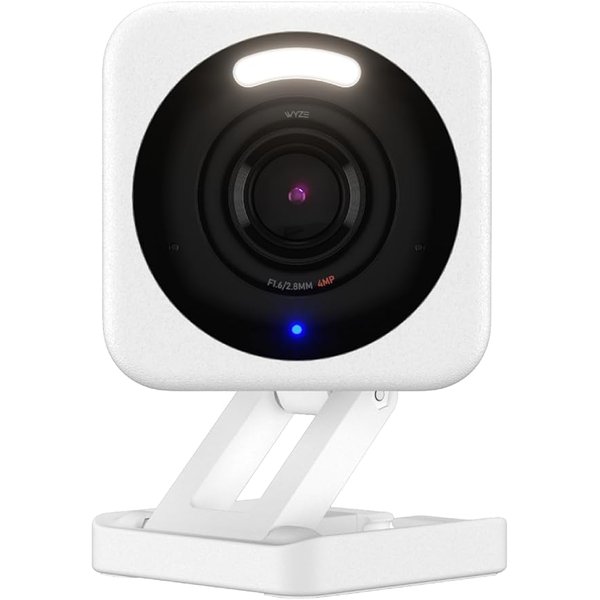
Shared buildings mean a lot of people have access to your hallway, and a small camera buys peace of mind for very little money. The Wyze Cam v4 shoots sharp 2.5K video, has excellent color night vision, and can record continuously to a microSD card with no monthly subscription required — a big deal on a student budget. Point it at your desk or the door when you’re out, and you’ll get phone alerts when it detects a person.
It’s tiny and sits on a shelf or magnetic base, so there’s no drilling, and two-way audio lets you check in on a pet (for off-campus apartments) or just tell your roommate you’re on the way. Because it stores footage locally on a card, you’re not locked into paying for cloud storage every month. For around $35, it’s the most reassurance you can add to a dorm for the least money. Do check your school’s policy on cameras in shared rooms and be considerate of roommates.
Pros:
- Sharp 2.5K video with strong color night vision
- Records to microSD with no subscription required
- Person-detection alerts to your phone
- Tiny, sits on a shelf — no drilling
- Two-way audio and works with Alexa/Google
Cons:
- Needs a microSD card (sold separately) for local recording
- Best mounted thoughtfully out of a roommate’s private space
- Requires steady Wi-Fi for remote viewing
Dorm Smart Home Comparison
| Product | Best For | Approx. Price | Setup | Voice Control |
|---|---|---|---|---|
| Amazon Echo Dot (newest model) | Overall / voice hub | ~$50 | Plug in | Built-in (Alexa) |
| Kasa Smart Plug Mini 4-Pack | Automating lamps & fans | ~$25 | Plug in | Alexa/Google/Siri |
| Govee RGBIC LED Strip (16.4ft) | Mood lighting | ~$14 | Peel & stick | No (Bluetooth) |
| Govee Smart Bulbs 4-Pack | Budget lamp upgrade | ~$30 | Screw in | Alexa/Google |
| Wyze Cam v4 | Security | ~$36 | Shelf/magnet | Alexa/Google |
How to Build a Dorm Smart Setup on a Budget
You don’t need everything at once. The smartest order is to start with the Echo Dot, because it turns every other device into something you can control by voice. From there, add a four-pack of smart plugs so your lamps and fan run on a schedule, then a strip light and a couple of smart bulbs to fix the bad overhead lighting. The camera is the finishing touch for peace of mind.
For under $150 total, that stack covers voice control, automated power, custom lighting, and basic security — and it all fits in a shoebox when you move. Keep the boxes and adhesive strips so you can reset everything cleanly at the end of the year.
A Note on Campus Wi-Fi
The single most common frustration with dorm smart devices is campus networks that block the “device discovery” these gadgets rely on to pair. If a plug or bulb won’t connect on the school’s Wi-Fi, try setting it up on your phone’s mobile hotspot, or pick up an inexpensive personal travel router that creates your own little network in the room. Bluetooth-based gear like the Govee strip sidesteps this entirely, which is part of why it’s such a reliable dorm pick.
If you want to go deeper on any one category, our guides to the best smart plugs and the best smart LED strip lights break down more options, and our smart home for renters guide covers damage-free setups that apply just as well to a dorm.
Frequently Asked Questions
Are smart home devices allowed in college dorms?
Most basic plug-in and screw-in devices — smart speakers, plugs, bulbs, and LED strips — are fine in the vast majority of dorms because they don’t modify the room. Cameras are the exception: many schools have specific policies about recording devices in shared spaces, so check your housing agreement and be respectful of roommates before setting one up. Anything that requires drilling or hardwiring is usually off-limits.
Will these work on my school’s Wi-Fi?
Usually, but not always. Campus networks sometimes block the local device discovery that smart gadgets use to pair. If something won’t connect, set it up using your phone’s hotspot or a small personal travel router that creates a private network in your room. Bluetooth devices like the Govee LED strip pair directly to your phone and avoid the problem altogether.
What’s the cheapest way to start?
Begin with a four-pack of smart plugs (around $25) and a strip light (around $14). That gives you scheduled lamps and fans plus custom lighting for under $40 — the two upgrades that make the biggest difference in a small room. Add an Echo Dot later when you want hands-free voice control tying it all together.
Do I need a smart home hub for a dorm?
No. Every device in this guide connects over Wi-Fi or Bluetooth and pairs with a phone app, so there’s no hub to plug into the building network. That keeps things simple and avoids running into campus IT restrictions on extra network hardware.
Can I take all of this with me when I move out?
Yes — that’s the whole point of choosing renter-friendly gear. The plugs unplug, the bulbs unscrew, the speaker and camera lift off the shelf, and the LED strip peels away (carefully) without leaving residue. Everything packs into a small box and moves to your next dorm or first apartment.
The Bottom Line
The best smart home devices for a college dorm aren’t the expensive, permanent ones — they’re the cheap, removable, plug-and-play gadgets that make a small room feel like yours and follow you when you leave. Start with the Echo Dot for voice control, add a four-pack of Kasa smart plugs and some Govee lighting to fix the room’s worst habits, and drop in a Wyze Cam v4 for peace of mind. For less than the price of a weekend flight home, you’ll have a dorm that turns its own lights on, wakes you up, and keeps an eye on your stuff — all without a single hole in the wall.