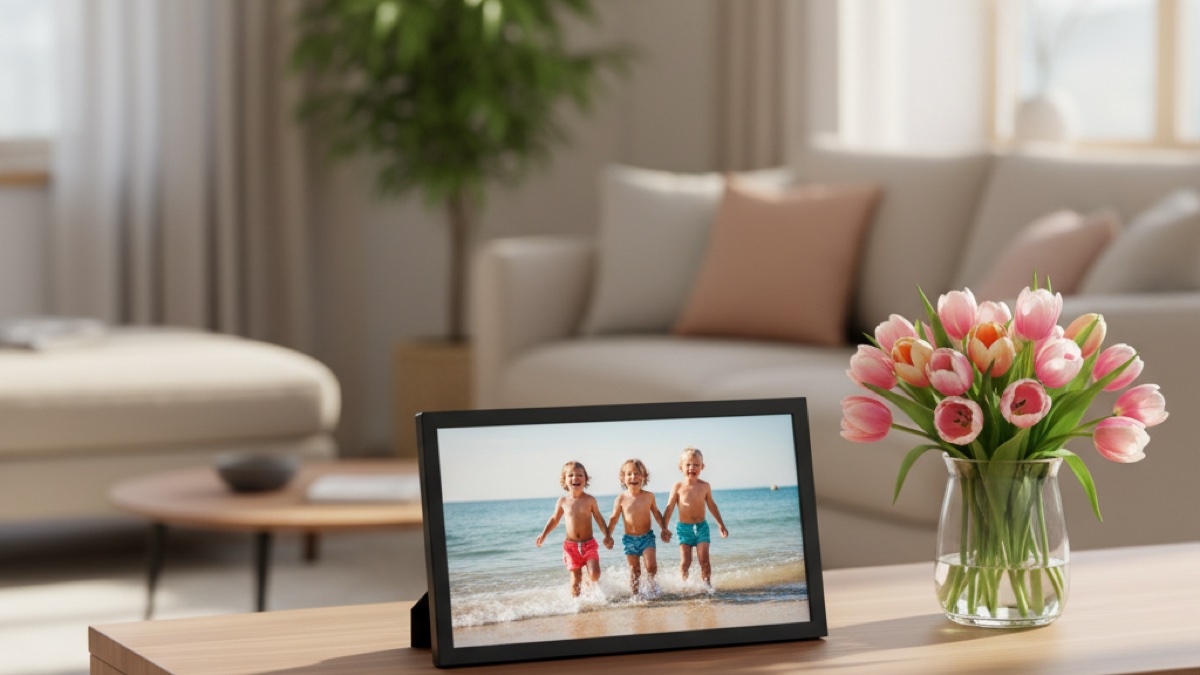
Quick Picks
Short on time? Here are our top recommendations:
- Aura Carver 10.1” WiFi Digital Picture Frame (~$180) — Best overall, color-calibrated HD display, free unlimited storage, no subscription
- Aura Walden 15” WiFi Digital Picture Frame (~$300) — Best premium, wall-worthy 15-inch FHD display for the whole family
- Aura Mason WiFi Digital Picture Frame (~$150) — Best compact, dual-orientation 9-inch frame for desks and shelves
- Skylight Digital Picture Frame 2 – 10” Full HD Wi-Fi Touch Screen (~$160) — Best touchscreen, easiest setup for non-tech-savvy recipients
- Nixplay Smart Digital Picture Frame I 10.1 inch I WiFi I Black (~$150) — Best for shared family playlists and Alexa
- PixStar 10 inch Digital Frame WiFi (~$160) — Best for grandparents, free unlimited cloud storage and email-to-frame
Mother’s Day is May 10, and if you’re still stuck on what to get, a Wi-Fi digital picture frame is the rare gift that actually gets used every single day. Plug it in, set it on the kitchen counter or her nightstand, and from that moment on every photo you snap of the kids, the dog, or the new puppy lands on her frame within seconds. No printing, no shipping, no “I’ll mail it next week and never will.” Just a slow rotation of family photos on permanent display, refreshed for free, forever.
The category got dramatically better in the last two years. The best Wi-Fi frames now have color-calibrated HD displays that actually look like your phone’s screen instead of the washed-out LCDs of older frames. They auto-adjust brightness based on room light, turn off in a dark room so they don’t glow at 2 AM, and let multiple family members contribute photos to the same frame from anywhere in the world. Some even play short videos with sound. Setup, which used to be the dealbreaker for older recipients, is now a one-minute scan of a QR code in a free app — no Wi-Fi password fumbling on a four-button remote.
The catch is that not every Wi-Fi frame is built the same way. Some charge yearly subscriptions to unlock features. Some have tiny cloud storage caps. Some have great hardware but apps that look like they were last updated in 2018. We sorted through the field heading into Mother’s Day 2026 and pulled the six frames that genuinely earn their price — including the absolute best one to give as a gift, plus a budget-friendly pick that won’t lock the recipient into a yearly fee.
If you’re shopping a wider gift list, we also break down Alexa-compatible smart displays (Echo Show and Google Nest Hub style screens) and the best smart speakers of 2026 — both work alongside a digital frame in the same room.
Our Top Picks Reviewed
Aura Carver 10.1” WiFi Digital Picture Frame | The Best Digital Frame for Gifting | Text Photos Directly to Your Frame from Anywhere | Free Unlimited Storage | No Subscription Fees, No Ads — Best Overall
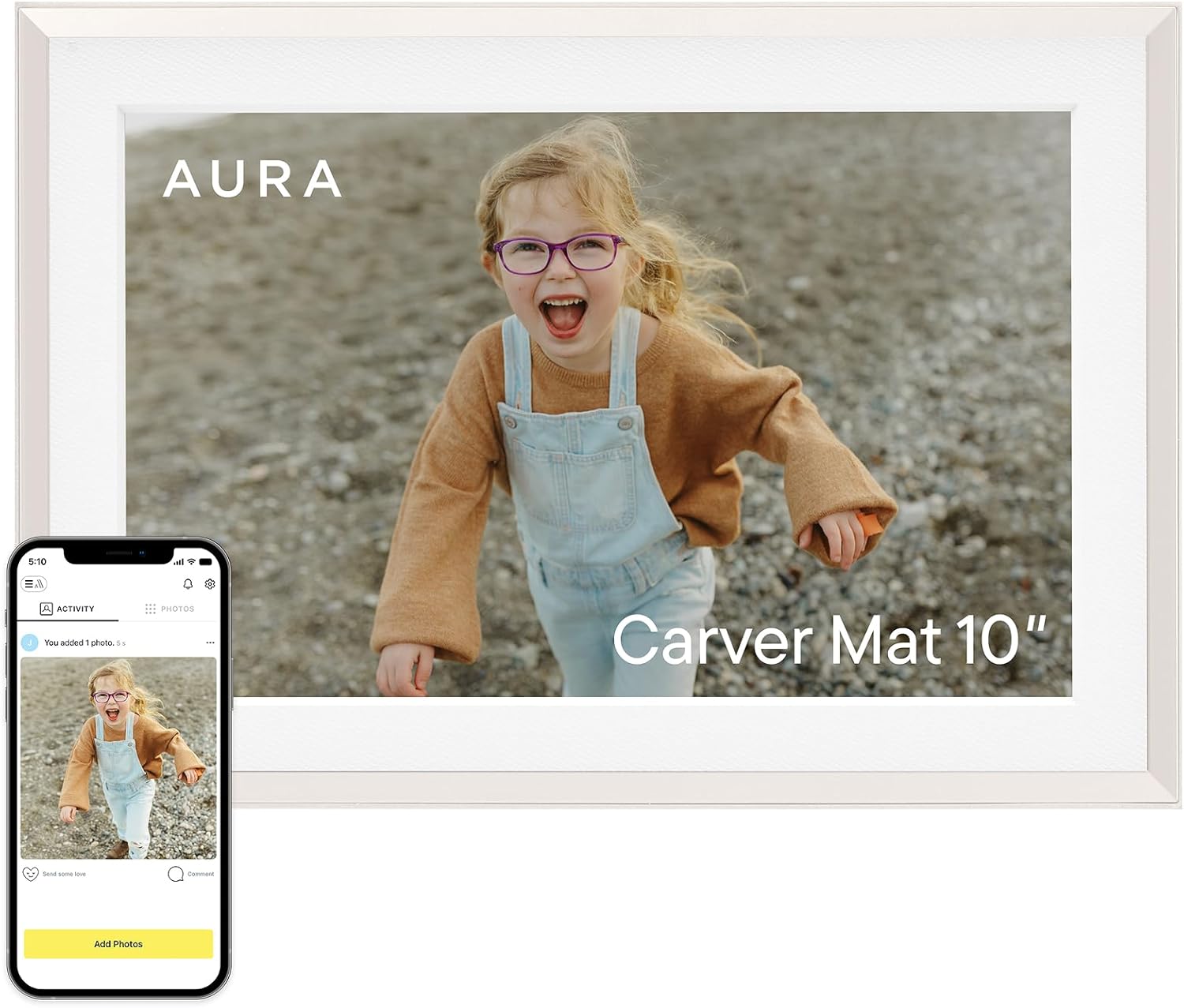
The Aura Carver is the digital picture frame to beat in 2026. Wirecutter has named it best digital frame for gifting for years running, and the reason is simple: it does the gift-giving experience better than anything else on the market. You can preload photos in the Aura app before it ships, schedule a personalized greeting message that pops up when Mom first powers it on, and ship it pre-paired so she literally just plugs it in and sees her grandkids’ faces.
The display is the real story. Aura uses a color-calibrated HD panel that consistently makes phone photos look like phone photos — skin tones don’t go orange, blues don’t go cyan, and shadows don’t crush. The 10.1-inch landscape size is the sweet spot for a kitchen counter, mantel, or nightstand. An ambient light sensor automatically dims the display in a dark room and turns it off entirely overnight, so it isn’t a nightlight. Aura’s “Photo Pairing” feature also auto-curates which two portrait photos display side by side, which sounds gimmicky until you see it — it picks beautifully matched pairs and refreshes the layout every few minutes.
The bigger reason to buy this over a Skylight or Nixplay is the subscription policy. Aura charges nothing, ever, for cloud storage, app features, or future updates. You upload 10,000+ photos and short videos and they live there forever. Skylight and Nixplay both have annual fees attached to their better features in 2026, which adds up over years.
You add photos by texting them to the frame, sharing from the phone’s camera roll into the Aura app, or inviting other family members to contribute. Set up a “Family” album with Aunt Carol and the cousins and Mom’s frame quietly fills up with photos she never would have seen otherwise. Aura also plays up to 30 seconds of video with sound, and iOS Live Photos animate automatically.
Key Features:
- 10.1” color-calibrated HD display, 1280x800 resolution
- Free unlimited cloud storage, no subscription
- Send photos via Aura app, text-to-frame, or shared family albums
- Auto on/off via ambient light sensor
- Plays video clips up to 30 seconds with sound
- Pre-load photos and gift message before shipping
- Touch-bar controls on top of frame for skip and pause
Pros:
- Best display calibration in the category
- Zero subscription fees, ever
- Genuinely thoughtful gifting experience (preload, gift message, pre-paired)
- Works for non-tech-savvy recipients out of the box
- Multiple family members can contribute to the same frame
Cons:
- One of the more expensive 10-inch frames at full price
- Landscape orientation only (no portrait rotation)
- No touchscreen (uses touch-bar on top edge)
Aura Walden 15” WiFi Digital Picture Frame | Wirecutter’s Best Digital Frame for Gifting | Send Photos from Your Phone | Quick, Easy Setup in Aura App | Free Unlimited Storage | White Clay — Best Premium

If you want the digital frame that actually looks like a real piece of wall art, the Aura Walden is the pick. At 15 inches, it’s the largest premium Wi-Fi frame Aura makes — big enough to hang in a hallway, prop on a console table, or use as a low-key replacement for a printed family portrait above the couch. The display is a full HD panel with the same color calibration as the Carver, just on a much larger canvas.
This is a serious gift, and the price reflects that — figure roughly twice what a Carver costs. The reason to spend it is presence. Family photos at 15 inches in a quiet room actually become a thing you stop and look at instead of background décor. The Walden also supports both landscape and portrait wall mounting, so vertical phone photos look right at home without letterboxing.
Everything else is the same Aura experience: free unlimited storage, no subscription, gift-ready packaging, preload photos before shipping, multi-contributor family albums, and a one-minute setup. The only ergonomic note is that the Walden is heavier and slightly less mobile than a Carver — this is a frame you put somewhere and leave there.
Key Features:
- 15” Full HD color-calibrated display, anti-glare finish
- Wall-mountable in landscape or portrait orientation
- Free unlimited cloud storage, no subscription
- Same Aura app, text-to-frame, family albums
- Auto-dims and shuts off based on room light
- Premium gift packaging with preload-before-ship support
Pros:
- Genuine living-room-art presence at 15 inches
- Best calibrated large-format frame on the market
- Wall-hangs in either orientation
- No subscription, no storage cap
- Same easy setup as the smaller Aura frames
Cons:
- Expensive — roughly 2x the price of the 10” Carver
- Heavy enough that it’s not really portable
- Same touch-bar control scheme (no touchscreen)
Aura Mason WiFi Digital Picture Frame | Wirecutter’s Best Digital Frame for Gifting | Send Photos from Your Phone | Quick, Easy Setup in Aura App | Free Unlimited Storage | Black — Best Compact
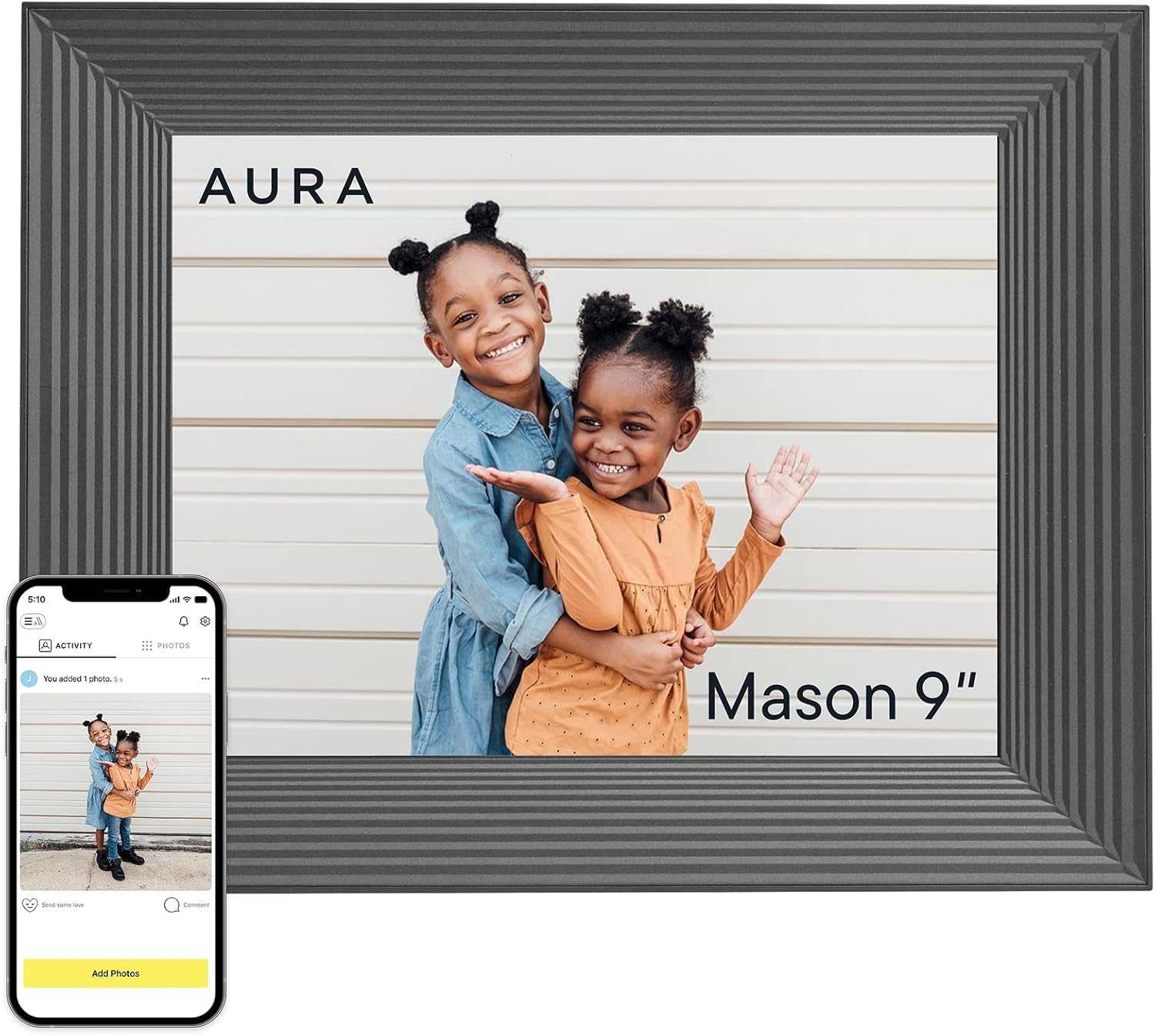
The Aura Mason is the smallest, most flexible frame in Aura’s lineup, and it’s the right pick when you want a digital frame for a desk, bookshelf, or bedside table — somewhere a 10- or 15-inch frame would feel oversized. The display is a 9-inch FHD panel at 1600x1200, which is actually a higher pixel density than the larger Carver, so close-up portrait photos look crisp.
The Mason’s killer feature is dual orientation. Lay it on its long edge for landscape photos, stand it tall for portrait phone shots — the photo automatically rotates and re-frames to fit. That’s a genuinely useful feature for camera-roll gifting, where about half the photos you’d send are vertical phone photos that get cropped down on a landscape-only frame.
It runs the same Aura app and follows the same playbook: free unlimited storage, no subscription, multi-contributor family albums, text-to-frame, and gift packaging with preload support. If you’re buying for a recipient with limited shelf space — a parent in a smaller apartment, a grandparent in assisted living, a sibling with a desk job — the Mason is the right size.
Key Features:
- 9” FHD display, 1600x1200 resolution
- Dual orientation (landscape or portrait)
- Free unlimited cloud storage, no subscription
- Aura app + text-to-frame + family albums
- Auto-dimming, auto on/off
- Wirecutter pick for compact frame
Pros:
- Higher pixel density than larger Aura frames
- Auto-rotates between landscape and portrait
- Great desk/shelf/nightstand size
- Same no-subscription Aura ecosystem
- Lower price than the Carver or Walden
Cons:
- 9” can feel small if the recipient already wanted a larger frame
- No touchscreen
- Single-frame design — only one photo at a time, no Photo Pairing like Carver
Skylight Digital Picture Frame 2 – 10” Full HD Wi-Fi Touch Screen, 16GB Digital Photo Frame, Load Photos & Videos Directly from Phone, Anti-Glare – Ideal for Personalized Gifting, Black — Best Touchscreen
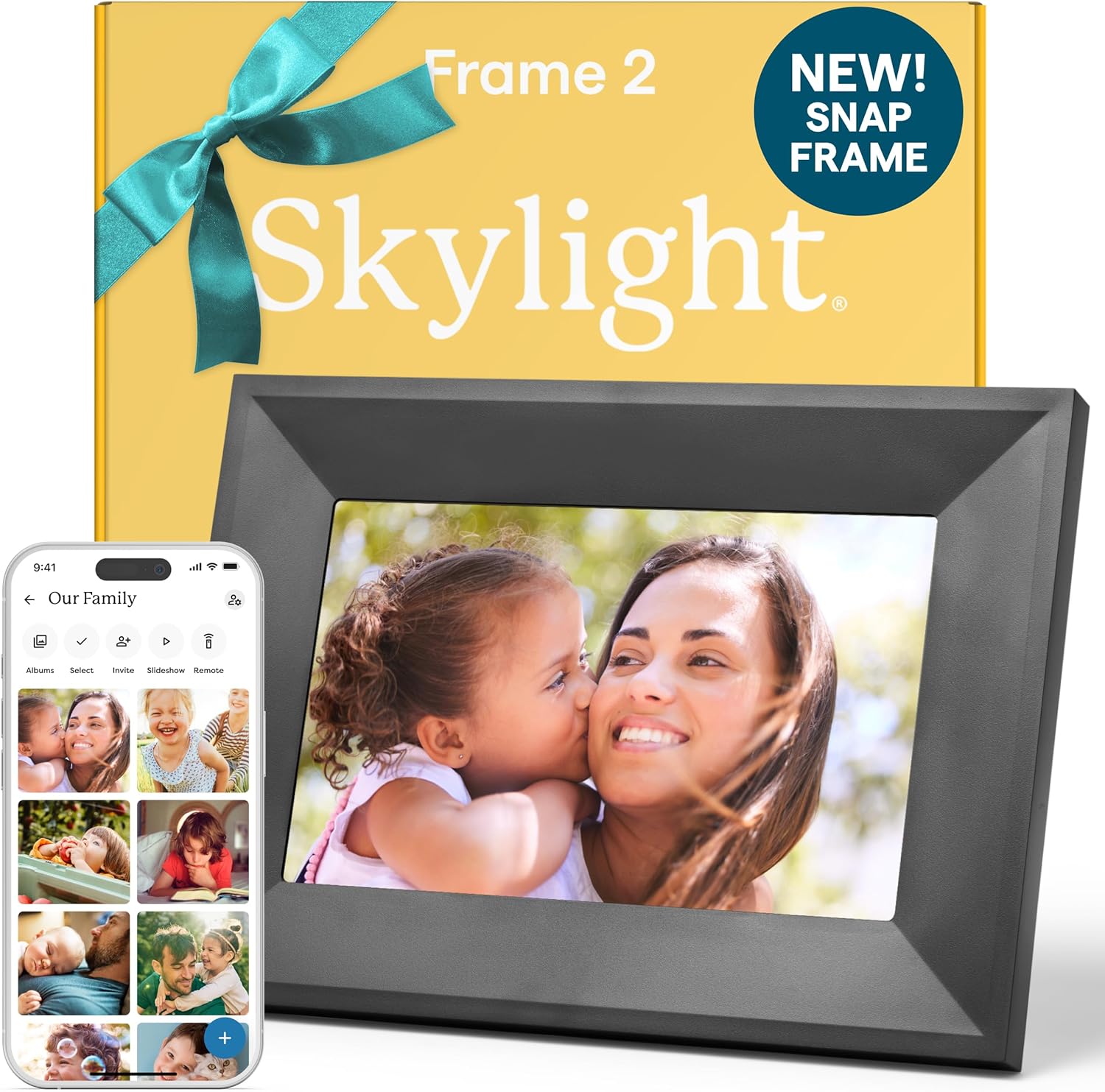
The second-generation Skylight Frame is the easiest digital frame to use day-to-day, especially for an older recipient who isn’t going to install yet another app. The reason is the 10-inch touchscreen. Mom can swipe through photos, double-tap to favorite, pause the slideshow, or bring up a slider to skip ahead — all without picking up a phone or remote. Aura frames force you to use a hidden touch bar; Skylight just uses the screen, like everyone expects.
Skylight’s other advantage is its email-to-frame setup. Every Skylight gets its own custom email address (like [email protected]), and anyone with the address can send photos by attaching them to a normal email. There’s no app required for the senders. That means Aunt Carol with the flip phone, the cousin who refuses to download anything new, and the kids’ school teacher can all add photos to Mom’s frame just by emailing them — which is a real edge over app-only frames.
The Skylight Frame 2 upgrade adds Full HD resolution, 16GB of onboard storage, an anti-glare finish, and direct phone-to-frame photo and video loading. Setup is the famous “one-minute” Skylight workflow: plug in, scan QR, connect Wi-Fi, done.
The honest tradeoff is the subscription. Skylight Plus, the optional yearly subscription, unlocks recipe storage, calendar features, video sending from the app, AI photo cleanup, and unlimited captions. The base frame works fine without it for photo display — but the most-marketed features sit behind the paywall. If you want the frame to be just a frame, the free tier is enough. If you want the full ecosystem, budget for the yearly fee on top.
Key Features:
- 10” Full HD touchscreen with anti-glare finish
- 16GB onboard storage
- Email-to-frame (no app required for senders)
- App-based photo and video loading
- One-minute setup
- Skylight Plus optional subscription unlocks calendar, recipes, video send, captions
Pros:
- Genuine touchscreen — easiest controls in this roundup
- Email-to-frame is great for non-app-using family members
- Full HD upgrade over the original Skylight
- Anti-glare finish handles bright rooms well
- Excellent for older or low-tech recipients
Cons:
- Best features (video send, calendar, captions) require Skylight Plus subscription
- Display calibration not as tight as Aura
- Landscape orientation only
Nixplay Smart Digital Picture Frame I 10.1 inch I WiFi I Black I Shared Family Playlists I Mobile App, Email I Preload Content for a Gifted Frame — Best for Shared Family Playlists
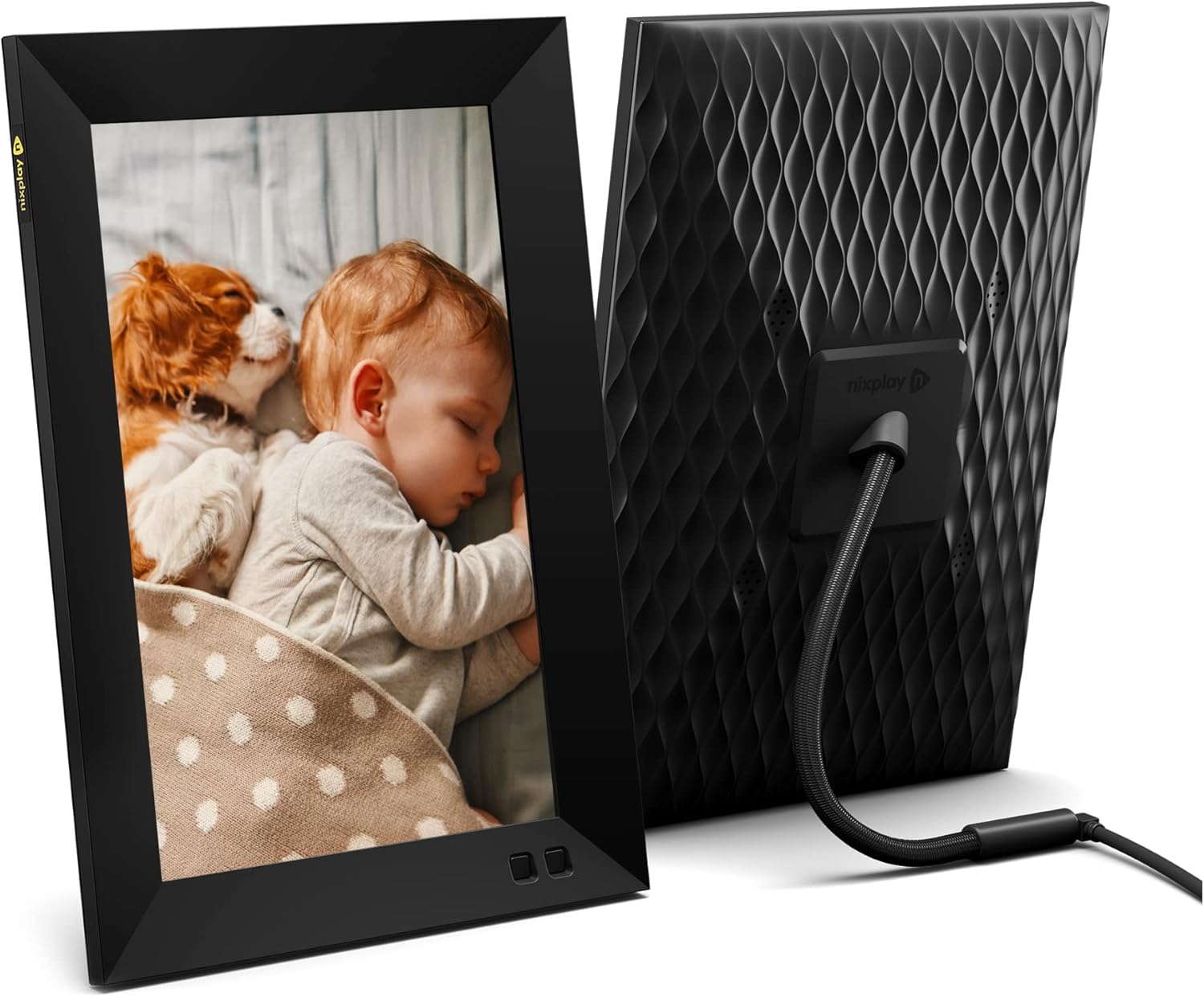
Nixplay is the long-running incumbent in Wi-Fi photo frames, and the 10.1-inch Smart Frame is the model most people land on. Where Aura simplifies and Skylight adds touchscreen, Nixplay leans hardest on playlists and sharing. You build named playlists in the Nixplay app — “Kids 2024,” “Beach Trips,” “Holidays” — and assign them to one or more frames. Multiple family members can subscribe to the same playlist and contribute photos. It’s the most flexible “share to many frames at once” workflow of any frame in this roundup.
The hardware is solid. 10.1-inch IPS display at 1280x800, motion sensor that wakes the frame when you walk into the room, mobile app and email-to-frame photo upload, and Alexa compatibility — you can ask Alexa to play a specific playlist. There’s a single mobile remote in the app for quick controls. Setup is quick once you’ve got a Nixplay account.
The honest caveat is that Nixplay went subscription-heavier in 2025. Free cloud storage is now capped at 500MB, and a yearly Nixplay Plus plan unlocks larger storage, more playlists, video clips, and ad-free use. For a pure photo display gift, 500MB is enough for a few hundred high-resolution photos. For heavier use or multi-frame households, plan on the subscription.
If your buyer profile is a multi-generational family that wants to share the same set of frames — grandma, two adult kids, three sets of grandkids all contributing to a synced playlist — Nixplay still has the most refined ecosystem for that exact use case.
Key Features:
- 10.1” IPS display, 1280x800 resolution
- Shared playlists across multiple frames
- Motion sensor turns frame on when you enter the room
- Alexa compatible (voice-control playlists)
- Email-to-frame, app uploads, web uploads
- Preload photos before gifting
Pros:
- Best multi-frame, multi-contributor playlist system in the category
- Alexa voice control is genuinely useful
- Motion sensor saves power without manual schedules
- Preload-before-gifting works well
- Long history and active firmware updates
Cons:
- Free storage capped at 500MB in 2026, full features behind Nixplay Plus subscription
- Display calibration not as good as Aura
- App can feel busier than Aura’s clean design
PixStar 10 inch Digital Frame WiFi | Free Unlimited Cloud Storage | Motion Sensor | Highly giftable for Grandparents | IPS Display | Easy Setup Digital Photo Frame | Electronic Picture Frame — Best for Grandparents
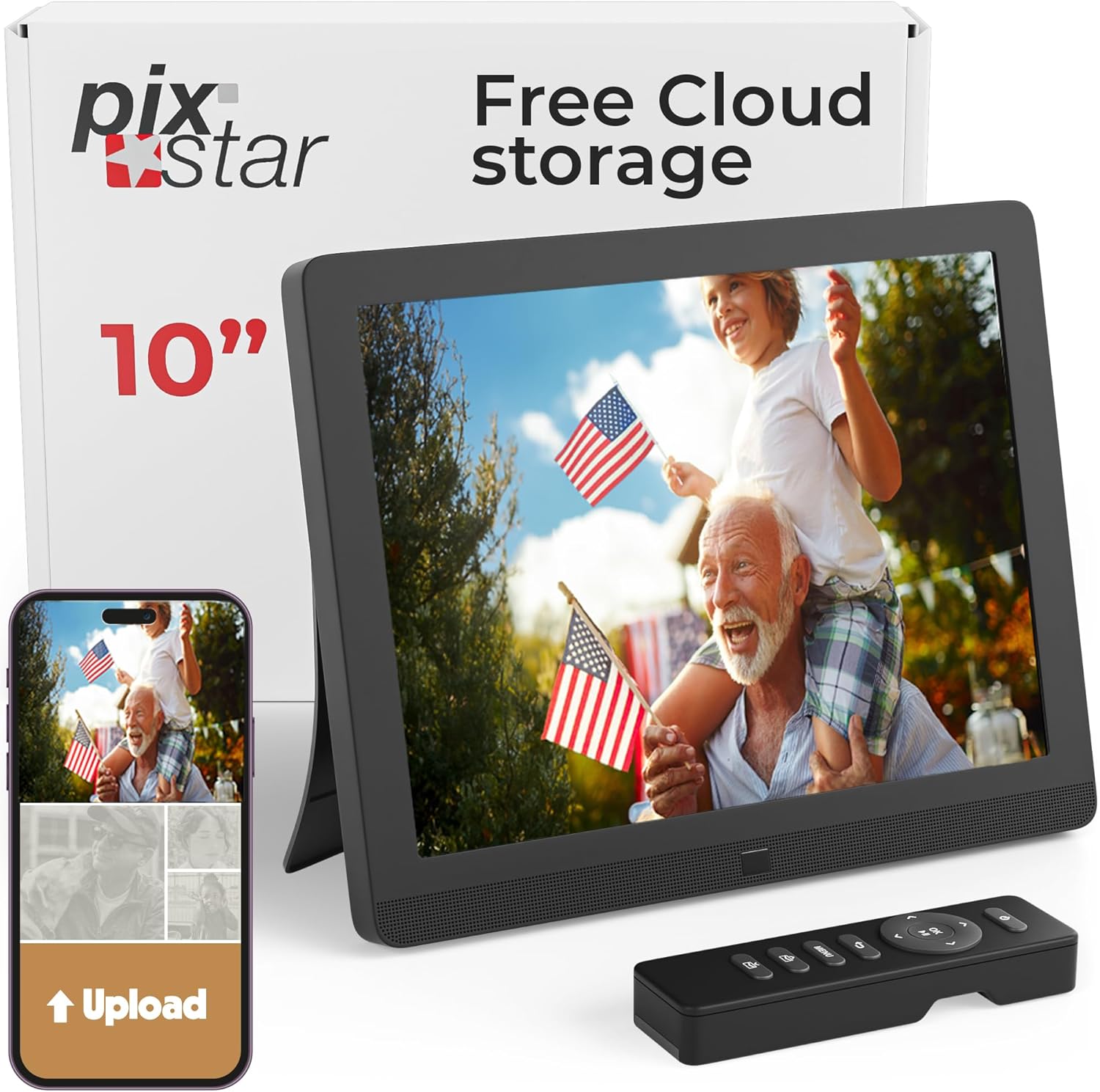
PixStar is the workhorse frame for grandparents, and the 10-inch WiFi model is the one that consistently shows up in family-shared lists. The pitch is straightforward: free unlimited cloud storage, no subscription ever, and an IPS display in a 4:3 ratio that doesn’t crop phone photos as aggressively as 16:10 frames. The frame has its own personalized email address (so anyone in the family can send photos by emailing them), supports the iOS and Android apps, and has SD card and USB inputs as a backup for less tech-savvy senders.
PixStar’s strongest feature for older recipients is redundancy in how photos can arrive. App, email, USB stick, SD card, web upload from the PixStar account, and even photo sync from a few online services. If grandma’s grandkids want to send photos but can’t agree on one app, PixStar takes them all. The motion sensor turns the frame on when someone enters the room and sleeps it after a quiet stretch.
The tradeoffs are honest. The display, while sharp, isn’t color-calibrated like the Aura frames — colors can feel a touch warm. The app interface is plainer than Aura or Nixplay. And the 4:3 aspect ratio, while great for not cropping vertical phone photos, looks more like a 2010 frame than a modern widescreen panel. None of that matters to the recipient profile this is built for: grandparents who want a simple frame on the bookshelf that quietly cycles family photos forever, with no monthly fee and no learning curve.
Key Features:
- 10” IPS display, 1024x768 resolution, 4:3 ratio
- Free unlimited cloud storage, no subscription
- Personalized email-to-frame address
- iOS, Android, USB, SD card, web sync inputs
- Motion sensor for auto on/off
- Weather, calendar, web radio extras
Pros:
- Free unlimited storage, zero ongoing fees
- Most input methods of any frame here (email, app, USB, SD, web)
- 4:3 ratio doesn’t crop vertical phone photos
- Reliable workhorse design that survives years of daily use
- Motion sensor means recipients never deal with a remote
Cons:
- Display not color-calibrated (slight warm tint)
- Lower resolution than Skylight or Aura
- App and UI feel dated next to Aura
- Not a Wirecutter-style “premium gift” frame — more utilitarian
Comparison Table
| Frame | Size | Resolution | Storage | Subscription | Best For |
|---|---|---|---|---|---|
| Aura Carver | 10.1” | 1280x800 HD | Free unlimited | None | Best overall gift |
| Aura Walden | 15” | Full HD | Free unlimited | None | Premium / wall-mount |
| Aura Mason | 9” | 1600x1200 FHD | Free unlimited | None | Compact desk/shelf |
| Skylight Frame 2 | 10” | Full HD touchscreen | 16GB onboard | Optional Plus plan | Easiest controls |
| Nixplay 10.1” | 10.1” | 1280x800 IPS | 500MB free, more w/ Plus | Optional Plus plan | Shared family playlists |
| PixStar 10” | 10” | 1024x768 IPS | Free unlimited | None | Grandparents / utility |
Buying Guide: How to Pick a Smart Digital Picture Frame
Start with subscription policy
This is the single biggest decision. Aura and PixStar charge nothing, ever. Skylight and Nixplay both have meaningful features behind yearly subscriptions in 2026 — Skylight Plus gates recipes, calendar, and video sending; Nixplay caps free storage at 500MB. If the recipient hates subscriptions or the gift needs to “just work” forever, lean toward Aura or PixStar.
Match screen size to where it will live
A 10-inch frame is the standard size and works on a kitchen counter, mantel, or nightstand. The 9-inch Aura Mason fits on a desk or smaller shelf. The 15-inch Aura Walden is a wall-art piece — only buy that size if you have a clear spot for it. Bigger isn’t always better; an oversized frame in a small space looks out of place.
Decide who is sending photos
If only you are uploading photos, any app-based frame is fine. If multiple family members will contribute, you want a frame with shared albums or playlists (Aura family albums, Nixplay shared playlists). If a parent or older relative wants to send photos but won’t install an app, prioritize email-to-frame — Skylight, Nixplay, and PixStar all support it; Aura supports text-to-frame as a similar zero-app workflow.
Pay attention to display calibration
This is a real difference between Aura and everything else. Aura color-calibrates each display at the factory, so a sunset photo on Mom’s frame looks like the sunset photo on your phone. Other frames are fine — but if the recipient cares about photography or the gift is for an artist, photographer, or design-conscious parent, Aura’s panel is noticeably better.
Check orientation flexibility
Most frames are landscape only. The Aura Mason auto-rotates between landscape and portrait. The Aura Walden mounts in either orientation on the wall. If the photo collection is mostly vertical phone shots, frames that respect portrait orientation (Mason, Walden, or 4:3 PixStar) waste less screen real estate.
Confirm video support if it matters
Aura plays up to 30 seconds of video with sound and auto-animates iOS Live Photos. Skylight and Nixplay both support video, but the best video features sit behind their respective subscriptions. PixStar’s video support is limited. If you want short clips of the grandkids in motion, the Aura ecosystem is the cleanest.
Setup difficulty for the recipient
If the recipient will set up the frame themselves, all of these are roughly equal — one-minute QR-code-and-Wi-Fi flows. If you’re shipping the frame and the recipient just plugs it in, Aura’s preload-before-shipping flow is genuinely the smoothest in the category. Nixplay supports preload too. Skylight makes it easy to preload via the app once the frame is online.
How a Wi-Fi Digital Picture Frame Actually Works
The mechanics are simple. The frame is a small tablet without a battery, connected to your home Wi-Fi. It pairs with an account in a phone app (Aura, Skylight, Nixplay, PixStar). When you upload a photo from the app, it goes to the manufacturer’s cloud, the frame downloads it over Wi-Fi, and adds it to the slideshow rotation. Same with email-to-frame — the photo lands in the cloud account, then syncs to the frame.
You don’t need a smart home hub, Matter, Thread, or any other protocol. Just the frame’s own Wi-Fi connection. The frame doesn’t need to talk to other smart home devices — it’s a standalone product.
Storage in 2026 is mostly cloud-based. Onboard storage on the frame itself ranges from a few hundred MB to 16GB depending on the model, but the real photo library lives in the manufacturer’s cloud and syncs down on demand. That’s why the subscription policy matters so much — it determines how big your cloud library can be over years.
Most frames use roughly 5W of power on average — about the same as a phone charger — and are designed to stay plugged in 24/7. Auto-dimming and motion-based on/off keep the screen from burning energy when nobody’s looking at it.
FAQ
Do digital picture frames need a phone?
The recipient does not need a phone for the frame itself to work. They just need Wi-Fi at home. The senders — you, family members — generally use a phone app to upload photos, though Skylight, Nixplay, and PixStar also accept email-to-frame uploads from any device.
Can multiple people send photos to one frame?
Yes. All six frames in this roundup support multiple senders. Aura uses shared family albums, Nixplay uses shared playlists, Skylight and PixStar use a shared frame email address. You can have grandkids, in-laws, and friends all contributing photos to a parent’s frame.
Do digital picture frames work without a subscription?
It depends on the frame. Aura and PixStar require zero subscription — free unlimited cloud storage, full app features, forever. Skylight and Nixplay have free tiers that handle basic photo display, but their full feature sets (video sending, calendars, recipe storage, captions, larger storage caps) sit behind yearly subscriptions in 2026. Read the model description carefully before buying.
What about privacy — who sees the photos I upload?
Photos are stored in each manufacturer’s cloud and visible only to the people you invite to that frame’s album. None of these frames publicly share photos. Each manufacturer has its own privacy policy worth a quick read, but in practice these are private family photo systems.
Can I send video to a digital picture frame?
Aura supports up to 30-second video clips with sound on all current frames. iOS Live Photos animate automatically. Skylight and Nixplay both support video, often with subscription requirements for the upload flow. PixStar has limited video support.
What’s the best digital picture frame for a grandparent?
For a tech-shy grandparent, the Skylight Frame 2 (touchscreen) or PixStar 10 (free unlimited storage, multiple input methods) are the easiest. For a grandparent who just wants the slideshow to “work” with no fees, the Aura Carver is hard to beat — preload it with photos before shipping and they plug it in to a finished slideshow.
Will a Wi-Fi picture frame work in a senior living community?
Mostly yes, but check the building’s Wi-Fi policy first. Some assisted living facilities use captive portals (the kind you have to log into through a browser), which Wi-Fi frames can’t always handle. A regular WPA2 or WPA3 home/apartment Wi-Fi network works fine for all six of these frames.
Is a Wi-Fi digital picture frame a good Mother’s Day gift?
It’s one of the most-used Mother’s Day gifts category-wide because it gets used every single day after delivery, refreshes for free as your photo library grows, and removes the “I should print and frame these photos” task that most parents never get around to. Aura’s preload-before-shipping setup makes the unboxing especially good.
Bottom Line
The single best smart digital picture frame in 2026 is the Aura Carver 10.1”. The display is the best calibrated in its class, there’s no subscription, the gifting experience (preload, message, pre-pair) is genuinely thoughtful, and at 10 inches it fits where most people will actually put a frame. Buy that one and you’re done.
Spend up for the Aura Walden 15” if you want something that doubles as wall art, or down to the Aura Mason 9” if the spot is a desk or nightstand. The Skylight Digital Picture Frame 2 is the right pick if a touchscreen matters or the recipient is older. Pick the Nixplay 10.1” Smart Frame for multi-frame, multi-contributor households that want shared playlists. And the PixStar 10” is the no-fees workhorse for grandparents who want every possible way to receive photos with no subscription, ever.
If you’re still building out a Mother’s Day gift bundle, our roundups of the best smart displays for 2026 and the best smart speakers of 2026 cover the two next-most-giftable smart home categories — both pair well with a digital frame in the same room.
Related Articles
- Best Smart Displays 2026 — touchscreens with video calling, recipes, and smart home control
- Best Smart Speakers 2026 — Alexa and Google speakers in every size and price