Quick Picks
Short on time? Here are our top recommendations:
- Amazon Echo Show 15 (~$250) — Best overall, 15.6” wall-mountable display
- Amazon Echo Show 11 (~$230) — Best new release with Alexa+ and spatial audio
- Amazon Echo Show 8 (3rd Gen) (~$150) — Best mid-range value
- Google Nest Hub Max (~$230) — Best for Google Assistant users
- Amazon Echo Show 5 (3rd Gen) (~$90) — Best budget smart display
- Google Nest Hub (2nd Gen) (~$100) — Best budget Google display with sleep tracking
Smart displays have quietly become one of the most useful gadgets you can put in your home. They combine the voice assistant you already use with a touchscreen that can show you security camera feeds, control your smart home, follow recipes, play videos, and make video calls — all hands-free.
But picking the right one depends on which voice assistant you use, where you plan to put it, and how much screen real estate you actually need. A 15.6-inch Echo Show mounted on your kitchen wall and a 5-inch bedside display serve completely different purposes, even though they technically do the same things.
This guide covers the six best smart displays you can buy in 2026, from budget-friendly options under $100 to premium screens that can replace a small TV. We’ve compared them across screen size, sound quality, camera capabilities, smart home integration, and overall value so you can find the right fit.
Our Top Picks Reviewed
Amazon Echo Show 15 — Best Overall
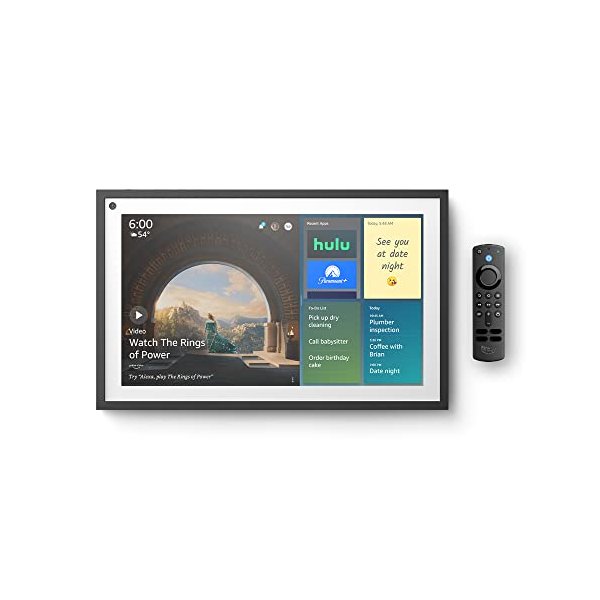
The Echo Show 15 is the biggest and most capable smart display Amazon makes. Its 15.6-inch Full HD screen is large enough to wall-mount in your kitchen or living room and actually use as a digital bulletin board, photo frame, or streaming display throughout the day.
What sets the Show 15 apart is how much it can show at once. The screen is big enough to display widgets — sticky notes, calendars, to-do lists, smart home controls, and weather — all visible at a glance without needing to ask. It also has Fire TV built in, so you can stream Netflix, Prime Video, Hulu, and other services directly on the display. The included remote makes that practical in a way that smaller Echo Shows can’t match.
The 5-megapixel camera handles video calls well, and Visual ID recognizes who’s standing in front of the screen so it can show personalized content, calendars, and reminders for each family member. Sound quality is decent with dual speakers, though it won’t replace a dedicated speaker for music.
If you want a smart display that doubles as a kitchen TV and family command center, the Show 15 is the clear winner.
Key Features:
- 15.6” Full HD (1080p) display, landscape or portrait
- Fire TV built in with remote control
- 5 MP camera with Visual ID face recognition
- Alexa widgets for calendar, lists, smart home, weather
- Wall-mountable or use with optional stand
Pros:
- Largest screen in any smart display — great for recipes and streaming
- Fire TV built in means it doubles as a small TV
- Visual ID personalizes content for each family member
- Wall-mount option keeps counters clear
Cons:
- Too large for a nightstand or small shelf
- Sound quality is decent but not room-filling
- No battery — wall power only
Amazon Echo Show 11 — Best New Release
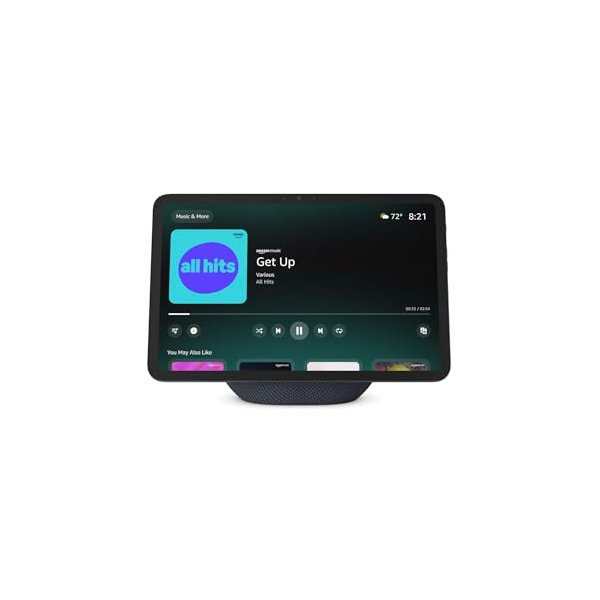
The Echo Show 11 is Amazon’s newest smart display, launched in 2025, and it fills the gap between the compact Show 8 and the wall-sized Show 15. Its 11-inch Full HD display is big enough to comfortably watch videos and follow recipes, but small enough to sit on a kitchen counter without dominating the space.
The big headline feature is Alexa+, Amazon’s upgraded AI assistant. Alexa+ is smarter about context — it can handle follow-up questions, understand more complex requests, and proactively suggest things based on your routines. It also has Omnisense, which uses the camera and sensors to detect when you walk into the room and surface relevant information automatically.
Sound quality is a step up from previous Echo Shows, with spatial audio that fills a room better than you’d expect from a display this size. The 13 MP camera with auto-framing keeps you centered during video calls even as you move around the kitchen.
If you want the latest tech in a smart display that balances screen size with counter space, the Show 11 hits a sweet spot.
Key Features:
- 11” Full HD display
- Alexa+ with proactive intelligence and Omnisense
- 13 MP wide-angle camera with auto-framing
- Spatial audio with dual speakers
- Fire TV built in
Pros:
- Alexa+ is noticeably smarter than standard Alexa
- 13 MP camera is the best in any Echo Show
- Spatial audio sounds great for the size
- Good balance between screen size and footprint
Cons:
- Premium price for a smart display
- Alexa+ subscription may be required for some features
- Brand new — fewer third-party accessories available
Amazon Echo Show 8 (3rd Gen) — Best Value
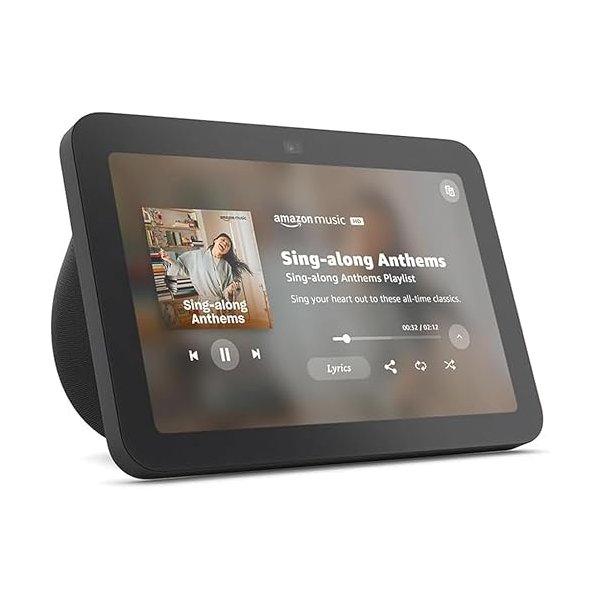
The Echo Show 8 has been the best-selling smart display for a reason — it’s the sweet spot of size, features, and price. The 8-inch HD display is big enough to be useful for video calls, recipes, and smart home controls, but compact enough for a kitchen counter, desk, or nightstand.
The 3rd generation model brought meaningful upgrades over its predecessor. The 13 MP camera with auto-framing centers on you during video calls as you move around, and the improved speakers deliver fuller, clearer sound than previous versions. The adaptive display automatically adjusts color temperature and brightness based on ambient light, so it looks natural whether your kitchen is brightly lit or dimmed for dinner.
For smart home control, the Show 8 is excellent. You can view live feeds from compatible security cameras, control lights and thermostats by touch or voice, create routines, and set timers — all the standard Alexa smart home features work perfectly on this screen size.
At around $150, it does 90% of what the larger Echo Shows do in a more practical form factor. For most people, this is the Echo Show to buy.
Key Features:
- 8” HD touchscreen with adaptive display
- 13 MP camera with auto-framing
- Improved stereo speakers
- Smart home hub with Zigbee and Matter support
- Ambient light sensor for adaptive color/brightness
Pros:
- Best balance of size, features, and price
- 13 MP auto-framing camera is excellent for video calls
- Adaptive display looks great in any lighting
- Compact enough for any room
Cons:
- 8” screen can feel small for streaming video
- HD resolution, not Full HD like the larger models
- No Fire TV remote included
Google Nest Hub Max — Best for Google Users
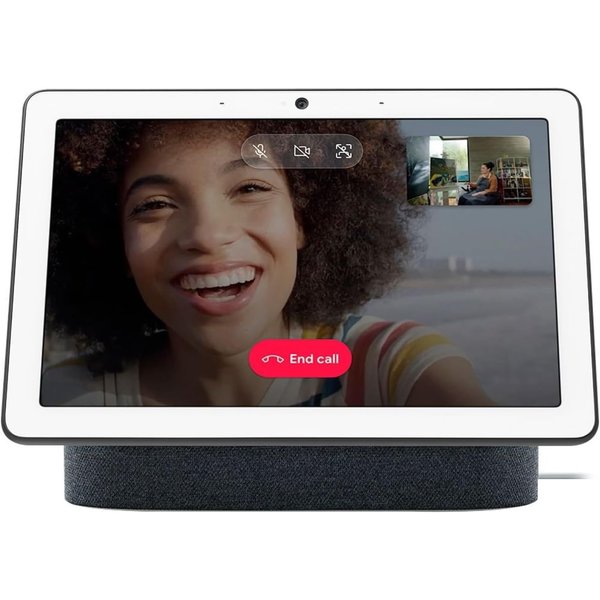
If your smart home runs on Google Assistant instead of Alexa, the Nest Hub Max is your best option. Its 10-inch HD display puts it in a similar size class to the Echo Show 8 and 11, and it integrates deeply with Google’s ecosystem in ways that Amazon displays simply can’t match.
The Nest Hub Max really shines if you use Google Photos, YouTube, Google Calendar, and Google Meet. Your photo library automatically rotates as an ambient display, YouTube plays natively without the browser workaround you need on Echo Shows, and Google Meet video calls work seamlessly. The 6.5 MP camera supports Face Match to recognize household members and show personalized results.
Sound quality is a pleasant surprise — the stereo speakers and 30-watt amplifier deliver surprisingly full audio that holds up well for background music. It also works as a Chromecast target, so you can cast content from your phone directly to the display.
The downside is that Google hasn’t updated the Nest Hub Max hardware in a while, so the camera and processor aren’t as cutting-edge as the latest Echo Shows. But if you’re in the Google ecosystem, nothing else integrates as well.
Key Features:
- 10” HD display
- Google Assistant with Face Match
- 6.5 MP camera with auto-framing
- 30W stereo speakers
- Built-in Chromecast
- Nest camera functionality (use as a security camera)
Pros:
- Best smart display for Google ecosystem users
- YouTube plays natively — no workarounds
- Google Photos ambient display is beautiful
- Doubles as a Nest security camera when you’re away
- Strong speaker quality for the category
Cons:
- Hardware hasn’t been refreshed recently
- Camera resolution lags behind Echo Show 8 and 11
- Limited to Google Assistant — no Alexa option
- Availability can be spotty
Amazon Echo Show 5 (3rd Gen) — Best Budget
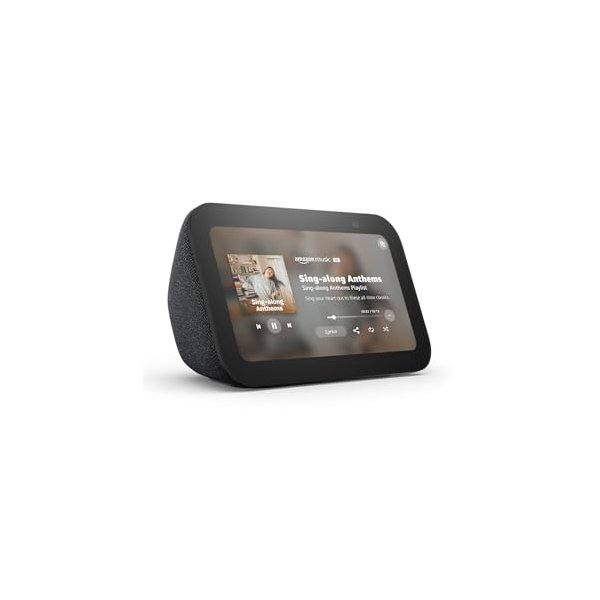
The Echo Show 5 proves you don’t need to spend a lot to get a useful smart display. At around $90 (and frequently on sale for less), it packs a 5.5-inch touchscreen into a compact package that’s perfect for a nightstand, bathroom counter, or desk.
The screen is small but sharp enough for checking the weather, viewing smart home camera feeds, setting timers, and following simple recipes. The 3rd generation added 2x the bass of the previous model and clearer overall sound, making it decent for podcasts and casual music listening in a small room.
The 2 MP camera handles basic video calls — don’t expect the quality of the larger models, but it works fine for quick check-ins with family. One thoughtful feature for bedroom use is the tap-to-snooze alarm and the ambient clock display that dims automatically at night.
This is the smart display to buy if you want to try out the category without a big investment, or if you need a small screen for a room where a larger display would be overkill.
Key Features:
- 5.5” touchscreen display
- 2 MP camera for video calls
- Improved speaker with 2x bass
- Tap-to-snooze alarm
- Ambient clock display with auto-dimming
Pros:
- Most affordable Echo Show — frequently goes on sale
- Perfect nightstand size with tap-to-snooze
- Auto-dimming ambient clock is great for bedrooms
- All core Alexa smart home features work
Cons:
- 5.5” screen is cramped for recipes or video
- 2 MP camera is basic
- Sound quality works for a small room, not much more
- No smart home hub built in
Google Nest Hub (2nd Gen) — Best Budget Google Display
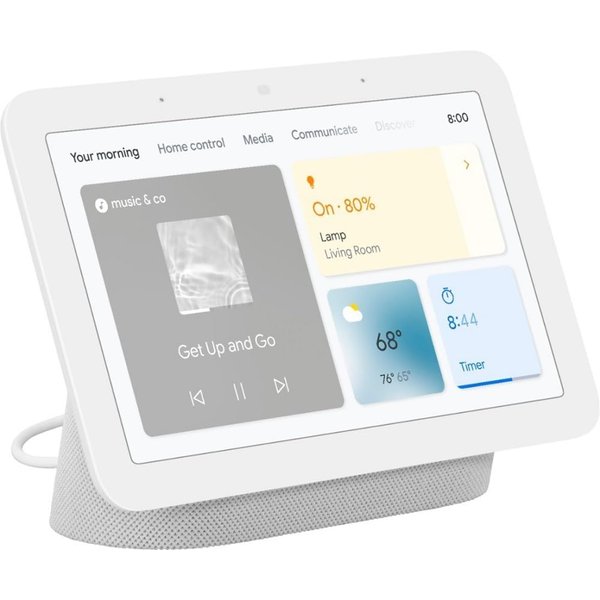
The Nest Hub 2nd Gen is Google’s answer to the Echo Show 5, but with a bigger 7-inch display and a unique trick up its sleeve — sleep tracking. Using Soli radar sensors built into the display, it can track your sleep quality without any wearable, making it the only smart display that doubles as a sleep tracker.
The sleep tracking feature monitors your breathing patterns, movement, coughing, and snoring throughout the night, then gives you a detailed sleep report each morning through the Google Fit app. It’s surprisingly accurate and genuinely useful if you want sleep data without strapping on a watch.
As a smart display, it handles the basics well. Google Photos rotates as an ambient display, Google Assistant responds to voice commands, and it controls your Google Home-compatible devices. YouTube plays natively, and you can cast content from your phone.
The notable absence is a camera — Google deliberately left it out so you’d feel comfortable putting it on your nightstand. If you want video calls, you’ll need the Nest Hub Max instead.
Key Features:
- 7” touchscreen display
- Soli radar sleep tracking (no wearable needed)
- Google Assistant with personalized results
- Built-in Chromecast for casting
- No camera (privacy-focused for bedrooms)
- 43.5mm full-range speaker
Pros:
- Built-in sleep tracking is unique and accurate
- No camera is a privacy plus for bedrooms
- 7” screen is a nice size for a nightstand
- Google Photos ambient display looks great
- Affordable price point
Cons:
- No camera means no video calls
- Speaker is adequate but not impressive
- Sleep tracking requires a Fitbit Premium subscription for detailed insights
- Hardware is aging compared to newer Echo Shows
Comparison Table
| Feature | Echo Show 15 | Echo Show 11 | Echo Show 8 | Nest Hub Max | Echo Show 5 | Nest Hub 2 |
|---|---|---|---|---|---|---|
| Screen Size | 15.6” | 11” | 8” | 10” | 5.5” | 7” |
| Resolution | Full HD | Full HD | HD | HD | 960x480 | 1024x600 |
| Camera | 5 MP | 13 MP | 13 MP | 6.5 MP | 2 MP | None |
| Assistant | Alexa | Alexa+ | Alexa | Alexa | ||
| Fire TV | Yes | Yes | No | No | No | No |
| Smart Home Hub | Zigbee/Matter | Yes | Zigbee/Matter | Thread | No | Thread |
| Sleep Tracking | No | No | No | No | No | Yes |
| Wall Mount | Yes | No | No | No | No | No |
| Price | ~$250 | ~$230 | ~$150 | ~$230 | ~$90 | ~$100 |
How to Choose the Right Smart Display
Which voice assistant do you use?
This is the single biggest decision. If you’re already using Alexa for your smart home, the Echo Show lineup is the obvious choice — they integrate deeper with Alexa skills, routines, and compatible devices. If you’re a Google Assistant household, the Nest Hub Max or Nest Hub 2nd Gen will feel much more natural.
Switching ecosystems just for a display usually isn’t worth it. Pick the one that matches your existing setup.
Where will you put it?
- Kitchen counter or wall: Echo Show 15 (wall mount) or Echo Show 11 (counter)
- Nightstand: Echo Show 5 or Nest Hub 2nd Gen (with sleep tracking)
- Living room: Echo Show 15 or Nest Hub Max
- Home office desk: Echo Show 8
- Bathroom counter: Echo Show 5
Do you need a camera?
Most smart displays include a camera for video calls, but the Google Nest Hub 2nd Gen deliberately leaves it out for bedroom privacy. If video calls matter, check the camera specs — the Echo Show 8 and 11 both have 13 MP cameras that are significantly better than the others.
What about sound quality?
None of these will replace a dedicated speaker, but the Nest Hub Max and Echo Show 11 come closest with their fuller audio. If music is a priority, pair your smart display with a separate smart speaker like a Sonos or Echo Studio for the best of both worlds.
FAQ
Can smart displays show security camera feeds?
Yes — both Echo Show and Nest Hub displays can show live feeds from compatible cameras. Echo Shows work with Ring, Blink, Arlo, and many others. Nest Hubs work with Google Nest cameras and other Google Home-compatible brands. Just say “show me the front door camera” and the feed pops up.
Do smart displays work without Wi-Fi?
Not really. Smart displays need Wi-Fi for almost everything — voice commands, streaming, video calls, smart home control, and even basic features like weather and timers (though some alarms still work offline). They’re designed to be always connected.
Can I use a smart display as a digital photo frame?
Absolutely — this is one of the best passive uses for a smart display. Echo Shows rotate photos from Amazon Photos, while Nest Hubs pull from Google Photos. Both look great as ambient photo displays when you’re not actively using them.
Are smart displays always listening?
Smart displays listen for their wake word (“Alexa” or “Hey Google”) but don’t record or transmit audio until they hear it. Both Amazon and Google include physical mute buttons and camera shutters so you can disable the microphone and camera with a hardware switch when you want privacy.
Can I make phone calls on a smart display?
Yes. Echo Shows can call other Echo devices, make Alexa-to-Alexa calls, and call regular phone numbers in the US and Canada for free. Nest Hubs can make Google Duo (now Google Meet) video calls and regular phone calls through Google Assistant.
Looking for more ways to build out your smart home? Check out our complete smart home setup guide for beginners for a step-by-step walkthrough. If you’re focused on voice control, our guide to automating lights with Alexa covers the basics. And if you’re deciding between ecosystems, don’t miss our Alexa vs Google Home comparison.