Quick Picks
Short on time? Here are the best smart freeze alarms for 2026:
- YoLink Temperature Sensor Kit (3 sensors + hub) (~$50) — Best overall
- YoLink Indoor Temperature & Humidity Sensor 3-Pack (~$40) — Best add-on for more rooms
- Govee WiFi Thermometer Hygrometer H5103 (~$35) — Best no-hub WiFi pick
- Frigga 4G Cellular Monitor (~$100) — Best for vacation homes
- MarCELL Cellular Monitor (~$95 + plan) — Best for power-outage protection
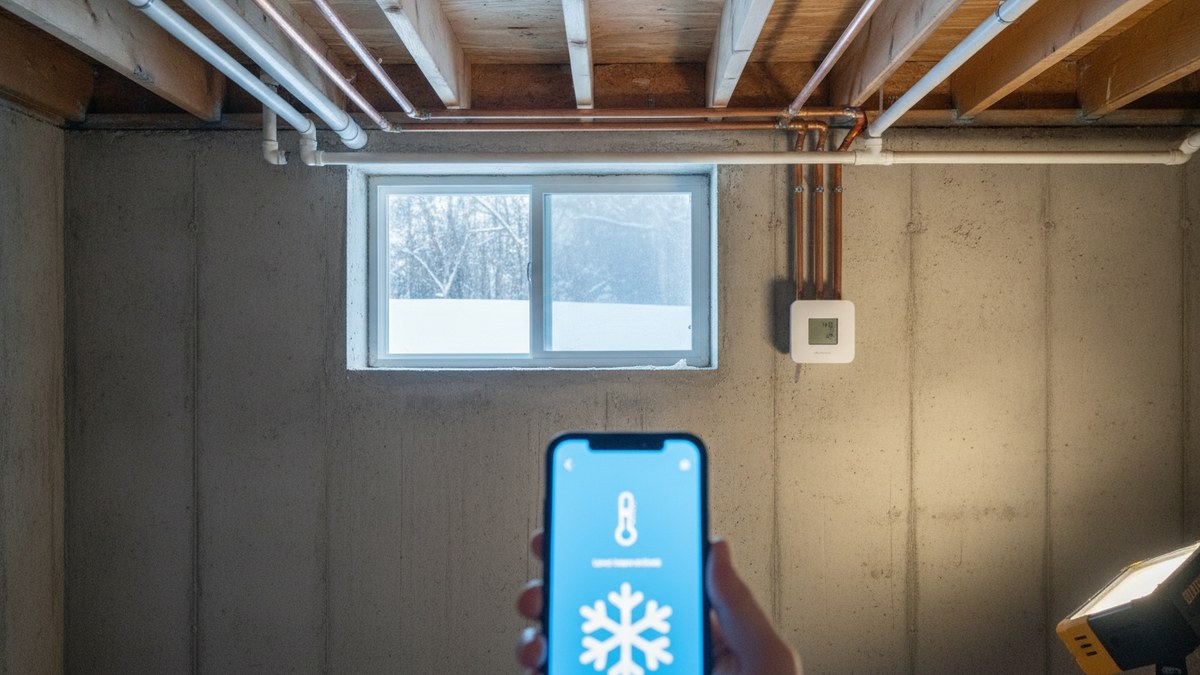
A frozen pipe is one of the most expensive surprises a house can deliver. When water freezes, it expands, and the pressure that builds up behind the ice can split a copper or PEX line. Often you don’t find out until it thaws and starts pouring water into a ceiling, a wall, or a finished basement. It tends to happen exactly when you’re not watching: during a cold snap while you’re away for the holidays, when the furnace quits overnight, or in a vacation cabin nobody has checked in a week.
A smart freeze alarm is a cheap way to make sure you hear about it first. These are small wireless temperature sensors you put where pipes are most at risk: the basement, crawl space, under the kitchen sink on an outside wall, the garage, the attic. When the temperature drops below a threshold you set, they send an alert to your phone wherever you are. A $50 sensor that tells you the furnace died while there’s still time to fix it can save you thousands in water damage.
The key question isn’t which sensor is most accurate (they all are). It’s how the alert reaches you, especially when the power or internet goes out, which is often exactly what causes the freeze. We sorted our picks by that, and verified every listing on Amazon.
How Freeze Alarms Work (and Where They Can Fail)
Every sensor here measures temperature and alerts you when it crosses a limit you choose. The difference is the path the alert travels:
WiFi sensors connect straight to your home router. They’re simple and cheap, but if the power goes out or your internet drops, they can’t send anything. That’s a real weakness, since a winter power outage is a classic cause of freezing.
Hub-based sensors (like YoLink) talk to a small hub over long-range radio, and the hub connects to the internet. The radio reaches much farther than WiFi, into crawl spaces, detached garages, and well houses. But the hub still needs power and internet to send alerts. Plugging the hub and your router into a small battery backup (UPS) closes most of that gap.
Cellular monitors use the cell network instead of your internet, and they have batteries, so they keep reporting through power outages and internet failures. They’re the most reliable option for a vacation home or rental property, at a higher price and sometimes with a monthly plan.
What temperature should trigger an alert? Pipes in heated parts of the house are usually safe while the space stays above freezing, but uninsulated areas cool fast. Set alerts at around 40–45°F for basements and crawl spaces. That gives you time to act well before 32°F. In living spaces, an alert at 50°F tells you the heat has failed.
The Best Smart Freeze Alarms for 2026
YoLink Temperature Sensor Kit (3 Sensors + Hub) — Best Overall
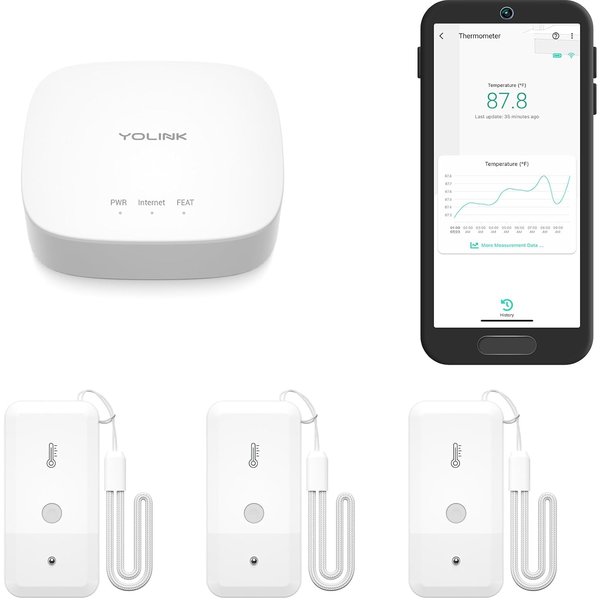
For most homes, YoLink is the best way to cover every freeze-prone spot. This kit includes a hub and three temperature sensors, so you can cover the basement, the crawl space, and the garage right out of the box. The secret is YoLink’s LoRa radio: instead of WiFi, the sensors use a long-range, low-power signal that reaches places WiFi can’t, like several floors away, outbuildings, or inside a cold metal utility closet. It also doesn’t crowd your WiFi network.
Alerts are where YoLink really shines for freeze protection. You can get notified by text message, email, or push notification, and on iPhone you can enable Critical Alerts, which break through silent mode, so a 2 a.m. low-temperature warning actually wakes you. Accuracy is excellent (within about ±0.7°F below freezing), and the sensors read from -4°F to 122°F. Each one runs on two AA batteries for up to 5 years, with low-battery alerts. You can ask Alexa for the temperature, and IFTTT can trigger other devices when a threshold is hit. Just remember the hub needs power and internet. Put it and your router on a small battery backup for full protection.
Pros:
- Long-range LoRa reaches crawl spaces and outbuildings
- Text, email, push, and iPhone Critical Alerts
- Up to 5-year battery life
- Hub supports more YoLink sensors (leak, door, power-fail)
- No subscription
Cons:
- Hub needs power and internet to send alerts
- Alexa can only report temperature, not trigger routines
- SMS alerts have a monthly cap
YoLink Indoor Temperature & Humidity Sensor 3-Pack — Best Add-On for More Rooms
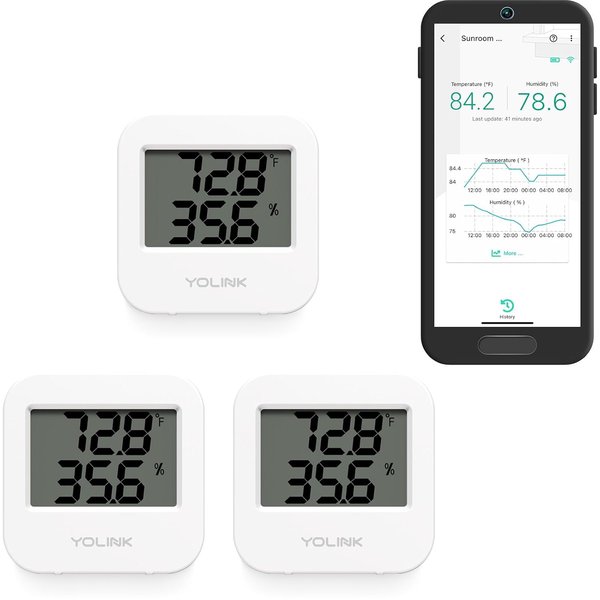
Once you have a YoLink hub, this 3-pack is the cheapest way to blanket the rest of the house. Each sensor has an easy-to-read LCD showing temperature and humidity, so you can glance at it in person as well as in the app. Put them under sinks on exterior walls, in a cold back bedroom, by the water heater, and in the attic hatch area.
They use the same long-range YoLink network, with the same text, email, push, and Critical Alert options, and two AAA batteries (included) last more than two years. Humidity readings are a nice bonus for basements prone to dampness. With nearly 5,000 reviews averaging 4.6 stars, they’re among the most trusted sensors on Amazon. Important: a YoLink hub is required, and this pack doesn’t include one. Pair it with the kit above or an existing YoLink hub. If you also want to catch the leak when a pipe does burst, YoLink’s leak sensors work on the same hub; see our smart water leak detector guide.
Pros:
- Low cost per sensor for whole-house coverage
- LCD shows temp and humidity on the device
- 2+ year battery life, batteries included
- Same alert options as the kit
Cons:
- Requires a YoLink hub (not included)
- Indoor-rated — use a weatherproof sensor for outdoors
Govee WiFi Thermometer Hygrometer H5103 — Best No-Hub WiFi Pick
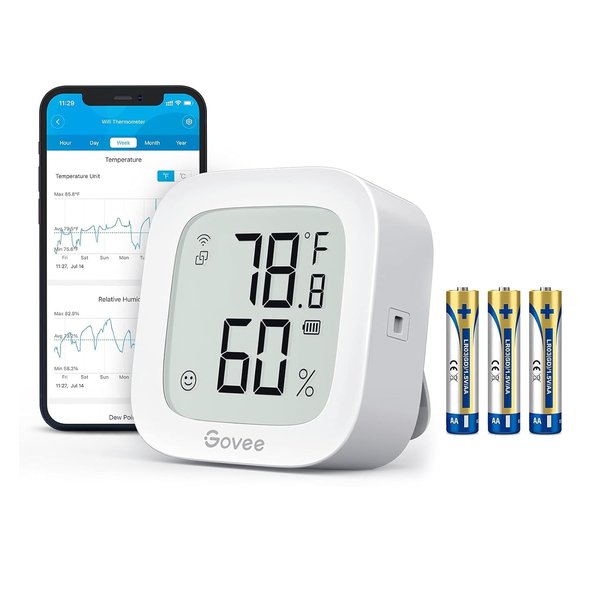
If you only need to watch one spot and don’t want a hub, the Govee H5103 connects straight to your 2.4GHz WiFi and alerts the Govee Home app when temperature or humidity leaves the range you set. Its Swiss-made sensor is accurate to about ±0.5°F, it refreshes every couple of seconds, and the e-ink display is easy to read from across a room and kind to the batteries.
It also keeps a useful history: you can view recent graphs in the app and export up to two years of data, which helps you spot a basement corner that gets dangerously cold every January. Battery life is about six months on AA batteries. The trade-off is the usual WiFi caveat: if the power or internet goes out, alerts stop. That makes it a better fit for a basement in the house you live in than for an unattended vacation home.
Pros:
- No hub needed — connects directly to WiFi
- Accurate Swiss-made sensor
- Easy-to-read e-ink display
- Two years of exportable data
Cons:
- No alerts during power or internet outages
- 2.4GHz WiFi only
- Shorter battery life (about 6 months) than YoLink
Frigga 4G Cellular Monitor — Best for Vacation Homes
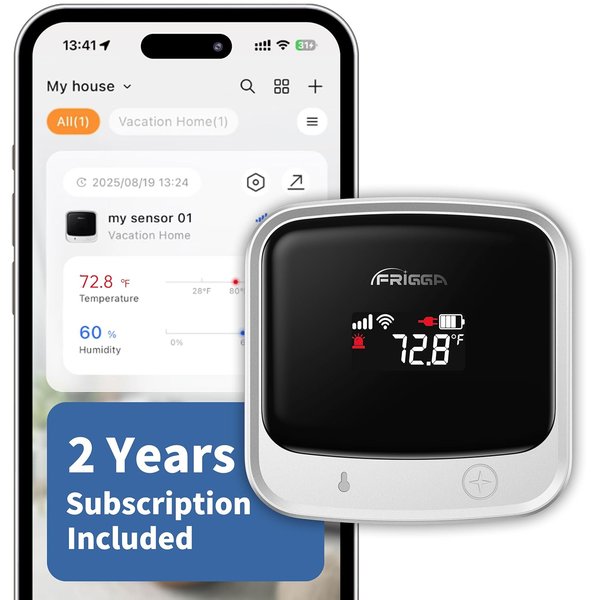
For a cabin, a vacation home, or a rental you can’t check on in person, a cellular monitor is the right tool, and the Frigga is the easiest one to own. It uses 4G cellular instead of the home’s internet and comes with a pre-installed SIM and two years of cellular service included, so there’s no monthly bill to start. If there is WiFi, it can also connect to 2.4GHz or 5GHz networks to save cellular data.
Crucially, it has a rechargeable battery that runs up to 7 days, so it keeps reporting when the power fails, which is the scenario that freezes pipes in an empty house. It sends alerts for temperature and humidity thresholds, power failures, pipe-freeze risk, and lost connection, via app push, email, and an on-device voice alarm. Readings upload every 10 or 30 minutes, you can share access with family, and two years of history can be exported as a spreadsheet. It’s a newer product with fewer reviews than the big names, but it solves the hardest version of this problem at a reasonable price.
Pros:
- Cellular — works without the home’s internet
- Two years of cellular service included
- Battery keeps it reporting through power outages
- Power-failure and pipe-freeze alerts
- Optional WiFi to save data
Cons:
- Service plan needed after the included two years
- Newer brand with fewer reviews
- Readings update every 10–30 minutes, not continuously
MarCELL Cellular Monitor — Best for Power-Outage Protection
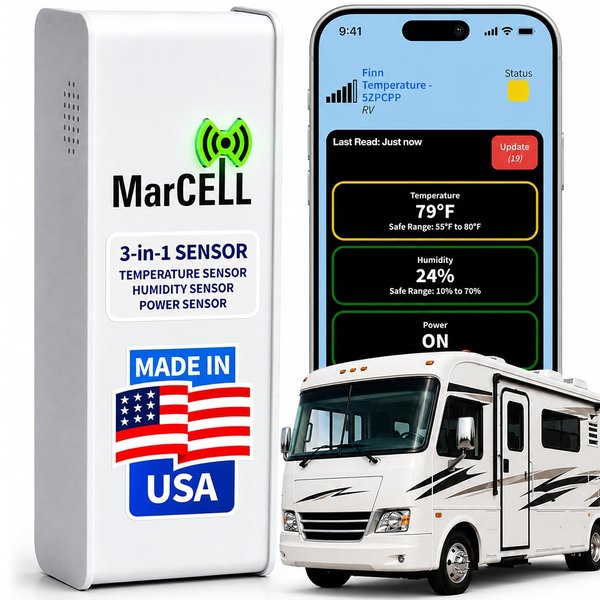
MarCELL has been the go-to cellular monitor for second homes, RVs, and pet owners for years, and it’s built for exactly one job: telling you when something goes wrong at a property you can’t see. It runs on the Verizon cellular network, keeps working through power outages, and monitors three things: temperature, humidity, and whether the power is on. That power alert is valuable on its own: if the electricity goes out at your cabin in January, you’ll know long before the pipes freeze.
Alerts arrive by text, phone call, or email, a phone call being the hardest alert to sleep through. Readings refresh every 15 minutes, with history available in the app or on the web. It’s made in the USA and has hundreds of reviews averaging 4.5 stars. The catch: a MarCELL subscription plan is required to use the cellular network, so budget for a monthly fee on top of the device. For a property where a burst pipe could go unnoticed for days, most owners find it well worth it.
Pros:
- Works through power and internet outages
- Monitors power status, temperature, and humidity
- Text, phone call, and email alerts
- Long track record, made in the USA
Cons:
- Monthly subscription required
- Verizon coverage needed at the property
- 15-minute refresh rate
Freeze Alarm Comparison
| Product | Best For | Price | Connection | Works in Power Outage? | Subscription |
|---|---|---|---|---|---|
| YoLink Kit (3 + hub) | Most homes | ~$50 | LoRa to hub | Only if hub/router on backup | No |
| YoLink 3-Pack | Adding rooms | ~$40 | LoRa (hub required) | Only if hub/router on backup | No |
| Govee H5103 | Single spot, no hub | ~$35 | WiFi | No | No |
| Frigga 4G | Vacation homes | ~$100 | Cellular + optional WiFi | Yes (battery) | 2 years included |
| MarCELL | Power-outage alerts | ~$95 + plan | Cellular (Verizon) | Yes | Required |
Where to Put Freeze Sensors
Place sensors where pipes are most exposed to cold, not in the middle of a warm room:
- Crawl spaces and unfinished basements, especially near rim joists and exterior walls
- Under kitchen and bathroom sinks on exterior walls (keep cabinet doors open during cold snaps)
- Attached garages with water lines, laundry hookups, or a water heater
- Near the main water shutoff and where the supply line enters the house
- Attics in homes with plumbing or HVAC water lines up there
If you have a smart weather station, you can also watch outdoor temperatures and take precautions, like dripping faucets, before the coldest nights.
How to Choose
For the home you live in: the YoLink kit is the best mix of range, alert options, and battery life. Add the YoLink 3-pack for more rooms, and put the hub and router on a small UPS battery backup.
For one spot on a budget: the Govee H5103 is simple and needs no hub, as long as you’re OK with losing alerts during an outage.
For a vacation home, cabin, or rental: go cellular. The Frigga includes two years of service and a battery; the MarCELL adds power-loss monitoring with phone-call alerts and a long track record.
Combine with leak detection: a freeze alarm warns you before the burst; a leak sensor tells you when water is already on the floor. Our water leak detector guide covers sensors and automatic shutoff valves that pair well with these.
Frequently Asked Questions
At what temperature do pipes freeze?
Water freezes at 32°F, but pipes inside a house usually don’t freeze until outdoor temperatures fall into the low 20s or below, depending on insulation and exposure. Unheated spaces like crawl spaces and garages are the most vulnerable. Set your alerts at 40–45°F to get a warning with time to spare.
Will a WiFi freeze alarm work during a power outage?
Usually not. WiFi sensors and hubs need your router and internet to send alerts, and both typically go down in an outage. To keep alerts flowing, plug your router and hub into a battery backup (UPS), or use a cellular monitor with its own battery.
Do I need a freeze alarm if I have a smart thermostat?
A smart thermostat can alert you if the house gets cold, but it only measures temperature where it’s mounted, typically a warm hallway. The basement corner or crawl space where pipes actually freeze can be 20 degrees colder. Dedicated sensors at the pipes are much more reliable.
What should I do when I get a freeze alert?
Check that the heat is on and the furnace is running. Open cabinet doors under sinks on exterior walls, let faucets drip slightly, and add temporary heat to the cold area if it’s safe. If you’re away, call a neighbor or service provider to check the property. If a pipe has already frozen, shut off the main water supply before it thaws.
Are cellular freeze alarms worth the cost?
For a property you’re not at — a vacation home, a rental between tenants, or your own home during a long trip — yes. They’re the only option that keeps working when the power and internet are both out, which is a common cause of freeze-ups.
The Bottom Line
For the home you live in, the YoLink Temperature Sensor Kit is the best freeze alarm: long-range sensors, alerts that break through silent mode, and batteries that last years. Expand with the YoLink 3-Pack for whole-house coverage, or grab the Govee H5103 for a single spot without a hub. For vacation homes and rentals, a cellular monitor is worth it: the Frigga 4G includes two years of service, and the MarCELL adds power-loss alerts and phone calls. Install them before the first hard freeze; it’s a lot cheaper than drying out a basement.