Quick Picks
Short on time? Here are our top recommendations — tap any pick to jump to the full review:
- Aqara Smart Home Hub M3 ($159.99) — Best overall, does everything
- Hubitat Elevation Home Automation Hub (Model C-8) ($179.95) — Best for local control & privacy
- Apple 2022 Apple TV 4K Wi‑Fi + Ethernet 128GB ($149.00) — Best for Apple/HomeKit homes
- SwitchBot Hub 2 (2nd Gen) ($59.99) — Best budget Matter hub
- Samsung SmartThings Station ($39.82) — Best value all-rounder
- Aqara Smart Hub M2 ($29.99) — Best cheapest HomeKit/Zigbee starter
Do You Even Need a Smart Home Hub in 2026?
Short answer: maybe not — but if you have more than a handful of devices, a good one makes everything better.
Here’s the deal. A decade ago, almost every smart device needed a hub. Your bulbs, sensors, and locks spoke Zigbee or Z-Wave — low-power wireless languages your phone and router can’t understand — so you needed a little box to translate. Today, tons of devices connect straight to Wi-Fi and skip the hub entirely. So why is this category still one of the most important purchases you’ll make?
Because a hub is the brain of your smart home. It’s the thing that lets a door sensor turn on a light, makes your routines run even when the internet is down, and stops you from juggling six different apps. Without one, you’ve got a pile of gadgets that each do their own thing. With one, you’ve got a system.
The good news in 2026 is that hubs have gotten cheap, fast, and far more universal thanks to Matter and Thread (more on those below). The hub you buy today can speak to Alexa, Google, Apple, and dozens of brands at once. We verified all six picks below are currently listed on Amazon with working links before publishing, and they cover every major ecosystem and price point. Let’s get into them.
Our Top Picks at a Glance
| Hub | Price | Protocols | Best For |
|---|---|---|---|
| Aqara Smart Home Hub M3 | $159.99 | Matter, Thread, Zigbee, Wi-Fi, BT, IR | Best overall / most capable |
| Hubitat Elevation C-8 | $179.95 | Zigbee, Z-Wave, Matter, LAN | Local control & privacy |
| Apple TV 4K (Wi-Fi + Ethernet) | $149.00 | Thread, Matter, Wi-Fi | Apple / HomeKit homes |
| SwitchBot Hub 2 | $59.99 | Matter, Wi-Fi, BT, IR | Budget Matter bridge |
| Samsung SmartThings Station | $39.82 | Zigbee, Matter, Thread*, Wi-Fi | Best value all-rounder |
| Aqara Smart Hub M2 | $29.99 | Zigbee, Wi-Fi, IR | Cheapest HomeKit/Zigbee starter |
*The SmartThings Station includes a Thread radio that Samsung has enabled over time via updates; treat Thread support as a bonus, not the headline.
The Best Smart Home Hubs, Reviewed
Aqara Smart Home Hub M3 — Best Overall
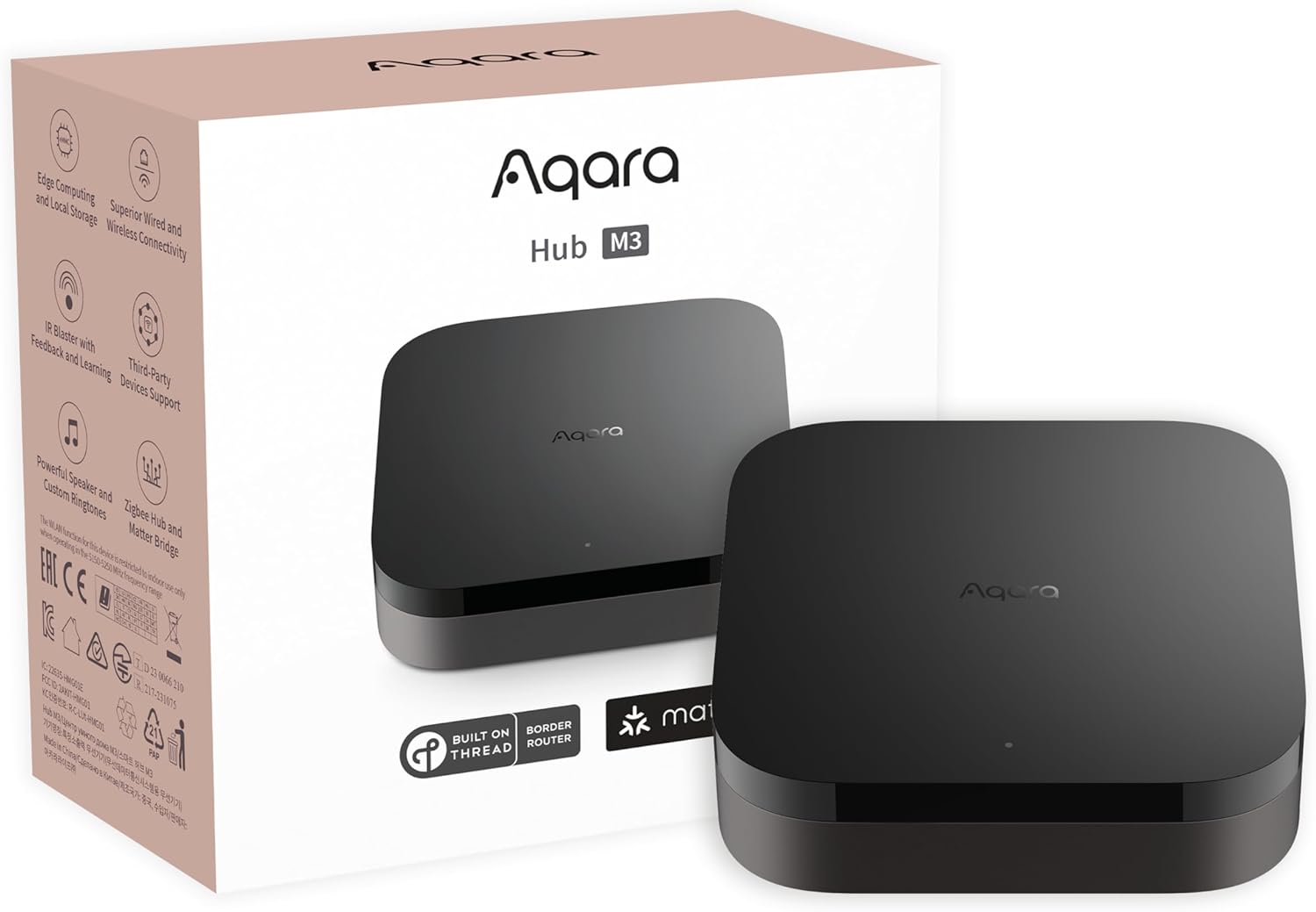
If you want one box that does nearly everything, the Aqara Smart Home Hub M3 ($159.99) is the most capable hub on this list. It’s a Matter controller and a Thread border router and a Zigbee 3.0 hub, with Wi-Fi, Bluetooth, an Ethernet/PoE port, and a 360° IR blaster built in. That combination is rare — most hubs do one or two of these, the M3 does all of them in a single device.
What makes the M3 special is that it bridges your Zigbee and Aqara devices into Matter, so they show up in Apple Home, Alexa, Google Home, SmartThings, and Home Assistant. Build a sensor-and-automation system on Aqara’s affordable hardware, then expose the whole thing to whichever ecosystem you actually use. The PoE port means you can run it off a single Ethernet cable, and there’s no microphone or camera — Aqara leans hard into privacy with encrypted local storage and edge automations that keep running during an internet outage.
The catch: the M3’s built-in Zigbee radio only pairs with Aqara-brand Zigbee devices, not third-party Zigbee gear. If you’ve got a drawer of generic Zigbee bulbs from other brands, this isn’t your universal Zigbee hub (look at Hubitat for that). But if you’re building on Aqara’s ecosystem — which is excellent and cheap — or you mainly want a rock-solid Matter/Thread brain for a mixed home, the M3 is the best all-arounder you can buy.
- Protocols: Matter, Thread (border router), Zigbee 3.0, Wi-Fi, Bluetooth, IR
- Works with: Apple HomeKit, Alexa, Google Home, SmartThings, Home Assistant, IFTTT
- Standout feature: Matter + Thread + Zigbee + IR + PoE all in one, with local automations
- Watch out for: Built-in Zigbee only supports Aqara-brand devices
Hubitat Elevation Home Automation Hub (Model C-8) — Best for Local Control & Privacy
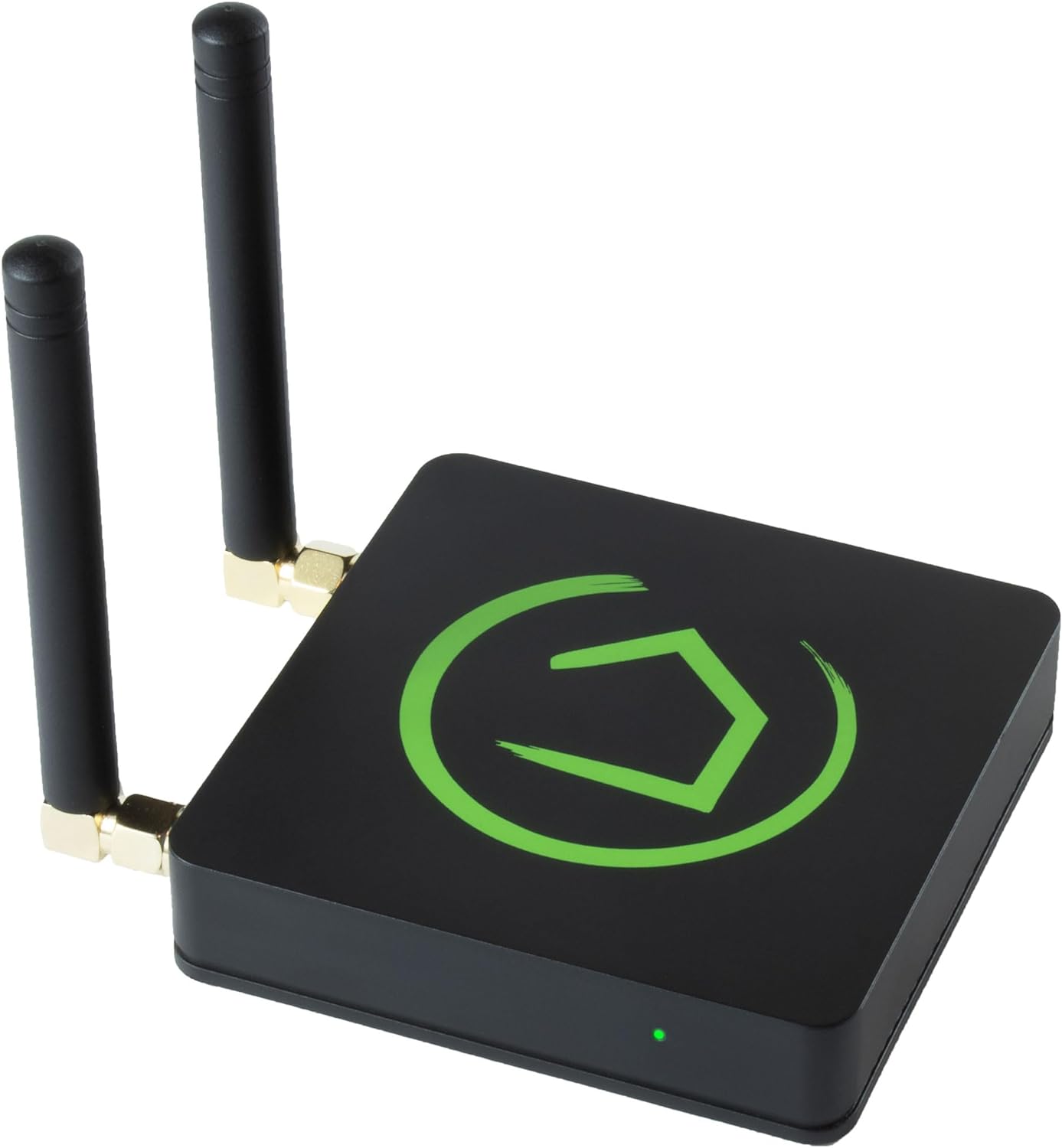
The Hubitat Elevation Home Automation Hub (Model C-8) ($179.95) is the pick for people who want their smart home to run entirely on their own hardware — no cloud, no monthly fees, no “the servers are down so my lights don’t work.” Hubitat processes every automation locally on the hub itself, which means blistering response times and a home that keeps working even when your internet doesn’t.
It’s also the most genuinely universal radio set here: native Zigbee 3.0 and Z-Wave (with the C-8’s improved external antennas for better range), plus LAN integrations, Matter support, and bridges to Alexa, Google Home, and Apple HomeKit. Unlike the Aqara M3, Hubitat’s Zigbee radio pairs with third-party Zigbee devices, and its Z-Wave support opens the door to the huge catalog of Z-Wave locks, sensors, and switches that no other hub on this list touches. For a “rip out the cloud and own my smart home” build, this is the one.
The trade-off is the learning curve. Hubitat is a tinkerer’s tool — the interface is dense, setup is more involved than a SmartThings or Aqara, and you’ll spend time in rules and apps to get the most out of it. It’s not where a total beginner should start. But if you’ve outgrown cloud platforms, care about privacy, or just want the fastest, most reliable local automations money can buy, the C-8 is the enthusiast favorite for good reason. If you’re weighing it against the cloud route, our Home Assistant vs SmartThings comparison is worth a read first.
- Protocols: Zigbee 3.0, Z-Wave (800 series), Matter, LAN
- Works with: Alexa, Google Home, Apple HomeKit, third-party Zigbee/Z-Wave devices
- Standout feature: 100% local automation processing, no cloud or subscription
- Watch out for: Steeper learning curve; not beginner-friendly
Apple 2022 Apple TV 4K Wi‑Fi + Ethernet with 128GB Storage — Best for Apple Homes
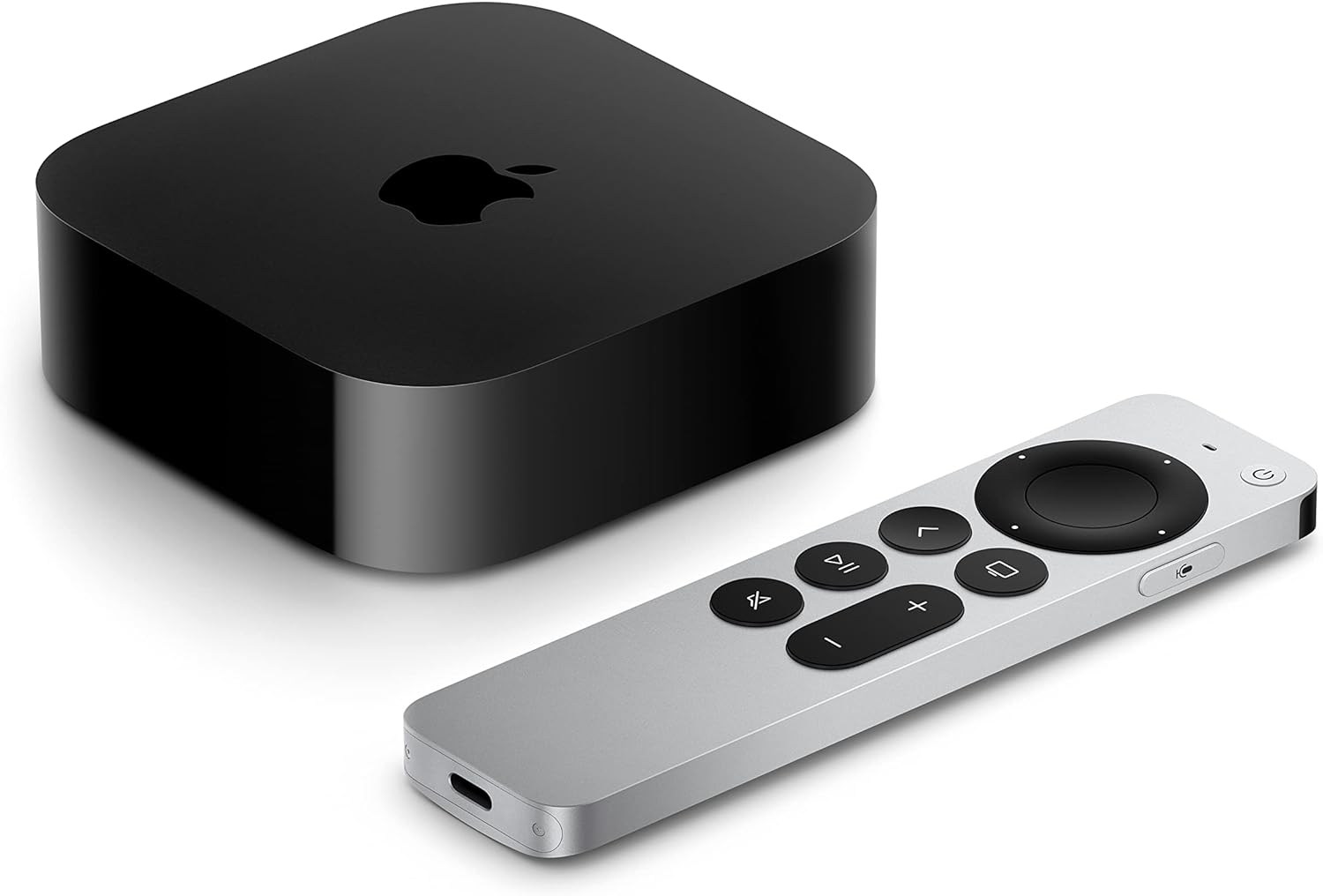
If you’re an Apple household, you might already own your hub — or be one click away from it. The Apple 2022 Apple TV 4K Wi‑Fi + Ethernet with 128GB Storage ($149.00) is a streaming box first, but it doubles as a full HomeKit home hub and, critically, a Thread border router. That second part matters: only the Wi-Fi + Ethernet model (this one) includes Thread — the cheaper Wi-Fi-only Apple TV does not. So if you’re buying an Apple TV specifically to anchor a smart home, this is the version to get.
As a hub, it lets your HomeKit accessories run automations and be controlled remotely when you’re away, and the Thread radio gives your Matter-over-Thread devices (locks, sensors, bulbs) a reliable low-power mesh to talk on. Because it’s always plugged in and always on, it’s a far more dependable HomeKit hub than a HomePod that might get moved around. And you get a genuinely great 4K streamer with it — this is the rare smart home hub that earns its place on the TV stand regardless.
The obvious limitation: it’s Apple-only for smart home duties. There’s no Zigbee or Z-Wave radio, and it won’t bridge devices into Alexa or Google. If your home runs on Apple Home, it’s close to perfect. If it doesn’t, skip it. For the bigger picture on how Apple’s ecosystem fits together, see our guide to the best Apple HomeKit devices.
- Protocols: Thread (border router), Matter, Wi-Fi, Ethernet
- Works with: Apple HomeKit / Apple Home only
- Standout feature: Doubles as a HomeKit hub + Thread router and a top-tier 4K streamer
- Watch out for: Apple-only; no Zigbee/Z-Wave; only the Wi-Fi + Ethernet model has Thread
SwitchBot Hub 2 (2nd Gen) — Best Budget Matter Hub
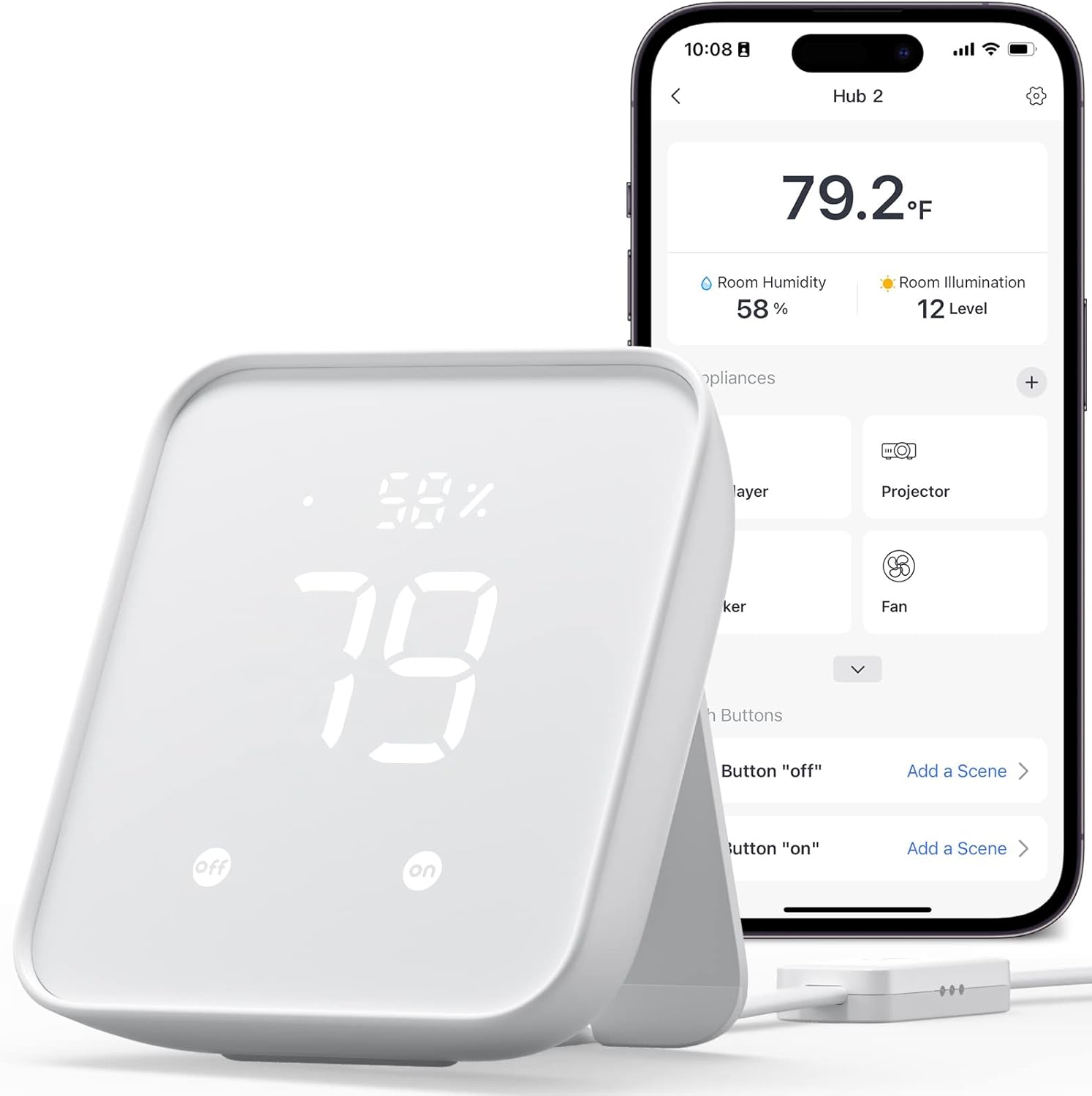
The SwitchBot Hub 2 (2nd Gen) ($59.99) is the most fun hub on this list, and a genuinely clever budget pick. It’s a Matter bridge that brings SwitchBot’s quirky lineup (the famous button-pushing Bot, curtain robots, locks, blinds) into Alexa, Google Home, and Apple Home. But it’s also a built-in WiFi thermometer/hygrometer with a little display, an ambient light sensor, and a powerful IR blaster that can replace the remotes for your TV, air conditioner, and other infrared gear.
That IR feature is the sleeper hit. If you’ve got an older “dumb” window AC or a TV without smart control, the Hub 2 makes them voice- and app-controllable for $60 — and because it reads room temperature, you can build automations like “turn on the AC when the bedroom hits 78°F.” Pairing it over Matter means those controls show up natively in whichever ecosystem you use, no SwitchBot app required for day-to-day control.
It’s not a Zigbee or Z-Wave hub, and the Matter bridging is limited to SwitchBot’s own devices rather than the whole smart home universe — so think of it as a low-cost gateway for SwitchBot gear plus a great IR/sensor combo, not a do-everything brain. For the money, though, it punches well above its weight, and it’s a great way to dip into Matter without spending big.
- Protocols: Matter (bridge), Wi-Fi, Bluetooth, IR
- Works with: Alexa, Google Home, Apple Home, SmartThings (via Matter)
- Standout feature: IR blaster + temp/humidity sensor + Matter bridge in one cheap unit
- Watch out for: Bridges SwitchBot devices only; no Zigbee/Z-Wave
Samsung SmartThings Station — Best Value All-Rounder
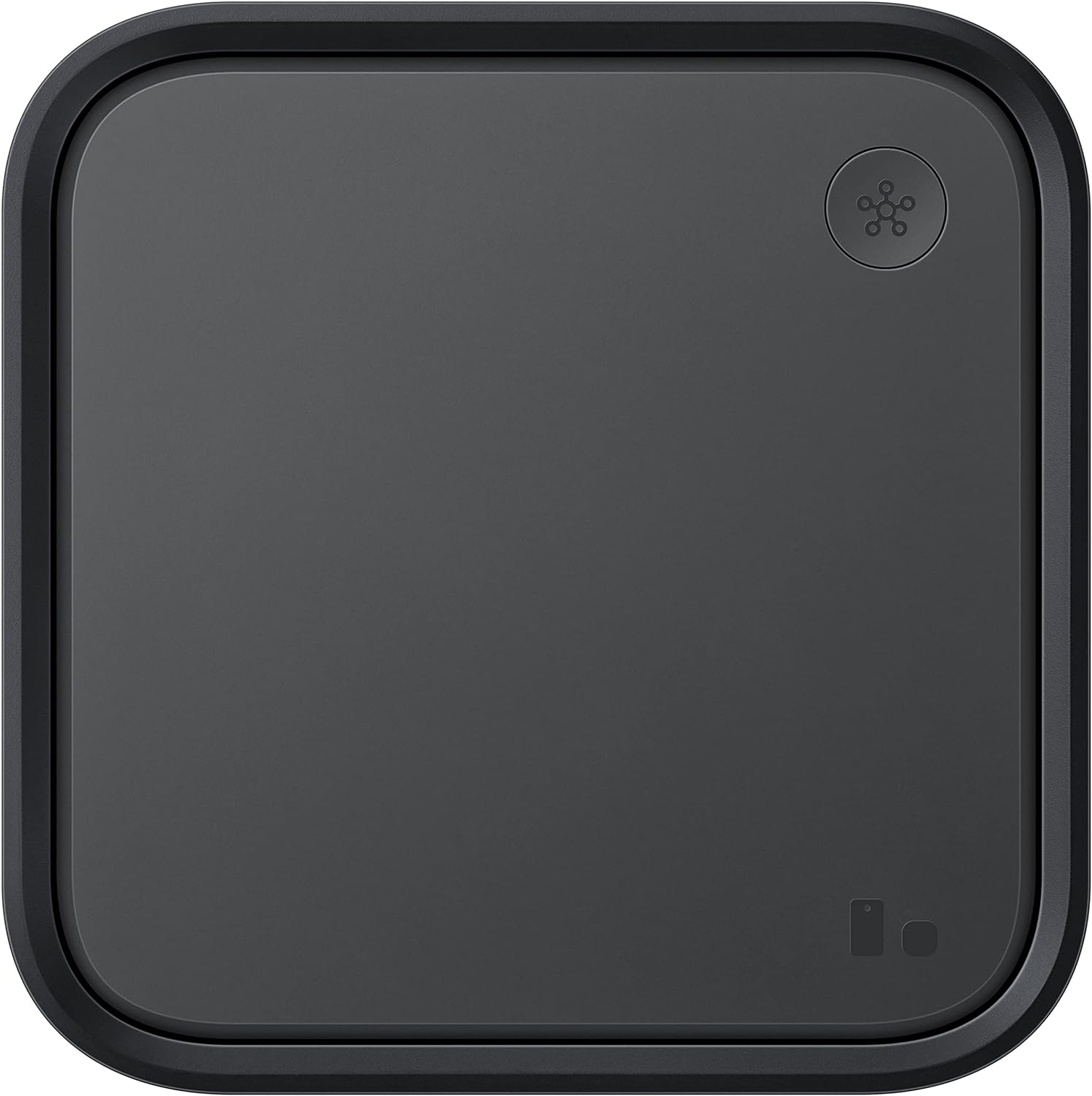
The Samsung SmartThings Station ($39.82) is the best bang-for-buck hub here, and it pulls double duty: it’s a 15W fast wireless charger for your phone and a SmartThings smart home hub with a built-in Zigbee radio and Matter controller support. Drop it on your nightstand or desk, charge your phone on it, and it quietly runs your smart home in the background.
SmartThings is one of the friendlier full-featured platforms — the app is polished, the automation engine (“Routines”) is approachable, and there’s a massive community and device catalog behind it. The Station bridges Zigbee and Matter devices into SmartThings, and from there into Alexa and Google Home, so it’s a solid hub for a mixed home that doesn’t want to live in Hubitat’s deep end. The physical button on top can trigger scenes (single press, double press, hold), which is a handy little extra. Samsung has also been adding Thread capability through updates, making it more future-proof over time.
Two things to know. First, SmartThings leans on the cloud more than Hubitat or a local Home Assistant setup, so some automations depend on an internet connection. Second, while it’s a great value, the Station is best in a home that’s at least partly in the Samsung/SmartThings orbit — if you’re all-in on Apple, the Apple TV is the better anchor. For most people who want a capable, inexpensive, beginner-friendly hub, though, this is the easiest one to recommend. New to all of this? Start with our smart home for beginners guide.
- Protocols: Zigbee, Matter, Thread (via updates), Wi-Fi
- Works with: SmartThings, Alexa, Google Home
- Standout feature: Doubles as a 15W wireless phone charger; cheap and beginner-friendly
- Watch out for: More cloud-dependent; best in a SmartThings/Samsung-leaning home
Aqara Smart Hub M2 — Best Cheapest HomeKit/Zigbee Starter
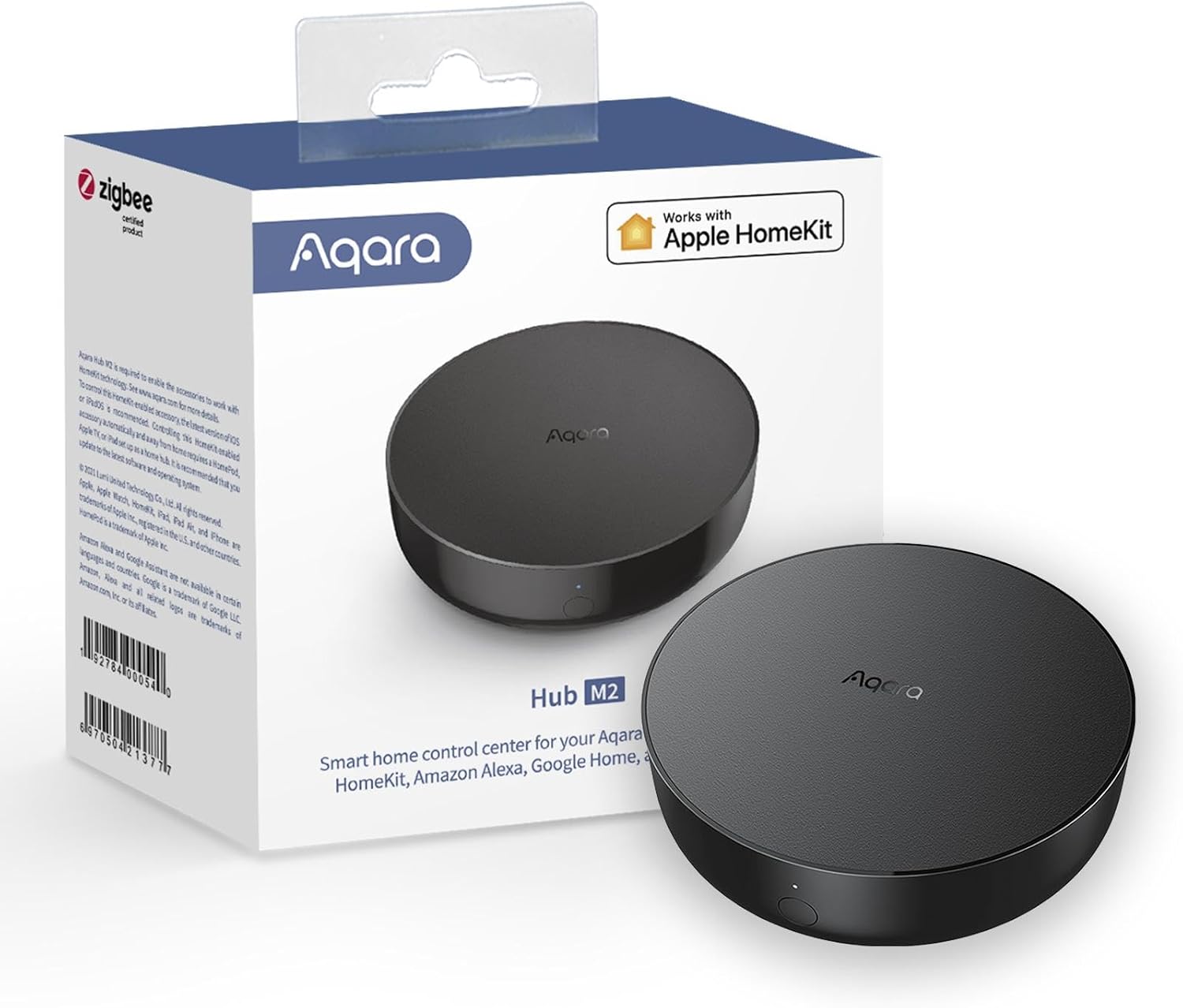
If you just want to get a smart home started without spending real money, the Aqara Smart Hub M2 ($29.99) is the cheapest sensible entry point on this list. For thirty bucks it gives you a Zigbee hub, an IR blaster, and a built-in alarm/siren, with native support for Apple HomeKit, Alexa, Google Assistant, and IFTTT. Pair it with a couple of Aqara’s famously affordable door, motion, and temperature sensors and you’ve got a real automation system for the price of a single fancy bulb.
This is the hub that makes Aqara’s cheap sensors work with Apple Home — a big deal, since HomeKit-compatible sensors from other brands cost a lot more. The M2 sits quietly on a shelf, connects over 2.4GHz Wi-Fi, and the IR blaster lets it control your TV and AC just like the pricier hubs. It’s a fantastic “try the hobby for $50 total” starting point, and a popular first hub for exactly that reason. To understand the wireless protocol it’s built on, see our walkthrough on how to build a Zigbee smart home.
The limitations are the flip side of the price. It’s not a Matter controller and not a Thread border router, so it’s less future-proof than the M3 — you’re buying into Aqara’s current Zigbee ecosystem rather than the universal Matter world. It also only works with Aqara Zigbee devices, requires 2.4GHz Wi-Fi, and lacks the M3’s PoE and local-storage features. But as a cheap, reliable way to add Aqara sensors and automations (especially into HomeKit), nothing else here touches its price.
- Protocols: Zigbee 3.0, Wi-Fi (2.4GHz), IR
- Works with: Apple HomeKit, Alexa, Google Assistant, IFTTT
- Standout feature: Cheapest way to bring Aqara Zigbee sensors into HomeKit, with a built-in siren
- Watch out for: No Matter or Thread; Aqara-only Zigbee; 2.4GHz Wi-Fi required
How to Choose a Smart Home Hub
First: What Does a Hub Actually Do?
A smart home hub does three big jobs:
- Translates protocols. Many devices speak low-power wireless languages (Zigbee, Z-Wave, Thread) your phone and router can’t hear. The hub translates them onto your network.
- Runs automations. “When the door opens after sunset, turn on the hall light.” A hub is the thing that watches for triggers and fires actions — ideally locally, so it works even when the internet is down.
- Unifies control. Instead of six apps, you get one place (and often one voice assistant) to control everything.
If you only have a handful of Wi-Fi devices, you may not need a hub yet. Once you add sensors, locks, or want reliable automations, a hub stops being optional.
The Protocols, Explained Simply
This is the part that confuses everyone, so here’s the plain-English version:
- Wi-Fi: What your phone and laptop use. Many smart plugs and cameras connect directly to it — no hub needed — but lots of Wi-Fi devices drain batteries fast and crowd your network.
- Zigbee: A low-power mesh protocol used by tons of sensors, bulbs, and switches. Cheap, battery-friendly, reliable — but needs a hub. (Aqara, SmartThings, and Hubitat all have Zigbee radios.)
- Z-Wave: Similar to Zigbee — low-power mesh, needs a hub — but on a different frequency with great range and a big catalog of locks and sensors. Hubitat is the standout Z-Wave hub here.
- Thread: The new low-power mesh, and the foundation of Matter’s wireless side. It’s self-healing and battery-friendly like Zigbee, but uses internet-style addressing. Thread devices need a Thread border router (built into the Aqara M3, Apple TV 4K, and many smart speakers).
- Matter: Not a radio — it’s the universal language that runs over Wi-Fi and Thread. Its whole point is that a Matter device works with Alexa, Google, Apple, and SmartThings at once, no matter who made it. This is the future, and it’s why Matter support is the single most important spec on a new hub. We break it down fully in our Matter smart home explained guide.
The takeaway: if you’re starting fresh in 2026, prioritize a hub that’s a Matter controller and Thread border router (like the Aqara M3 or Apple TV 4K). If you have or want Zigbee/Z-Wave gear, make sure your hub has those radios (Hubitat, SmartThings, Aqara).
Cloud vs. Local: Who’s in Control?
This is the quiet decision that matters most over the long run.
- Cloud-based hubs (SmartThings, SwitchBot) route some logic through the manufacturer’s servers. Setup is easy and features arrive fast — but if your internet drops or the company changes its service, your automations can break.
- Local hubs (Hubitat, and Home Assistant if you go the DIY route) process everything on the hardware in your house. They’re faster, more private, and keep working during outages — but ask more of you to set up.
There’s no wrong answer; it’s about priorities. Want easy and cheap? Cloud is fine. Want bulletproof and private? Go local. Many people land in the middle — a cloud platform for convenience, with the most critical automations kept local.
Ecosystem Lock-In (and How to Avoid It)
The old smart home trap was buying into one brand and getting stuck. Matter largely fixes this — a Matter device can join multiple ecosystems at once. But hubs still have a “home” platform:
- Apple Home: Apple TV 4K (Wi-Fi + Ethernet) or a HomePod is your anchor.
- SmartThings: SmartThings Station.
- Cross-platform / mixed homes: Aqara M3 (bridges everything into Matter) or Hubitat.
- Privacy / power users: Hubitat or a local Home Assistant build.
The smart move in 2026: pick one primary app/assistant for day-to-day control, but buy hubs and devices that support Matter so you’re never truly locked in.
Voice Assistant Integration
Almost every hub here works with at least Alexa and Google Home; Apple’s HomeKit support is more selective (the Apple TV and Aqara hubs cover it). If you already have Echo or Nest speakers, any of these will let you say “turn off the lights.” If you’re an Apple household, make sure your hub explicitly lists Apple Home / HomeKit support — not all do. Still deciding between voice platforms? Our Alexa vs Google Home breakdown covers it.
Install Difficulty
All six are plug-in-and-pair jobs — none require wiring. The difference is software:
- Easiest: SmartThings Station, SwitchBot Hub 2, Aqara M2 (guided app setup, 10–15 minutes).
- Easy but Apple-only: Apple TV 4K (add to Apple Home in a few taps).
- Most involved: Hubitat (powerful, but expect to spend real time learning its rules engine).
Frequently Asked Questions
Do I still need a smart home hub in 2026?
Not always. If your smart home is just a few Wi-Fi plugs, bulbs, and a camera, you can skip a hub entirely. But the moment you add battery-powered sensors, smart locks, or want automations that run reliably (and locally, during outages), a hub becomes the difference between a pile of gadgets and an actual system. For anything beyond the basics, yes — get a hub.
What’s the difference between a Matter controller and a Thread border router?
A Matter controller is the brain that manages your Matter devices and runs their automations. A Thread border router is the radio that lets low-power Thread devices (many locks, sensors, and bulbs) reach your network. Many hubs are both — the Aqara M3 and Apple TV 4K (Wi-Fi + Ethernet) include each. You need a Thread border router only if you’re buying Matter-over-Thread devices; Matter-over-Wi-Fi devices don’t require one.
Which hub is best if I want to avoid the cloud?
The Hubitat Elevation C-8 is the standout here — it processes every automation locally on the hub, with no cloud dependency and no subscription, plus native Zigbee and Z-Wave. The other fully local option (not on this list, but worth knowing) is Home Assistant, which is more powerful but more hands-on. Our Home Assistant vs SmartThings comparison digs into the local-vs-cloud trade-off.
Can one hub work with Alexa, Google, and Apple at the same time?
Increasingly, yes — that’s exactly what Matter enables. A Matter device bridged through a hub like the Aqara M3 can appear in Alexa, Google Home, Apple Home, and SmartThings simultaneously, so different family members can use their preferred app. Older Zigbee/Z-Wave-only setups are more siloed, which is part of why Matter-capable hubs are the better long-term buy.
Will my hub keep working if my internet goes down?
It depends on the hub. Local-first hubs (Hubitat) keep running automations during an outage — your motion-triggered lights still work. Cloud-leaning hubs (SmartThings, SwitchBot) may lose some automations and remote access until the internet returns, though basic local control often still functions. If outage resilience matters to you, prioritize a hub that advertises local automation processing.
Do I need a separate hub for Zigbee and Z-Wave devices?
Not if you pick a hub with both radios. The Hubitat C-8 natively supports Zigbee and Z-Wave in one box and pairs with third-party devices. The Aqara and SmartThings hubs have Zigbee but not Z-Wave, and Aqara’s Zigbee only works with Aqara-brand devices. If you have Z-Wave locks or sensors, Hubitat is your pick.
The Bottom Line
For most people building or upgrading a smart home in 2026, the Aqara Smart Home Hub M3 ($159.99) is the best overall — it’s a Matter controller, Thread border router, Zigbee hub, and IR blaster in one, and it bridges everything into whatever ecosystem you use.
If you live in Apple’s world, the Apple 2022 Apple TV 4K Wi‑Fi + Ethernet 128GB ($149.00) doubles as a HomeKit hub and Thread router (and a great streamer). Privacy and power users who want a fully local, no-cloud system should go with the Hubitat Elevation C-8 ($179.95) for its Zigbee + Z-Wave radios and on-device automations.
On a budget, you’ve got great options: the SwitchBot Hub 2 ($59.99) is a fun Matter bridge with a killer IR-blaster trick, the Samsung SmartThings Station ($39.82) is the best all-around value (and charges your phone), and the Aqara Smart Hub M2 ($29.99) is the cheapest way to start with Zigbee and HomeKit.
Whichever you choose, the hub is the one purchase that makes every other smart home device better — buy a Matter-capable one, and you’ll be set for years.