Quick Picks
Short on time? Here are our top recommendations:
- Philips Hue White & Color Ambiance A19 (~$50) — Best overall, richest color and widest ecosystem
- LIFX Color A19 (2-Pack) (~$55) — Best hub-free option, Matter compatible
- Kasa Smart Bulb KL125 (~$13) — Best value, great colors at a fraction of the price
- Nanoleaf Essentials A19 (~$20) — Best for Matter & Thread smart homes
- Wyze Bulb Color (2-Pack) (~$16) — Best budget pick, bright and capable
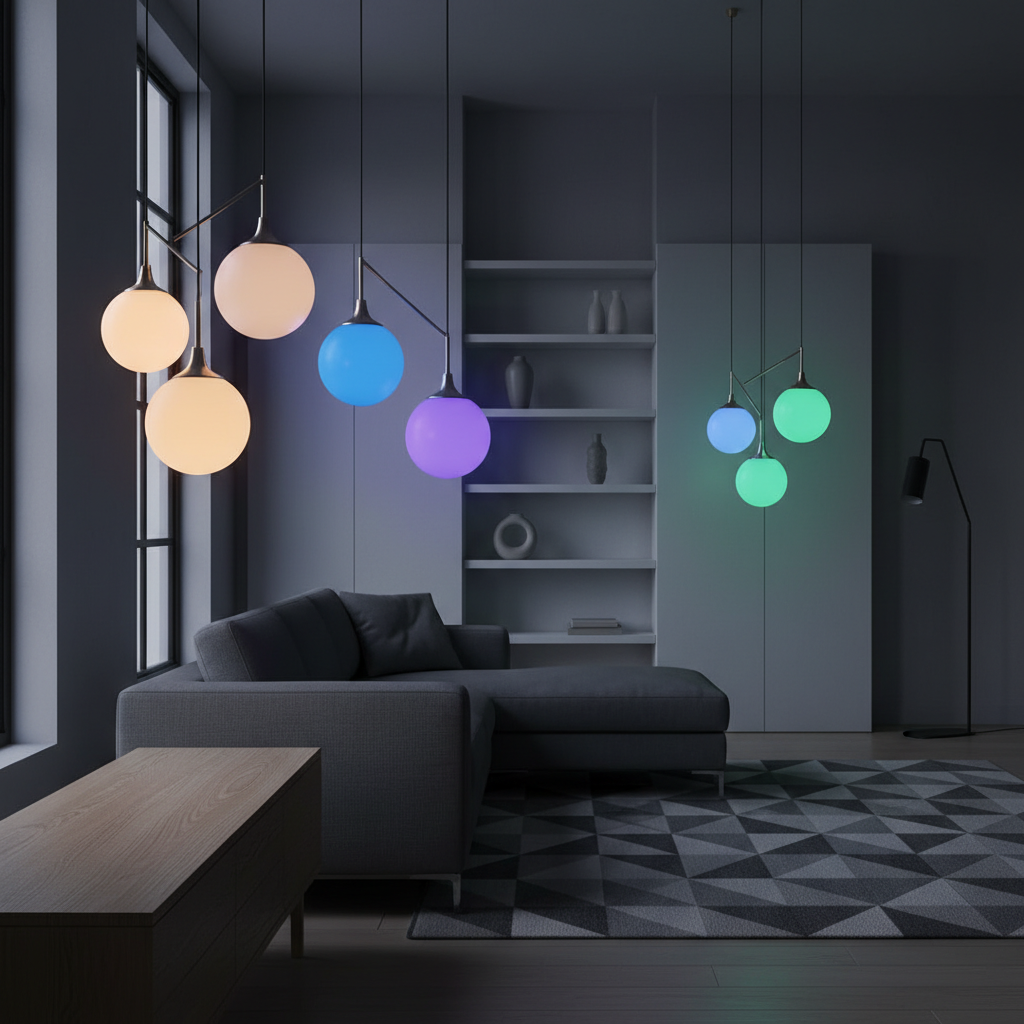
Smart light bulbs are the easiest way to start a smart home. Screw one in, download an app, and you’ve got voice control, scheduling, color changing, and automations — no electrician, no rewiring, no hub required for most models. They’re the gateway device that gets people hooked on home automation.
But the market is flooded. There are hundreds of smart bulbs on Amazon, and the differences between a $10 bulb and a $50 bulb aren’t always obvious from the listing. Some use WiFi, some use Zigbee or Thread, some need a hub, and some support Matter while others don’t. The wrong choice means you’re stuck with a bulb that drops offline, can’t sync with your other devices, or looks washed out when you set it to “ocean blue.”
We researched the top smart bulbs available in 2026 and picked five that cover the full range — from the gold standard Philips Hue down to a Wyze two-pack that costs less than lunch. Each one earns its spot for a specific reason. Here’s what to buy based on your budget and setup.
Our Top Picks Reviewed
Philips Hue White & Color Ambiance A19 — Best Overall
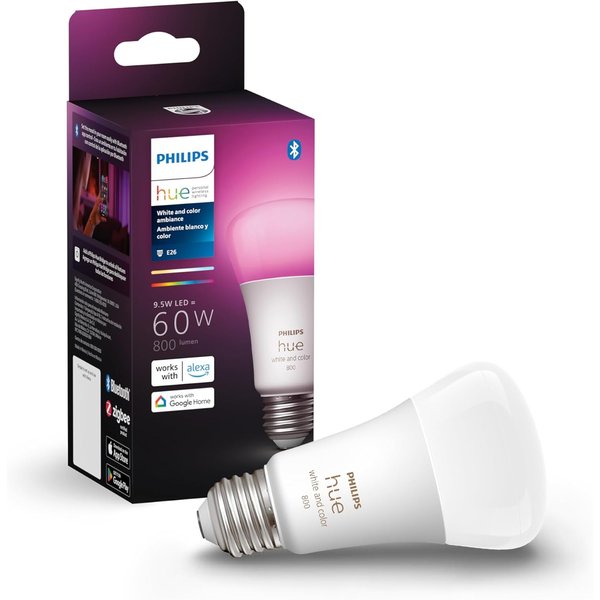
Philips Hue is the smart lighting brand that everything else gets compared to, and for good reason. The White & Color Ambiance A19 produces 16 million colors with the richest, most accurate color reproduction of any consumer smart bulb. When you set it to deep red or emerald green, it actually looks like deep red or emerald green — not a pinkish glow or a teal approximation.
The Hue ecosystem is the real selling point. The Philips Hue app is polished and packed with features: rooms, zones, scenes, automations, schedules, wake-up routines, and entertainment sync that pulses lights with music or gaming. You can create scenes from photos, set different colors for different rooms, and build complex automations that rival what you’d get from a full smart home hub.
Hue works with every major platform — Alexa, Google Home, Apple HomeKit, Samsung SmartThings, and now Matter. The Hue Bridge (sold separately or in starter kits) connects via Zigbee, which means the bulbs don’t clog your WiFi network. You can run dozens of Hue bulbs without any network slowdown. The bridge also enables features like entertainment sync and more reliable scheduling.
The 800-lumen output is bright enough for most rooms, and the tunable white range goes from warm candlelight (2000K) to cool daylight (6500K). If you’re setting up a full Philips Hue system, this is the bulb you want in rooms where color matters — living room, bedroom, home office.
Key Features:
- 16 million colors with excellent accuracy
- 800 lumens, tunable white 2000K-6500K
- Works with Alexa, Google, HomeKit, SmartThings, Matter
- Zigbee (requires Hue Bridge for full features)
- Entertainment sync for music and gaming
- 25,000-hour rated lifespan
Pros:
- Best color accuracy and saturation on the market
- Most complete ecosystem with the best app
- Zigbee doesn’t burden your WiFi network
- Works with literally every smart home platform
- Entertainment sync is genuinely fun
- Extremely reliable — rare dropouts or connectivity issues
Cons:
- Most expensive bulb on this list
- Hue Bridge required for full functionality (~$60 extra)
- WiFi-only mode (no bridge) limits features
- 800 lumens may not be enough for large rooms
- Ecosystem lock-in — Hue accessories only work with Hue
LIFX Color A19 — Best Hub-Free
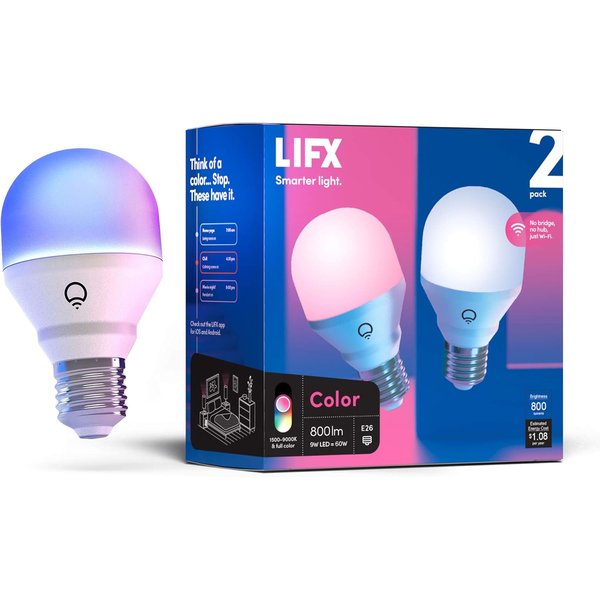
If you want Philips Hue-level color quality without buying a separate hub, LIFX is the answer. These bulbs connect directly to your WiFi network — screw in, connect to the app, done. No bridge, no gateway, no extra hardware. And the color reproduction is excellent — LIFX was the first smart bulb brand to consistently challenge Hue on color accuracy.
The LIFX Color A19 is now Matter compatible, which means it works natively with Apple Home, Google Home, Amazon Alexa, and Samsung SmartThings through a single standard. This is a big deal for future-proofing. As smart home platforms evolve, Matter ensures your bulbs stay compatible regardless of which ecosystem you’re in.
Output is 800 lumens with full RGB color and tunable white from 1500K to 9000K — the widest white temperature range on this list. That means you can go warmer than candlelight or cooler than daylight, which is useful for circadian rhythm lighting (warm in the evening, cool in the morning).
The LIFX app offers scenes, schedules, effects like candle flicker and strobe, and integration with IFTTT for custom automations. The bulbs also support a “Day & Dusk” mode that automatically adjusts color temperature throughout the day without any manual scheduling.
This two-pack is a solid value compared to buying two individual Hue bulbs plus a bridge. If you want premium smart lighting without buying into an ecosystem or installing extra hardware, LIFX delivers.
Key Features:
- WiFi direct — no hub or bridge needed
- Matter compatible for cross-platform support
- 800 lumens, 16 million colors
- Widest white range: 1500K-9000K
- Day & Dusk automatic color temperature adjustment
- 2-pack included
Pros:
- No hub required — plug and play
- Matter support for future-proof compatibility
- Color accuracy rivals Philips Hue
- Widest white temperature range available
- Day & Dusk mode is genuinely useful
- Good app with effects and scenes
Cons:
- Uses WiFi bandwidth (each bulb is a device on your network)
- More expensive per bulb than Kasa or Wyze
- WiFi bulbs can be less reliable than Zigbee/Thread
- Occasional firmware update issues reported
- No physical remote included
Kasa Smart Bulb KL125 — Best Value
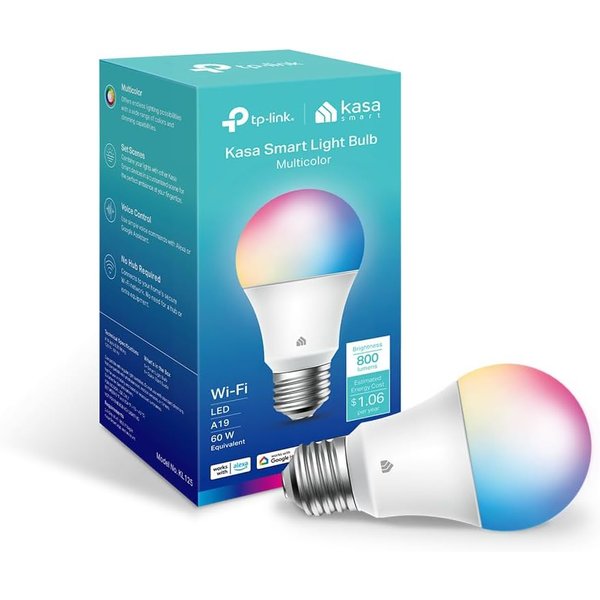
The Kasa KL125 delivers full-color smart lighting for around $13 per bulb. That’s roughly a quarter of what you’d pay for a Philips Hue, and the core experience is surprisingly close. You get 16 million colors, tunable white, dimming, scheduling, and voice control through Alexa or Google Home — all over WiFi with no hub.
TP-Link (Kasa’s parent company) makes networking hardware, so WiFi reliability is their strength. The KL125 connects to your 2.4GHz network and stays connected. In our research, Kasa consistently ranks among the most reliable WiFi smart bulbs with fewer dropout complaints than most competitors.
The Kasa app is clean and straightforward. Set schedules, create scenes, group bulbs by room, and control everything remotely. It doesn’t have the depth of the Hue app — no entertainment sync, no circadian presets — but it covers the essentials well. If you’re using smart bulbs for basic voice-controlled lighting with some color for ambiance, the Kasa does everything you need.
Color saturation is good for the price. Deep reds and blues look convincing, though the very lightest pastels can look slightly washed out compared to Hue or LIFX. For most people and most use cases, you won’t notice the difference.
If you’re outfitting multiple rooms and don’t want to spend $50 per bulb, this is where the math works. Five Kasa bulbs cost less than two Philips Hue bulbs without the bridge.
Key Features:
- Full color RGB + tunable white
- 800 lumens, dimmable
- WiFi direct — no hub needed
- Works with Alexa and Google Home
- Kasa app with scheduling and scenes
- ~$13 per bulb
Pros:
- Best price-to-performance ratio
- Reliable WiFi connection (TP-Link engineering)
- Simple, clean app
- Good color saturation for the price
- Works with both major voice assistants
- Widely available
Cons:
- No Apple HomeKit or Matter support
- No hub means each bulb uses WiFi bandwidth
- Colors not quite as accurate as Hue or LIFX
- No entertainment sync or advanced automations
- 2.4GHz WiFi only
Nanoleaf Essentials A19 — Best for Matter & Thread
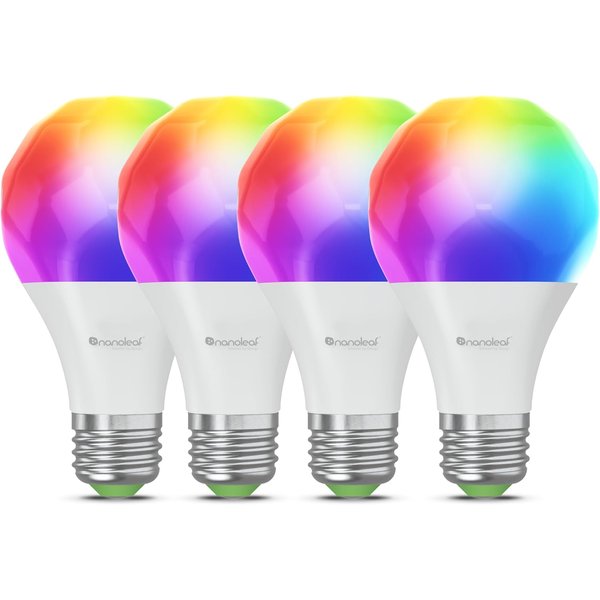
If you’re building a smart home around Matter and Thread — the newest standards that promise cross-platform compatibility and local control — the Nanoleaf Essentials A19 is the bulb to start with. It supports both protocols natively, meaning it works with Apple Home, Google Home, Amazon Alexa, and Samsung SmartThings through a single, unified standard.
Thread is the underlying network protocol, and it’s a significant upgrade over WiFi for smart home devices. Thread creates a mesh network where each device acts as a router, making the network more reliable as you add more devices. It uses very little power, responds in milliseconds, and doesn’t clog your WiFi network. If you have a HomePod Mini, Apple TV 4K, or a newer Echo with Thread support, these bulbs connect through that mesh automatically.
The bulb puts out 1000 lumens — the brightest on this list — with 16 million colors and tunable white. Nanoleaf is known for its light panels and strips, and that color expertise carries over to their bulbs. Colors are vivid and the white temperature range is broad enough for both warm evening ambiance and cool task lighting.
If you’ve been reading about Matter and want to start building around it, smart bulbs are the easiest entry point. The Nanoleaf Essentials gives you a fully Matter-compliant, Thread-capable bulb at a reasonable price.
Key Features:
- Matter and Thread support built-in
- 1000 lumens — brightest on this list
- 16 million colors + tunable white
- Mesh networking via Thread
- Works with Apple Home, Google, Alexa, SmartThings
- ~$20 per bulb
Pros:
- Future-proof with Matter and Thread
- Brightest output at 1000 lumens
- Thread mesh improves with more devices
- Doesn’t use WiFi bandwidth
- Works across all major platforms
- Good color quality from Nanoleaf
Cons:
- Needs a Thread border router (HomePod Mini, Echo, etc.)
- Nanoleaf app less polished than Hue or LIFX
- Thread ecosystem still growing
- Slightly more expensive than basic WiFi bulbs
- Limited advanced features compared to Hue
Wyze Bulb Color — Best Budget
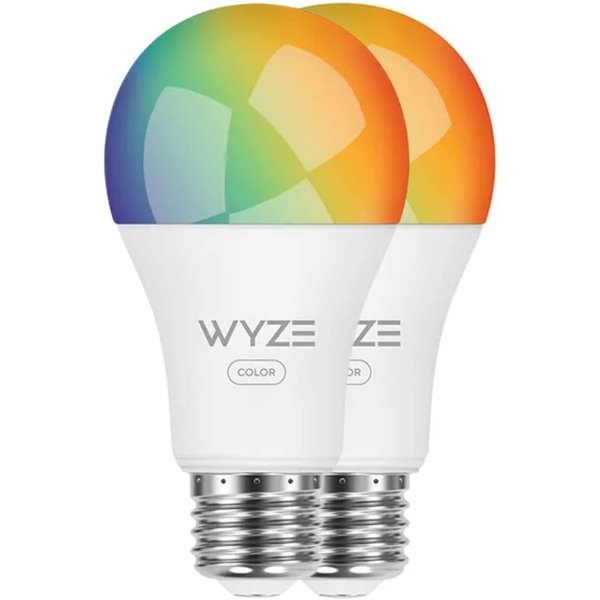
Wyze has built its entire brand on making smart home devices that work well enough at prices that make you wonder what you’re missing. The Wyze Bulb Color is no exception — this two-pack costs around $16, making each bulb roughly $8. That’s less than a decent lunch, for a color-changing smart bulb with voice control.
Despite the price, the specs are genuinely impressive. Each bulb outputs 1100 lumens — brighter than the Philips Hue and LIFX. The color range covers 16 million shades, and the tunable white goes from 2700K to 6500K. Colors won’t match the accuracy of premium bulbs at the extreme ends (very pale pastels and very deep saturations), but for everyday use — accent lighting, movie ambiance, holiday colors — they look good.
The Wyze app handles scheduling, scenes, grouping, and automations. Bulbs connect over 2.4GHz WiFi and work with both Alexa and Google Home for voice control. Setup takes about two minutes per bulb.
There are trade-offs at this price. Wyze doesn’t support Apple HomeKit or Matter, and the company has had some well-publicized security issues with their camera products. The bulbs themselves don’t have cameras or microphones, so the security concern is more about the Wyze account and app than the bulbs. If you’re on a tight budget and want to fill a room with smart color lighting without spending $200, Wyze makes it possible.
Key Features:
- Two-pack for
$16 ($8 per bulb) - 1100 lumens — brightest on this list
- 16 million colors + tunable white 2700K-6500K
- WiFi direct, no hub
- Works with Alexa and Google Home
- Wyze app with scheduling and scenes
Pros:
- Unbeatable price for color smart bulbs
- 1100 lumens is genuinely bright
- Good enough color for everyday use
- Easy setup through Wyze app
- Two-pack value
Cons:
- No Apple HomeKit or Matter support
- Wyze has had security/privacy concerns
- WiFi only — each bulb on your network
- Color accuracy weaker at extremes
- No Thread or Zigbee option
- Less reliable long-term than premium brands
Comparison Table
| Feature | Philips Hue | LIFX Color | Kasa KL125 | Nanoleaf Essentials | Wyze Color |
|---|---|---|---|---|---|
| Price | ~$50 | ~$28/bulb | ~$13 | ~$20 | ~$8/bulb |
| Lumens | 800 | 800 | 800 | 1000 | 1100 |
| Colors | 16M | 16M | 16M | 16M | 16M |
| Connection | Zigbee (Bridge) | WiFi | WiFi | Thread | WiFi |
| Hub Required | Hue Bridge | No | No | Thread router | No |
| Matter | Yes (via Bridge) | Yes | No | Yes | No |
| HomeKit | Yes | Yes | No | Yes | No |
| Alexa | Yes | Yes | Yes | Yes | Yes |
| Yes | Yes | Yes | Yes | Yes | |
| Best For | Premium whole-home | Hub-free premium | Budget color | Future-proof | Ultra-budget |
How to Choose the Right Smart Light Bulb
Hub vs. Hub-Free
This is the first decision:
- Hub-based (Philips Hue): Requires a Hue Bridge (~$60) but keeps bulbs off your WiFi network, enabling better reliability and more features. Worth it if you’re planning 5+ bulbs or want the best possible experience.
- Hub-free WiFi (LIFX, Kasa, Wyze): Screw in and connect. Simpler setup, but each bulb is a device on your WiFi. Fine for a few bulbs, but 15+ WiFi bulbs can strain cheaper routers.
- Thread (Nanoleaf): The modern middle ground. Needs a Thread border router (HomePod Mini, newer Echo), but creates a low-power mesh network that gets better with more devices. No WiFi congestion.
If you have a solid mesh WiFi system, WiFi bulbs work fine even in larger quantities.
Which Smart Home Platform Are You Using?
- Apple HomeKit: Philips Hue, LIFX, or Nanoleaf — Kasa and Wyze don’t support HomeKit
- Alexa: All five work with Alexa
- Google Home: All five work with Google Home
- Matter: Philips Hue (via Bridge), LIFX, and Nanoleaf support Matter. Kasa and Wyze do not.
- Building new? Go with Matter-compatible bulbs to avoid ecosystem lock-in
Color vs. White-Only
All five picks on this list are full-color bulbs. But if you only need dimmable white light (for example, in a hallway or closet), you can save money with white-only versions from the same brands. Color bulbs typically cost 2-3x more than white-only equivalents.
How Many Bulbs Do You Need?
Budget matters more when you’re buying 10 bulbs instead of 2:
- 1-3 bulbs (accent lighting): Philips Hue or LIFX for the best experience
- 4-8 bulbs (multiple rooms): Kasa for the best value-per-room
- 8+ bulbs (whole home): Consider Philips Hue with a Bridge (Zigbee scales better than WiFi) or Nanoleaf Essentials (Thread mesh)
If you’re interested in pairing smart bulbs with smart light switches, check our guide — switches control the whole fixture while bulbs add color to specific lamps.
FAQ
Do smart light bulbs work with regular light switches?
Yes, but with a catch. If you turn off the wall switch, the smart bulb loses power and goes offline — you can’t control it by voice or app until the switch is flipped back on. The workaround is to leave the wall switch on permanently and control the bulb through the app or voice. Some people add switch guards to prevent accidental flip-offs. For rooms where you want both physical and smart control, consider a smart switch instead.
How long do smart light bulbs last?
Most smart bulbs are rated for 15,000 to 25,000 hours. At 3 hours per day, that’s 13-22 years. In practice, the electronics may fail before the LED element, but you should still get 5-10 years of reliable use from a quality bulb.
Do smart bulbs use a lot of electricity?
No. A typical smart bulb uses 9-12 watts at full brightness — roughly the same as a regular LED bulb. In standby mode (on but connected to WiFi), they use about 0.5 watts. The annual electricity cost for a smart bulb running 3 hours per day is around $1-2.
Can I use smart bulbs in enclosed fixtures?
Check the product specs — not all smart bulbs are rated for enclosed fixtures (like ceiling-mounted globes or recessed cans with covers). The electronics generate heat and need ventilation. Philips Hue and LIFX have enclosed-fixture-rated models, but you need to specifically look for that rating.
What’s the difference between WiFi, Zigbee, and Thread bulbs?
WiFi bulbs connect directly to your router — simplest setup, no hub needed, but each bulb uses WiFi bandwidth. Zigbee (used by Hue) requires a bridge but creates a separate low-power network that doesn’t touch your WiFi. Thread (used by Nanoleaf) is the newest option — it creates a mesh network like Zigbee but is built into the Matter standard for cross-platform compatibility. For a deeper dive, check our Matter explained guide.
Smart lighting pairs naturally with voice control. Check our smart speaker guide if you need a speaker for voice commands, or see our Alexa lighting automation guide for step-by-step setup instructions. If you’re just getting started with smart home tech, our beginner’s guide covers everything from choosing a platform to setting up your first devices.