Quick Picks
Short on time? Here are our top recommendations:
- Lutron Caseta Original Smart Dimmer Switch Starter Kit (~$79) — Best overall, the gold standard with hub, Pico remote, and no neutral wire needed
- Kasa Smart Dimmer Switch HS220 (~$20) — Best WiFi dimmer with no hub required
- Kasa Smart Light Switch HS200 (~$16) — Best budget on/off switch
- Leviton Decora Smart Switch (D215S-1RW) (~$45) — Best for HomeKit and Matter
- meross Smart Light Switch (MSS510) (~$21) — Best budget HomeKit pick
- Kasa Smart Dimmer Switch HS220P3 (3-Pack) (~$56) — Best value for multiple rooms
Smart light switches and dimmers are one of the most satisfying smart home upgrades you can make — and one of the most underrated. Unlike smart bulbs, which only work when the physical switch is left on, a smart switch replaces the switch itself. That means anyone can still flip it on the wall the old-fashioned way, while you get app control, voice commands, schedules, and automation on top. Your dumb bulbs become smart, and you never have to explain to a houseguest why the light won’t turn on.
The best part for your wallet: most of these run between $15 and $50, and they’re frequently bought in multi-packs because you’ll want to do more than one room. A whole-house lighting upgrade with switches can cost less than a handful of premium smart bulbs. We compared the most popular and most reliable options on Amazon and picked six that cover every situation — from a $16 single-pole switch to the Lutron Caseta system that professional installers swear by.
One important note before we start: this is the general roundup, and most of these switches require a neutral wire in your switch box (common in homes built after the mid-1980s). If your home is older and your boxes don’t have a neutral, read our dedicated guide to the best smart light switches without a neutral wire instead — those switches use special engineering to work with your existing wiring. We’ll flag which picks here are no-neutral as we go.
Our Top Picks Reviewed
Lutron Caseta Original Smart Dimmer Switch Starter Kit — Best Overall
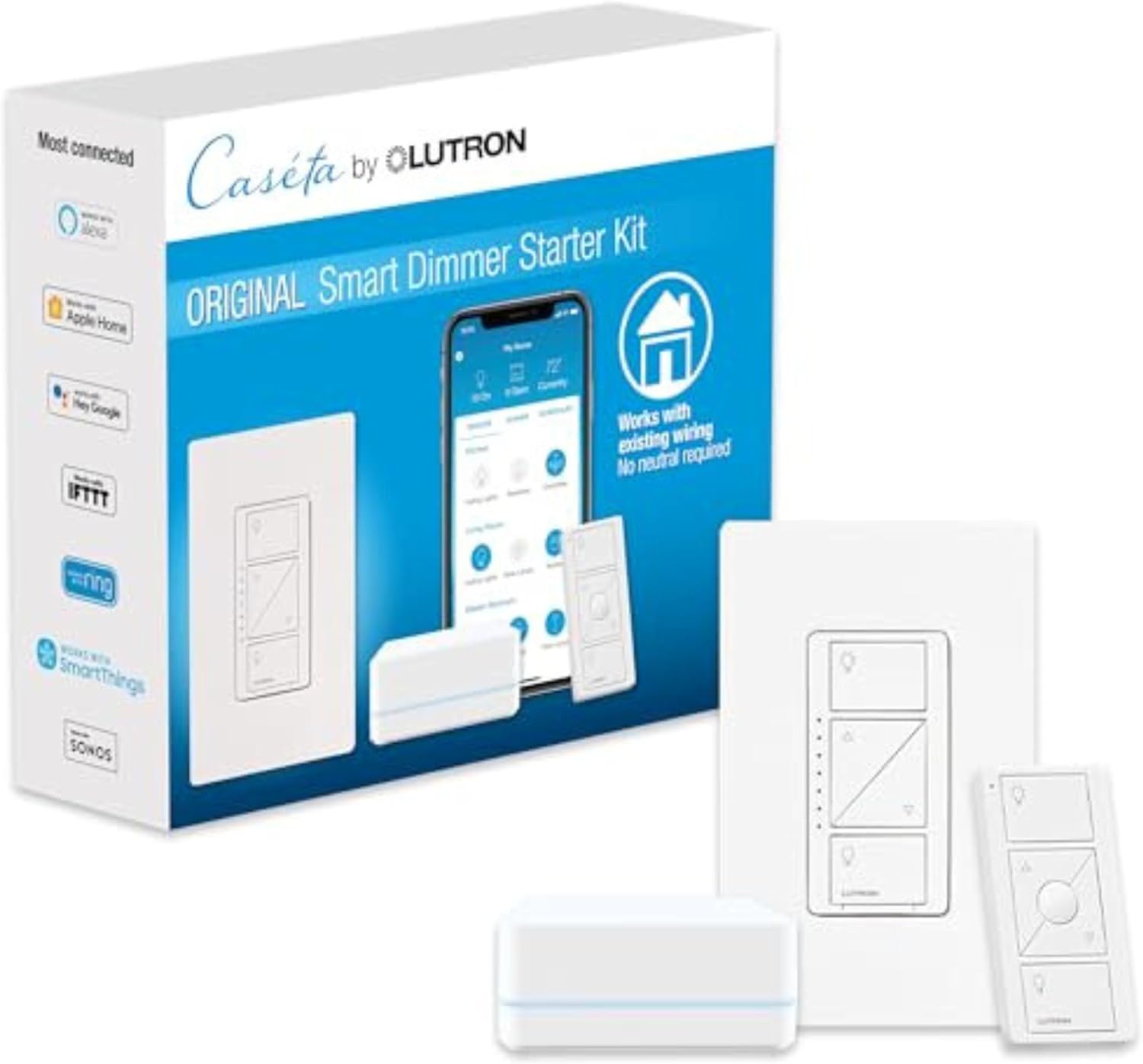
If you ask an electrician or a serious smart home enthusiast which dimmer to buy, the answer is almost always Lutron Caseta. It’s been the gold standard for years, and this starter kit is the easiest way to get into the ecosystem. The kit includes the Smart Hub (bridge), a dimmer switch, a Pico remote, and a wall plate — everything you need to wire up your first room and control it from your phone, by voice, or with the included physical remote.
The reason Caseta is so dominant comes down to two things: reliability and bulb compatibility. Instead of fighting your WiFi network, Caseta switches talk to the hub over Lutron’s proprietary Clear Connect radio, which is rock-solid and barely ever drops out. And the dimming is the smoothest in the business — Lutron has been making dimmers for decades, so it handles finicky LED bulbs without the flickering or buzzing that plagues cheaper switches. It’s also a no-neutral switch, which means it works in older homes where most WiFi switches won’t.
The kit works with Alexa, Google Home, Apple Home (HomeKit), Ring, and SmartThings — basically every ecosystem. The Pico remote is the secret weapon: you can stick it anywhere (next to your bed, on a coffee table) and it controls the lights wirelessly with no wiring at all. Once you have the hub, adding more rooms is as simple as buying additional switches.
At around $79 for the full kit, it costs more than a single budget switch — but you’re buying into the most reliable lighting platform available, and the per-switch cost drops fast once the hub is in place. For most people building out smart lighting, this is the one to get.
Key Features:
- Includes Smart Hub, dimmer switch, Pico remote, and wall plate
- No neutral wire required (works in older homes)
- Clear Connect radio — more reliable than WiFi
- Works with Alexa, Google Home, Apple HomeKit, Ring, and SmartThings
- Smooth, flicker-free dimming with excellent LED compatibility
- Single-pole or 3-way, 150W LED rating
Pros:
- The most reliable smart lighting system you can buy
- No neutral wire needed — perfect for older homes
- Best-in-class dimming with virtually any bulb
- Pico remote adds wireless control anywhere
- Works with every major smart home platform
Cons:
- Requires the hub (included in this kit, extra for standalone switches)
- Higher upfront cost than budget WiFi switches
- Uses a proprietary radio rather than standard WiFi
- One hub supports a limited number of devices
Kasa Smart Dimmer Switch HS220 — Best WiFi Dimmer, No Hub
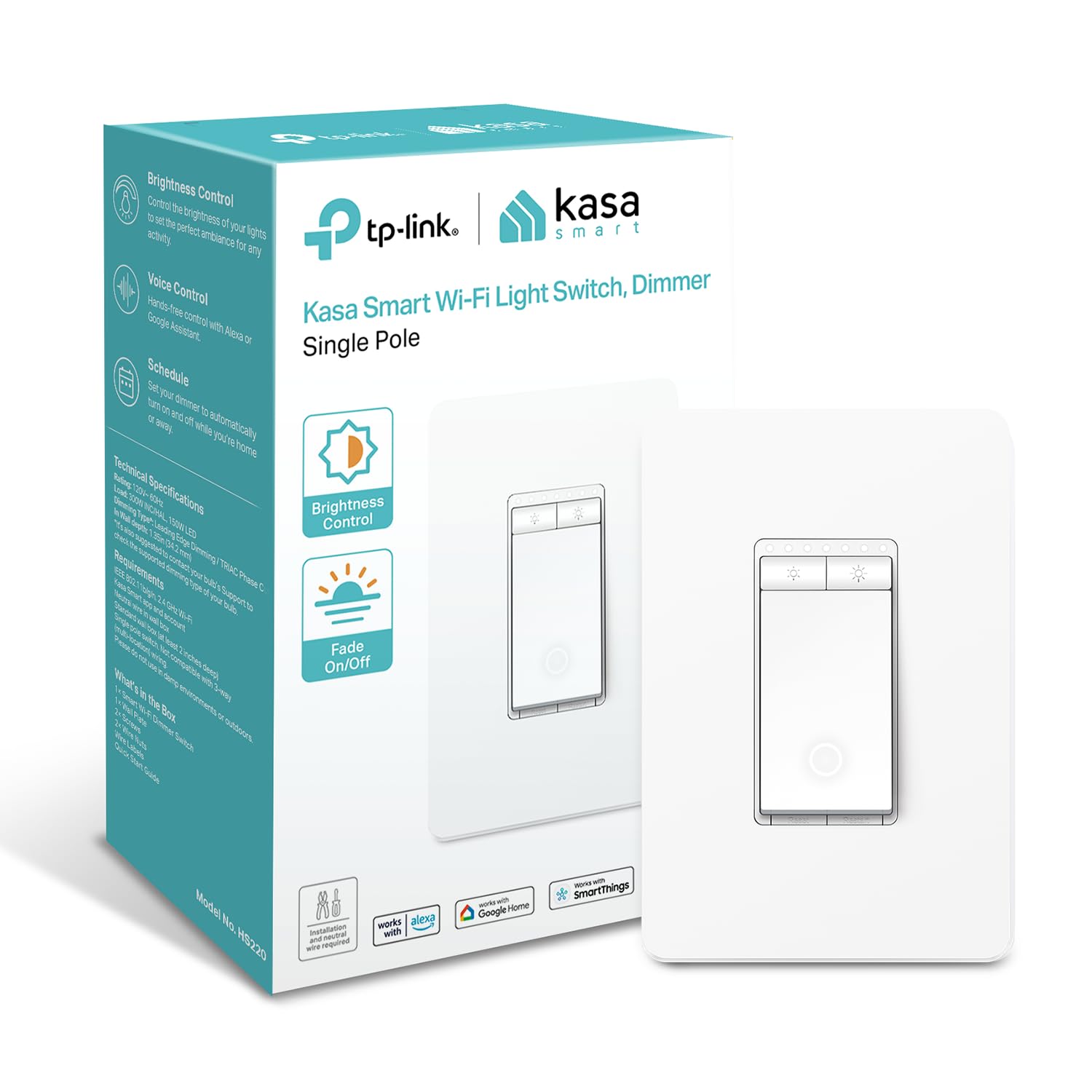
If you don’t want to deal with a hub, the Kasa HS220 is the dimmer to get. It connects directly to your 2.4GHz WiFi — no bridge, no extra hardware — and you control it through the excellent Kasa Smart app or with your voice through Alexa or Google Home. Setup takes about five minutes: wire it in, open the app, and connect to WiFi.
TP-Link’s Kasa line has a reputation for being dead simple and dependable, and the HS220 lives up to it. The dimming is smooth, the app is clean and reliable, and you get all the smart features you’d expect: schedules, timers, away mode, and the “fade on/off” effect that gently ramps your lights up and down. The physical buttons on the switch let you adjust brightness directly on the wall, with a small LED bar showing the current level.
The one thing to know: the HS220 requires a neutral wire and is single-pole only (it can’t be used in a 3-way setup where two switches control one light). For a single switch controlling a single light in a newer home, it’s hard to beat at around $20. If you need 3-way, look at the Lutron Caseta or Leviton instead.
Key Features:
- Direct 2.4GHz WiFi — no hub required
- Single-pole, requires neutral wire
- Works with Alexa and Google Home
- Kasa Smart app with schedules, timers, and fade on/off
- Physical brightness buttons with LED level indicator
- UL certified
Pros:
- No hub needed — connects straight to WiFi
- Very easy setup and reliable app
- Smooth dimming at a great price
- Fade on/off is a nice touch
- Trusted TP-Link build quality
Cons:
- Single-pole only (no 3-way support)
- Requires a neutral wire
- No HomeKit support
- 2.4GHz WiFi only (most switches are)
Kasa Smart Light Switch HS200 — Best Budget On/Off Switch
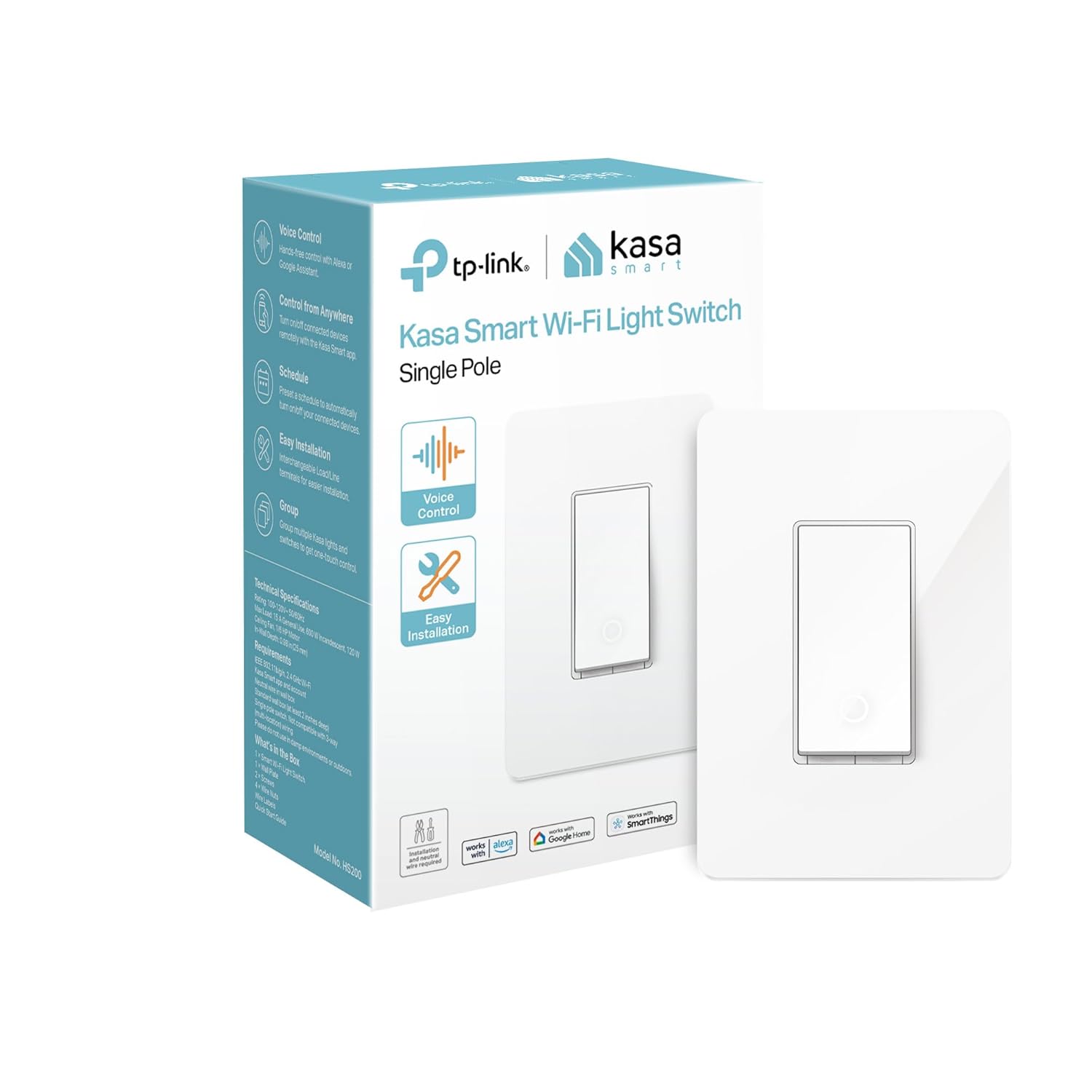
Not every light needs dimming. For closets, garages, laundry rooms, porches, and anywhere you just want on/off control, a dimmer is overkill — you want the cheapest reliable smart switch you can get. That’s the Kasa HS200. At around $16, it’s one of the best values in the entire smart home category, and it’s the switch we recommend most often for people just dipping a toe into home automation.
It’s the on/off sibling of the HS220 dimmer above, so it shares the same strengths: direct WiFi connection with no hub, the reliable Kasa app, and voice control through Alexa and Google Home. You get scheduling, timers, away mode (which randomly toggles lights to simulate occupancy while you’re traveling), and remote control from anywhere. The “Control from Anywhere” feature is genuinely useful — forgot to turn off the garage light? Tap your phone from the office.
Like the dimmer, the HS200 is single-pole and requires a neutral wire. But for the price, it’s a no-brainer to scatter these throughout the house wherever you don’t need dimming. Many people buy several at once, and since it works with non-smart bulbs, you don’t have to replace any of your existing lights — just the switch.
Key Features:
- Direct 2.4GHz WiFi — no hub required
- On/off control (no dimming)
- Single-pole, requires neutral wire
- Works with Alexa and Google Home
- Schedules, timers, away mode, remote control
- UL certified
Pros:
- Excellent value — one of the cheapest reliable smart switches
- No hub needed
- Works with any existing bulb (smart or dumb)
- Reliable Kasa app and voice control
- Away mode is great for home security
Cons:
- On/off only — no dimming
- Single-pole only
- Requires a neutral wire
- No HomeKit support
Leviton Decora Smart Switch (D215S-1RW) — Best for HomeKit and Matter
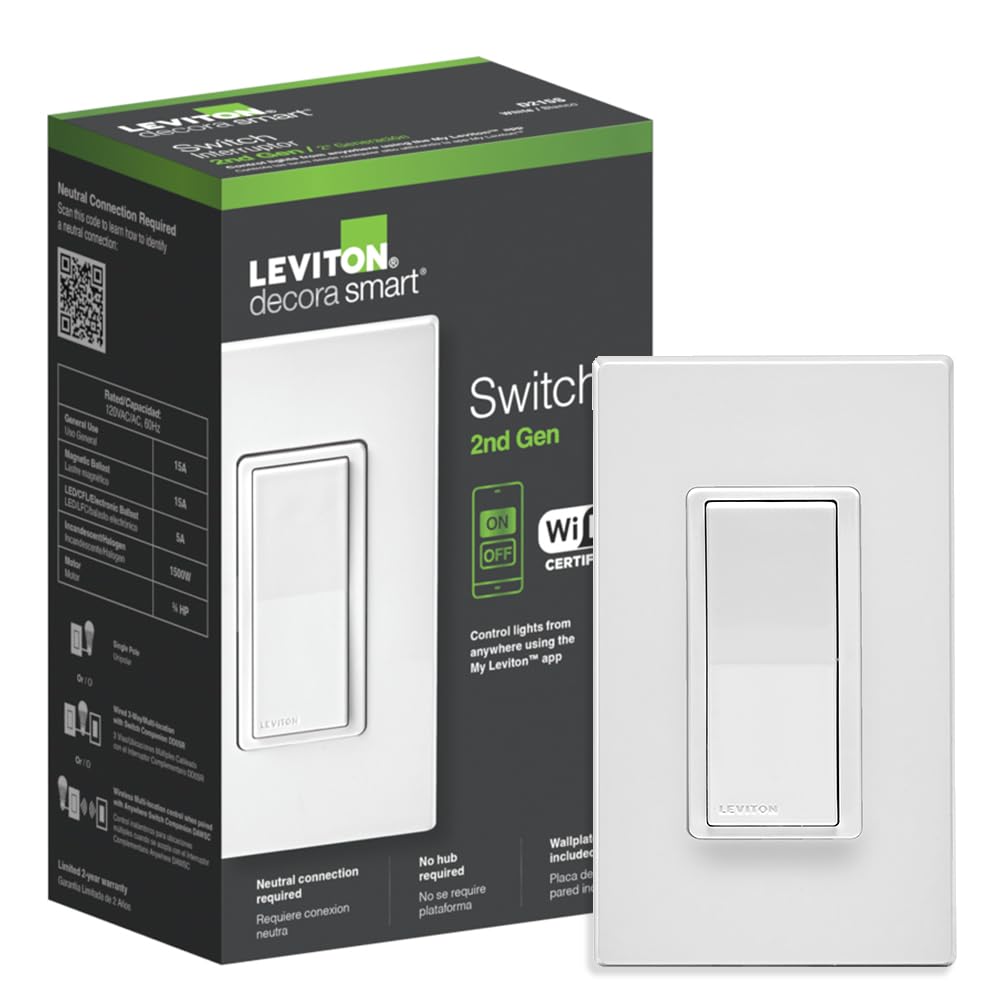
For Apple households and anyone who wants future-proof compatibility, the 2nd-generation Leviton Decora Smart switch is the standout. It’s a WiFi switch with no hub required that works with Matter — the new universal smart home standard — which means it plays nicely with Apple Home, Alexa, Google Assistant, and SmartThings all at once. If you’ve been burned by devices that only work with one ecosystem, Matter support is exactly what you want.
Leviton’s build quality is a step above the budget brands. The paddle has a satisfying click, the switch sits flush against the wall, and a wall plate is included (a small thing that other brands often skip). The My Leviton app handles schedules and automation, but the real advantage is that you don’t have to live in the app — once it’s added to Apple Home or your platform of choice, you control it like any native device.
This is a switch, not a dimmer (on/off only), it’s single-pole out of the box, and it requires a neutral wire. Leviton does sell a wired or wire-free 3-way companion if you need two-switch control down the line. At around $45, it costs more than the Kasa HS200, but the Matter and HomeKit support plus the included wall plate justify the premium for Apple users.
Key Features:
- WiFi, no hub required
- Works with Matter — Apple Home, Alexa, Google, SmartThings
- On/off switch (single-pole, 3-way companion available)
- Requires neutral wire
- Wall plate included
- My Leviton app for schedules and automation
Pros:
- One of the few affordable HomeKit-compatible switches
- Matter support means broad, future-proof compatibility
- Premium build quality and included wall plate
- No hub required
- Reliable on the Apple Home platform
Cons:
- On/off only (no dimming in this model)
- More expensive than budget WiFi switches
- Requires a neutral wire
- 3-way needs a separate companion switch
meross Smart Light Switch (MSS510) — Best Budget HomeKit
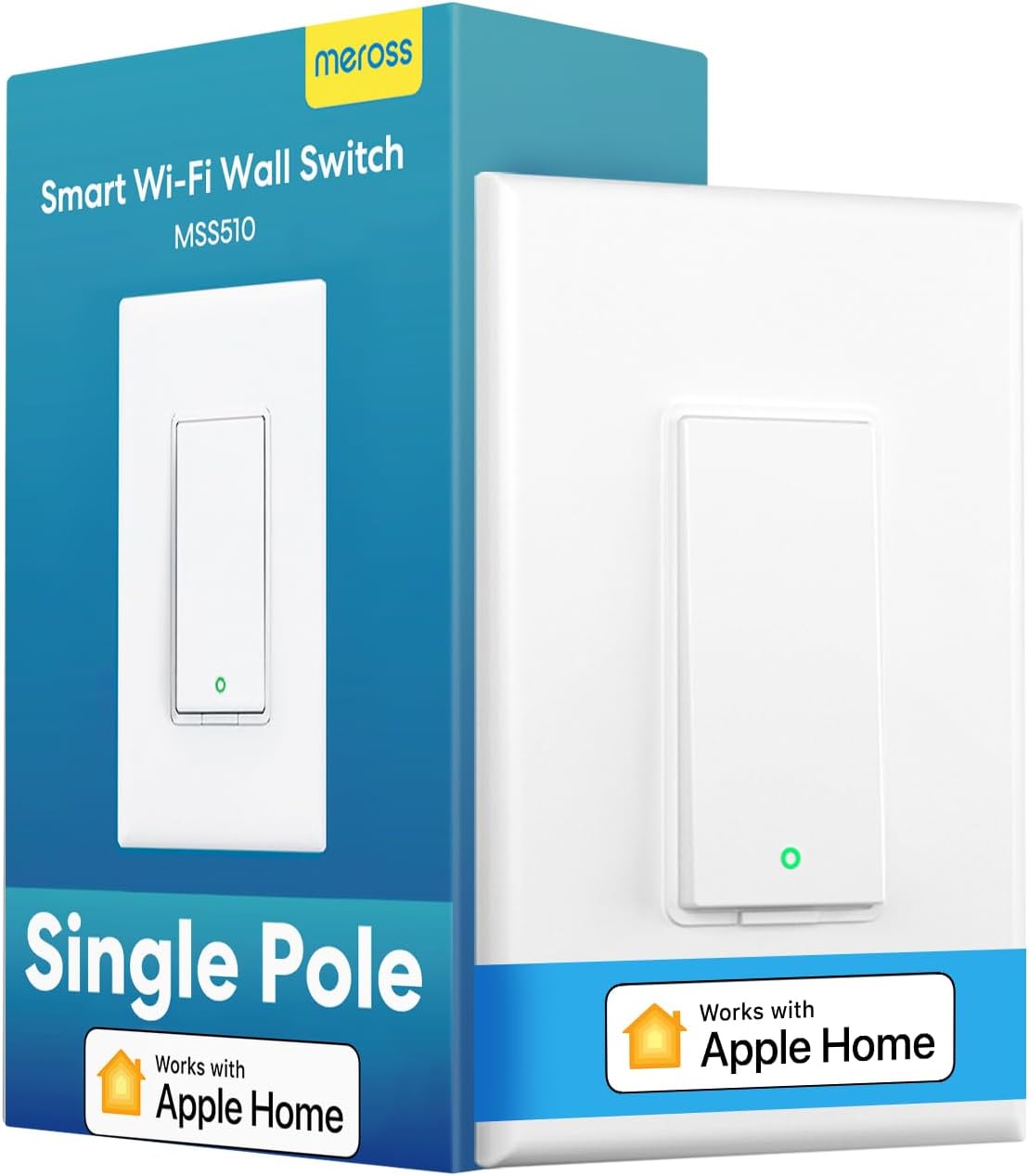
HomeKit-compatible switches usually carry a premium, which is what makes the meross MSS510 such a find. At around $21, it’s one of the cheapest ways to get a real Apple HomeKit switch on your wall, and it doesn’t skimp on the rest of the ecosystem either — it also works with Siri, Alexa, Google Assistant, and SmartThings. For an Apple user who wants to test the waters without spending Leviton or Lutron money, this is the entry point.
It connects directly to your 2.4GHz WiFi with no hub, and setup through the Meross app (or directly into the Apple Home app) is straightforward. Once it’s in, you get Siri voice control, schedules, scenes, and remote access. The switch itself is a clean white paddle with a small status LED, and it blends in fine with standard Decora-style wall plates.
The MSS510 is an on/off switch (no dimming), single-pole, and requires a neutral wire. The trade-off for the low price is that the meross app isn’t as polished as Kasa’s or as rock-solid as Lutron’s ecosystem — occasional re-pairing after a router change is the most common complaint. But for native HomeKit control at this price, it’s the value champion.
Key Features:
- Works with Apple HomeKit, Siri, Alexa, Google, and SmartThings
- Direct 2.4GHz WiFi — no hub required
- On/off switch, single-pole
- Requires neutral wire
- Schedules, scenes, and remote control
- Compact white paddle design
Pros:
- Cheapest reliable HomeKit switch on this list
- Broad platform support including Siri
- No hub required
- Easy app or Apple Home setup
Cons:
- On/off only — no dimming
- meross app is more basic than Kasa
- Single-pole, neutral wire required
- Can need re-pairing after router changes
Kasa Smart Dimmer Switch HS220P3 (3-Pack) — Best Value for Multiple Rooms
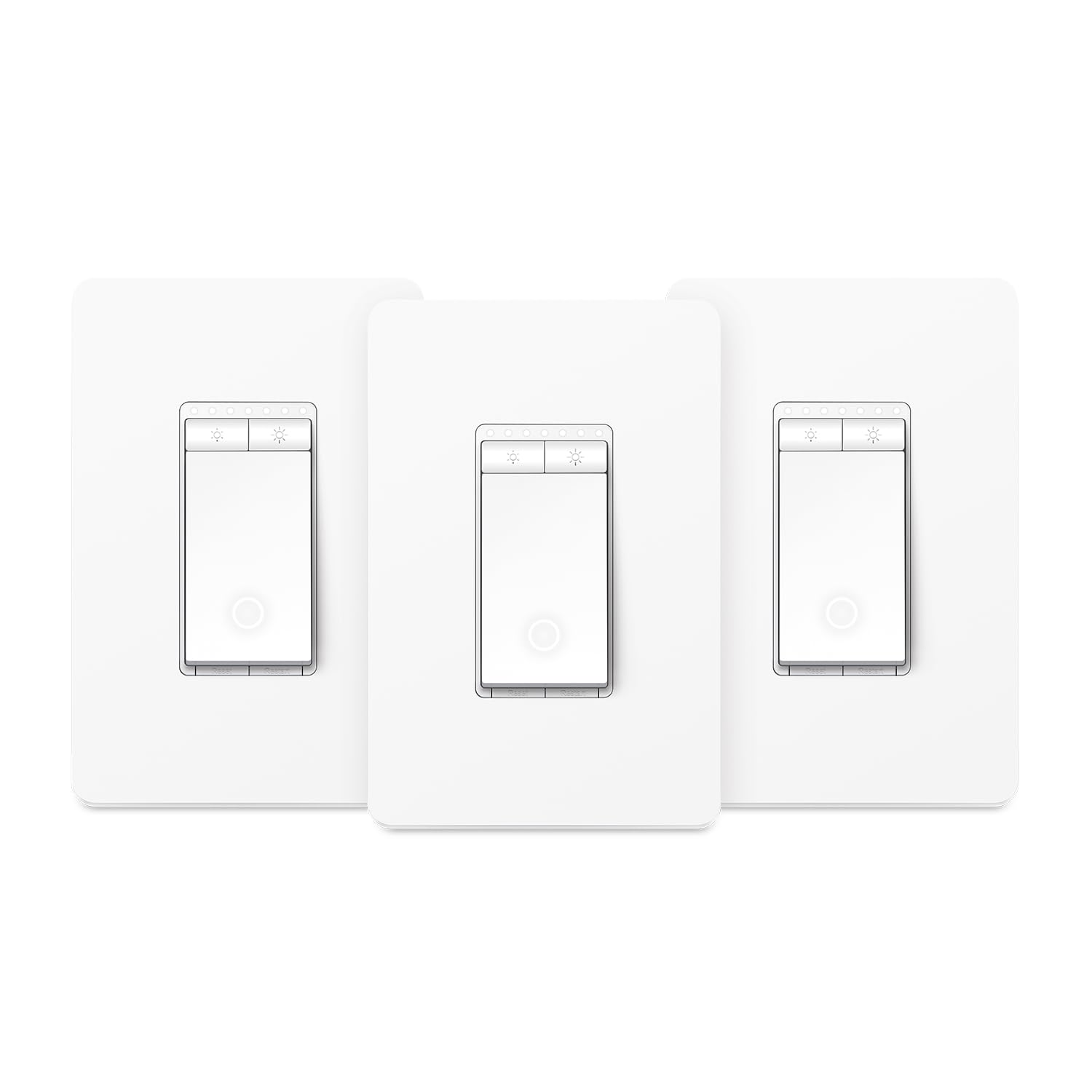
Here’s the open secret about smart switches: you almost never want just one. Once the living room dimmer is working, you’ll want one in the bedroom, the dining room, the hallway. The Kasa HS220P3 is a 3-pack of the same HS220 dimmer reviewed above, and buying them together brings the per-switch price down to around $19 each (roughly $56 for three) — the best value on this list for anyone doing more than one room.
You get three identical no-hub WiFi dimmers, each connecting straight to your 2.4GHz network and controlled through the single Kasa app and your voice assistant. Because they’re all in the same app, you can group them into scenes — dim the whole downstairs for movie night with one tap or voice command, or set a schedule that fades the bedroom lights up before your alarm. The fade on/off effect and physical brightness controls are all there, same as the single unit.
The same caveats apply across all three: single-pole only, neutral wire required, no HomeKit. But if your home is wired for it and you want to convert several rooms at once without paying for a hub, this multi-pack is the smart way to do it. It’s the kind of purchase that turns one smart switch into a whole-home lighting system in an afternoon.
Key Features:
- Three HS220 dimmer switches in one pack
- Direct 2.4GHz WiFi — no hub required
- Single-pole, requires neutral wire
- Works with Alexa and Google Home
- Group control and scenes across all three in the Kasa app
- Fade on/off, schedules, and timers
Pros:
- Best per-switch price for multi-room setups
- No hub required for any of them
- Group control for whole-room or whole-floor scenes
- Same reliable Kasa app and dimming
- Convert several rooms in one go
Cons:
- Single-pole only (no 3-way)
- Requires a neutral wire in each box
- No HomeKit support
- All three are the same color (white)
Comparison Table
| Feature | Lutron Caseta Kit | Kasa HS220 | Kasa HS200 | Leviton D215S | meross MSS510 | Kasa HS220P3 |
|---|---|---|---|---|---|---|
| Price | ~$79 | ~$20 | ~$16 | ~$45 | ~$21 | ~$56 (3-pack) |
| Type | Dimmer | Dimmer | On/Off | On/Off | On/Off | Dimmer x3 |
| Hub Needed | Yes (included) | No | No | No | No | No |
| Neutral Wire | Not required | Required | Required | Required | Required | Required |
| Alexa/Google | Yes | Yes | Yes | Yes | Yes | Yes |
| HomeKit | Yes | No | No | Yes | Yes | No |
| Matter | No | No | No | Yes | No | No |
| 3-Way | Yes | No | No | With companion | No | No |
| Best For | Best overall | WiFi dimmer | Budget on/off | HomeKit/Matter | Budget HomeKit | Multiple rooms |
How to Choose a Smart Light Switch
Picking the right smart switch comes down to a handful of questions about your wiring, your ecosystem, and what you actually want the lights to do. Here’s how to work through them.
Do You Have a Neutral Wire?
This is the first and most important question. Most WiFi smart switches — including the Kasa, Leviton, and meross picks above — require a neutral wire to power their radios when the lights are off. Homes built after the mid-1980s usually have a neutral (a bundle of white wires) in the switch box. Older homes often don’t.
To check, turn off the breaker, unscrew your existing switch, and look for a bundle of white wires capped together in the back of the box. If they’re there, you have a neutral and can use any switch on this list. If not, you need a no-neutral switch — and the Lutron Caseta in our top pick is one, plus we have a full guide to the best smart light switches without a neutral wire for more options. Don’t try to force a neutral-required switch into a box without one; it won’t work and may not be safe.
Single-Pole vs. 3-Way
A single-pole switch is the standard setup: one switch controls one light. Most of our budget picks (Kasa HS220, HS200, meross) are single-pole only.
A 3-way (or multi-location) setup is when two switches control the same light — common at the top and bottom of a staircase or both ends of a long hallway. If you have two switches that control one fixture, you need a switch that supports 3-way, like the Lutron Caseta (which handles it natively with a Pico remote) or the Leviton (which uses a separate companion switch). Look at your wall before buying: if there are two switches for one light, you need a 3-way solution.
Hub vs. WiFi
WiFi switches (Kasa, Leviton, meross) connect straight to your router. They’re cheaper and simpler — no extra box to buy — and great for converting one to five switches. The downside is that lots of WiFi devices can clutter your network, and they depend on a strong 2.4GHz signal at each switch location.
Hub-based systems (Lutron Caseta) use a small bridge that plugs into your router and talks to the switches over a dedicated radio. There’s an upfront cost for the hub, but you get better reliability, longer range, and your switches keep working locally even if the internet goes down. If you’re converting a whole house or want maximum reliability, a hub system is worth it.
Dimmer vs. On/Off
A dimmer lets you set brightness levels and create ambiance — essential in living rooms, bedrooms, and dining rooms. An on/off switch is cheaper and perfectly fine for closets, garages, laundry rooms, and hallways where you only need full brightness. Mixing both around the house is the smart, budget-friendly move: dimmers where you’ll use them, on/off switches everywhere else.
One caution on dimmers: only use them with dimmable LED bulbs. Pairing a dimmer with non-dimmable LEDs causes flickering, buzzing, or bulbs that won’t turn off completely. Check the bulb packaging before you buy.
A Note on Smart Bulb Compatibility
This trips people up constantly: don’t use smart switches and smart bulbs on the same fixture. If you put a smart bulb in a lamp controlled by a smart switch and someone turns the switch off, the bulb loses power and you can no longer control it from your phone or voice — it’s just dead until someone flips the switch back on.
The rule of thumb: use smart switches with regular (dumb) bulbs, or use smart bulbs with regular switches. Smart switches are the better choice for whole-room overhead lighting and any fixture with multiple bulbs, since one switch controls them all cheaply. Smart bulbs make more sense for lamps and accent lighting where you want color changing. If you want to compare the two approaches for your situation, our guide to the best smart light bulbs of 2026 covers when bulbs are the better pick.
Ecosystem: HomeKit, Alexa, or Google
Almost every smart switch works with Alexa and Google Home, so if those are your assistants, you have full freedom to choose. Apple HomeKit is the limiting factor — fewer switches support it. From our list, the Lutron Caseta, Leviton D215S, and meross MSS510 all work with HomeKit; the Kasa switches do not. If you want Matter (the newer cross-platform standard that works with everything), the Leviton D215S is the pick. Once your switches are in, you can build voice routines — our walkthrough on how to automate lights with Alexa shows you how to set up schedules, motion triggers, and one-command scenes.
Installation Difficulty
Installing a smart switch is a manageable DIY job for most homeowners, but it does involve working with house wiring. The basic process: turn off the breaker (always confirm the power is off with a tester), remove the old switch, note which wires connect where, and wire the new switch following the included diagram — typically line, load, neutral, and ground. Most installs take 15 to 30 minutes. If you’re not comfortable working with electrical wiring, or if your box is crowded and confusing, hire an electrician; a single-switch install usually runs $75 to $150 and is well worth it for peace of mind.
FAQ
Do smart light switches work without a neutral wire?
Most don’t — the majority of WiFi smart switches need a neutral wire to power their electronics when the lights are off. However, some switches are specifically designed to work without one, using clever engineering to draw a tiny trickle of power. The Lutron Caseta is the most reliable no-neutral option. If your home is older and your switch boxes lack a neutral, see our full guide to the best smart light switches without a neutral wire.
Can I use a smart switch with a smart bulb?
You shouldn’t put both on the same fixture. If a smart switch cuts power to a smart bulb, the bulb goes offline and can’t be controlled until the switch is turned back on. Use smart switches with regular bulbs, or smart bulbs with regular switches — not both together on one light. Smart switches are the better choice for overhead lighting and multi-bulb fixtures.
Do I need a hub for a smart light switch?
It depends on the switch. WiFi switches like the Kasa HS200, HS220, Leviton, and meross connect directly to your router with no hub. Lutron Caseta requires its Smart Hub (included in the starter kit). Hub-based systems tend to be more reliable and work better in larger homes, while WiFi switches are cheaper and simpler for a few switches.
What’s the difference between a single-pole and 3-way smart switch?
A single-pole switch controls a light from one location. A 3-way setup uses two switches to control the same light — like at the top and bottom of a staircase. If you have two switches operating one fixture, you need a 3-way-compatible switch such as the Lutron Caseta or the Leviton with its companion switch. Check your wall before buying.
Are smart dimmer switches compatible with LED bulbs?
Yes, but only with dimmable LED bulbs. Using a dimmer with non-dimmable LEDs causes flickering, buzzing, or bulbs that won’t fully turn off. Always check that your bulbs are labeled “dimmable,” and for the smoothest results stick to quality name-brand LEDs. The Lutron Caseta has the best LED dimming compatibility of any switch on this list.
How much does it cost to install a smart light switch?
The switches themselves run $15 to $80 depending on features. DIY installation is free if you’re comfortable with basic wiring and takes 15 to 30 minutes per switch. If you hire an electrician, expect $75 to $150 per switch. Many people DIY the simple single-pole switches and call a pro for tricky 3-way installs.
Smart switches are the most practical way to make your existing lighting smart — cheaper than swapping every bulb and far more spouse-friendly, since the wall switch still works for everyone. For most people, the Lutron Caseta starter kit is the best long-term investment, while the Kasa HS200 and HS220 deliver unbeatable value if you don’t need a hub. Ready to keep building out your lighting? Our guide to the best smart light bulbs of 2026 covers the lamp-and-accent side of the equation, and our Alexa light automation walkthrough shows you how to tie it all together with voice routines.