Quick Picks
Short on time? Here are our top recommendations:
- GoveeLife Smart Tower Fan 2023 Upgraded, 42” (~$79) — Best budget WiFi tower, temp sensor + aromatherapy
- DREO Smart Tower Fan 42” (DR-HTF004S) (~$129) — Best overall, 12 speeds + 20dB quiet DC motor
- LEVOIT Smart 42” Tower Fan (~$129) — Best bladeless, brushless DC + Auto mode
- DREO Pedestal Fan PolyFan 513S 43” (~$92) — Best pedestal, omni-directional oscillation + 110ft reach
- Dreo Smart Tower Fan (Cruiser Pro T1S) (~$116) — Best for large rooms, powerful DC airflow
- Dyson Purifier Cool TP07 (~$399) — Best fan + purifier combo, sealed HEPA H13
A regular tower fan blows air. A smart tower fan does that while also connecting to your WiFi, taking orders from your phone or a voice assistant, and running on a schedule so it’s cooling the bedroom by the time you climb into bed. In mid-summer, when a window AC can add $30–$60 a month to your electric bill, a smart fan that costs pennies a day to run — and lets you skip the AC on milder nights — earns its spot fast.
The best models in 2026 use quiet DC motors, oscillate to spread air across the whole room, and offer sleep modes that gently taper the speed overnight. Some read the room temperature and adjust themselves. One even doubles as an air purifier. Every fan below connects to an app, and all but one work with Alexa and Google Assistant, so you can say “turn on the bedroom fan” without getting up.
We back-engineered this list from products in stock on Amazon right now — no phantom models, no dead links. Six genuinely smart fans span $79 to $399: a budget WiFi tower, two mid-priced DC-motor towers, a smart pedestal fan, and a premium Dyson bladeless purifier-fan. Building a cooler, smarter home this summer? These pair naturally with a smart window or portable AC and a smart air purifier. Here’s what’s worth your money.
Our Top Picks
GoveeLife Smart Tower Fan 2023 Upgraded, 42” — Best Budget
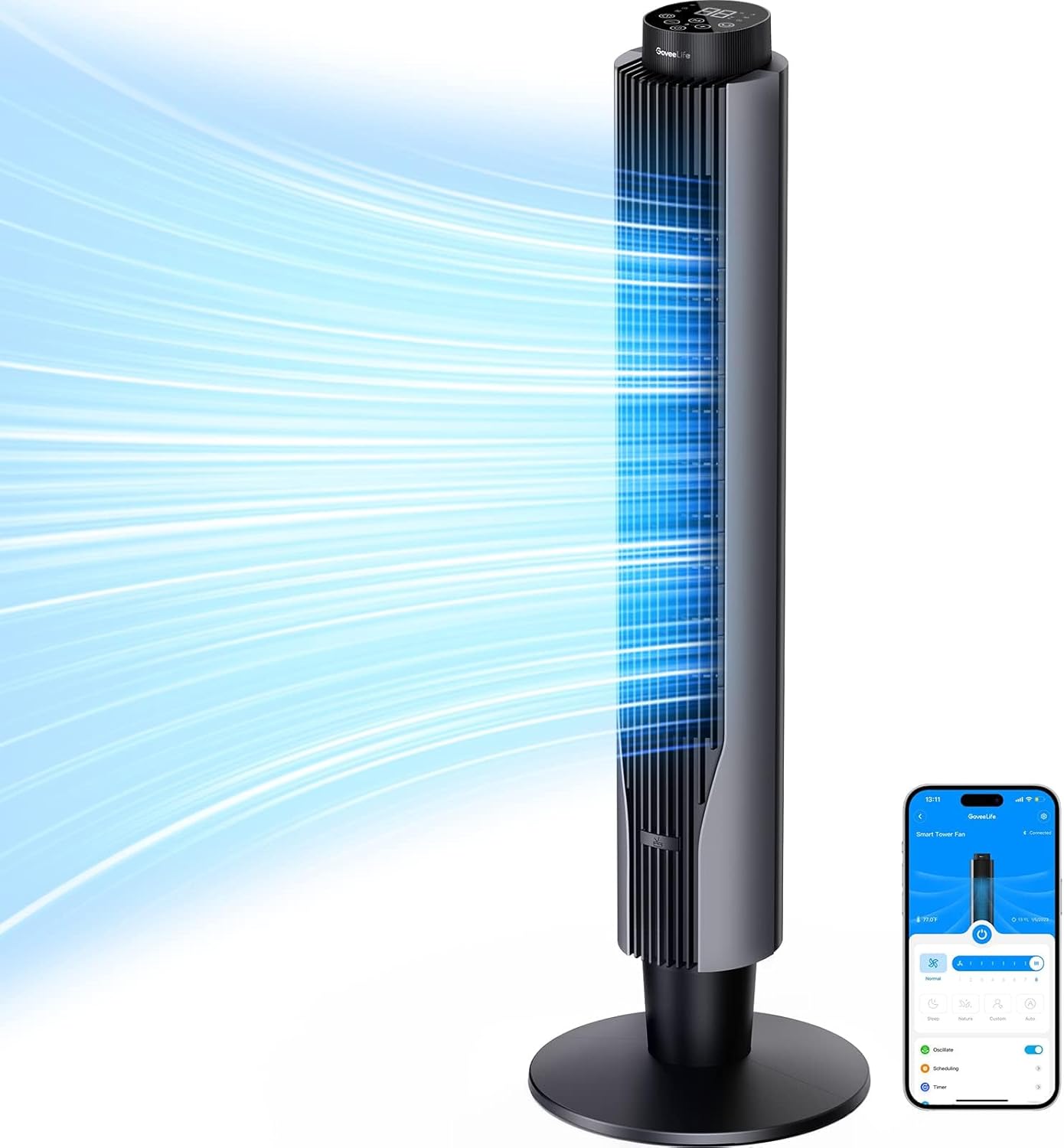
For around $79, this GoveeLife tower is the easiest way to get real WiFi smarts without overspending. It’s a 42-inch oscillating tower with 8 speeds and 4 modes (Normal, Sleep, Nature, Custom), and it stays quiet at 27dB on low — hushed enough to run through the night without waking you. Airflow tops out at 25 ft/s, which is plenty for a bedroom or home office.
The standout feature at this price is the built-in temperature sensor. In Auto mode the fan reads the room and ramps its speed up or down on its own, so it eases off as the room cools overnight instead of blasting you at full tilt. There’s also an aromatherapy pad on the base — drop in a few drops of essential oil and the airflow carries the scent through the room.
Everything runs through the Govee Home app — schedules, a 24-hour timer, speed and mode changes — and it works with Alexa, Google Assistant, and Siri Shortcuts. If you already run Govee smart home gear, it lives in the same app.
Why it stands out: Real WiFi, voice control, a temperature-reactive Auto mode, and aromatherapy — all for under $80.
Pros:
- Under $80 — the cheapest true WiFi fan here
- Temperature sensor drives an automatic Auto mode
- Works with Alexa, Google, and Siri Shortcuts
- 27dB quiet on low for sleeping
- Aromatherapy pad on the base
Cons:
- 25 ft/s airflow is fine for bedrooms, weak for large rooms
- Plastic build feels its price
- Govee app pushes notifications you’ll want to silence
DREO Smart Tower Fan 42” (DR-HTF004S) — Best Overall
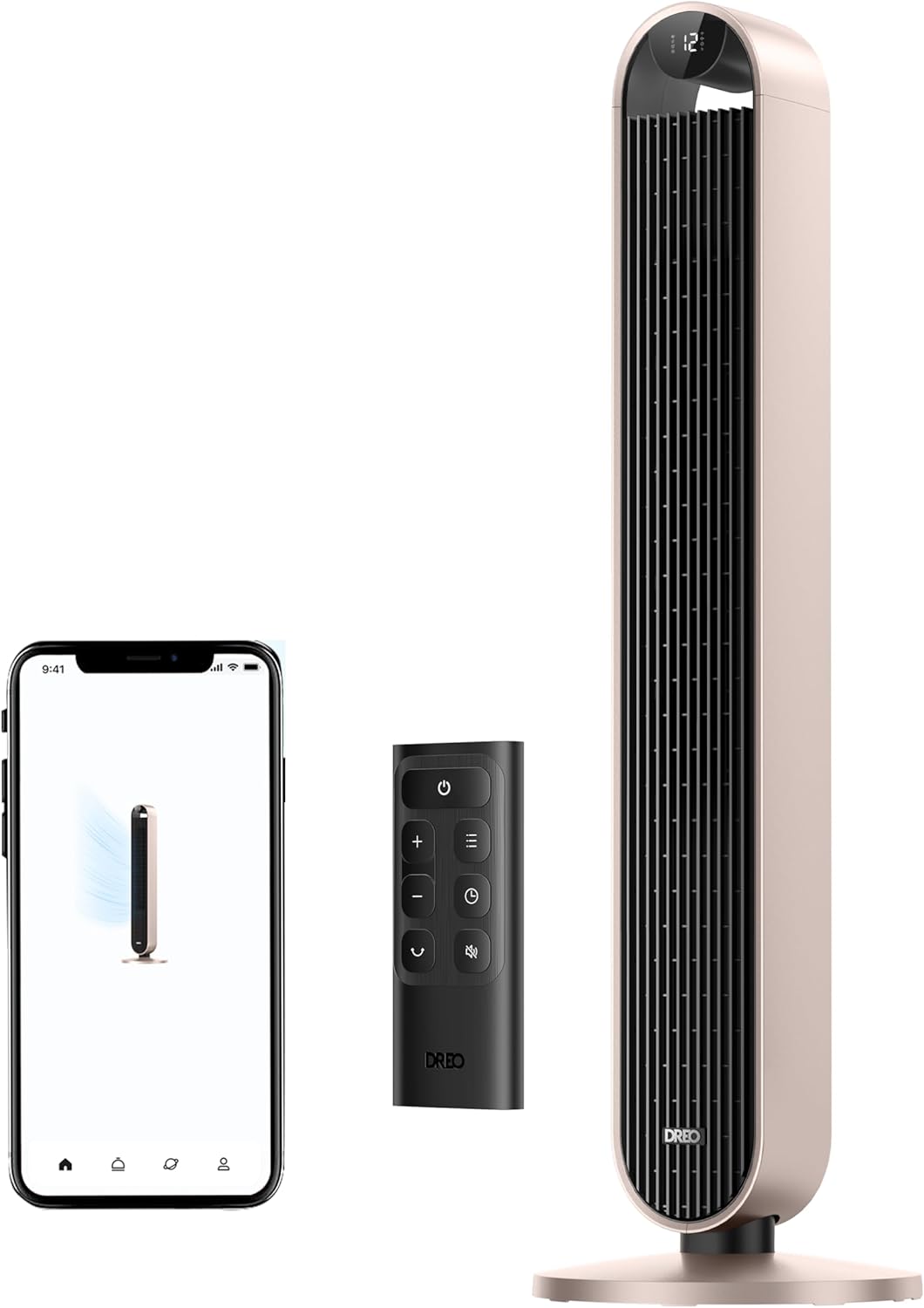
Dreo owns this category, and the DR-HTF004S is the model we’d hand most people. It’s a 42-inch tower with a brushless DC motor and 12 speeds — twice as many as most budget fans — plus 120° oscillation to cover a wide arc. On its lowest setting it runs at a genuinely quiet 20dB, which is close to the threshold of what most people can even hear across a room. That makes it one of the best options here for light sleepers.
The 12 fine-grained speeds are the real story. A cheap fan gives you “too weak” and “too strong”; this one lets you dial in exactly the breeze you want, and the DC motor sips electricity doing it. There are four modes including a Sleep mode that gradually lowers the speed overnight and dims the display so it’s not glowing at you at 2 a.m.
You control it four ways: the Dreo app, Alexa, Google Assistant, or the included remote. The app handles scheduling, timers, and speed presets, and pairing is more polished than most competitors’ apps. If you like the brand, Dreo also makes a well-reviewed smart ceiling fan lineup that uses the same app.
Why it stands out: 12 speeds, a 20dB whisper-quiet floor, and Dreo’s polished app make this the most flexible smart fan for the money.
Pros:
- 12 speeds for precise breeze control
- 20dB on low — exceptionally quiet
- App, Alexa, Google, and remote control
- Efficient brushless DC motor
- Dimming display for nighttime use
Cons:
- No temperature-sensing Auto mode
- Oscillation is 120°, not a full wide sweep
- No Apple HomeKit
LEVOIT Smart 42 inch Tower Fan — Best Bladeless
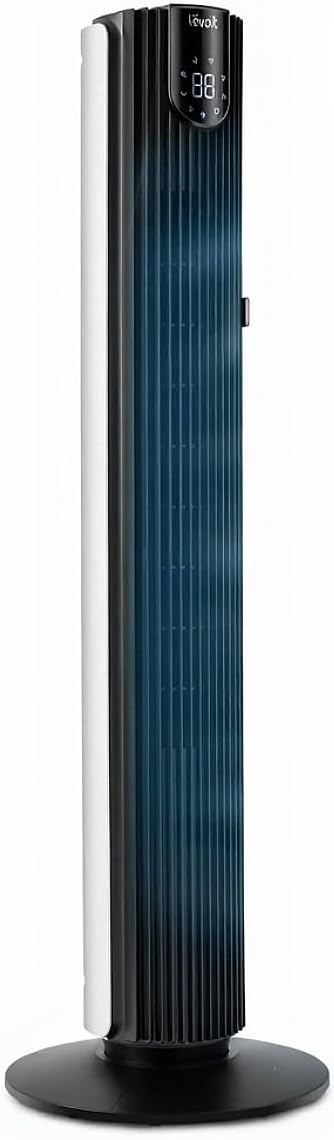
Levoit is best known for air purifiers, and that engineering shows up in this bladeless tower fan. It’s a 42-inch tower with a brushless DC motor, 12 speeds, and 4 modes, and it runs at a quiet 25dB. The bladeless design — the airflow comes out through a tall vertical column rather than spinning blades you can see — is easier to wipe clean and safer around curious kids and pets, since there’s nothing exposed to poke a finger into.
Where it earns its spot is the smart control. It connects over WiFi through the VeSync app (the same one Levoit purifiers use), works with Alexa, and includes a remote. The 24-hour timer and scheduling let you set it and forget it, and the Sleep mode quiets things down overnight. The velocity tops out around 26 ft/s, so it moves real air without getting loud.
If you already run a Levoit smart air purifier, this fan lives in the same VeSync app and shares your automation routines — a nice bonus for a cleaner, cooler summer setup. The tall, narrow footprint tucks into a corner without dominating the room.
Why it stands out: A safe, easy-to-clean bladeless design with a quiet DC motor and full app + Alexa control, from a brand that knows air.
Pros:
- Bladeless design — kid- and pet-safe, easy to clean
- Brushless DC motor with 12 speeds
- Works with Alexa via the VeSync app
- Shares an app with Levoit purifiers
- Slim footprint fits tight corners
Cons:
- No Google Assistant or HomeKit
- No built-in temperature sensor
- VeSync app can be sluggish to connect on first setup
DREO Pedestal Fan PolyFan 513S, 43” — Best Pedestal
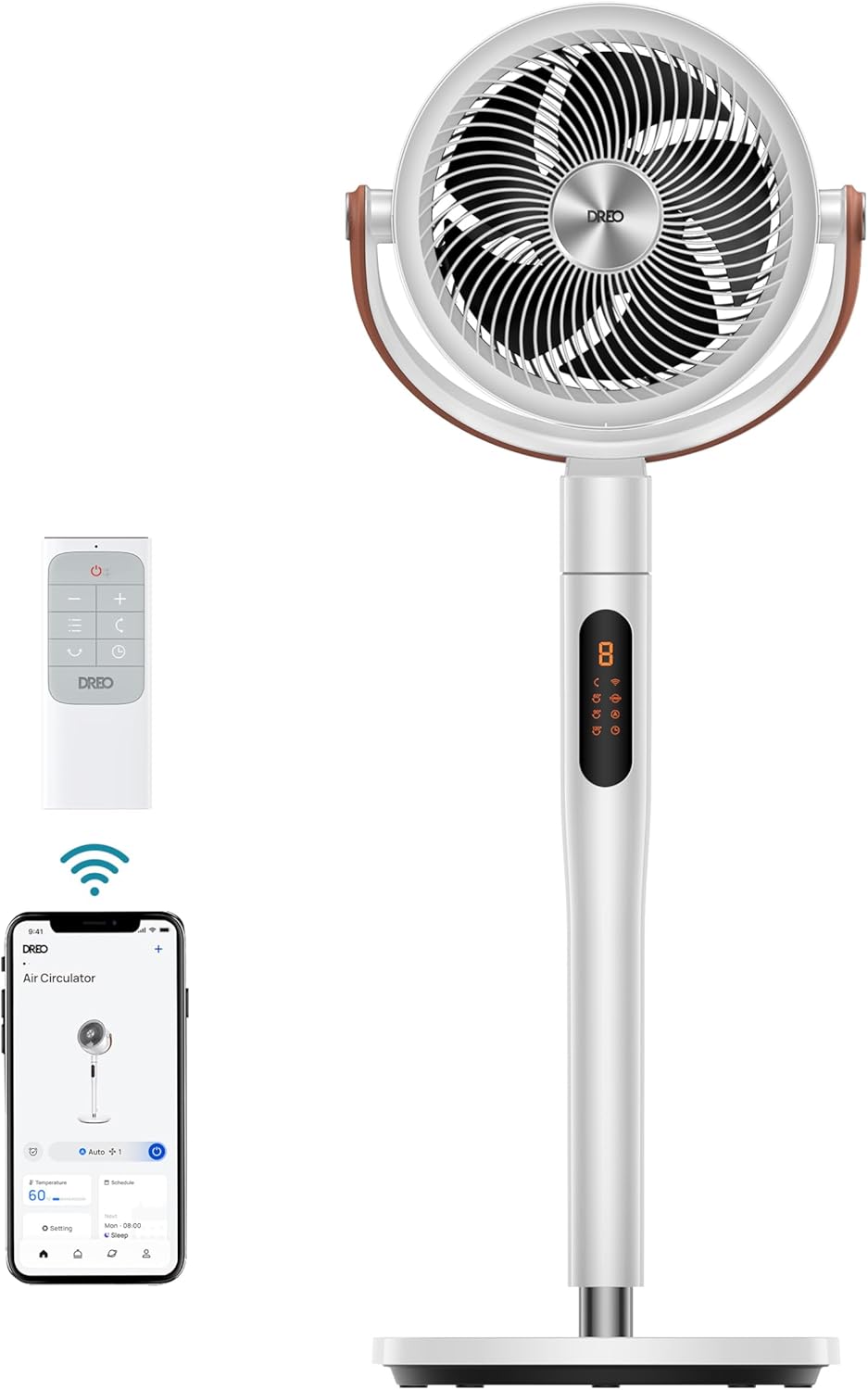
Tower fans push a wide, gentle wall of air. Pedestal fans move air far — and the Dreo PolyFan 513S is the smart pedestal to get. It’s a 43-inch, height-adjustable fan with a DC motor and omni-directional oscillation: it swings 120° side to side and 105° up and down, so it can circulate air across an entire room or throw a breeze all the way to the far wall. Dreo rates its reach at around 100 feet, which is genuinely powerful for a fan this quiet.
It’s built for a big open space — a living room, a garage workshop, a large bedroom — where a tower’s shorter throw falls short. Eight speeds and six modes give you everything from a turbo blast to a barely-there sleep breeze, and the DC motor keeps it efficient and quiet at every setting.
Smart control is the full Dreo package: WiFi with app control, Alexa, and Google Assistant, plus a remote in the box. You can point the fan at a specific spot from your phone and save that position, which is handy if you want it aimed at the couch by day and the bed at night. At about $92, it’s a lot of air-moving muscle for the price.
Why it stands out: Omni-directional oscillation and a 100ft throw make this the pick when you need to move air across a large room, not just around a bedroom.
Pros:
- Omni-directional (side-to-side + up/down) oscillation
- Around 100ft of airflow reach
- Adjustable height for couch or standing use
- WiFi, Alexa, Google, and remote
- Efficient, quiet DC motor
Cons:
- Bigger footprint than a slim tower
- No temperature-sensing Auto mode
- Assembly takes a few minutes out of the box
Dreo Smart Tower Fan, Cruiser Pro T1S — Best for Large Rooms
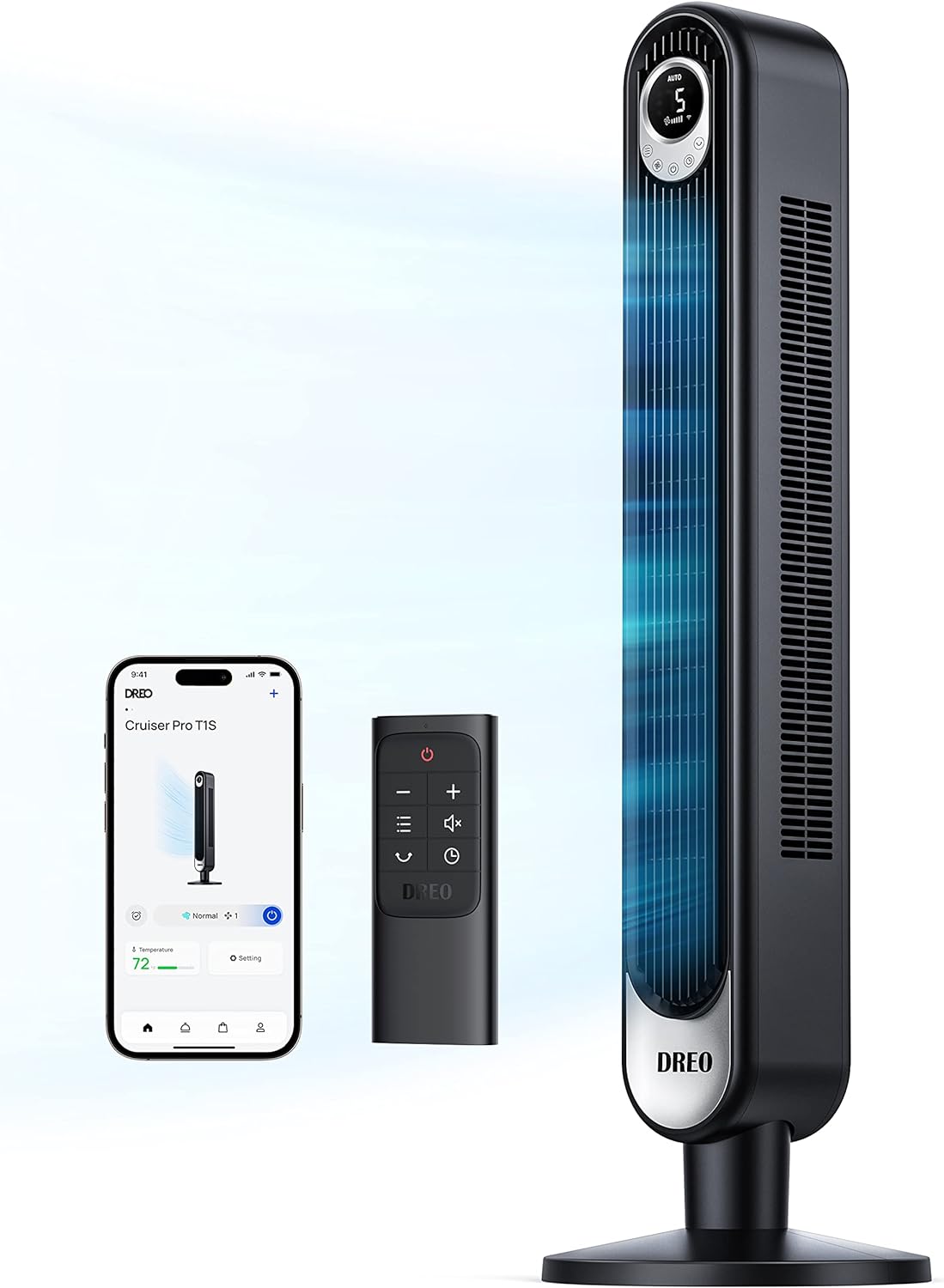
The Cruiser Pro T1S is Dreo’s flagship tower, and it’s the one to buy if you want a tower fan that can actually cool a large living room, not just a bedroom. It pairs a strong brushless DC motor with 12 speeds and 4 modes, and the taller, wider air column pushes a bigger volume of air than the slim budget towers. It still manages to stay quiet at low speeds thanks to the DC motor and Dreo’s noise-reduction design.
The 4 modes cover the bases — Normal, Natural (which varies the speed to mimic a real breeze), Sleep, and Auto. Natural mode is the one you’ll appreciate on a warm evening: instead of a constant drone, it gusts and eases like wind, which feels far more comfortable over a long stretch. The display dims at night so it doesn’t light up the room.
Control is the familiar Dreo suite: app scheduling and timers, Alexa and Google voice, and a remote in the box. For a great room or open-concept space where you want tower-fan looks with more grunt, this is the pick.
Why it stands out: Dreo’s most powerful tower — bigger airflow for large rooms, plus a Natural mode that feels like a real breeze.
Pros:
- Stronger airflow for large/open rooms
- Natural mode simulates a real breeze
- 12 speeds and a quiet DC motor
- App, Alexa, Google, and remote
- Dimming display for sleep
Cons:
- Pricier than the entry-level Dreo towers
- Taller and heavier than a basic tower
- No HomeKit support
Dyson Purifier Cool TP07 Smart Air Purifier and Fan — Best Fan + Purifier
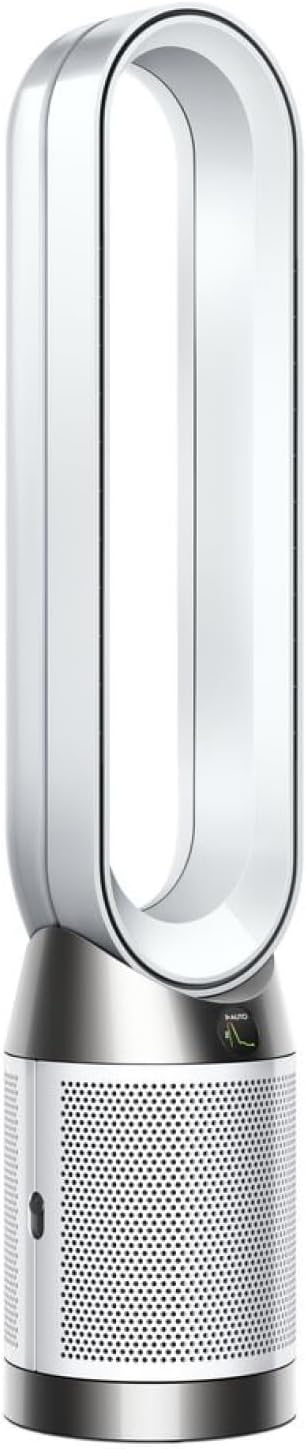
The Dyson TP07 is two machines in one: a bladeless cooling fan and a serious air purifier. That’s what justifies the ~$399 price. Its sealed HEPA H13 filtration captures 99.97% of particles down to 0.3 microns — pollen, dust, smoke, pet dander — and Dyson seals the whole machine, not just the filter, so pollutants can’t leak back out. Onboard sensors monitor your air quality in real time and report it in the Dyson app.
As a fan, the Air Multiplier design projects a smooth, powerful stream of air with no visible blades — nothing to clean around, nothing kids can touch. There’s a clever backward-airflow mode that purifies the room quietly without blowing cold air on you, which is exactly what you want in winter when you still want clean air but not a breeze.
It’s the most connected fan here: the Dyson app handles scheduling, air-quality history, filter-life tracking, and remote control, and it works with Alexa and Google. If clean air matters as much as cooling — allergy season, wildfire smoke, a home with pets — the TP07 does the job of a fan and a dedicated air purifier in one, which can save money versus buying both.
Why it stands out: The only pick here that purifies and cools — sealed HEPA H13, real-time air sensors, and a bladeless design, all app-controlled.
Pros:
- Sealed HEPA H13 removes 99.97% of fine particles
- Real-time air-quality sensors + app history
- Bladeless — nothing to clean or touch
- Backward-airflow mode purifies without chilling you
- Alexa, Google, and a deep Dyson app
Cons:
- ~$399 — by far the priciest here
- Replacement HEPA filters are an ongoing cost
- Overkill if you only want a fan
Comparison Table
| Feature | GoveeLife 42” | Dreo DR-HTF004S | Levoit Smart 42” | Dreo PolyFan 513S | Dreo Cruiser Pro T1S | Dyson TP07 |
|---|---|---|---|---|---|---|
| Price | ~$79 | ~$129 | ~$129 | ~$92 | ~$116 | ~$399 |
| Type | Tower | Tower | Bladeless tower | Pedestal | Tower | Bladeless fan + purifier |
| Motor | AC | DC | DC | DC | DC | Dyson digital |
| Speeds | 8 | 12 | 12 | 8 | 12 | 10 |
| Quietest | 27dB | 20dB | 25dB | Quiet DC | Quiet DC | Quiet |
| WiFi/App | Yes | Yes | Yes | Yes | Yes | Yes |
| Alexa | Yes | Yes | Yes | Yes | Yes | Yes |
| Yes | Yes | No | Yes | Yes | Yes | |
| Temp sensor | Yes | No | No | No | Auto mode | Yes (air quality) |
| Air purifier | No | No | No | No | No | Yes (HEPA H13) |
How to Choose a Smart Fan
Tower vs. Bladeless vs. Pedestal
These three shapes solve slightly different problems:
- Tower fans are tall and slim, pushing a wide vertical sheet of air. They tuck into corners and look clean in a living room or bedroom. Best all-around choice for most homes. Five of our six picks are (or include) tower designs.
- Bladeless fans (the Levoit and the Dyson) hide the spinning parts inside the base, so there’s nothing exposed to clean or to poke a finger into. Great for homes with kids or pets, and easier to wipe down.
- Pedestal fans (the Dreo PolyFan) sit on a stand and usually oscillate in more directions, throwing air farther across a room. Pick one when you need to move air across a large open space rather than around a bedroom.
WiFi/App vs. Remote-Only
This is the line between “smart” and “smart-ish.” A true WiFi fan connects to your home network, so you can control it from anywhere — the couch, the office, or your phone before you get home — and link it to Alexa, Google, or automations. A remote-only fan works only when you’re in the room, and can’t do voice control or scheduling. Every fan on this list is genuinely WiFi/app-connected — we left off popular “smart” fans (like the remote-only Shark FlexBreeze) that are really just remote-controlled. If you want a true smart home fan, WiFi is the feature that matters.
Oscillation
Oscillation is how the fan sweeps air across the room instead of blasting one spot. Most towers oscillate 90°–120° side to side. The Dreo PolyFan pedestal adds vertical oscillation too (omni-directional), which spreads air both across and up/down the room — better coverage for a big space. If you’re cooling one seating area, standard side-to-side is fine; for a whole room, look for a wider or omni-directional sweep.
Noise and Sleep Mode
For a bedroom fan, the low-speed noise level is the number that matters. Anything around 20–27dB is whisper-quiet — you’ll hear it as gentle white noise at most. The Dreo DR-HTF004S hits 20dB, the quietest here. Also look for a Sleep mode, which gradually lowers the speed overnight and dims the display so it’s not glowing at you. Every pick here has one; some (GoveeLife, Cruiser Pro) also read the room temperature and ease off automatically as it cools.
Fan + Purifier Combos
The Dyson TP07 is the only pick that cleans your air as well as cools it. If you deal with allergies, wildfire smoke, or pet dander, a combo unit can replace both a fan and a standalone purifier — which offsets some of its higher price. If air quality isn’t a concern, a dedicated fan gives you far more airflow per dollar. Not sure which way to go? Our best smart air purifier guide breaks down the standalone options.
Coverage, Airflow (CFM) and Energy Use
Airflow is listed as velocity (ft/s) or volume (CFM): higher velocity is a stronger breeze at the fan, higher CFM moves more total air for a large room. For a bedroom or office, the budget towers have plenty; for a great room, lean toward the Cruiser Pro T1S or the PolyFan pedestal, which throw air much farther. Energy use is where fans shine — a DC-motor tower draws roughly 4–30 watts (about an LED bulb’s worth, pennies a day) versus 500–1,500 watts for a window AC. Using one to raise your thermostat a few degrees can meaningfully cut a summer cooling bill.
Alexa and Google Support
All six fans work with Alexa; all except the Levoit also work with Google Assistant. None support Apple HomeKit natively — Apple users control them through their own apps or Siri Shortcuts (which the GoveeLife supports). For most Alexa and Google households, any fan here drops right in.
FAQ
Do smart fans work without WiFi?
Yes. Every fan on this list still works as a normal fan if your WiFi goes down — you just use the physical remote (or the buttons on the unit). What you lose without WiFi is app control, voice commands, scheduling, and any temperature-based automation. The core fan and its speeds keep working.
Are bladeless fans actually bladeless?
Sort of. Bladeless fans like the Levoit and Dyson still have a small impeller hidden in the base that pulls air in; the “bladeless” part is that there’s no exposed spinning blade up top where the air comes out. The practical benefits are real: nothing to clean around, nothing for kids or pets to touch, and a smoother airflow. They’re not silent, though — the motor still makes some noise.
How much does it cost to run a smart tower fan?
Very little — a DC-motor tower uses roughly 4–30 watts, so running one 8 hours a day costs about $0.30–$1.50 per month. That’s a fraction of a window AC, which is why using a fan to bump your thermostat up a few degrees is one of the cheapest ways to cut a summer cooling bill.
Can I control a smart fan with Alexa or Google Home?
Yes. All six fans here work with Amazon Alexa, and all but the Levoit also work with Google Assistant. Once you link the fan’s app (Dreo, Govee, VeSync, or Dyson) to your assistant, you can say things like “Alexa, turn on the bedroom fan” or “set the fan to speed 3.” None support Apple HomeKit directly, though the GoveeLife works with Siri Shortcuts.
Should I get a tower fan or a pedestal fan?
Get a tower fan for a bedroom, office, or any room where you want a slim profile and a wide, gentle breeze — it tucks into a corner and looks clean. Get a pedestal fan (like the Dreo PolyFan) for a large or open room where you need to move air farther and in more directions; its omni-directional oscillation covers a bigger space than a tower’s shorter throw.
Is a fan + purifier combo like the Dyson worth it?
If you care about air quality — allergies, pet dander, wildfire smoke, dust — a combo like the Dyson TP07 makes sense, because it replaces both a fan and a standalone air purifier in one unit, which offsets its higher price. If you just want to stay cool, a dedicated fan gives you a lot more airflow for the money, and you can add a separate purifier later if you need one.