Quick Picks
Short on time? Here are the best TV backlights for 2026:
- Govee TV Backlight 3 (~$110) — Best overall
- Govee AI Sync Box 2 (HDMI 2.1) (~$260) — Most accurate sync, best for gaming
- Philips Hue Play HDMI Sync Box 4K + Gradient Strip (~$310) — Best for Hue homes
- Govee Envisual TV Backlight T2 (75–85”) (~$170) — Best for big TVs
- Govee TV LED Backlight (RGBIC) (~$30) — Best budget smart backlight
- Hamlite USB TV Backlight (~$20) — Best simple bias light
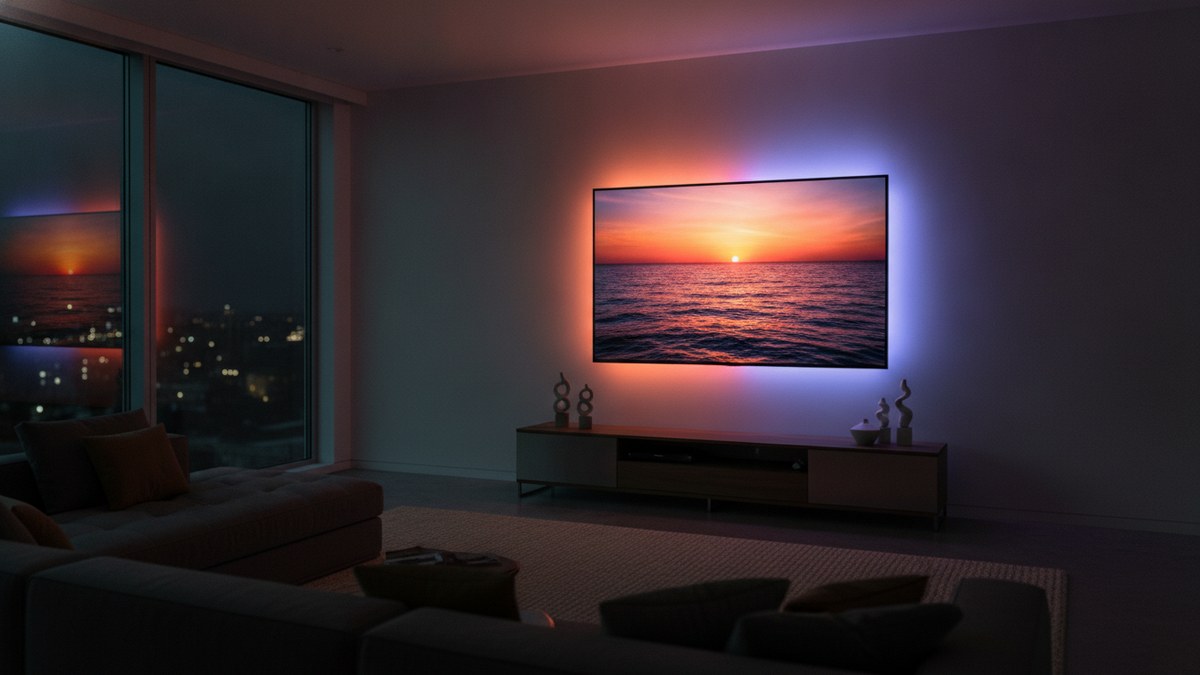
TV backlights put LED lights on the back of your TV that glow onto the wall behind it. The simplest ones cast a soft, steady light that makes a bright screen easier on your eyes in a dark room, which is called bias lighting. The smart ones go further: they match the colors on the screen in real time, so an explosion flashes orange across the wall and an ocean scene fills the room with blue.
The effect makes a TV feel bigger and more immersive, and it’s one of the cheapest upgrades you can make to a home theater or gaming setup. It’s also a great holiday gift for anyone who loves movies, sports, or games.
Screen-sync backlights work in one of two ways. A camera mounted on top of the TV watches the screen, or an HDMI sync box sits between your streaming device or console and the TV and reads the video signal directly. We picked options for both, plus two budget backlights. Every listing was checked on Amazon to make sure it’s the exact product we describe.
Camera vs HDMI Sync Box
Camera-based backlights (like Govee’s TV Backlight 3 and T2) work with anything on your screen, including your TV’s built-in apps, antenna TV, and every input. The camera sits on top of the TV and reads the colors. They’re cheaper and easier to set up. The trade-off: room lighting and screen glare can throw off color accuracy a little.
HDMI sync boxes (Govee AI Sync Box 2, Hue Play Sync Box) read the video signal itself, so color matching is the most accurate and fastest. They only sync what plays through the box’s HDMI inputs, though, so your TV’s built-in apps won’t sync unless you use an external streaming device. They’re the best choice for serious movie watchers and gamers.
What to Look For in a TV Backlight
TV size. Backlight kits are sized for a range, like 55–65 inches or 75–85 inches. A kit that’s too short leaves gaps; one that’s too long has to be cut or bunched.
Sync method. Camera, HDMI box, or no sync at all. Decide whether you want screen matching or just ambient color.
RGBIC or RGBWIC. RGBIC lets different sections show different colors, which screen sync requires. A dedicated white channel (RGBWIC) produces purer whites and better color mixing.
Gaming support. For consoles and gaming PCs, look for fast response and HDMI 2.1 passthrough with 4K at 120Hz or 144Hz.
Smart home features. Most work with Alexa and Google Assistant. Some support Matter, and Hue joins your other Hue lights.
The Best TV Backlights for 2026
Govee TV Backlight 3 — Best Overall
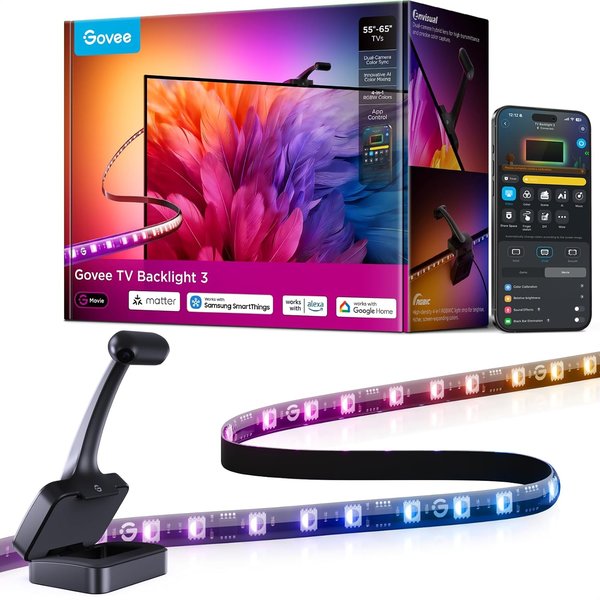
Govee’s newest camera backlight is the best way for most people to get screen-synced lighting. It works with everything on your screen, including your TV’s built-in apps, cable, and consoles, because a small camera on top of the TV reads the colors directly. This kit fits 55 to 65-inch TVs.
The upgrades over earlier Govee kits are real. A dual 4MP hybrid lens captures the screen more sharply with less color dispersion, and an AI color-mapping algorithm splits the screen into 24 zones for independent color capture. It can also detect the style of what you’re watching and adjust the lighting theme. A dual-chip processor is 132% faster than before, so fast action and games stay in sync. The RGBWIC strip has 60 LEDs per meter with a dedicated white channel for purer colors, and it’s 20% brighter than the previous model.
The camera is only 90mm long, nearly invisible on top of the TV, and the gravity-fit design works with ultra-thin TVs. It supports Matter and Alexa, plus app and voice control, and DreamView syncs up to 10 Govee lights for a whole-room light show.
Pros:
- Syncs with any content, including built-in TV apps
- Sharp dual 4MP camera with 24-zone AI color mapping
- Fast response for gaming
- RGBWIC strip with a dedicated white channel
- Matter support and DreamView
Cons:
- Room lighting can affect color accuracy
- Camera sits on top of the TV
- Sized for 55–65” TVs only
Govee AI Sync Box 2 (HDMI 2.1) — Most Accurate Sync, Best for Gaming
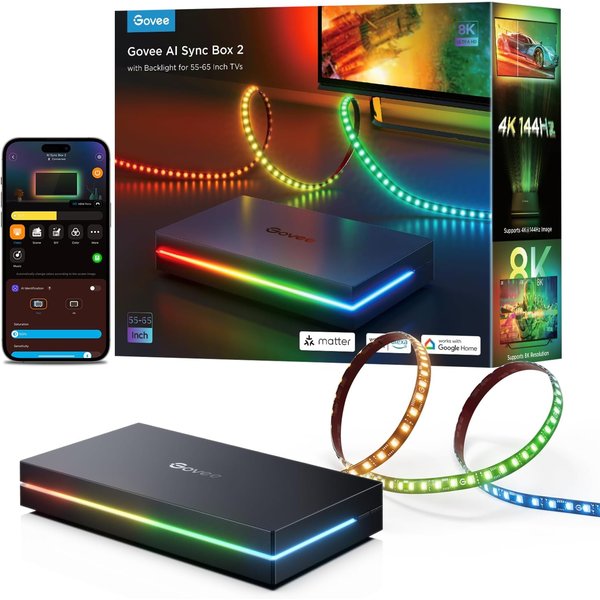
For the most accurate, lag-free sync, an HDMI box beats a camera, and Govee’s AI Sync Box 2 is the best value in that category. Your streaming device or console plugs into the box, the box plugs into the TV, and it reads the video signal directly for precise color matching. Room lighting and glare don’t affect it.
It’s built for modern gaming. HDMI 2.1 passes through up to 8K at 60Hz and 4K at 144Hz, with VRR and ALLM support to reduce screen tearing and latency. It also supports Dolby Vision and Dolby Atmos. Govee’s CogniGlow AI recognizes images and text on screen to trigger matching effects. The included RGBWIC strip is dense, with 75 LEDs per meter and 450 lumens per meter, for bright, accurate color.
It supports Matter for voice control of lighting functions and DreamView for syncing other Govee lights. Two notes: the box doesn’t switch inputs automatically when multiple devices are connected, and with HDR or Dolby Vision turned on, light saturation can drop slightly (you can adjust it in the app).
Pros:
- Most accurate color sync from the video signal
- HDMI 2.1 with 4K/144Hz, VRR, and ALLM
- Dense, bright RGBWIC strip
- Dolby Vision and Atmos passthrough
- Matter and DreamView
Cons:
- Built-in TV apps won’t sync
- No automatic input switching
- Slightly lower saturation in HDR modes
Philips Hue Play HDMI Sync Box 4K + Gradient Strip — Best for Hue Homes
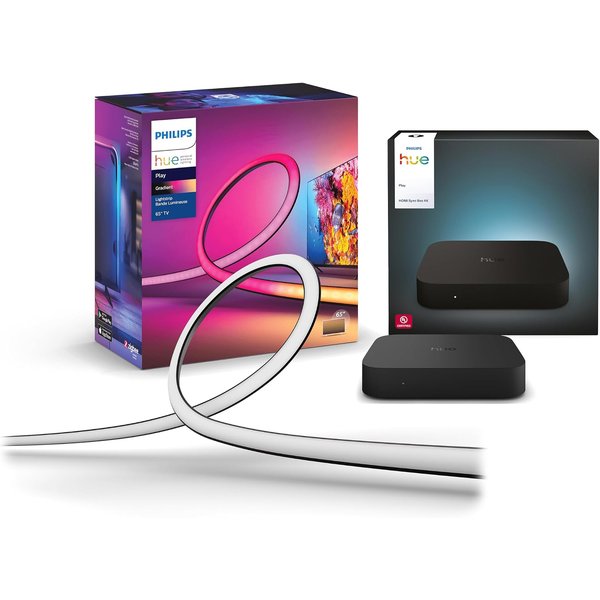
If your home already uses Philips Hue, this bundle is the most polished TV sync setup you can buy. It includes the Hue Play HDMI Sync Box 4K and a Play Gradient 65” TV light strip with mounting brackets, sized for 65-inch and larger TVs.
The real magic is that the sync box doesn’t just control the TV strip. It can sync every Hue light in the room: lamps, ceiling bulbs, floor lamps, and light bars all react to what’s on screen, turning the whole room into part of the picture. The gradient strip shows multiple colors at once along the back of the TV, with warm-to-cool whites and millions of colors.
You’ll need a Hue Bridge (sold separately), which also gives you automations, control from anywhere, and a stable connection that doesn’t load your WiFi. The sync box works with Alexa, Google Assistant, and Apple HomeKit, and the system is Matter compatible. If you’re not already in the Hue ecosystem, the Govee options cost much less.
Pros:
- Syncs every Hue light in the room, not just the TV strip
- Smooth gradient color behind the TV
- Works with Alexa, Google, and HomeKit
- Polished app and ecosystem
- Bundle saves buying pieces separately
Cons:
- Requires a Hue Bridge (sold separately)
- Most expensive option
- Built-in TV apps won’t sync through HDMI
Govee Envisual TV Backlight T2 (75–85”) — Best for Big TVs
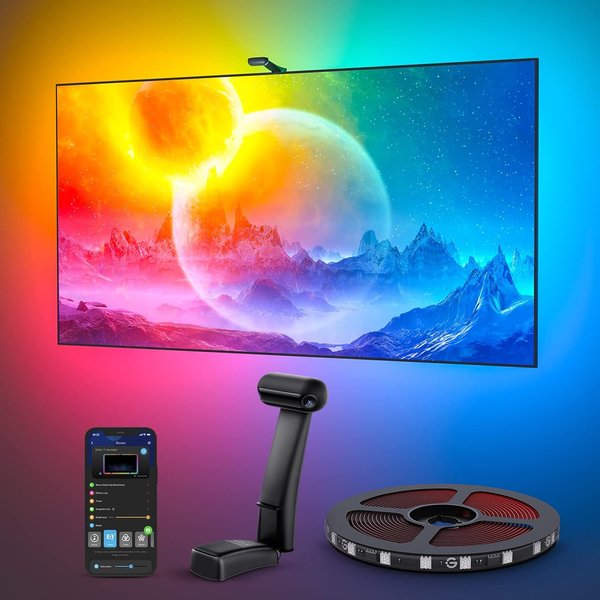
Most backlight kits top out at 65 inches. If you have a 75 to 85-inch TV, the Govee Envisual T2 is the proven choice, with nearly 6,900 reviews averaging 4.5 stars. Its 16.4-foot strip is sized specifically for big screens, so the glow wraps the whole TV without gaps.
Like our top pick, it uses a camera, here with dual cameras for more accurate color matching along the edges of the screen, so it syncs with any content, from built-in apps to cable and consoles. The upgraded RGBIC strip has 60 LEDs per meter with double the light beads of earlier models for vivid, natural light.
The Govee Home app adds brightness and color control plus modes like Energetic, Rhythm, Spectrum, DIY, Holiday Party, and Music, and DreamView links it with other Govee lights. For the fastest setup, calibrate it with your phone near the router, and avoid direct sunlight on the camera.
Pros:
- Sized for 75–85” TVs
- Dual cameras for accurate edge colors
- Syncs with any content
- Huge review base
- Lots of modes and DreamView
Cons:
- Strip only fits 75–85” TVs
- An older model than the TV Backlight 3
- Sunlight and room light can affect accuracy
Govee TV LED Backlight (RGBIC) — Best Budget Smart Backlight
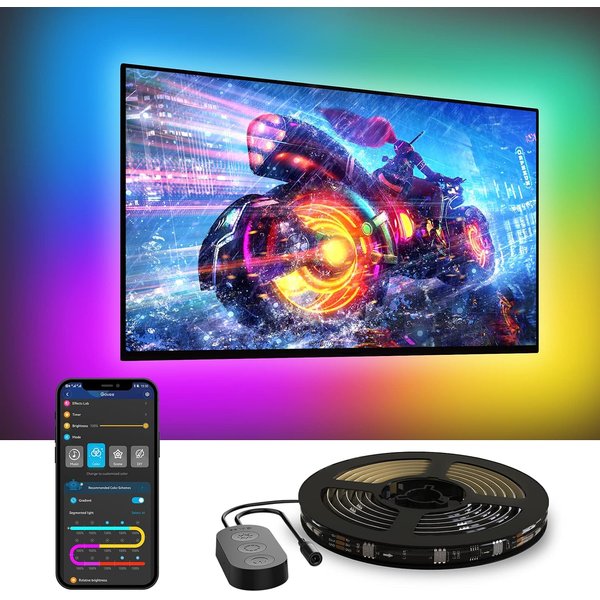
If you want a colorful, app-controlled glow behind the TV without paying for screen sync, this Govee strip is the one. It’s a 12.5-foot RGBIC strip that covers all four sides of a 55 to 65-inch TV, with over 6,400 reviews.
To be clear: it doesn’t match the colors on screen. Instead, you pick colors and effects from 99+ preset scenes and 11 music modes in the Govee Home app, or control it with Alexa and Google Assistant. A built-in mic makes the lights pulse to music or game audio, which looks great during parties and sports. Because it’s RGBIC, it can show multiple colors at once for gradients and flowing effects.
It’s a smart, affordable step up from a basic bias light. It connects over 2.4GHz WiFi only, and cable clips help keep the strip snug against the TV.
Pros:
- Low price for an app-controlled RGBIC strip
- 99+ scenes and 11 music modes
- Alexa and Google Assistant
- Built-in mic for music sync
- Covers all four sides of a 55–65” TV
Cons:
- No screen color matching
- 2.4GHz WiFi only
- Needs clips for a clean fit
Hamlite USB TV Backlight — Best Simple Bias Light
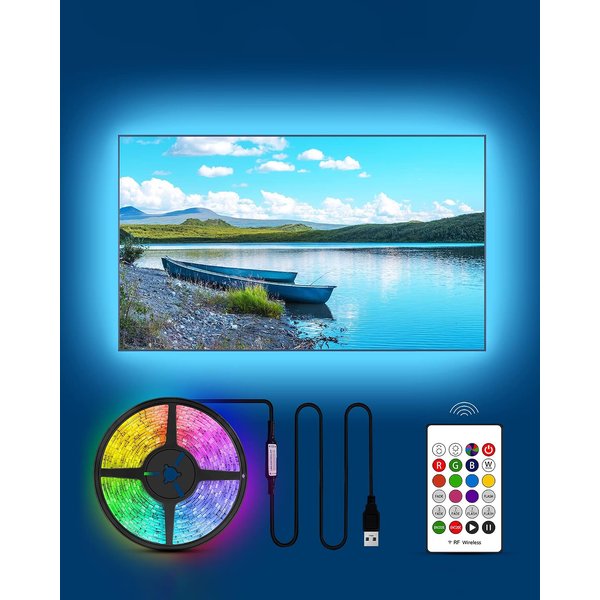
Sometimes you just want the eye-comfort benefit of bias lighting with no app at all. Hamlite’s 11.5-foot strip covers all four sides of a 50 to 55-inch TV and plugs into your TV’s USB port, so it turns on and off with the TV automatically on most models. No extra outlet, no app, no WiFi.
It includes a 5000K white setting, which is close to the standard recommended for bias lighting, plus 17 colors, 10 brightness levels, and 6 dynamic modes on the included RF remote. A soft white glow behind the TV reduces eye strain during night viewing by cutting the contrast between the bright screen and the dark wall. The W-shaped design bends cleanly around corners for a neat install.
It’s not smart and doesn’t sync with the screen. But for about $20, it’s the easiest upgrade you can make to a bedroom or living room TV, and with nearly 4,800 reviews it’s a proven pick.
Pros:
- Lowest price here
- Powered by the TV’s USB port, turns on and off with the TV
- 5000K white for true bias lighting
- Remote with colors and brightness
- Simple, no-app setup
Cons:
- Not smart: no app or voice control
- No screen sync
- Only sized for 50–55” TVs
TV Backlight Comparison
| Backlight | Best For | Price | TV Size | Screen Sync | Smart Home |
|---|---|---|---|---|---|
| Govee TV Backlight 3 | Overall | ~$110 | 55–65” | Camera (24 zones) | Matter, Alexa |
| Govee AI Sync Box 2 | Accuracy, gaming | ~$260 | 55–65” | HDMI 2.1 box | Matter |
| Hue Play Sync Box 4K + Gradient | Hue homes | ~$310 | 65”+ | HDMI box | Alexa, Google, HomeKit |
| Govee Envisual T2 | Big TVs | ~$170 | 75–85” | Dual camera | App, Govee DreamView |
| Govee TV LED Backlight | Budget smart | ~$30 | 55–65” | None (music sync) | Alexa, Google |
| Hamlite USB Backlight | Simple bias light | ~$20 | 50–55” | None | None |
How to Install a TV Backlight
Clean the back of the TV. Wipe it with rubbing alcohol so the adhesive sticks.
Start at a corner near the power source. Run the strip around the back edge, about an inch or two in from the outer frame, so the light reflects off the wall instead of shining sideways.
Mount the camera centered on top. For camera kits, the camera should face the screen straight on. Run the calibration in the app with the room dark.
Leave space from the wall. Backlights look best on wall-mounted TVs or TVs 4 to 12 inches from a light-colored wall. Dark walls absorb most of the light.
Route the cables cleanly. Use the included clips or cable ties, and plug into a smart power strip if you want the TV, backlight, and sound system to turn off together.
How to Choose
Want screen sync that works with everything? The Govee TV Backlight 3.
Serious gamer or movie watcher with external devices? The Govee AI Sync Box 2.
Already use Philips Hue? The Hue Play Sync Box bundle.
TV 75 inches or larger? The Govee Envisual T2 for 75–85”.
Want color and music effects on a budget? The Govee TV LED Backlight.
Just want easy, eye-friendly bias lighting? The Hamlite USB strip.
Building out your setup? See our guides to the best streaming devices, smart soundbars, and smart floor lamps to complete the room.
Frequently Asked Questions
Are TV backlights worth it?
Yes, especially if you watch in a dark room. Even a simple bias light reduces eye strain and makes blacks look deeper. Screen-sync backlights add a dramatic, immersive effect that makes the TV feel larger. For $20 to $110, it’s one of the cheapest home theater upgrades.
Do TV backlights work with any TV?
Camera-based backlights work with any TV and any content because the camera reads the screen. HDMI sync boxes work with any TV that has HDMI, but only sync content that passes through the box. Choose a kit sized for your TV.
Will a TV backlight sync with Netflix on my smart TV?
A camera backlight like the Govee TV Backlight 3 will, because it reads the screen itself. An HDMI sync box won’t sync your TV’s built-in apps. For those, use an external streaming device plugged into the box.
Do TV backlights add lag for gaming?
Backlights don’t add lag to the picture itself. HDMI sync boxes pass the video through to the TV, and the Govee AI Sync Box 2 supports 4K at 144Hz with VRR and ALLM. The lights may trail the screen by milliseconds, which is barely noticeable on modern kits.
What color should bias lighting be?
For eye comfort and accurate picture, a neutral white around 6500K is the standard, with 5000K close behind. Colored and screen-synced lighting is about fun and immersion rather than picture accuracy.
The Bottom Line
For most TVs, the Govee TV Backlight 3 is the best TV backlight: sharp camera sync that works with everything on screen, a bright RGBWIC strip, and Matter support. The Govee AI Sync Box 2 is the pick for the most accurate sync and gaming, and Hue homes should get the Hue Play Sync Box bundle. Big-screen owners need the Govee T2 for 75–85”, and on a budget, the Govee RGBIC strip or the Hamlite USB backlight are easy wins.