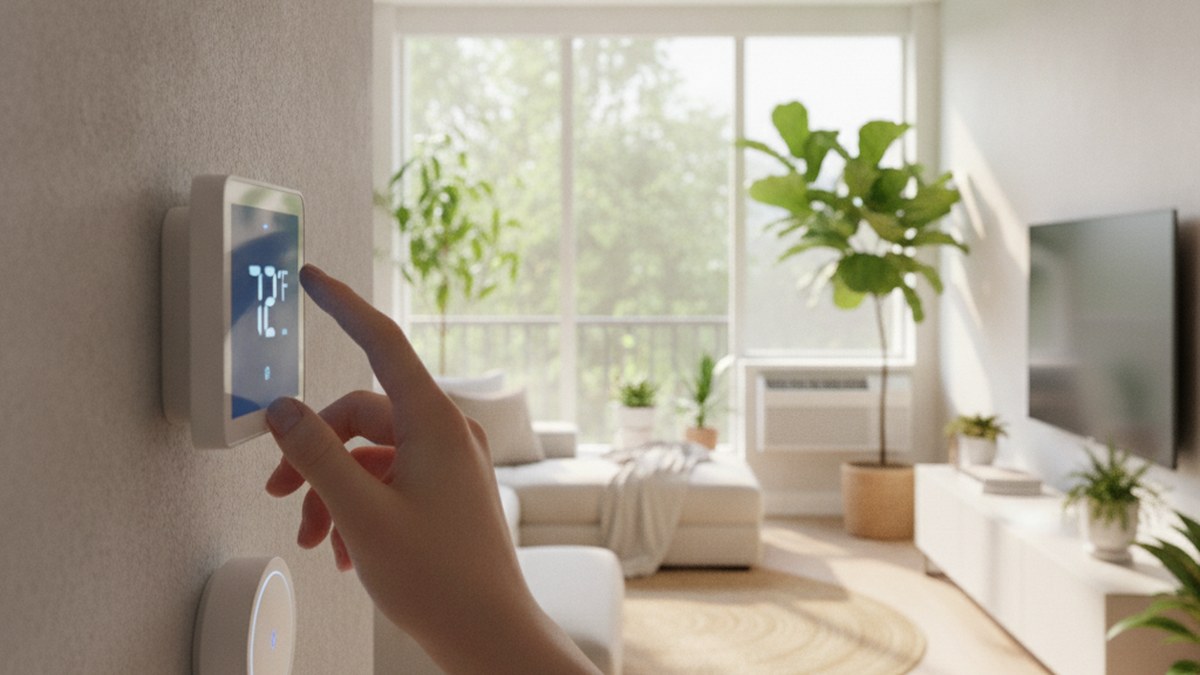
Quick Picks
Short on time? Here are the best renter-friendly options depending on your setup:
- Cielo Breez Lite (~$68) — Best budget, no wiring (window/portable/mini-split AC)
- Amazon Smart Thermostat (~$80) — Best budget wired thermostat
- Google Nest Thermostat (~$130) — Best overall for central HVAC
- Sensibo Air PRO (~$149) — Best for window and portable AC units
- ecobee Smart Thermostat Premium (~$249) — Best premium option
Yes, you can almost always install a smart thermostat in an apartment — but how you do it depends entirely on what kind of heating and cooling you have, and whether your name is on the wall thermostat or on a window AC unit. The good news is that in 2026 there’s a renter-friendly path for nearly every setup, and most of them are reversible, landlord-approved-friendly, and take under an hour.
The confusion usually comes from a single wrong assumption: that a “smart thermostat” always means the flat panel you screw into the wall. If your apartment has central, forced-air heating and cooling, that’s exactly what you want. But a huge number of apartments don’t have a central thermostat at all — they have window air conditioners, portable units, or ductless mini-splits controlled by a handheld remote. For those, the answer isn’t a wall thermostat at all; it’s a small device called a smart AC controller. This guide covers both paths so you can figure out which one applies to you before you spend a dime.
First, Figure Out What You’re Working With
Before buying anything, walk over to whatever controls your temperature right now. What you see determines everything.
Scenario A — You have a thermostat on the wall. This means you have central, forced-air HVAC (a furnace, heat pump, or central AC). You can replace that wall thermostat with a smart one. The two things to check: whether you have a C-wire (more on that below) and whether your lease allows swapping it. This is the classic “smart thermostat” install.
Scenario B — You control temperature with a remote. If you cool your apartment with a window AC, a portable AC, or a wall-mounted mini-split — anything with a handheld remote and no wall thermostat — you can’t install a wall panel. Instead, you make your existing unit smart with a smart AC controller, which mimics the remote and adds app, schedule, and voice control. Zero wiring, zero lease risk. This is the most common and most overlooked answer for renters.
Knowing your scenario is the whole game. Below, we cover the best-verified products for each.
The Renter Rules (Read This Before You Buy)
A few ground rules keep this cheap, safe, and lease-friendly no matter which path you take:
- Ask your landlord if you’re changing the wall thermostat. Swapping a wired thermostat is low-risk and usually fine, but it involves your unit’s HVAC wiring, so get a quick written OK. Smart AC controllers don’t touch the building at all, so they rarely require permission.
- Keep the original. Box up the old wall thermostat and save the screws. At move-out, you reinstall it in ten minutes and take your smart one to the next place.
- Know your C-wire situation. Wired smart thermostats often need a “common” wire (C-wire) for constant power. Some apartments have one; many older ones don’t. We flag which picks care about this below.
- Turn off the breaker for the HVAC before touching thermostat wires. It’s low voltage, but do it anyway.
Path A: Wired Smart Thermostats (for Central HVAC)
If you have a wall thermostat, these three are the ones we’ve verified are current, in stock, and renter-appropriate — ordered from budget to premium.
Amazon Smart Thermostat — Best Budget Wired
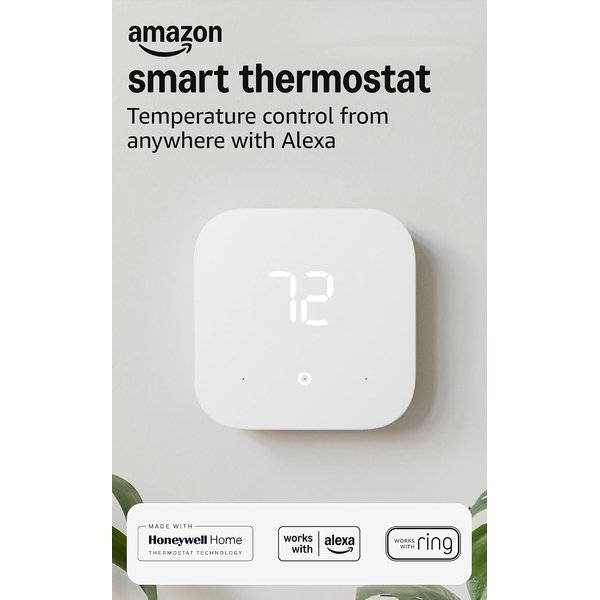
The Amazon Smart Thermostat is the cheapest legitimate way to get a name-brand smart thermostat on your wall. Built on Honeywell Home thermostat technology and controlled through the Alexa app, it delivers the core experience — remote temperature control, schedules, and away detection — for well under half the price of the premium models. If you’re a renter who just wants app and voice control without spending big on a unit you’ll uninstall in a year, this is the value play.
The one catch, and it’s an important one, is right in the product name: a C-wire is required. There’s no battery-powered or power-stealing mode here. If your apartment’s thermostat wiring includes a C-wire (or you have a compatible adapter), setup is genuinely simple. If it doesn’t, look at the Nest below, which is more forgiving. Check your existing wiring before you buy this one.
Pros:
- Lowest price of any name-brand smart thermostat
- Honeywell Home hardware, controlled via the Alexa app
- Simple, clean interface with scheduling and remote control
- Works with Alexa and Ring for routines and alerts
Cons:
- C-wire required — no battery or power-stealing option
- No built-in remote room sensor
- Deepest features assume you use Alexa
Google Nest Thermostat — Best Overall for Central HVAC
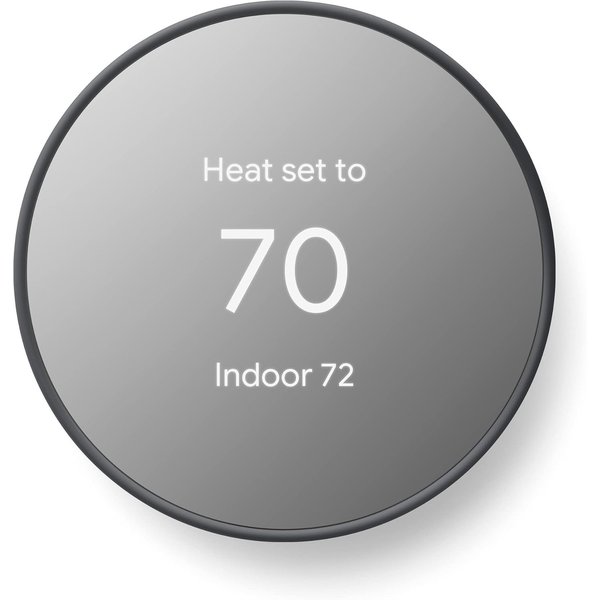
For most apartments with central HVAC, the Google Nest Thermostat is the sweet spot. It looks great on the wall, the mirrored finish is genuinely nice, and the setup is the most renter-forgiving of the wired options — it’s more likely to work in apartments that lack a C-wire than the Amazon model (though very old or unusual wiring can still need Nest’s separately sold power connector). Control is through the clean Google Home app, with schedules, remote adjustment, and energy-saving suggestions built in.
At around $130 it sits comfortably between the budget and premium picks, and it’s the one we’d hand to a renter who wants something that looks polished, installs without drama, and reverts easily at move-out. Keep the old thermostat and you’ve got a fully reversible upgrade that makes the apartment nicer to live in from day one.
Pros:
- Most forgiving wired install — often works without a dedicated C-wire
- Attractive mirrored design that suits any room
- Clean Google Home app with scheduling and energy tips
- Reasonable mid-range price for the quality
Cons:
- Some older wiring still needs Nest’s separately sold power connector
- Room sensors are not included
- Best experience is inside the Google ecosystem
ecobee Smart Thermostat Premium — Best Premium
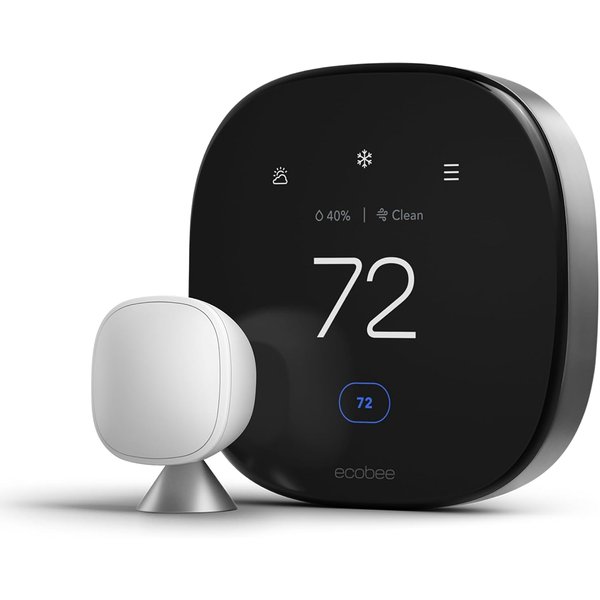
If you’re staying put for a while and want the best wall thermostat you can get, the ecobee Smart Thermostat Premium is it. It has a gorgeous glass display, Siri and Alexa built directly into the device (so it doubles as a voice assistant), and a built-in air quality monitor — a real perk in an apartment where you can’t control the building’s ventilation. It also works with Alexa, Siri, and Google Home, so you’re not locked into one ecosystem.
At around $249 it’s the priciest option here, and that only makes sense if you’ll get a couple of years out of it or plan to take it with you. For a longer-term renter who wants premium comfort features and multi-room support (ecobee’s room sensors, sold separately, help balance temperature across a bigger apartment), it’s the most capable pick on this list. Like the others, it’s a reversible install — keep the original thermostat for move-out.
Pros:
- Premium glass display with Siri and Alexa built in
- Built-in air quality monitor — useful in apartments
- Works with Alexa, Siri, and Google Home
- Supports add-on room sensors for multi-room balance
Cons:
- Most expensive option here
- Overkill for a short-term lease
- Room sensors cost extra
Path B: Smart AC Controllers (for Window, Portable & Mini-Split AC)
No wall thermostat? This is your path — and honestly, it’s the best-kept secret for renters. A smart AC controller sits on the wall or a shelf, “learns” your existing remote, and then controls the AC over Wi-Fi. Nothing is wired into the building, so there’s no lease issue and nothing to undo at move-out. You point, you app, you’re done.
Cielo Breez Lite — Best Budget, No Wiring
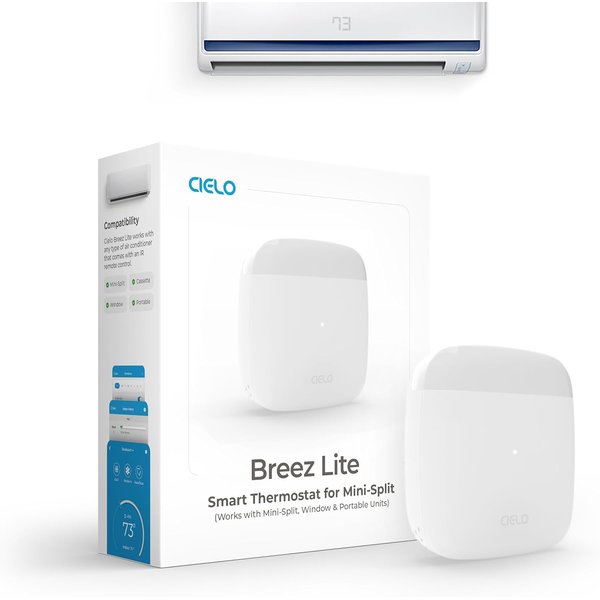
At around $68, the Cielo Breez Lite is the cheapest way to make a “dumb” air conditioner smart, and for a renter it’s often the single best value on this whole page. It works with any mini-split, window, or portable AC (or heat pump) that came with an infrared remote — which is nearly all of them. Once it’s paired, you get scheduling, temperature triggers, geofencing, and voice control through Alexa, Google, and Siri Shortcuts, with a free app and, importantly, no subscription fees.
There’s no wiring, no landlord conversation, and no move-out uninstall beyond peeling it off the wall. For anyone cooling a bedroom or studio with a window unit, this turns a manual, remote-only AC into something you can start from your phone on the walk home. It’s the definition of a renter-friendly upgrade.
Pros:
- Cheapest way to make an existing AC smart
- Works with mini-split, window, and portable AC / heat pumps
- Scheduling, temperature triggers, and geofencing
- No subscription; works with Alexa, Google, and Siri Shortcuts
Cons:
- Only works with units that use an infrared remote
- No built-in air quality sensor (see the Air PRO for that)
- One controller per AC unit
Sensibo Air PRO — Best for Window & Portable AC
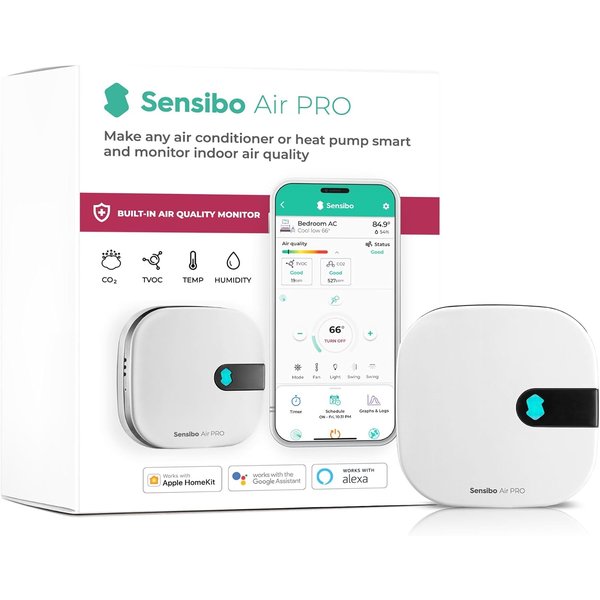
The Sensibo Air PRO is the premium version of the same idea, and it’s our top overall pick for renters cooling with window, portable, or mini-split AC. Like the Breez Lite it controls your existing unit with no wiring, but it adds a built-in air quality sensor (tracking things like CO2, TVOC, temperature, and humidity) and is Apple HomeKit certified alongside Google and Alexa support. Sensibo advertises a roughly 60-second install, and in practice it really is close to plug-and-play.
At around $149 it costs more than double the Breez Lite, and the question is simply whether you value the air quality monitoring and HomeKit certification. In an apartment — where you can’t control building ventilation and windows may be your only fresh-air source — that air quality data is more useful than it sounds. For a renter who wants the nicest no-wiring smart climate setup without touching a single wire, this is the one.
Pros:
- No wiring — controls your existing window/portable/mini-split AC
- Built-in air quality monitor (CO2, TVOC, temp, humidity)
- Apple HomeKit certified, plus Google and Alexa
- Fast, genuinely simple setup
Cons:
- More than double the price of the Breez Lite
- Only works with remote-controlled AC units
- Air quality features live in the Sensibo app
Comparison: Which Apartment Smart Thermostat Is Right for You?
| Product | Best For | Approx. Price | Wiring | Key Catch |
|---|---|---|---|---|
| Cielo Breez Lite | Window/portable/mini-split AC | ~$68 | None | Needs IR remote AC |
| Amazon Smart Thermostat | Central HVAC on a budget | ~$80 | Wired | C-wire required |
| Google Nest Thermostat | Central HVAC, overall | ~$130 | Wired | May need power connector |
| Sensibo Air PRO | Window/portable AC, premium | ~$149 | None | Pricier |
| ecobee Premium | Central HVAC, premium | ~$249 | Wired | Costs the most |
The quick decision: wall thermostat → Nest (or the Amazon model if you’ve confirmed a C-wire, or ecobee if you want premium). Remote-controlled AC → Sensibo Air PRO (or the Breez Lite to save money).
How to Install a Wired Smart Thermostat in an Apartment (Step by Step)
If you’re on Path A, here’s the short version of a reversible install:
- Get written landlord permission and confirm your model is compatible with your HVAC (each brand has an online compatibility checker).
- Turn off the breaker to your heating/cooling system.
- Remove the old thermostat faceplate and photograph the wiring before disconnecting anything. Note whether a C-wire is present.
- Label the wires with the stickers included in the box, then disconnect them.
- Box up the old thermostat and its screws for move-out.
- Mount the new base, connect the labeled wires, attach the smart thermostat, restore the breaker, and finish setup in the app.
If you don’t have a C-wire and your chosen model needs one, stop — either switch to the Nest (more forgiving) or use a smart AC controller instead. Never force a wiring workaround you’re unsure about in a unit you don’t own.
Frequently Asked Questions
Can I install a smart thermostat in an apartment without a C-wire?
Often, yes — but it depends on the model. The Google Nest Thermostat is the most forgiving and frequently works in apartments without a dedicated C-wire, though very old wiring may still need Nest’s separately sold power connector. The Amazon Smart Thermostat explicitly requires a C-wire. If your apartment lacks one and you’d rather not deal with adapters, a no-wiring smart AC controller like the Sensibo Air PRO or Cielo Breez Lite sidesteps the issue entirely.
Do I need my landlord’s permission?
For a wired wall thermostat, yes — get a quick written OK, since it involves your unit’s HVAC wiring. It’s a low-risk, reversible change, so most landlords are fine with it as long as you keep the original and reinstall it at move-out. Smart AC controllers don’t touch the building’s wiring at all, so they generally don’t require permission.
What if I only have a window or portable air conditioner?
Then a wall thermostat isn’t the right product — a smart AC controller is. Devices like the Cielo Breez Lite and Sensibo Air PRO learn your AC’s infrared remote and add app scheduling, temperature triggers, geofencing, and voice control, all without any wiring. This is the best and most common solution for apartment renters who cool with window, portable, or mini-split units.
Will I be able to take it with me when I move?
Yes — that’s the whole point of doing it the renter-friendly way. Wired thermostats come off in minutes once you reinstall the original, and smart AC controllers simply peel off the wall. Both move to your next apartment with you, so the upgrade follows you rather than staying behind.
Is a smart thermostat worth it in an apartment?
If you pay your own heating and cooling bills, usually yes. Scheduling and away-detection cut waste when you’re out, and remote control means you can cool the place down on your way home instead of running the AC all day. Even in a rental, the comfort and potential energy savings typically justify a sub-$150 setup — and you keep the device when you leave.
The Bottom Line
So, can you install a smart thermostat in your apartment? Almost always — you just have to match the product to your setup. If you have a thermostat on the wall, a wired model like the Google Nest Thermostat (or the budget Amazon Smart Thermostat, or premium ecobee Premium) gives you a reversible, landlord-friendly upgrade. If you cool with a window, portable, or mini-split AC, skip the wall panel entirely and make your existing unit smart with a Sensibo Air PRO or Cielo Breez Lite. Either way, keep the original hardware, take the smart one with you, and enjoy a more comfortable, more efficient apartment without risking your deposit.
For more on choosing between models, see our deeper guides to the best smart thermostats for apartments and the best smart AC controllers, and our full smart home for renters guide for damage-free upgrades across the whole apartment.