Home Assistant vs SmartThings: The 2026 Showdown
Choosing the right smart home platform is one of the biggest decisions you’ll make when building your connected home. Two of the most popular options — Home Assistant and Samsung SmartThings — take fundamentally different approaches to home automation. One is an open-source powerhouse that gives you total control, while the other is a polished cloud-based platform designed for simplicity.
In this guide, we’ll break down every major difference between Home Assistant and SmartThings in 2026, including setup difficulty, device compatibility, automation capabilities, cost, and privacy. By the end, you’ll know exactly which platform fits your smart home goals.
Quick Verdict: Which Should You Choose?
Choose Home Assistant if: You want maximum customization, local control, better privacy, and don’t mind a steeper learning curve. Ideal for tech enthusiasts and power users who want their smart home to work exactly the way they want.
Choose SmartThings if: You want a plug-and-play experience with a clean app, easy setup, and broad device compatibility without needing any technical knowledge. Best for beginners and those who value simplicity over customization.
Top Hub Picks for Each Platform
Best for SmartThings: Aeotec Smart Home Hub
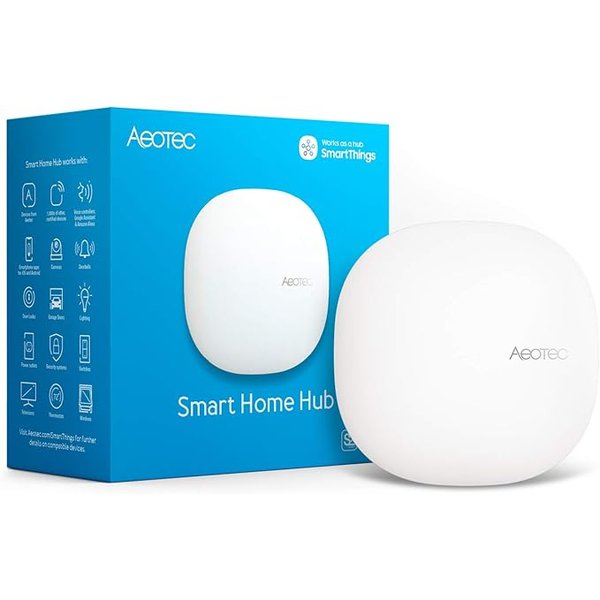
The Aeotec Smart Home Hub ($149.99) is the official SmartThings hardware, replacing the discontinued Samsung-branded hub. It supports Z-Wave, Zigbee, and Matter protocols, works with Alexa and Google Assistant, and connects to over 5,000 compatible devices. Setup takes about 15 minutes through the SmartThings app.
- Protocols: Z-Wave, Zigbee, Matter, WiFi
- Voice Assistants: Alexa, Google Assistant, Bixby
- Local Processing: Limited (most automations still cloud-based)
- Setup Time: ~15 minutes
Best for Home Assistant: Home Assistant Green
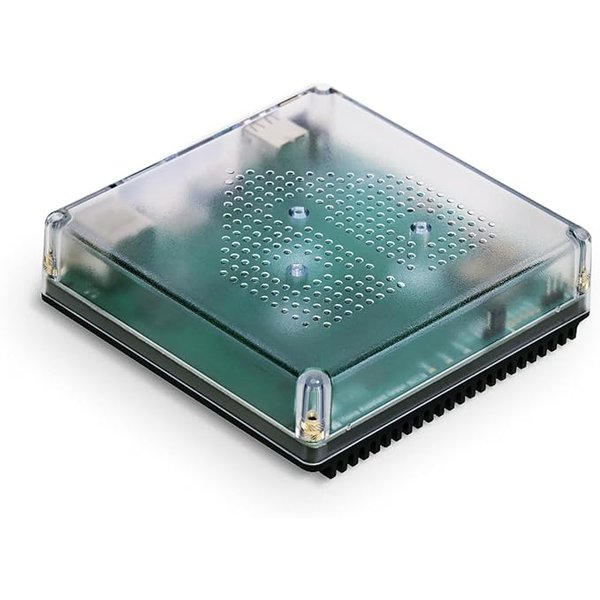
The Home Assistant Green ($179.00) is the official plug-and-play hardware from Nabu Casa, the company behind Home Assistant. It comes pre-installed with Home Assistant OS, features 4GB RAM and 32GB storage, and connects via Ethernet. Add a Zigbee/Z-Wave USB dongle (sold separately) to communicate with wireless smart devices.
- Protocols: Ethernet (add USB dongles for Zigbee/Z-Wave/Thread)
- Processing: 100% local by default
- Storage: 32GB eMMC, 4GB RAM
- Setup Time: ~30 minutes (plus configuration)
Budget Add-On for Home Assistant: SONOFF Zigbee 3.0 USB Dongle Plus
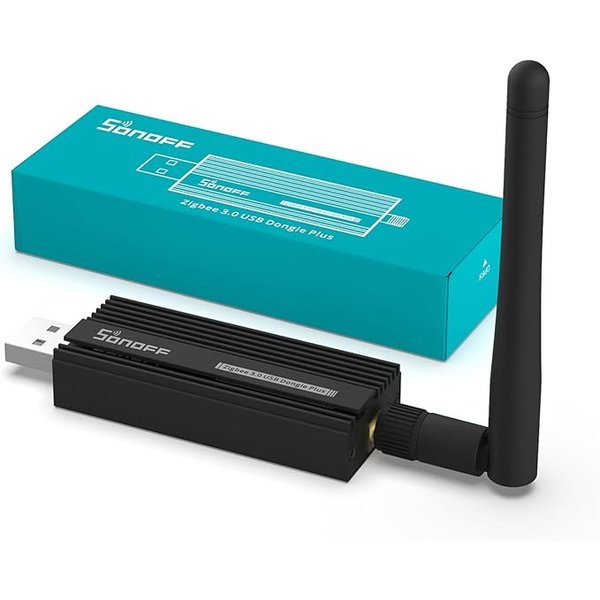
The SONOFF Zigbee 3.0 USB Dongle Plus ($39.99) is the go-to Zigbee coordinator for Home Assistant users. Plug it into your Home Assistant Green (or any Home Assistant setup), and you can communicate directly with hundreds of Zigbee smart home devices — lights, sensors, locks, and more — all processed locally.
- Protocol: Zigbee 3.0
- Compatibility: Home Assistant, ioBroker, Zigbee2MQTT
- Range: External antenna for improved coverage
- Best For: Adding Zigbee support to Home Assistant Green
Best Multi-Platform Hub: Aqara Smart Home Hub M3
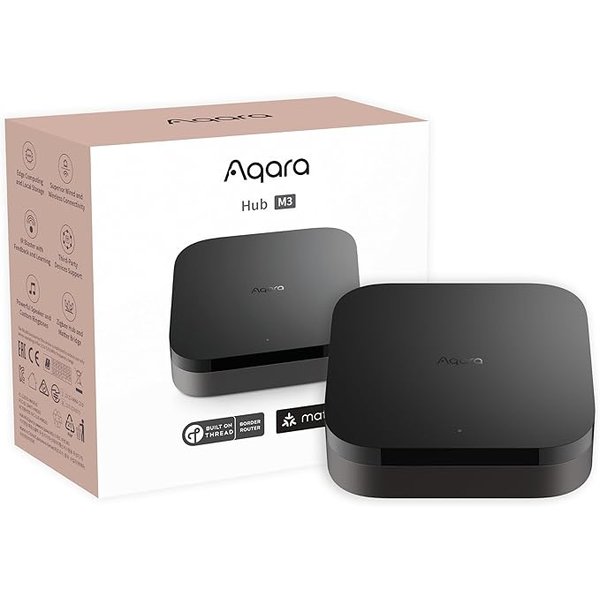
Can’t decide between platforms? The Aqara Smart Home Hub M3 ($119.99) works with both Home Assistant and SmartThings, plus Apple HomeKit, Alexa, and Google Home. It supports Matter, Thread, Zigbee, Bluetooth, WiFi, and even has an IR blaster for controlling legacy devices. A great bridge if you want flexibility.
- Protocols: Matter, Thread, Zigbee, Bluetooth, WiFi, IR
- Compatible With: Home Assistant, SmartThings, HomeKit, Alexa, Google Home
- Bonus: Built-in IR blaster for TVs and ACs
- Best For: Multi-platform households
Head-to-Head Comparison
1. Setup and Ease of Use
SmartThings wins on simplicity. Download the app, plug in the hub, and you’re guided through device pairing step by step. Most people are up and running in under 20 minutes with zero technical knowledge required.
Home Assistant has gotten much easier in 2026, especially with the Home Assistant Green, but it still requires more initial configuration. You’ll spend time in a web-based dashboard setting up integrations, creating automations, and customizing your setup. The learning curve is real — but the community forums and documentation are excellent.
Winner: SmartThings (for beginners) | Home Assistant (for tinkerers who want control)
2. Device Compatibility
SmartThings supports over 5,000 devices and works with most major smart home brands out of the box through its “Works with SmartThings” certification program. Z-Wave, Zigbee, Matter, and WiFi devices pair easily.
Home Assistant blows everything else away with over 2,700 integrations covering virtually every smart home brand, service, and protocol in existence. If a device exists, Home Assistant probably supports it — from mainstream brands to obscure DIY hardware. The trade-off is that some integrations require manual configuration.
Winner: Home Assistant (by a wide margin)
3. Automations and Customization
SmartThings offers “Routines” — simple if/then automations that cover most common scenarios like turning on lights at sunset or locking doors at bedtime. The SmartThings Rules API adds more power for advanced users, but it’s still limited compared to what Home Assistant offers.
Home Assistant automations are where the platform truly shines. You can create incredibly complex multi-step automations using triggers, conditions, and actions — or write them in YAML for absolute precision. Want your coffee maker to start when your morning alarm goes off, but only on weekdays when you’re actually home? Home Assistant handles that effortlessly.
Winner: Home Assistant (no contest)
4. Privacy and Local Control
SmartThings relies heavily on Samsung’s cloud servers. While some local processing has been added for basic automations, most of the platform still requires an internet connection. Your device data passes through Samsung’s servers, and if their cloud goes down, many automations stop working.
Home Assistant runs 100% locally by default. Your data never leaves your home unless you explicitly set up remote access. Automations continue working even if your internet goes down. For privacy-conscious users, this is a massive advantage.
Winner: Home Assistant (decisively)
5. Mobile App Experience
SmartThings has a polished, intuitive mobile app that Samsung has refined over years. Device controls are clean and responsive, the dashboard is well-organized, and notifications work reliably.
Home Assistant has a companion app for iOS and Android that’s gotten significantly better. It provides location tracking, notifications, and remote access. The dashboard is fully customizable with cards, themes, and layouts — but you’ll need to invest time setting it up to look the way you want.
Winner: SmartThings (for polish) | Home Assistant (for customization)
6. Cost Comparison
SmartThings: The Aeotec hub costs $149.99 with no subscription fees. The platform and app are free to use. Samsung may push SmartThings+ premium features in the future, but core functionality remains free in 2026.
Home Assistant: The Home Assistant Green costs $179.00, plus you may want a Zigbee dongle ($39.99) and optional Home Assistant Cloud subscription ($7.50/month for remote access and voice assistants). However, remote access can be set up for free using DuckDNS or other methods — the subscription is purely optional.
Winner: SmartThings (lower upfront cost) | Home Assistant (no ongoing fees if you skip the subscription)
Comparison Table
| Feature | Home Assistant | SmartThings |
|---|---|---|
| Setup Difficulty | Moderate | Easy |
| Device Compatibility | 2,700+ integrations | 5,000+ certified devices |
| Automation Power | Advanced (unlimited) | Basic to Moderate |
| Local Processing | 100% local | Mostly cloud |
| Privacy | Excellent | Average |
| Mobile App | Customizable | Polished |
| Hub Cost | $179 (Green) | $149.99 (Aeotec) |
| Subscription | Optional ($7.50/mo) | None |
| Matter Support | Yes | Yes |
| Voice Assistants | Alexa, Google (via cloud) | Alexa, Google, Bixby |
Can You Use Both Together?
Yes! One of the best-kept secrets in the smart home world is that Home Assistant has a SmartThings integration. You can connect your SmartThings devices to Home Assistant and control them through Home Assistant’s more powerful automation engine while still using the SmartThings app when you want simplicity.
The Aqara Hub M3 is another bridge option — it works natively with both platforms, so you can start with SmartThings and migrate to Home Assistant later without replacing your hub.
What About Matter?
Both platforms support Matter, the new universal smart home standard. Matter devices work with Home Assistant and SmartThings equally well, which means the platform you choose matters less for new Matter-certified devices. However, Home Assistant’s local processing still gives it an edge for automation speed and reliability with Matter devices.
Who Should Choose What?
Go with SmartThings if you:
- Want the easiest possible setup experience
- Prefer a polished mobile app with minimal configuration
- Have a Samsung TV, fridge, or other Samsung smart devices
- Don’t need complex automations beyond basic routines
- Want to spend less upfront
Go with Home Assistant if you:
- Value privacy and want all data to stay local
- Want the most powerful automation engine available
- Enjoy customizing and tinkering with your smart home
- Have a mix of devices from many different brands
- Want your automations to work even when the internet is down
Frequently Asked Questions
Is Home Assistant free?
The software is completely free and open-source. You only pay for hardware (like the Home Assistant Green at $179) and the optional Home Assistant Cloud subscription ($7.50/month) for easy remote access and voice assistant integration.
Does SmartThings require a subscription?
No. SmartThings is free to use with no subscription fees. The Aeotec SmartThings Hub ($149.99) is a one-time purchase. Samsung may introduce premium features in the future, but core functionality is free.
Can I switch from SmartThings to Home Assistant later?
Yes. Since Home Assistant has a SmartThings integration, you can gradually transition by adding your SmartThings devices to Home Assistant. Many users run both platforms side by side during the transition.
Which is more reliable?
Home Assistant is more reliable for automations because everything runs locally. SmartThings depends on cloud servers — if Samsung’s servers have an outage, your automations may stop working until service is restored.
Do I need a hub for either platform?
SmartThings requires the Aeotec hub for Z-Wave and Zigbee devices (WiFi and Matter devices can work without it). Home Assistant can run on various hardware — the Green is the easiest option, but you can also install it on a Raspberry Pi, old laptop, or virtual machine.
Final Verdict
In 2026, Home Assistant is the better platform for anyone willing to invest time in setup and learning. Its local processing, unmatched device compatibility, and powerful automations make it the most capable smart home platform available. The Home Assistant Green has made getting started easier than ever.
SmartThings remains the best choice for people who want a reliable, easy-to-use smart home system without any technical complexity. It’s a solid platform that covers most common smart home needs with minimal effort.
Either way, you can’t go wrong — and with Matter bridging the gap between platforms, switching later has never been easier.