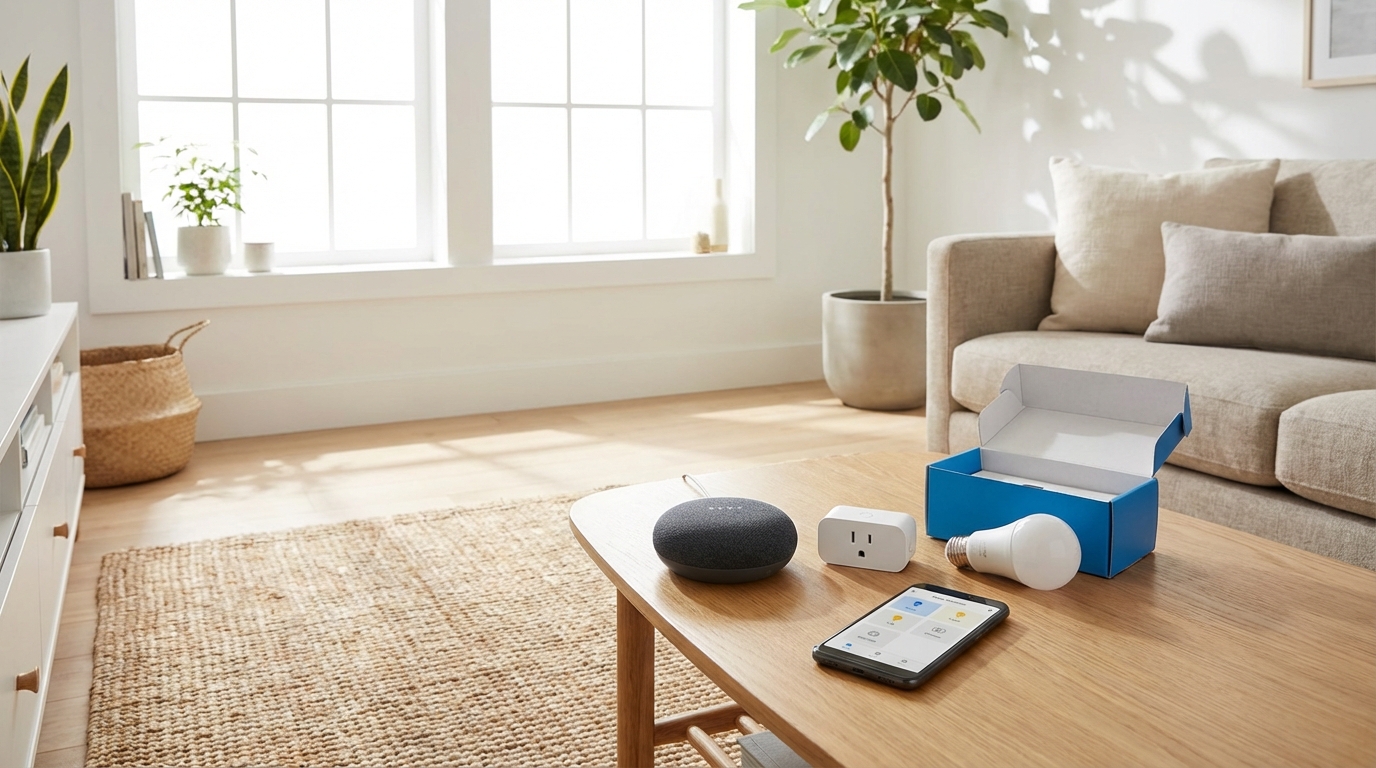
🏆 Smart Home Starter Kit for Beginners
🔊 Voice Assistant: Amazon Echo Dot ($50) – The brain of your smart home, controls everything with voice
💡 First Smart Bulb: Philips Hue Bulb ($15) – Easy to install, works without hub, instant automation
🔌 Smart Plug: Kasa Smart Plug Mini ($12) – Make any device smart, schedule coffee maker, lamps, fans
Complete Starter Bundle ($77 total):
This trio gives you voice control, smart lighting, and device automation—everything you need to start your smart home journey for under $80!
Walking into a home that automatically adjusts the temperature, turns on your favorite lights, and plays your morning playlist sounds like science fiction—but it’s easier to achieve than you might think. If you’re searching for a smart home for beginners complete guide, you’re probably overwhelmed by the hundreds of devices, platforms, and technical terms floating around. The good news? You don’t need to be tech-savvy or spend thousands of dollars to build a functional smart home. This comprehensive guide will walk you through everything from choosing your first device to creating automated routines that actually make your life easier. By the end, you’ll understand exactly where to start, what to buy, and how to avoid the most common beginner mistakes.
What Is a Smart Home? (The Simple Definition)
A smart home uses internet-connected devices to enable remote monitoring and management of appliances and systems. That’s the textbook definition, but here’s what it really means: your home responds to your needs automatically or through simple voice commands and phone taps. Smart homes aren’t about having the most gadgets—they’re about making daily tasks more convenient. Instead of manually adjusting your thermostat five times a day, it learns your schedule. Instead of wondering if you locked the front door, you check your phone from anywhere. The key component is connectivity. Smart devices communicate with each other through your home WiFi network, and you control them through a central hub or smartphone app.
Why Start a Smart Home in 2026?
Smart home technology has matured significantly over the past few years. The devices available in 2026 are more reliable, affordable, and user-friendly than ever before. According to industry reports, the average smart home device now costs 30-40% less than equivalent products from 2020. The technology has moved beyond early-adopter territory into mainstream reliability. You’re no longer beta-testing experimental gadgets—you’re using proven technology that millions of households depend on daily. Compatibility between different brands has also improved dramatically. The Matter protocol (launched in late 2022 and refined through 2024-2025) means devices from different manufacturers can work together seamlessly. This wasn’t always the case, and it eliminates one of the biggest beginner headaches.
Understanding Smart Home Ecosystems: The Foundation
Before buying a single device, you need to understand ecosystems. This is the most important decision you’ll make, and getting it right will save you money and frustration.
The Big Three Ecosystems
Amazon Alexa dominates the market with the widest device compatibility. If a smart device exists, it probably works with Alexa. The Echo line of smart speakers and displays provides affordable entry points, with prices starting around $25-30. Google Home (powered by Google Assistant) offers superior voice recognition and natural language processing. According to user reviews across multiple platforms, Google Assistant understands context better than competitors. Google’s ecosystem integrates seamlessly if you already use Android devices, Gmail, and Google Calendar. Apple HomeKit prioritizes privacy and security, with strict certification requirements for devices. The tradeoff is fewer compatible devices and higher prices. However, if you’re invested in the Apple ecosystem with iPhones, iPads, and MacBooks, HomeKit provides the smoothest experience.
Which Ecosystem Should You Choose?
Your smartphone is the deciding factor for most people. iPhone users benefit from HomeKit’s native integration, while Android users get more features from Google Home. That said, Alexa works well regardless of your phone—and offers the most flexibility if you’re unsure about your future device needs. Many experienced users run multiple ecosystems, but as a beginner, start with one and expand later if needed. The Matter protocol mentioned earlier means this decision is less permanent than it once was. Most new devices support multiple ecosystems simultaneously, so you’re not locked into a single choice forever.
Essential Smart Home Devices for Beginners (Start Here)
You don’t need to outfit your entire home on day one. These five device categories provide the most immediate value and serve as the foundation for more advanced setups.
1. Smart Speaker or Display
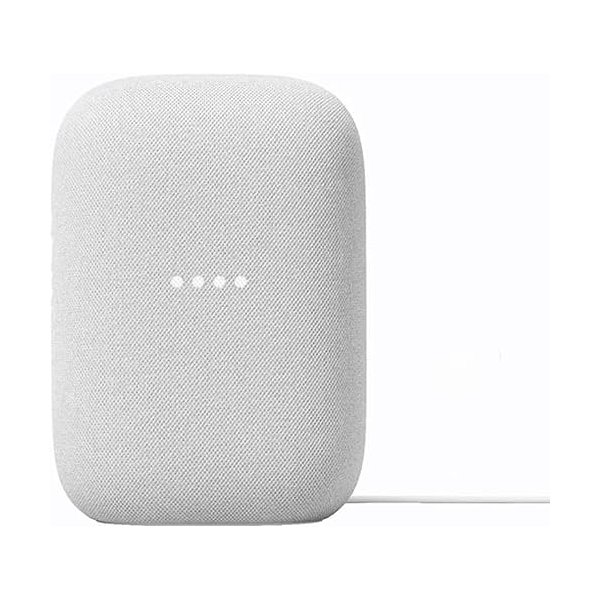
This is your command center and should be your first purchase. Smart speakers respond to voice commands and serve as the hub for other devices. Budget Option: Amazon Echo Dot (5th Gen) at approximately $50 provides full Alexa functionality in a compact package. User reviews consistently praise its improved sound quality compared to previous generations. Mid-Range Option: Google Nest Audio at around $100 delivers significantly better sound for music listening while maintaining all smart features. Display Option: Amazon Echo Show 8 (3rd Gen) at approximately $150 adds a screen for visual feedback, recipes, video calls, and security camera feeds. According to published specs, the 8-inch size balances functionality and counter space better than the smaller 5-inch or larger 10-inch versions.
2. Smart Lighting
Smart bulbs transform how you interact with lighting and create the most noticeable “wow” factor for visitors. They also offer immediate energy savings through scheduling. Starter Kit: Philips Hue White and Color Starter Kit (4 bulbs + bridge) at approximately $200 is widely regarded as the industry standard. The system works with all major ecosystems and offers the most reliable performance based on user review aggregation. Budget Alternative: Govee Smart Bulbs (4-pack) at around $40 provide color-changing capability without requiring a separate hub. User reviews note occasional connectivity issues but praise the value proposition. Smart Switches: For overhead lighting, Lutron Caseta switches (starting around $60 per switch) control existing bulbs and work with traditional bulbs, saving money compared to replacing every bulb.
3. Smart Thermostat
Smart thermostats typically pay for themselves within 1-2 years through energy savings. The EPA estimates that proper thermostat programming saves the average household $180 annually. Premium Choice: Google Nest Learning Thermostat (4th Gen) at approximately $280 automatically creates schedules based on your behavior. According to manufacturer specifications, it’s compatible with 95% of heating and cooling systems. Budget Choice: Amazon Smart Thermostat at around $80 provides scheduling and remote control without learning features. User reviews indicate straightforward installation for basic HVAC systems. Important Note: Check your current thermostat wiring before purchasing. Most smart thermostats require a “C-wire” (common wire) for power. If you don’t have one, you’ll need an adapter or professional installation.
4. Smart Plug
Smart plugs convert “dumb” devices into controllable ones. They’re inexpensive, require no installation, and help you understand automation before investing in purpose-built devices. Best Overall: TP-Link Kasa Smart Plug (4-pack) at approximately $30 works with all major ecosystems. User reviews consistently highlight reliability and responsive performance. Energy Monitoring: TP-Link Kasa Smart Plug with Energy Monitoring at around $15 each shows real-time power consumption, helping identify energy-hungry devices. Use smart plugs for lamps, fans, coffee makers, and seasonal decorations. They’re perfect for creating “away mode” automations that turn devices on and off to simulate occupancy when traveling.
5. Smart Security Camera (Indoor or Outdoor)
Security cameras provide peace of mind and practical benefits like package monitoring and pet checking. Indoor Budget: Wyze Cam v3 at approximately $35 offers 1080p resolution, night vision, and motion detection. User reviews note that cloud storage requires a subscription, but local storage via microSD card is free. Outdoor Option: Blink Outdoor 4 at around $100 features battery power (eliminating wiring needs) and weather resistance. According to manufacturer specs, batteries last up to two years with typical use. Premium Choice: Arlo Pro 4 at approximately $200 per camera provides 2K resolution, color night vision, and a built-in spotlight. User reviews praise video quality but note the subscription cost for cloud storage.
Smart Home Device Comparison Table
| Device Category | Budget Option | Price | Mid-Range Option | Price | Premium Option | Price |
|---|---|---|---|---|---|---|
| Smart Speaker | Echo Dot (5th Gen) | ~$50 | Google Nest Audio | ~$100 | Echo Show 8 | ~$150 |
| Smart Bulbs | Govee 4-Pack | ~$40 | Philips Hue Starter Kit | ~$200 | Philips Hue + Accessories | ~$300+ |
| Smart Thermostat | Amazon Smart Thermostat | ~$80 | Ecobee SmartThermostat | ~$200 | Nest Learning (4th Gen) | ~$280 |
| Smart Plug | Kasa Mini 4-Pack | ~$30 | Kasa with Energy Monitor | ~$60 (4-pack) | Eve Energy (HomeKit) | ~$40 each |
| Security Camera | Wyze Cam v3 | ~$35 | Blink Outdoor 4 | ~$100 | Arlo Pro 4 | ~$200 |
Setting Up Your First Smart Home Device (Step by Step)
The setup process is similar across most devices. Here’s what to expect using a smart speaker as an example: Step 1: Download the App – Every smart device requires a smartphone app (Alexa app, Google Home app, Apple Home app, or manufacturer-specific apps). Download this before unboxing. Step 2: Create Your Account – You’ll need an account with the ecosystem provider. Use a strong password—this account will control access to your home. Step 3: Power On and Connect – Plug in your device. The app will search for it on your WiFi network. You’ll need your WiFi password handy. Step 4: Name Your Device – Use intuitive names like “Living Room Speaker” or “Bedroom Lamp.” This matters for voice commands later. Step 5: Test Basic Functions – Try a simple command like “Hey Google, what’s the weather?” or “Alexa, set a timer for 5 minutes.” Most modern devices complete this process in under 5 minutes. If you encounter issues, the most common culprit is 2.4GHz vs. 5GHz WiFi bands—many smart devices only work on 2.4GHz networks.
WiFi Requirements and Network Optimization
Your WiFi network is the backbone of your smart home. Poor WiFi causes disconnections, slow responses, and frustration.
Minimum Requirements
For a basic smart home (5-10 devices), a standard home router providing 25+ Mbps download speeds typically suffices. However, network congestion—not speed—causes most problems.
When to Upgrade Your Router
If your router is more than 5 years old, consider upgrading to a WiFi 6 (802.11ax) model. According to technical specifications, WiFi 6 handles multiple device connections more efficiently than previous standards. Budget Router: TP-Link Archer AX21 at approximately $80 provides WiFi 6 support for smaller homes. Mesh System: For homes larger than 2,000 square feet or with multiple floors, mesh systems eliminate dead zones. The TP-Link Deco X20 (3-pack) at around $180 receives strong user reviews for smart home reliability.
Network Setup Tips
Create a separate guest network for smart devices if your router supports it. This isolates smart devices from computers and phones, adding a security layer. Use the 2.4GHz band for smart devices (better range through walls) and reserve 5GHz for streaming and gaming. Many routers let you assign different names to each band for manual control.
Understanding Smart Home Automation (Making Devices Work Together)
Individual smart devices are convenient. Automation is transformative. Instead of controlling each device separately, automation creates “if this, then that” rules.
Routine Examples for Beginners
Good Morning Routine: At 7 AM on weekdays, gradually increase bedroom lights, start the coffee maker (via smart plug), and announce the weather through your smart speaker. Leaving Home Routine: Single voice command “I’m leaving” turns off all lights, adjusts the thermostat to energy-saving mode, and locks the smart lock. Movie Night Routine: “Movie time” dims the living room lights to 20%, turns off overhead lighting, and switches TV-connected smart plugs on. Bedtime Routine: At 11 PM, lock doors, turn off downstairs lights, set the thermostat to sleep temperature, and enable night vision on security cameras.
Creating Your First Automation
In the Alexa app, navigate to “Routines” in the menu. Tap the “+” icon to create new routines. Choose your trigger (time, voice command, device action), then add actions (control lights, adjust temperature, play music). Google Home uses similar functionality under “Routines.” Apple Home calls them “Automations” and integrates them in the Home app. Start simple with time-based routines before advancing to conditional triggers based on device states or location.
Smart Home Security and Privacy Considerations
Connected devices create potential security vulnerabilities. These precautions minimize risks: Change Default Passwords: Many devices ship with factory-default passwords. Change these during setup. Use unique passwords for each device or service. Enable Two-Factor Authentication: Your ecosystem account (Amazon, Google, Apple) should require two-factor authentication. This prevents unauthorized access even if passwords leak. Keep Firmware Updated: Manufacturers release updates to patch security vulnerabilities. Enable automatic updates in device settings when available. Review Privacy Settings: Smart speakers can delete voice recordings. Security cameras can set activity zones to avoid recording neighbor’s property. Spend time reviewing privacy options for each device. Secure Your WiFi: Use WPA3 encryption if your router supports it (WPA2 at minimum). Create a strong, unique WiFi password. According to cybersecurity researchers, the biggest smart home vulnerability isn’t sophisticated hacking—it’s weak passwords and outdated firmware. Basic security hygiene prevents most issues.
Common Beginner Mistakes (And How to Avoid Them)
Mistake 1: Buying Too Many Devices Too Fast
Start with one or two devices in a single room. Learn the ecosystem, understand automation basics, then expand. This prevents buyer’s remorse if you discover a device doesn’t fit your lifestyle.
Mistake 2: Ignoring Ecosystem Compatibility
That amazing smart bulb on sale isn’t a deal if it doesn’t work with your chosen ecosystem. Always check compatibility before purchasing. Look for Matter certification for maximum flexibility.
Mistake 3: Overlooking Subscription Costs
Many devices work without subscriptions, but manufacturers push paid plans for cloud storage, advanced features, or extended warranties. Calculate total annual costs, not just device prices. A $35 camera with a $100/year subscription costs $535 over five years.
Mistake 4: Poor Device Placement
Smart speakers need placement within voice range of common locations. Security cameras require thoughtful positioning for useful footage. WiFi-dependent devices fail in weak-signal areas. Plan placement before permanent installation.
Mistake 5: Expecting Perfection
Smart home technology is reliable but not flawless. Devices occasionally disconnect, voice commands misinterpret, and automations need tweaking. User reviews across platforms indicate that even premium devices experience occasional quirks. Set realistic expectations.
Budget-Friendly Smart Home Plans
You don’t need to spend thousands to experience smart home benefits. Here are complete setups at different price points:
$200 Starter Setup
- Amazon Echo Dot (5th Gen): $50
- 2x TP-Link Kasa Smart Plugs: $15
- 2x Govee Smart Bulbs: $20
- Wyze Cam v3: $35
- Total: Approximately $120 (leaves budget for sales/taxes)
This setup provides voice control, basic lighting automation, and security monitoring. Use smart plugs for lamps and coffee makers, place smart bulbs in frequently-used fixtures, and position the camera to monitor the main entry.
$500 Comfortable Setup
- Google Nest Audio: $100
- Philips Hue White and Color Starter Kit: $200
- Amazon Smart Thermostat: $80
- 4x Kasa Smart Plugs: $30
- Blink Outdoor Camera: $100
- Total: Approximately $510
This mid-range setup adds climate control and more comprehensive lighting. The energy savings from the thermostat begin offsetting costs immediately.
$1000 Comprehensive Setup
- Echo Show 8: $150
- Philips Hue Starter Kit + 4 Additional Bulbs: $300
- Google Nest Learning Thermostat: $280
- Lutron Caseta Switch Starter Kit: $100
- Arlo Pro 4 Camera: $200
- Smart Lock (August WiFi): $200
- Additional Smart Plugs and Accessories: $100
- Total: Approximately $1,330
This provides whole-home coverage with premium devices.