Quick Picks
Short on time? Here are our top recommendations across every budget:
- Ring Indoor Cam ($60) — Best overall
- eufy Security 4K Indoor Cam S350 ($130) — Best for no subscription
- Google Nest Cam Indoor (Wired, 3rd Gen) ($100) — Best smart detection
- Aqara Camera Hub G3 ($110) — Best for Apple HomeKit
- Wyze Cam Pan v3 ($40) — Best pan/tilt value
- Blink Mini 2K+ ($40) — Best budget
An indoor security camera is one of the most useful and affordable smart home upgrades you can make. For around the price of a video doorbell, you get a second set of eyes to check on the dog while you’re at work, peek in on a sleeping baby, keep tabs on an aging parent, or know instantly if someone’s moving around the house when nobody should be home.
The catch is that “indoor camera” covers a huge range of devices, and the differences that matter aren’t always obvious from a product page. Some lock every recorded clip behind a monthly subscription; others store footage free on a microSD card. Some have a physical privacy shutter; others don’t. Some pan and tilt to follow motion across a room; others stare at one fixed spot. That’s why we put this guide together: six indoor cameras we verified are currently available on Amazon, spanning a $40 budget pick to a $130 dual-camera flagship, so there’s a clear answer no matter your budget or ecosystem.
Below you’ll find individual reviews, a comparison table, a plain-English buying guide (resolution, storage, subscription costs, privacy shutters, pan/tilt, two-way audio, night vision, pet and baby monitoring, and voice assistants), and an FAQ. If you’re also covering the outside of your home, our guide to the best outdoor smart cameras handles the weatherproof, exterior side.
How We Picked
We started from the products, not the article. Every camera here was verified as currently listed on Amazon with a working product page before it earned a spot. From there, we prioritized:
- A real price spread — budget ($40), mid-range ($60-$110), and premium ($130)
- Storage flexibility — at least one strong no-monthly-fee option that records locally
- Ecosystem coverage — Alexa, Google, and a genuine Apple HomeKit option across the lineup
- Privacy first — physical shutters, privacy modes, and local storage that keep your footage yours
- The features that matter indoors — clear video, good night vision, two-way talk, reliable detection
We did not rank purely by price. The “best overall” pick reflects the best balance of features, reliability, and value — and because indoor cameras point at your most private spaces, we weighted privacy and storage more heavily than we would for an outdoor camera.
The 6 Best Smart Indoor Security Cameras of 2026
1. Ring Indoor Cam — Best Overall
Price: ~$60
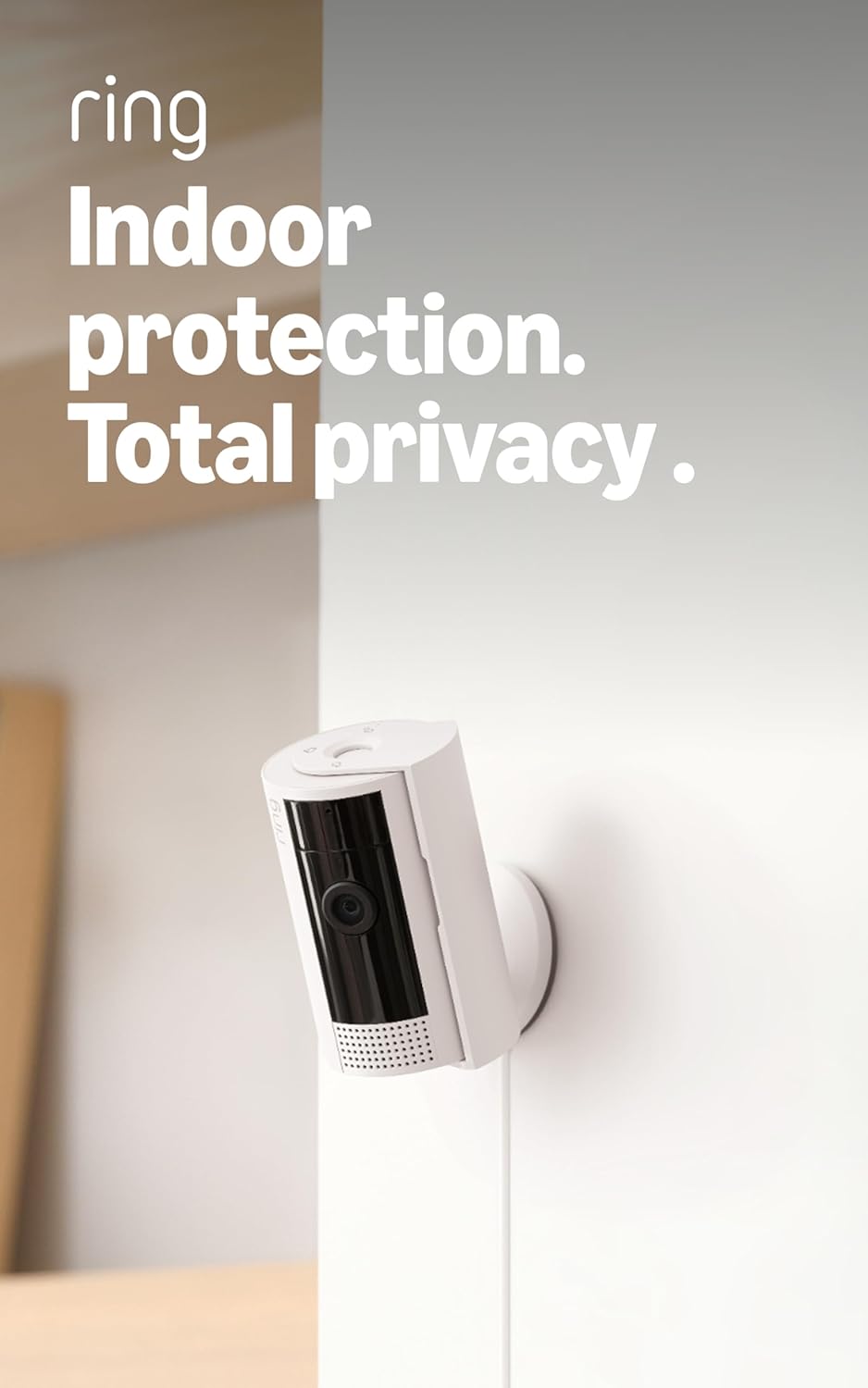
The Ring Indoor Cam takes the top spot because it nails what most people actually want: it’s tiny, dead simple to set up, and it slots into the most popular smart home ecosystem on the planet. This compact plug-in camera sits on a shelf or mounts in a couple of minutes, streaming crisp 1080p HD video with daylight color and infrared night vision, plus two-way talk to check in on the kids or the dog.
What earns it the “best overall” nod is the thoughtful privacy design. This generation includes a built-in manual privacy cover — a physical shutter you can slide over the lens (and mute the mic) when you’re home, so you have a guarantee, not just a software toggle, that the camera isn’t watching. Motion zones and the polished Ring app round out an easy experience, and it integrates seamlessly with Alexa so an Echo Show can pop up the live feed on command.
The downside is the subscription. Without a Ring Protect plan (from ~$5/month), you get live view and motion alerts but no saved recordings. For Alexa households that don’t mind the modest fee, though, nothing else here is this polished and foolproof.
Pros:
- Compact, plug-in design installs in minutes
- Built-in physical privacy shutter and mic mute
- Best-in-class Alexa and Echo Show integration
- Clear 1080p video with color and night vision
- Polished, beginner-friendly app
Cons:
- Saved recordings require a Ring Protect subscription
- No Apple HomeKit support
- Fixed view — it doesn’t pan or tilt
2. eufy Security 4K Indoor Cam S350 — Best for No Subscription
Price: ~$130
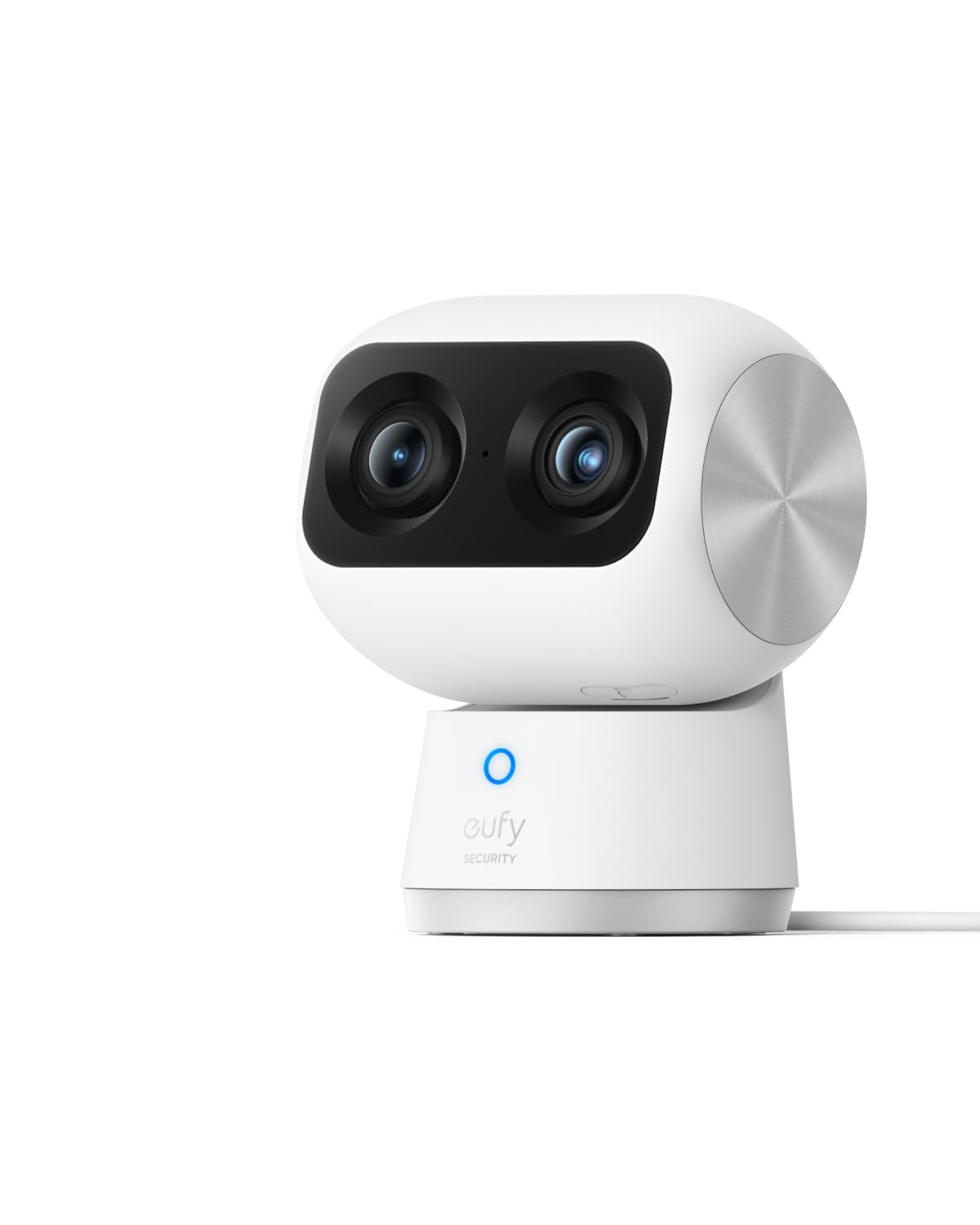
If the thought of paying a monthly fee forever bothers you, the eufy Security 4K Indoor Cam S350 is the answer. It records locally with no subscription required — ever — to a microSD card you supply, so there’s no cloud paywall between you and your footage, and all of its AI features (person, pet, and cry detection) run on the device for free. Over a few years, that’s hundreds of dollars saved versus a subscription camera.
It’s also the most capable camera here, thanks to a clever dual-camera design: a wide 4K main camera plus a second telephoto lens with 8x zoom that can lock onto and auto-track a subject — so it follows your toddler across the playroom without losing the wider scene. It pans 360 degrees and tilts, has sharp 4K detail and strong color night vision, and works with Alexa and Google. For privacy, a privacy mode physically rotates the lens down into the base.
The trade-offs are that it’s the priciest pick here, the app isn’t as slick as Ring’s, and the dual-camera head is one of the larger units on the list. But if owning your data, skipping fees, and getting the best image quality are your priorities, this is the best of the bunch — and our top pick for nurseries and pet rooms.
Pros:
- Zero subscription — free local microSD recording
- Dual 4K cameras with 8x zoom and auto-tracking
- 360-degree pan and tilt covers a whole room
- All AI detection (person/pet/cry) runs locally for free
- Privacy mode physically rotates the lens away
Cons:
- Most expensive pick here
- App is less refined than Ring or Nest
- Larger than single-lens cameras; microSD sold separately
3. Google Nest Cam Indoor (Wired, 3rd Gen) — Best Smart Detection
Price: ~$100
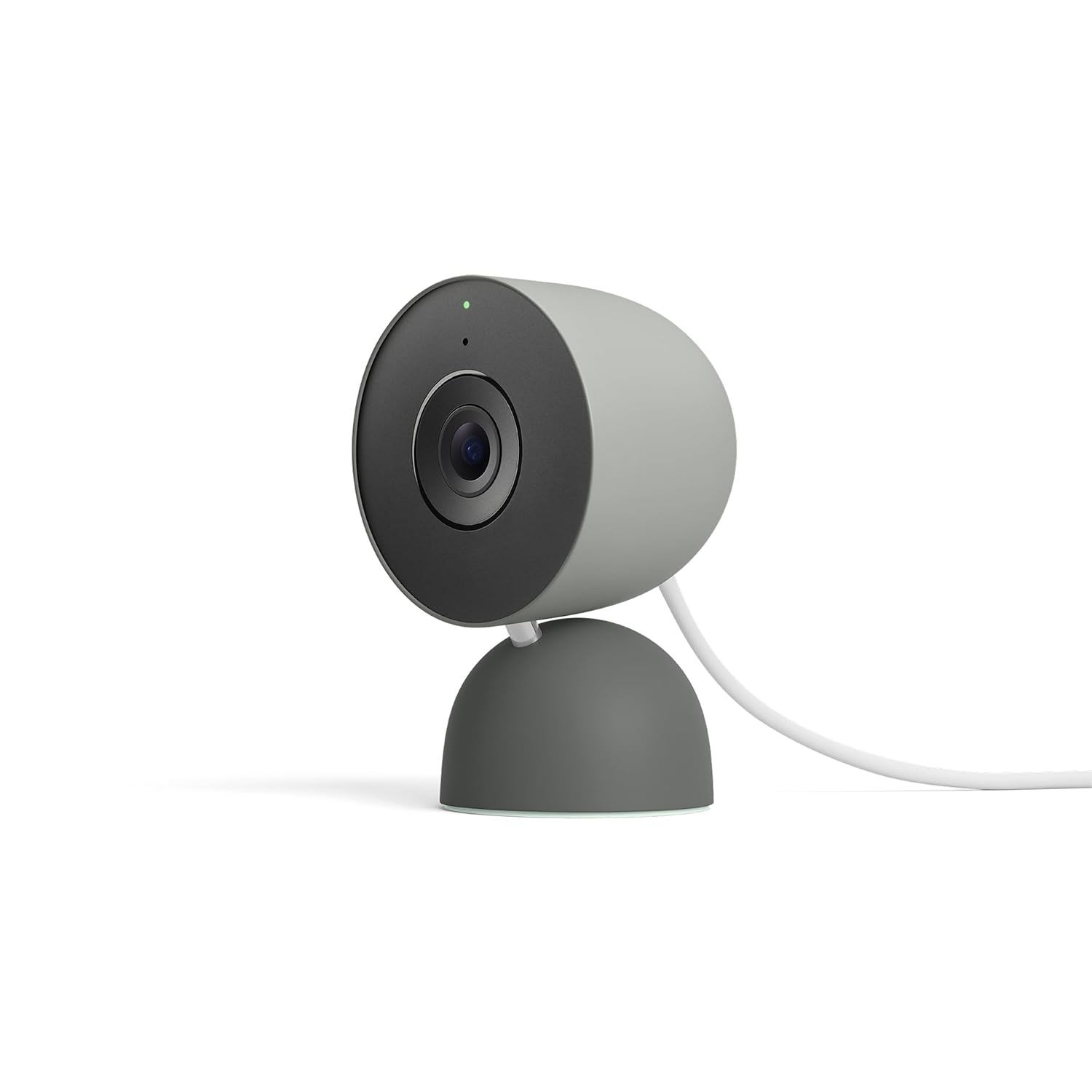
The Google Nest Cam Indoor (Wired, 3rd Gen) is the smartest camera on this list for telling you what’s actually happening. Out of the box — with no subscription at all — it gives you free on-device alerts that distinguish between a person, an animal, and a vehicle, plus a few hours of free event recording. Instead of a generic “motion detected” buzz, you get a meaningful “person seen in the living room.” Most rivals charge a monthly fee for that level of intelligence.
This is the current 2025 model with 2K HDR video, sharp night vision, and two-way audio, and it leans on Google’s Gemini AI for smarter event descriptions. It’s wired and sits on an included magnetic stand, so it never needs charging and can monitor continuously. In a Google/Nest household the integration is excellent — ask any Nest speaker to pull up the feed.
The optional Nest Aware subscription unlocks 24/7 recording, familiar-face detection, and longer history, but you don’t need it for a great core experience. The catch is that it’s Google-only — no Apple HomeKit, limited Alexa. For a Google home that wants the smartest free alerts in the business, it’s the clear pick.
Pros:
- Free on-device person/animal/vehicle alerts
- 2K HDR video with strong night vision
- Free event recording without a subscription
- Gemini-powered smart event descriptions
- Deep Google Home and Nest Hub integration
Cons:
- No Apple HomeKit, limited Alexa support
- 24/7 recording and familiar faces need Nest Aware
- Wired only — must be near an outlet
4. Aqara Camera Hub G3 — Best for Apple HomeKit
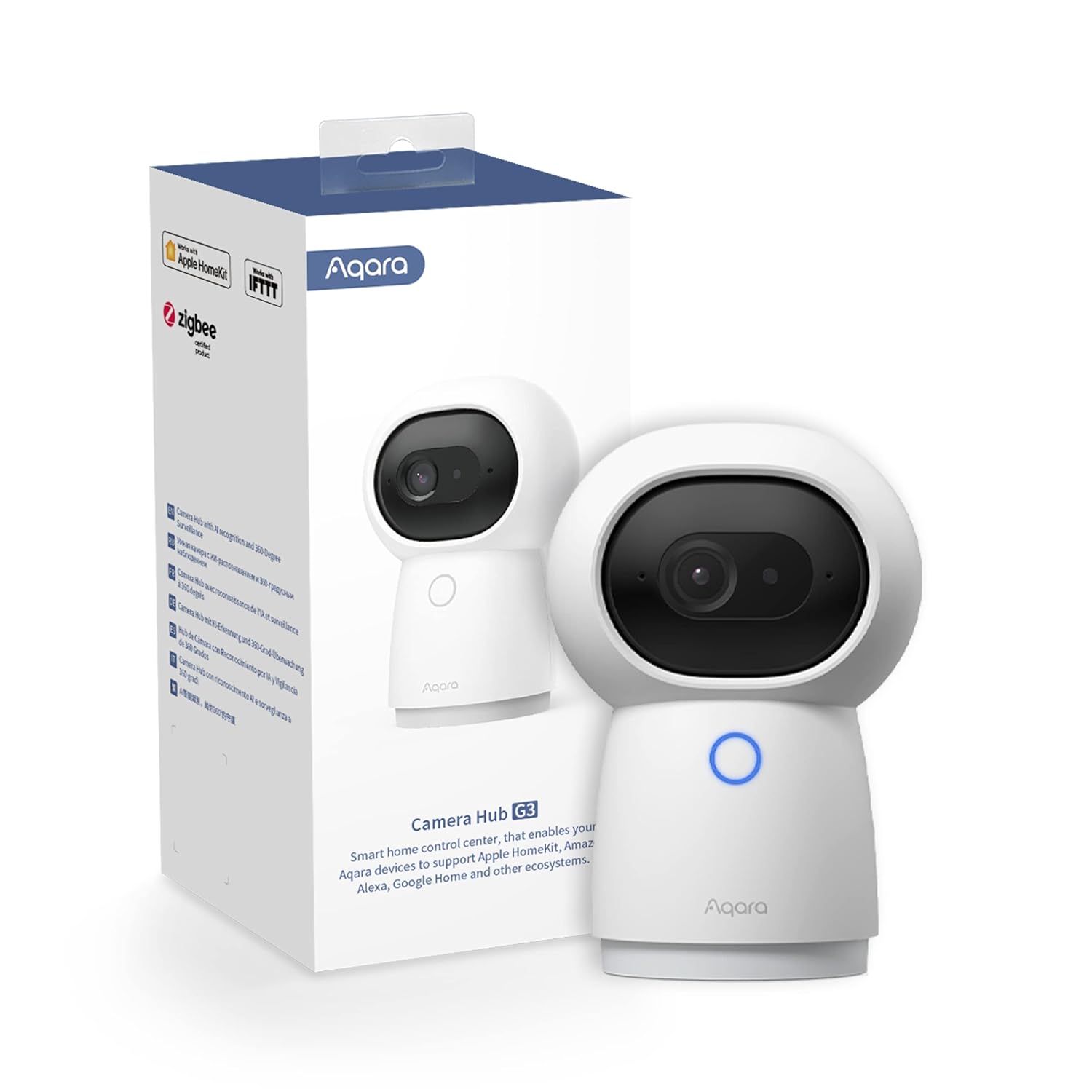
Price: ~$110
If you’re an Apple household, the Aqara Camera Hub G3 is the pick — it’s one of the few indoor pan/tilt cameras that supports Apple HomeKit Secure Video. Clips show up right in the Apple Home app, recordings can be encrypted and stored in your iCloud+ plan (which most iPhone users already pay for), and you can ask Siri or view the feed on a HomePod or Apple TV. For Apple’s privacy-first ecosystem, that’s genuinely hard to find elsewhere.
It’s also more than a camera — as the name says, it’s a hub. Built-in Zigbee lets it double as a smart home hub for Aqara’s sensors and switches, and an infrared blaster controls your TV or AC like a remote. The camera shoots 2K video, pans and tilts 360 degrees, and adds on-device AI face and gesture recognition for automations. It also works with Alexa, Google Home, and IFTTT.
For privacy, the lens physically tilts down into the base in privacy mode. The trade-offs: the app has a steeper learning curve, and the deepest features shine inside Apple’s ecosystem. But as the rare true HomeKit camera that’s also a Zigbee hub and IR remote, it earns its spot.
Pros:
- Genuine Apple HomeKit Secure Video support
- Doubles as a Zigbee smart home hub
- Built-in IR blaster controls TV/AC like a remote
- 2K video with 360-degree pan and tilt
- Local face and gesture recognition triggers automations
Cons:
- App has a steeper learning curve
- HomeKit Secure Video recordings need an iCloud+ plan
- Best features lean toward the Apple ecosystem
5. Wyze Cam Pan v3 — Best Pan/Tilt Value
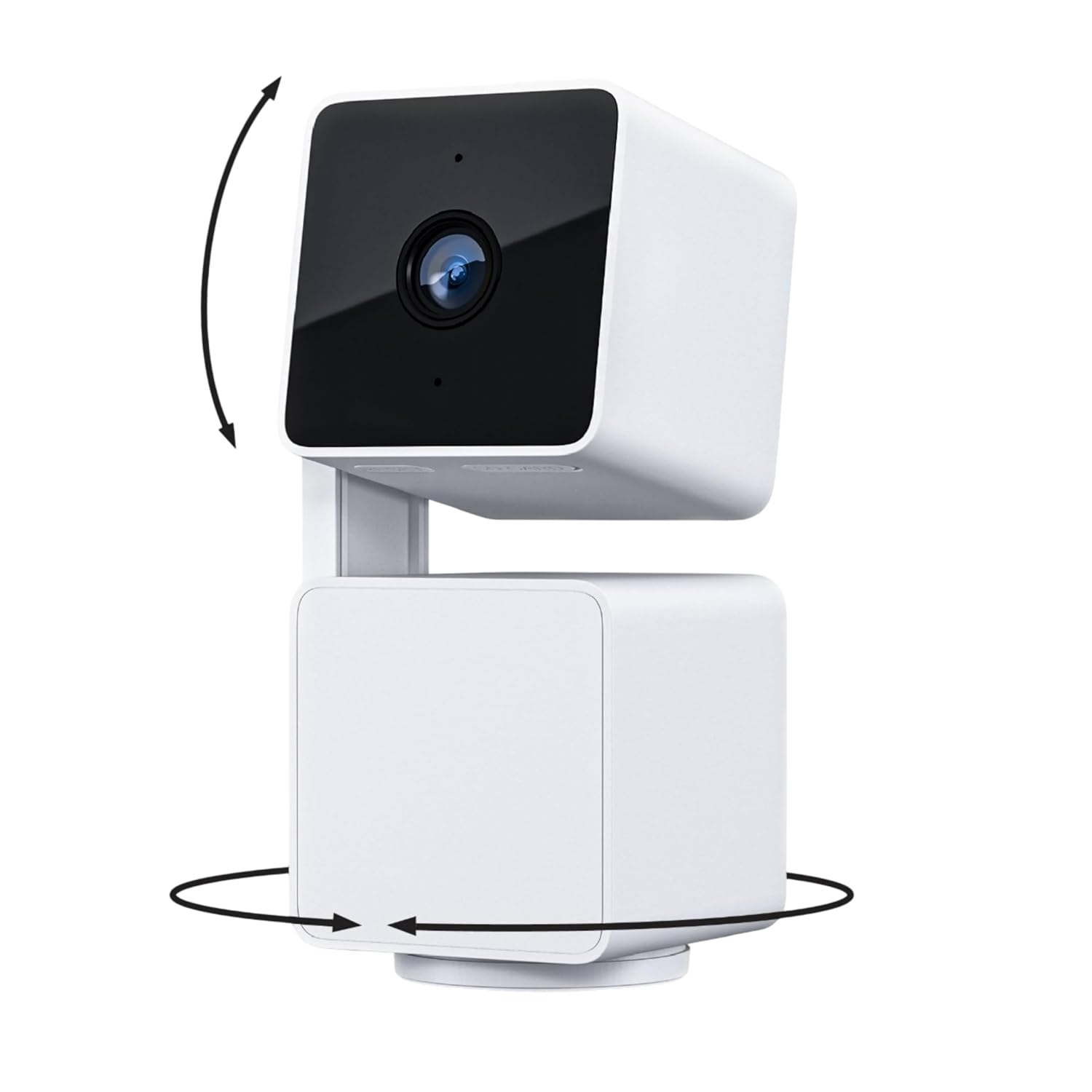
Price: ~$40
The Wyze Cam Pan v3 is the value champion — it delivers pan, tilt, and motion-tracking features you’d expect from a $100 camera at roughly half the price. The motorized head rotates a full 360 degrees and tilts, and it can automatically track motion, so a single Pan v3 watches an entire room instead of one fixed corner. You get sharp 1080p video, color night vision, and two-way audio.
What makes Wyze a perennial favorite is storage. Add a microSD card for free local recording — including continuous 24/7, which most budget cameras can’t do — and Wyze’s optional Cam Plus runs just a couple of dollars a month for richer AI detection. You’re never forced into a pricey plan. It works with Alexa and Google, and it’s even IP65-rated for a covered porch or garage in a pinch.
The compromises are what you’d expect at this price: the app isn’t as polished as Ring or Nest, there’s no physical privacy shutter (just a software privacy mode), and Wyze’s support can be slow. But on features-per-dollar — especially for pan, tilt, and tracking on a budget — nothing else here comes close.
Pros:
- Motorized 360-degree pan/tilt with motion tracking
- Free local microSD recording, including 24/7
- Color night vision at a budget price
- Works with Alexa and Google
- Cheapest cloud plans in the category
Cons:
- No physical privacy shutter
- App and ecosystem less polished than premium brands
- Wyze customer support can be slow
6. Blink Mini 2K+ — Best Budget
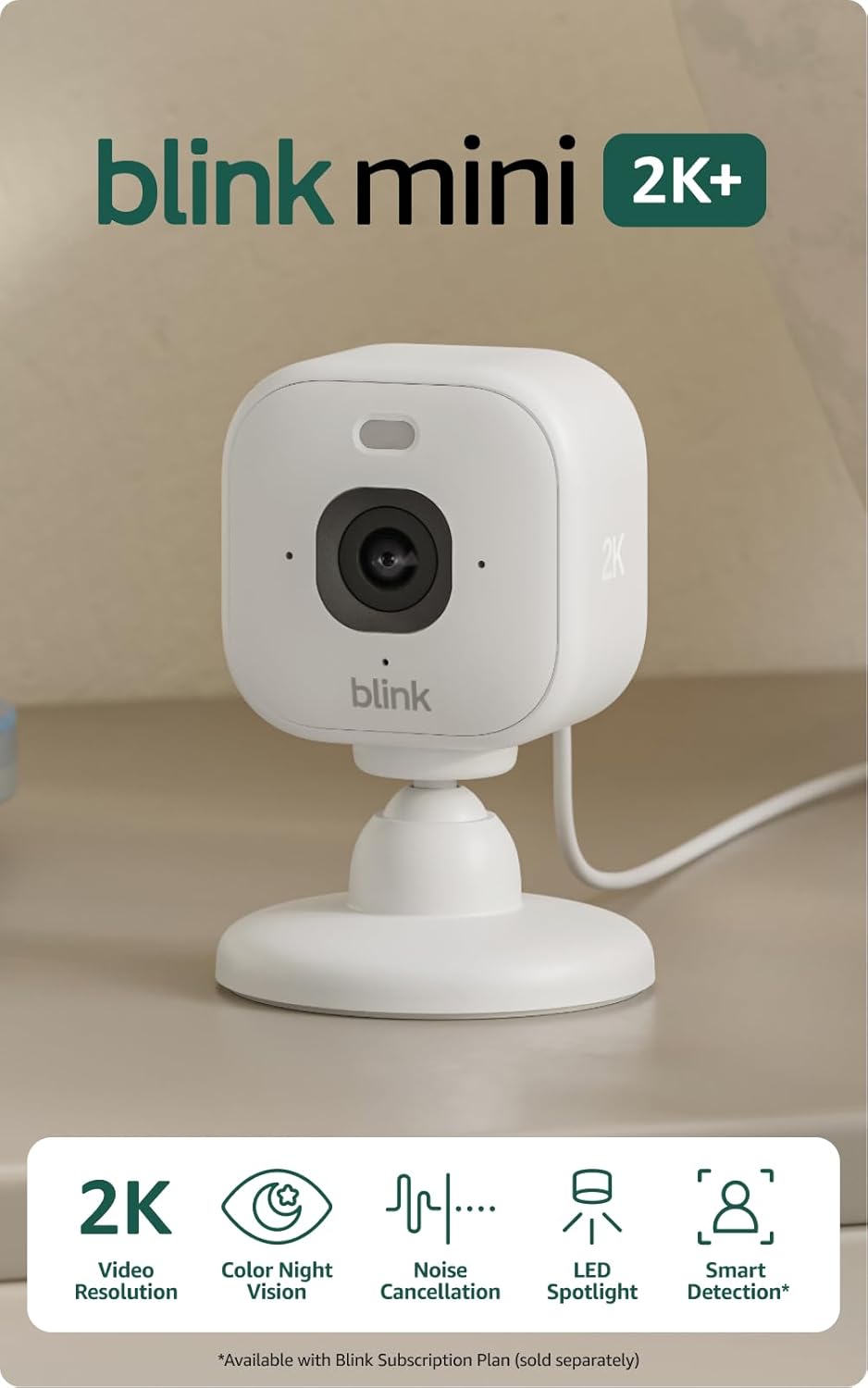
Price: ~$40
When you just want a real, reliable indoor camera for the least money possible, the Blink Mini 2K+ is the answer. At around $40 it’s tied for the cheapest pick here, yet it’s a real step up from the original Mini: it shoots 2K video, adds color night vision with a built-in LED spotlight, and has noise-cancelling two-way audio. It’s a tiny plug-in camera that sets up in minutes and works hand-in-glove with Alexa.
It covers the essentials — motion alerts, live view from anywhere, and the simple Blink app. For free local storage, pair it with Blink’s Sync Module to record to a USB drive and skip the cloud. Person detection does require a Blink Subscription Plan, but for basic “see what’s happening at home” monitoring, the free experience covers the core job.
It’s the most basic camera here — a fixed view, no physical privacy shutter, and you’ll want the Sync Module or a subscription to get the most out of it. But for the price of a couple of pizzas, a genuine 2K indoor camera that plugs right into your Alexa setup is a remarkable deal, and an easy way to add a second or third camera around the house.
Pros:
- Cheapest 2K indoor camera here (~$40)
- Color night vision with built-in LED spotlight
- Noise-cancelling two-way audio
- Seamless Alexa setup and integration
- Optional local storage via Sync Module (no cloud)
Cons:
- Fixed view — no pan or tilt
- Person detection needs a Blink subscription
- No physical privacy shutter
Indoor Security Camera Comparison Table
| Camera | Price | Best For | Resolution | Pan/Tilt | No-Fee Storage | Privacy Shutter | Voice Assistants |
|---|---|---|---|---|---|---|---|
| Ring Indoor Cam | ~$60 | Best overall | 1080p | No | No (needs Ring Protect) | Yes (physical cover) | Alexa |
| eufy Security 4K Indoor Cam S350 | ~$130 | No subscription | 4K (dual cam) | Yes (360°) | Yes (microSD) | Privacy mode (lens down) | Alexa, Google |
| Google Nest Cam Indoor (Wired, 3rd Gen) | ~$100 | Smart detection | 2K HDR | No | Partial (free events) | No | Google, limited Alexa |
| Aqara Camera Hub G3 | ~$110 | Apple HomeKit | 2K | Yes (360°) | Via iCloud+ / local | Privacy mode (lens down) | Apple, Alexa, Google |
| Wyze Cam Pan v3 | ~$40 | Pan/tilt value | 1080p | Yes (360°) | Yes (microSD) | Software privacy mode | Alexa, Google |
| Blink Mini 2K+ | ~$40 | Best budget | 2K | No | Yes (Sync Module) | No | Alexa |
Prices fluctuate; check the current listing for the latest pricing.
Indoor Security Camera Buying Guide
Picking the right indoor camera is less about brand loyalty and more about matching the device to your home, your phone, and how much you’re willing to pay over time. Here’s what actually matters.
Resolution: How Much Do You Really Need?
Resolution determines how much detail you can make out when you zoom in — to read a face, a label, or what the cat just knocked off the counter. The sweet spot indoors is 2K, which most picks here hit; it’s noticeably sharper than 1080p when you zoom without eating up storage or bandwidth.
Don’t over-index on the number, though. A solid 1080p camera like the Ring Indoor Cam or Wyze Cam Pan v3 is perfectly clear for everyday monitoring. 4K (the eufy S350) helps if you plan to zoom in a lot or want the telephoto lens, but for most rooms 2K is plenty.
Local vs. Cloud Storage (Read This First)
This is the single most important decision, because it determines both your privacy and your long-term cost. There are three models:
- Cloud-only with a subscription (Ring): clips live on the company’s servers and a paid plan is required to save and review them. Convenient and accessible anywhere, but an ongoing fee with your footage off-site.
- Local storage, no fee (eufy S350, Wyze Cam Pan v3, Blink Mini 2K+ with a Sync Module): footage records to a microSD card or USB drive in your home, free, forever. Nothing leaves your house — cheaper and more private.
- Hybrid / free-tier cloud (Google Nest Cam): some free event recording out of the box, with a paid plan unlocking 24/7 history.
If avoiding fees and keeping footage in your own home matters, start with a local-storage camera. If you value the polish of a managed cloud service, a subscription camera like Ring is the easier experience.
Subscription Costs: The Hidden Expense
The sticker price is just the beginning. A $5/month plan is $60 a year, or $300 over five years — often several times the camera’s price, and that’s per camera on some plans. Before you buy, check what the free tier includes:
- Ring requires Ring Protect (from ~$5/mo) to save any recordings.
- Google Nest includes free event recording; Nest Aware (from ~$8/mo) adds 24/7 recording and familiar faces.
- eufy and Wyze work fully without any subscription using local storage; Wyze’s optional Cam Plus is just a couple of dollars a month.
- Aqara stores recordings free locally or via iCloud+ through HomeKit.
- Blink needs a subscription for person detection and cloud clips, but supports free local storage with a Sync Module.
Be honest about whether you’ll value a subscription enough to pay for it indefinitely across every camera you own.
Privacy Shutters and Privacy Modes
Indoor cameras point at your most private spaces, so privacy controls matter more than they do outside. The strongest protection is a physical privacy shutter — a cover that mechanically blocks the lens so the camera cannot see, no software trust required. The Ring Indoor Cam has a built-in sliding cover and mic mute, a big reason it’s our top pick for living spaces.
Pan/tilt cameras offer a clever alternative: a privacy mode that physically rotates the lens down into the base (the eufy S350 and Aqara G3 both do this). Software-only “privacy modes” (like the Wyze) simply stop the feed — fine for most people, but you’re trusting the software. For a bedroom or main living area, lean toward a physical shutter or a lens that physically turns away.
Pan/Tilt vs. Fixed View
A fixed camera (Ring, Nest, Blink) stares at one spot — simpler, often cheaper, great for a single doorway, a crib, or a pet’s corner. A pan/tilt camera (Wyze Cam Pan v3, eufy S350, Aqara G3) has a motorized head that rotates 360 degrees to sweep the room from your phone or auto-track motion. For a large open-plan space, pan/tilt is worth it; for a fixed target, a simpler camera does the job for less.
Two-Way Audio and Night Vision
Two-way audio turns your camera into an intercom: tell the dog to get down or check in on a parent. Every pick here has it, though clarity varies — the Blink Mini 2K+ adds noise cancellation. Night vision is essential since rooms get dark; most cameras use infrared for black-and-white, but better models (eufy, Wyze, Blink) add color night vision using ambient light or a spotlight, making it far easier to tell what you’re looking at.
Pet and Baby Monitoring
Indoor cameras pull double duty as pet cams and baby monitors. Pan/tilt with auto-tracking (Wyze, eufy) follows a crawling baby or roaming pet instead of losing them off-frame, cry detection (the eufy S350) alerts you when a baby cries, and two-way talk lets you soothe a child from another room. For a nursery or pet room, a pan/tilt camera with local storage and cry/pet detection is ideal — which is why the eufy S350 is our pick for that use.
Voice Assistant Support (Alexa, Google, HomeKit)
Match the camera to the ecosystem you already use:
- Alexa: Ring and Blink are the natural fits (Amazon owns both), with feeds and announcements on any Echo Show. Most others support Alexa too.
- Google: The Nest Cam is the obvious choice, with seamless alerts on Nest Hub displays and Google speakers.
- Apple HomeKit: The hard one. The Aqara Camera Hub G3 is the standout with true HomeKit Secure Video. Ring, Nest, Wyze, and Blink do not support HomeKit, so iPhone households should steer toward the Aqara.
If you’re still deciding between platforms, our Ring vs. Arlo vs. Wyze camera comparison breaks down how the big camera ecosystems stack up.
Frequently Asked Questions
Do indoor security cameras require a monthly subscription?
No — that’s a myth. Ring requires a plan to save recordings, but the eufy S350 and Wyze Cam Pan v3 record to microSD locally with no fee, the Blink Mini 2K+ supports free local storage with a Sync Module, the Nest Cam includes free event recording, and the Aqara G3 stores clips locally or via iCloud+. Plenty of indoor cameras deliver full functionality at $0/month.
Which indoor camera is best for a baby or pet room?
Look for a pan/tilt camera with auto-tracking, free local storage, and dedicated detection. The eufy Security 4K Indoor Cam S350 is our pick: it auto-tracks a crawling baby or roaming pet, records 4K locally with no subscription, and offers cry and pet detection. The budget alternative is the Wyze Cam Pan v3, which also pans, tilts, and auto-tracks for around $40.
How do I keep an indoor camera private when I’m home?
The strongest option is a physical privacy shutter that mechanically blocks the lens — the Ring Indoor Cam has a built-in sliding cover and mic mute. Pan/tilt cameras like the eufy S350 and Aqara G3 offer a privacy mode that physically rotates the lens down into the base. Software-only privacy modes (like the Wyze) simply pause the feed, which works but requires trusting the software. For bedrooms and living areas, a physical shutter or a lens that turns away is safest — and enable two-factor authentication on whatever brand you pick.
Which indoor camera works with Apple HomeKit?
The Aqara Camera Hub G3 is the standout — one of the few pan/tilt indoor cameras with genuine Apple HomeKit Secure Video, so clips appear in the Apple Home app and store securely through your iCloud+ plan. It also doubles as a Zigbee hub and IR remote. Ring, Google Nest, Wyze, and Blink do not support HomeKit, so for Siri and HomePod integration the Aqara is the one to get.
Can indoor cameras record continuously, 24/7?
Some can, some can’t. The Wyze Cam Pan v3 and eufy S350 support continuous 24/7 recording to a local microSD card with no subscription — rare at their price. The Google Nest Cam offers 24/7 recording only with a Nest Aware Plus plan, and many cameras (including the Blink Mini 2K+ on its free tier) record motion-triggered clips rather than continuous footage. If 24/7 recording matters, the local-storage pan/tilt cameras are the most cost-effective way to get it.
The Bottom Line
An indoor security camera is the rare smart home upgrade with a great option at every price. For most people, the Ring Indoor Cam is the easiest call — tiny, quick to install, with a real physical privacy shutter and flawless Alexa support, as long as you don’t mind the Ring Protect fee. If that monthly cost is a dealbreaker, the eufy Security 4K Indoor Cam S350 gives you dual 4K cameras, 360-degree tracking, and free local storage forever, while the Google Nest Cam Indoor (Wired, 3rd Gen) offers the smartest free alerts in the business.
Apple households should go straight for the Aqara Camera Hub G3 and its real HomeKit support. And if you’re watching every dollar, the Wyze Cam Pan v3 and Blink Mini 2K+ prove you don’t have to spend much — one with pan, tilt, and tracking, the other a dead-simple 2K plug-in for Alexa.
Whatever you choose, an indoor camera is one piece of a connected home. If you’re thinking bigger, our guides to the best outdoor smart cameras and building a DIY smart home security system will help you round out your home’s protection from the inside out.