Quick Picks
Short on time? Here are the best smart weather stations for 2026:
- Ambient Weather WS-2902 (~$200) — Best overall
- AcuRite Atlas (01001MCB) (~$240) — Best for storms and lightning
- Tempest Weather Station (~$349) — Best premium, no moving parts
- AcuRite Atlas HD Display (06105M) (~$90) — Display add-on, sensor sold separately
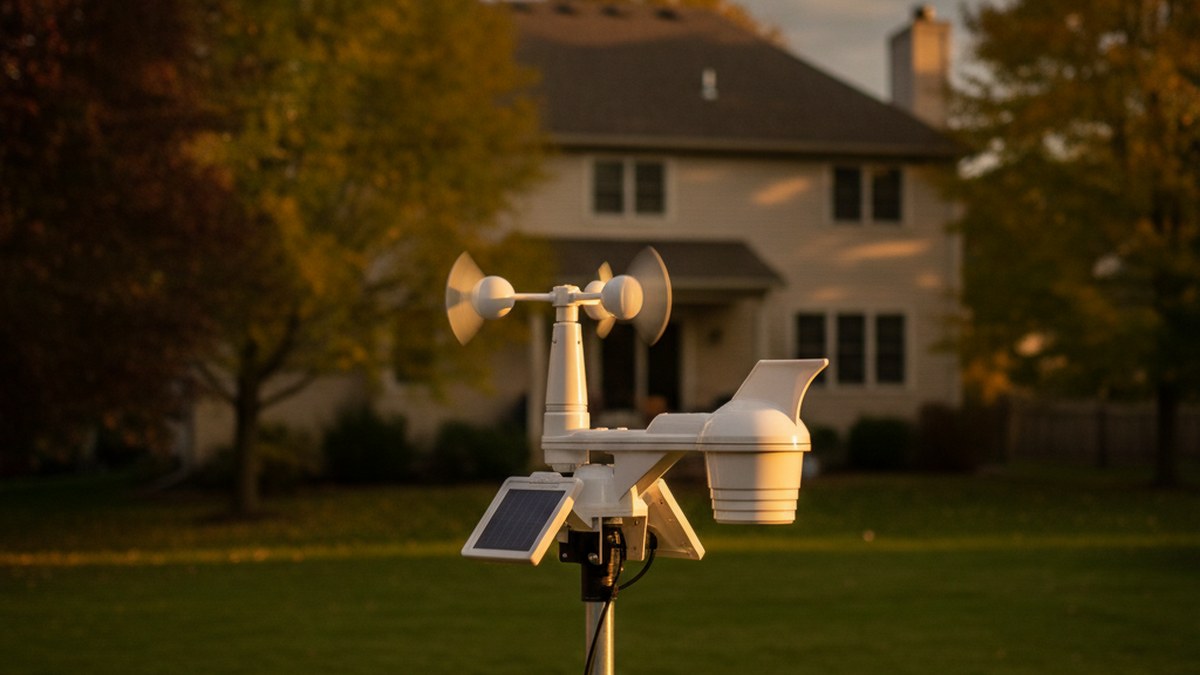
Your phone’s weather app is guessing. It’s pulling from an airport sensor that might be fifteen miles away, on the other side of a ridge, in a completely different microclimate. That’s why it insists it’s not raining while you’re standing in your yard getting soaked — and why “chance of frost tonight” is useless when you’re trying to decide whether to cover the tomatoes.
A smart weather station fixes that by measuring your property. Temperature, humidity, wind speed and direction, rainfall, barometric pressure, UV — recorded where you actually live, streamed to your phone over Wi-Fi, and logged so you can go back and see exactly how much rain fell last Tuesday. For gardeners, anyone with a well or a sump pump, people who heat with wood, and anybody who’s ever wondered whether that gust really was 40 mph, it turns weather from a vague forecast into real data.
Late summer into fall is the right time to install one. You want it mounted and calibrated before the first hard storms and the first frost — and hurricane and nor’easter season is exactly when hyperlocal wind and rain data stops being a novelty and starts being genuinely useful.
What Makes a Weather Station Worth Buying
A few things separate a real weather station from a novelty thermometer.
A full sensor array. The baseline you want is temperature, humidity, wind speed, wind direction, and rainfall. Cheaper units skip wind or rain, which are the two measurements least likely to match a distant forecast and therefore the most valuable to have locally.
Real Wi-Fi and app access. “Wireless” often just means the outdoor sensor talks to an indoor display. You want the station on your home Wi-Fi, uploading to an app you can check from anywhere, with alerts and history. That’s also what lets it feed services like Weather Underground.
Solar power with battery backup. The outdoor array should run mostly on its own solar panel. You’ll still swap backup batteries occasionally, but you shouldn’t be climbing to the roof every few months.
Mounting height and placement matter more than people expect. Wind readings are only meaningful if the anemometer is clear of the roofline and nearby trees; rain totals get ruined by overhanging branches. Plan where it goes before you buy, because a great station mounted badly produces bad data.
Smart home integration. Several of these work with Alexa or Google, and some can feed irrigation controllers so your sprinklers skip a cycle after real measured rainfall — a genuinely useful automation.
The Best Smart Weather Stations for 2026
Ambient Weather WS-2902 Wi-Fi Smart Weather Station — Best Overall
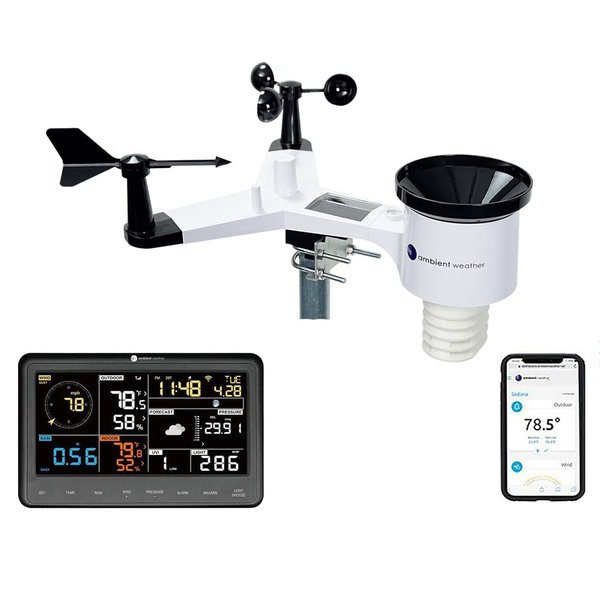
The WS-2902 is the default recommendation in this category and has been for years, for the straightforward reason that it does everything most people need at a price that doesn’t feel like a hobbyist splurge. The all-in-one solar-powered array covers temperature, humidity, wind speed and direction, rainfall, UV and solar radiation, and it ships with a color console for the kitchen counter alongside full Wi-Fi app access.
What makes it the pick isn’t any single spec — it’s the ecosystem. Ambient Weather’s platform is mature, the data uploads reliably to their network and to Weather Underground, and it integrates with a wide range of smart home services, including feeding rainfall data to irrigation systems. It’s also widely enough deployed that if something breaks or reads oddly, someone has already written up the fix. Around $200 gets you a genuinely complete station, and that’s the sweet spot for most homes.
Pros:
- Complete sensor suite including wind, rain, UV and solar
- Solar-powered array with battery backup
- Mature app and Weather Underground uploading
- Broad smart home and irrigation integrations
- Large community and documentation
Cons:
- Moving parts (anemometer, rain cup) need occasional cleaning
- Console styling is functional rather than attractive
- Accuracy depends heavily on good mounting
AcuRite Atlas (01001MCB) — Best for Storms and Lightning
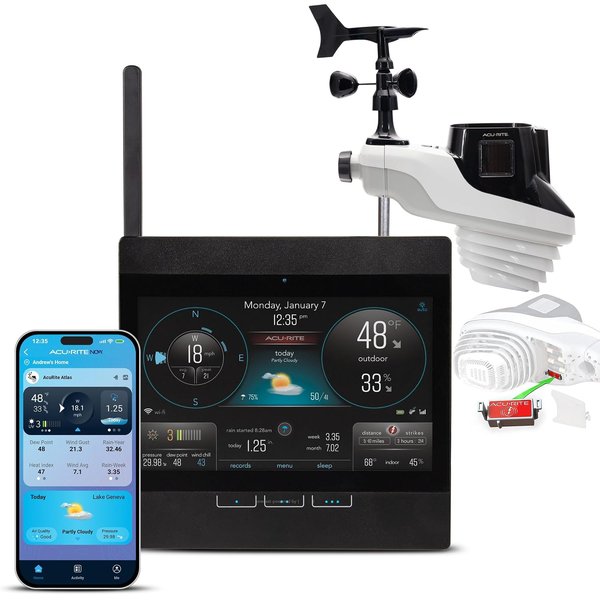
The Atlas’s headline feature is lightning detection, and if you live somewhere with real thunderstorm seasons that’s not a gimmick. It reports strike counts and approximate distance, which is genuinely useful information when you’re deciding whether to pull kids off a field, shut down a well pump, or unplug electronics. Beyond that it covers the full suite — temperature, humidity, wind speed and direction, rainfall — and ships with a Wi-Fi HD display.
At around $240 it sits above the WS-2902, and you’re paying for the lightning sensing and AcuRite’s very readable display. The Atlas hardware is well regarded and the display is one of the nicer ones you can put on a wall. If storms are the weather you actually care about tracking, this is the one to get; if you mostly want garden and general conditions data, the Ambient saves you money.
Pros:
- Lightning strike detection with distance estimates
- Full temperature, humidity, wind and rain suite
- Excellent, highly readable HD display
- Programmable alerts and hyperlocal forecasting
Cons:
- Pricier than the Ambient for similar core sensors
- Lightning detection can register distant storms
- Also has moving parts to maintain
Tempest Weather Station — Best Premium
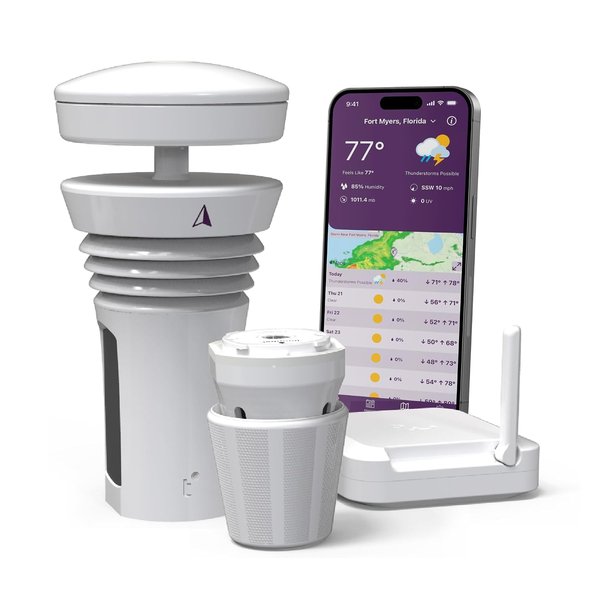
The Tempest takes a different approach: no moving parts. Instead of a spinning anemometer and a tipping rain bucket, it uses ultrasonic wind sensing and a haptic rain sensor. That means nothing to seize up with ice, nothing for spiders and pollen to gum up, and no bearings to wear out — which, if you’ve ever pulled apart a rain gauge full of leaf debris, is a real selling point for a device that lives outside permanently.
It’s a single sleek unit plus a hub, it self-reports its own health, and it leans on AI-assisted forecasting that blends your local readings with wider models. At around $349 it’s the most expensive pick here and there’s no included display — it’s app-first, which suits some people and annoys others. Buy it if you want the lowest-maintenance station that’ll still be running accurately in five years, and you’re happy checking your phone rather than a console.
Pros:
- No moving parts — far less maintenance and failure
- Sleek single-unit outdoor design
- AI-assisted hyperlocal forecasting
- Alexa compatible, strong app experience
Cons:
- Most expensive option here
- No included display console
- Haptic rain sensing can need calibration to match a physical gauge
AcuRite Atlas HD Display (06105M) — Add-On, Not a Station
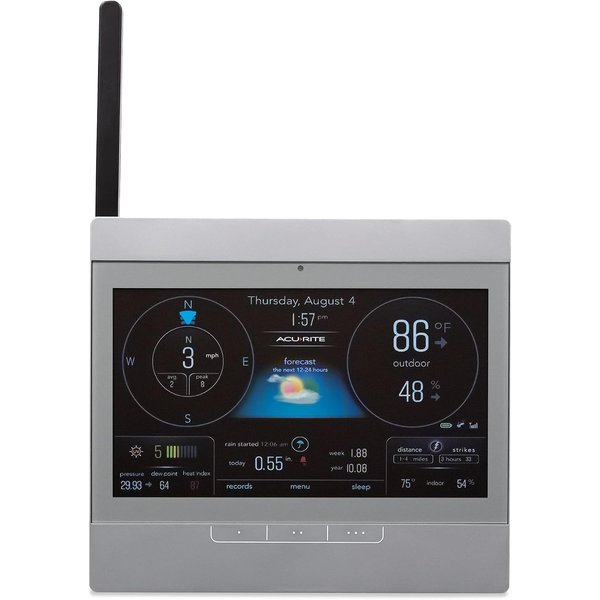
Worth flagging clearly, because the price is tempting and the listing is easy to misread: this is a display only. At around $90 it looks like a bargain weather station, but it does not include an outdoor sensor array — AcuRite’s own description says it works “when used with an AcuRite Atlas, which is sold separately.” Buy this expecting a complete station and you’ll be disappointed.
Where it makes real sense is as a second console for existing Atlas owners — one in the kitchen and one in the home office, or replacing a display that’s failed. It has its own indoor thermometer and hygrometer, a built-in barometer that feeds AcuRite’s self-calibrating forecast, historical records, and battery backup. As an add-on it’s good value; as a first purchase it’s the wrong product.
Pros:
- Excellent HD display, readable from any angle
- Built-in indoor temperature, humidity and barometer
- Historical records and trend data
- Good value as a second console
Cons:
- Not a weather station — outdoor sensor sold separately
- Only useful if you own (or buy) an AcuRite Atlas array
- Easy to mistake for a complete kit
Weather Station Comparison
| Product | Best For | Approx. Price | Lightning | Display Included |
|---|---|---|---|---|
| Ambient Weather WS-2902 | Overall | ~$200 | No | Yes |
| AcuRite Atlas (01001MCB) | Storms | ~$240 | Yes | Yes (Wi-Fi HD) |
| Tempest Weather Station | Premium, low maintenance | ~$349 | Yes (strike detection) | No — app only |
| AcuRite Atlas HD Display | Add-on console | ~$90 | n/a | Display only |
Prices checked at the time of writing and will move around.
The short version: most people → Ambient WS-2902. Thunderstorm country → AcuRite Atlas. Want to install it and forget it → Tempest. Already own an Atlas → grab the extra display.
How to Choose (and Where to Put It)
Start with what you’ll actually use the data for. Gardeners and anyone with irrigation want reliable rainfall and frost data — the Ambient covers that and can feed sprinkler controllers. If you’re in a region with serious thunderstorms, lightning detection genuinely changes decisions, which is the Atlas. If your priority is a device that keeps working without you touching it, the Tempest’s lack of moving parts is worth the premium.
Then plan the mounting before you order. Wind readings need the anemometer clear of the roofline and away from trees and walls that create turbulence; the rain gauge must be level with nothing overhanging it. A pole mount away from the house generally beats a roof mount for data quality and makes maintenance far less alarming. Getting this right matters more than the difference between any two stations here.
Finally, think about integration. Weather data becomes far more useful when it drives something — see our guides to smart sprinkler controllers for rain-skip automation, smart hose timers for simpler setups, and indoor air quality monitors if you want the indoor half of the picture too.
Frequently Asked Questions
Are home weather stations actually accurate?
Good ones are, but placement determines it more than price. A well-mounted $200 station will beat a poorly sited $400 one every time. Keep the anemometer clear of roof turbulence and trees, keep the rain gauge level and unobstructed, and shield the temperature sensor from direct sun and reflected heat off walls or pavement. Get siting right and readings will track official stations closely while being far more relevant to your actual property.
Do I need Wi-Fi for a weather station?
Not strictly — plenty of stations just talk to an indoor display. But Wi-Fi is what makes one smart: remote checking from your phone, alerts, historical logging, integration with irrigation and smart home platforms, and uploading to networks like Weather Underground. Every pick in this guide is a Wi-Fi model, and it’s the feature most worth insisting on.
What’s the difference between a station with and without moving parts?
Traditional stations use a spinning cup anemometer and a tipping-bucket rain gauge — proven, accurate, and cheap, but they collect debris, can freeze, and eventually wear out. The Tempest instead uses ultrasonic wind sensing and haptic rain detection, so there’s nothing mechanical to fail. The tradeoff is cost and that haptic rain measurement sometimes needs calibrating against a physical gauge.
Can a weather station control my sprinklers?
Yes, and it’s one of the better automations available. Several smart irrigation controllers can take local rainfall data and skip a scheduled watering after real measured rain rather than relying on a regional forecast. Ambient Weather in particular integrates with a range of services for this. If you irrigate, that alone can justify the station.
Where should I mount it?
The standard guidance is the anemometer well above the roofline and clear of obstructions, with the rain gauge level and nothing overhanging it. A dedicated pole mount in an open part of the yard usually gives better data than a roof mount and is far easier to service. Avoid mounting near dryer vents, AC condensers, or dark walls that radiate heat, since all of those will skew temperature readings.
The Bottom Line
A smart weather station replaces a guess with a measurement, and once you have real numbers for your own yard it’s hard to go back to a forecast for a town fifteen miles away. For most homes the Ambient Weather WS-2902 is the right buy — complete sensors, mature app, fair price. Step up to the AcuRite Atlas if you live where thunderstorms matter and want lightning detection, or to the Tempest if you’d rather pay more once and never clean a rain bucket again. Just remember the AcuRite HD Display is a console, not a station. Mount whichever you choose properly, get it up before the first real storm of the season, and you’ll finally know exactly what the weather is doing where you actually live.