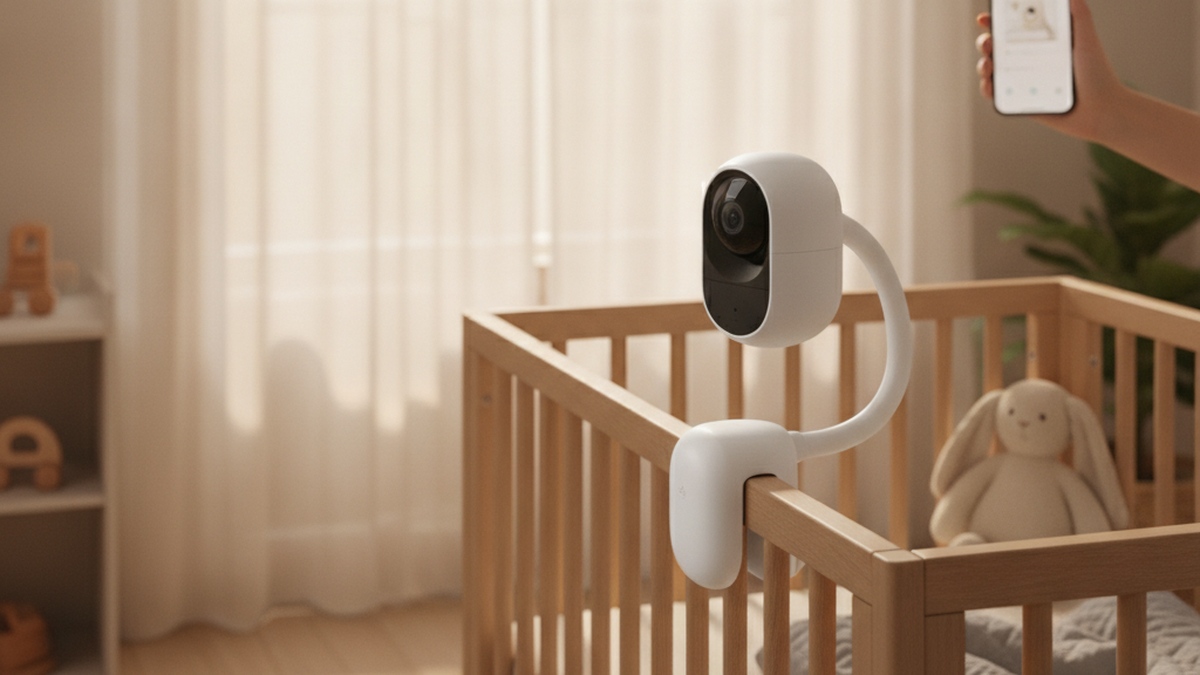
Quick Picks
Short on time? Here are our top recommendations across every budget and use case:
- Nanit Pro Smart Baby Monitor & Wall Mount (~$300) — Best overall
- Cubo Ai Plus Smart Baby Monitor with Wall Mount (~$200) — Best AI safety alerts
- Miku Pro Smart Baby Monitor (~$400) — Best contactless breathing tracking
- Owlet Dream Sock® Smart Baby Monitor (~$300) — Best wearable sleep tracker
- eufy Baby Monitor E20 (~$100) — Best budget / hybrid WiFi
- VTech RM5766-2HD Smart Wi-Fi 2-Camera (~$160) — Best with a dedicated screen
A baby monitor is one of the first “smart home” devices most new parents ever buy, and it’s easily one of the most stared-at. The category has come a long way from a grainy camera and a crackly handheld screen. Today’s smart monitors stream crisp HD video to your phone from anywhere, send you a notification the moment your baby stirs, track how long and how well they slept, and some watch breathing movement or heart rate so you don’t have to hover over the crib all night.
That range is also what makes shopping confusing. Some monitors connect over WiFi and live entirely in an app; others use a dedicated parent-unit screen with no internet at all; a few do both. Some track breathing through the mattress or a wearable sock, while others are “just” excellent cameras. Prices run from around $100 to $400, and the right pick depends far more on how you want to watch your baby than on which one has the longest spec sheet.
A quick, important note before we start: the products in this guide are consumer wellness and convenience devices, not medical equipment. Features like sleep tracking, breathing-motion detection, and a pulse-oximetry sock are designed to give parents information and peace of mind. They are not diagnostic tools, they do not prevent or detect medical conditions, and they are not a substitute for safe-sleep practices or advice from your pediatrician. We describe what each device measures factually so you can decide what’s useful for your family.
Below you’ll find individual reviews, a comparison table, a plain-English buying guide (WiFi vs. dedicated-screen monitors, video and night vision, sleep and breathing tracking, two-way audio, alerts, privacy and encryption, and subscription costs), and an FAQ. If you’re building out the rest of a connected nursery or home, our guide to the best smart indoor security cameras covers cameras you can also use to keep an eye on older kids and pets.
How We Picked
We started from the products, not the article. Every monitor here was verified as currently listed on Amazon with a working product page and an exact-match title before it earned a spot. From there, we prioritized:
- A real price spread — budget ($100), mid-range ($160-$300), and premium ($400)
- Genuinely smart connectivity — WiFi and app monitoring, with at least one strong dedicated-screen option for parents who don’t want their nursery on the internet
- The features that matter — clear HD video, reliable night vision, two-way talk, and smart alerts
- Sleep and wellness tools — sleep tracking, breathing-movement detection, and a wearable option, described factually as convenience features
- Privacy and security — encryption, two-factor login, and local or dedicated-screen options that keep your feed off the cloud
We did not rank purely by price or by spec count. The “best overall” pick reflects the best balance of video quality, useful features, app polish, and value for the largest number of parents.
The 6 Best Smart Baby Monitors of 2026
1. Nanit Pro Smart Baby Monitor & Wall Mount — Best Overall
Price: ~$300
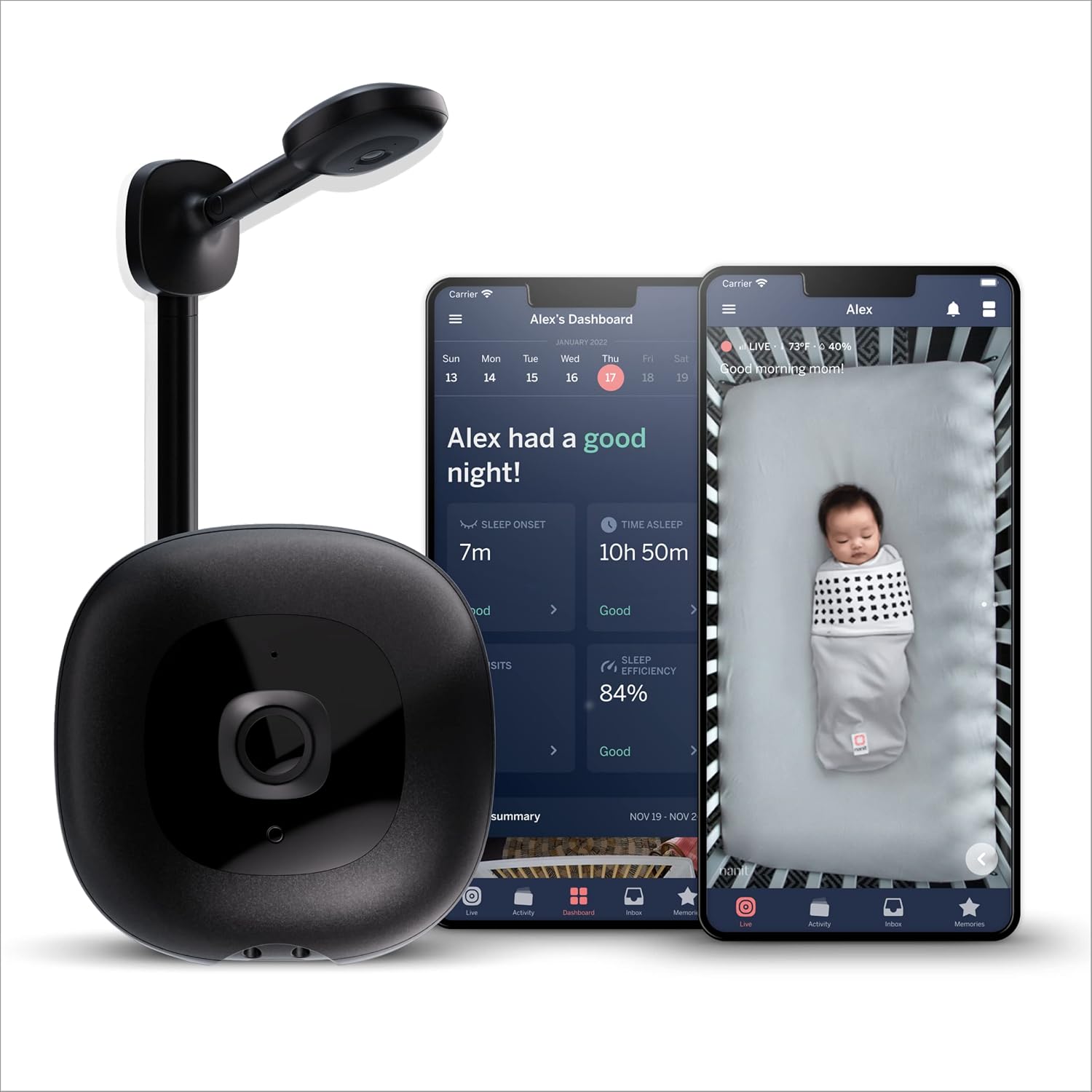
The Nanit Pro takes the top spot because it does the two things new parents care about most — a beautiful overhead view of the crib and genuinely useful sleep information — better than anything else here, all in one polished package. The camera mounts on the included wall mount for a clean, top-down 1080p HD view of the whole crib, with clear infrared night vision and two-way audio to soothe your baby without walking in.
What sets it apart is the sensor-free sleep and breathing-motion tracking. Using the overhead camera and an optional Breathing Band (included with this configuration), the Nanit app tracks your baby’s breathing movement and sleep patterns without any wearable electronics on the baby — the band is a plain fabric garment with a printed pattern the camera reads. In the morning you get a sleep summary: how long they slept, how efficiently, and how many times they woke. To be clear, this is a wellness and information feature, not a medical breathing monitor.
The main trade-off is the Nanit Insights subscription, which unlocks the richer sleep analytics and longer history (live video and alerts work without it). It’s also a premium price. But for parents who want the best crib view, the most useful sleep data, and the most refined app, the Nanit Pro is the easy recommendation.
Pros:
- Clean overhead 1080p HD view of the entire crib
- Sensor-free sleep and breathing-motion tracking (no electronics on baby)
- Included Breathing Band and wall mount
- Polished app with detailed morning sleep summaries
- Secure WiFi with two-way audio and night vision
Cons:
- Deepest sleep insights need a Nanit subscription
- Premium price
- Wall or wall-adjacent mounting works best for the overhead view
2. Cubo Ai Plus Smart Baby Monitor with Wall Mount — Best AI Safety Alerts
Price: ~$200
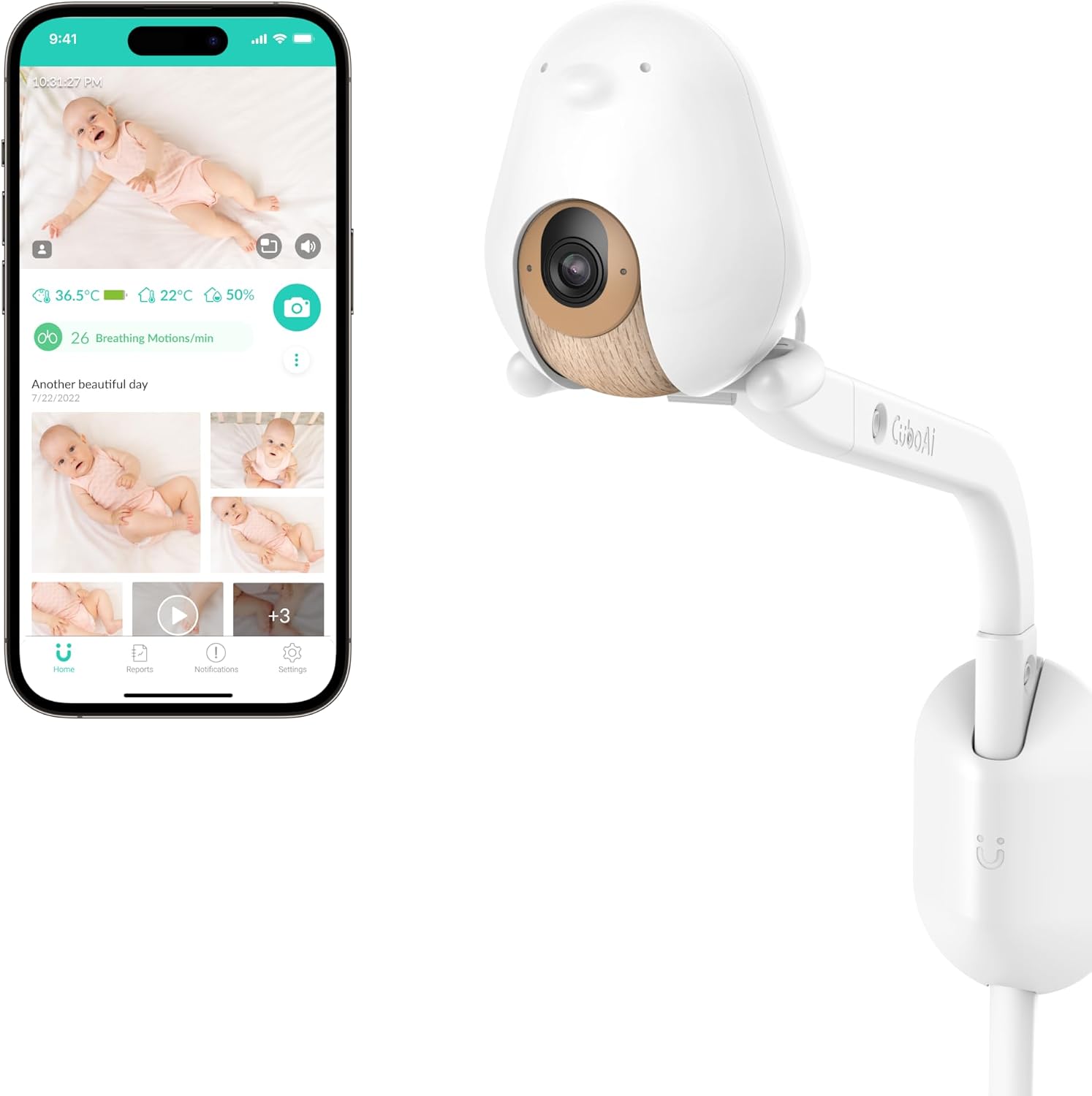
The Cubo Ai Plus is the pick if you want the camera itself to do the watching. Its standout feature is on-device AI safety alerts: it can notify you if it detects your baby’s face is covered or they’ve rolled face-down, and a “Danger Zone” feature alerts you if your little one climbs or moves somewhere they shouldn’t. These are convenience alerts based on image recognition — helpful extra eyes, not a medical or guaranteed safety system — but they’re genuinely reassuring and unique at this price.
Beyond the AI, it’s a well-rounded 1080p HD monitor with excellent night vision (and no distracting red light), two-way audio, cry detection, and temperature and humidity sensors. It also auto-captures photos and short clips of cute moments, keeps up to 18 hours of video playback, and gives you daily sleep tracking reports. The friendly bird-shaped design mounts on the included wall mount for a clear crib view.
On security, Cubo is CTIA Cybersecurity Certified and adds two-factor authentication, 256-bit encryption, and permission-based sharing for up to seven family members — strong for a WiFi nursery camera. Advanced features lean on a Cubo Ai Care subscription (one year is included), and the deepest AI tools are its main paid draw. For parents who want proactive, camera-based alerts, nothing else here matches it.
Pros:
- On-device AI alerts for covered face, rollover, and danger zones
- 1080p HD with excellent no-red-light night vision
- Cry detection plus temperature and humidity sensors
- Strong security: CTIA certified, 2FA, 256-bit encryption
- One year of Cubo Ai Care included
Cons:
- Advanced AI and analytics rely on an ongoing subscription
- AI alerts are convenience features, not a safety guarantee
- Requires a solid WiFi connection
3. Miku Pro Smart Baby Monitor — Best Contactless Breathing Tracking
Price: ~$400
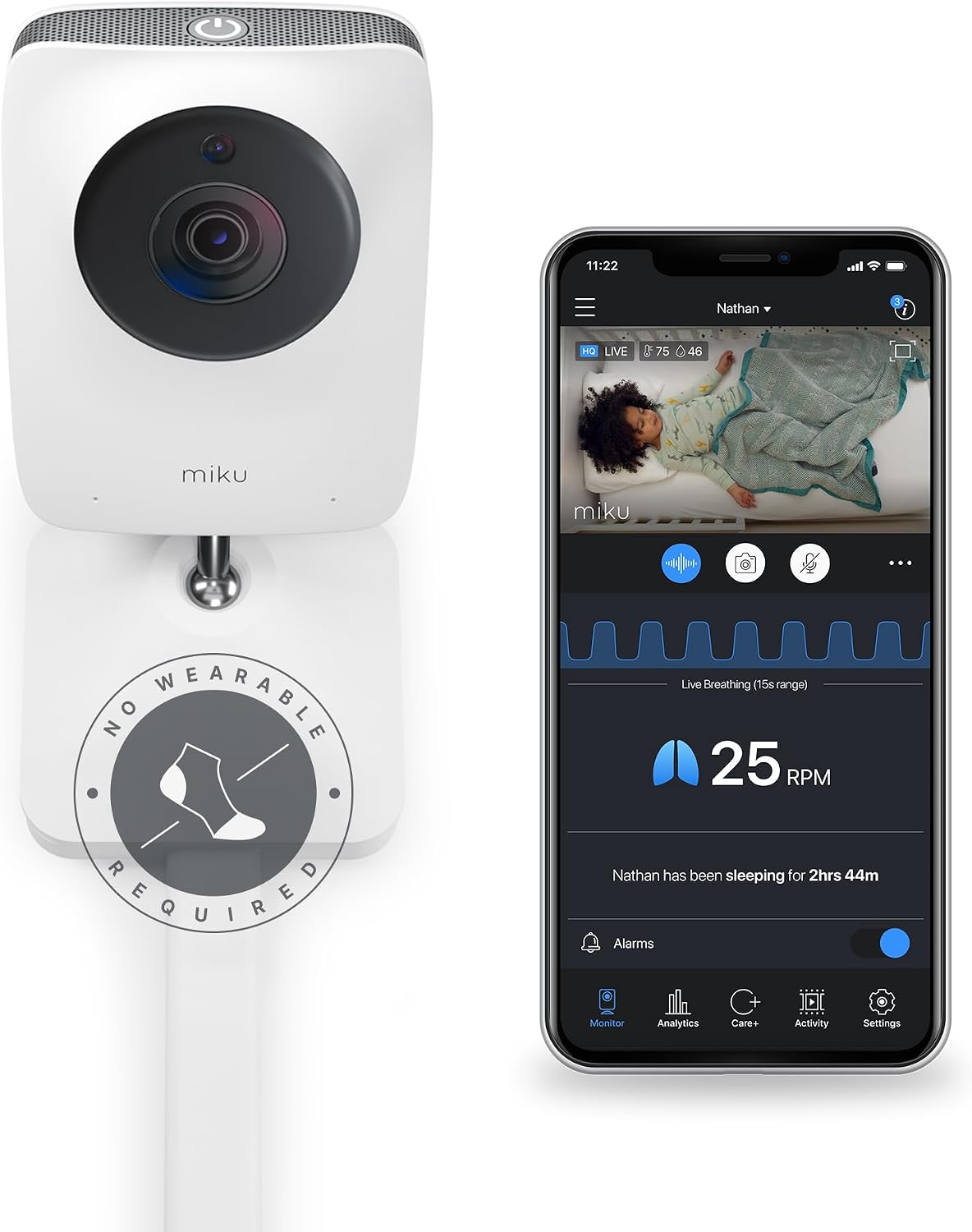
The Miku Pro is for parents who specifically want breathing-movement tracking with nothing attached to the baby at all. Its sensor technology tracks breathing motion and sleep contactlessly — through blankets and swaddles, in any position — and shows a live breathing waveform right in the app. There are no socks, bands, or clips to charge or reposition, which is the whole appeal. As with every device here, this is a wellness and information feature meant to give parents insight, not a medical device.
It backs that up with a strong camera: 1080p Full HD WiFi video, sharp night vision, and clear two-way audio, plus customizable alerts for movement, sound, and sleep state. The build quality is premium and the mounting is flexible.
Security is a highlight — Miku uses a tamper-resistant crypto chip, dual-layer encryption, and two-step authentication, so the contactless breathing data and video feed stay private. The catches are the price (it’s the most expensive pick here) and an optional Miku membership for the deepest sleep analytics and longer clip storage. But if wearable-free breathing tracking is your priority, the Miku Pro is the standout.
Pros:
- Contactless breathing-motion tracking with no wearable
- Live breathing waveform in the app
- 1080p Full HD WiFi video with strong night vision
- Robust security: crypto chip, dual-layer encryption, 2FA
- Works through blankets and swaddles, any sleep position
Cons:
- Most expensive monitor here
- Deepest analytics and storage need a membership
- Breathing tracking is a wellness feature, not medical monitoring
4. Owlet Dream Sock® Smart Baby Monitor — Best Wearable Sleep Tracker
Price: ~$300
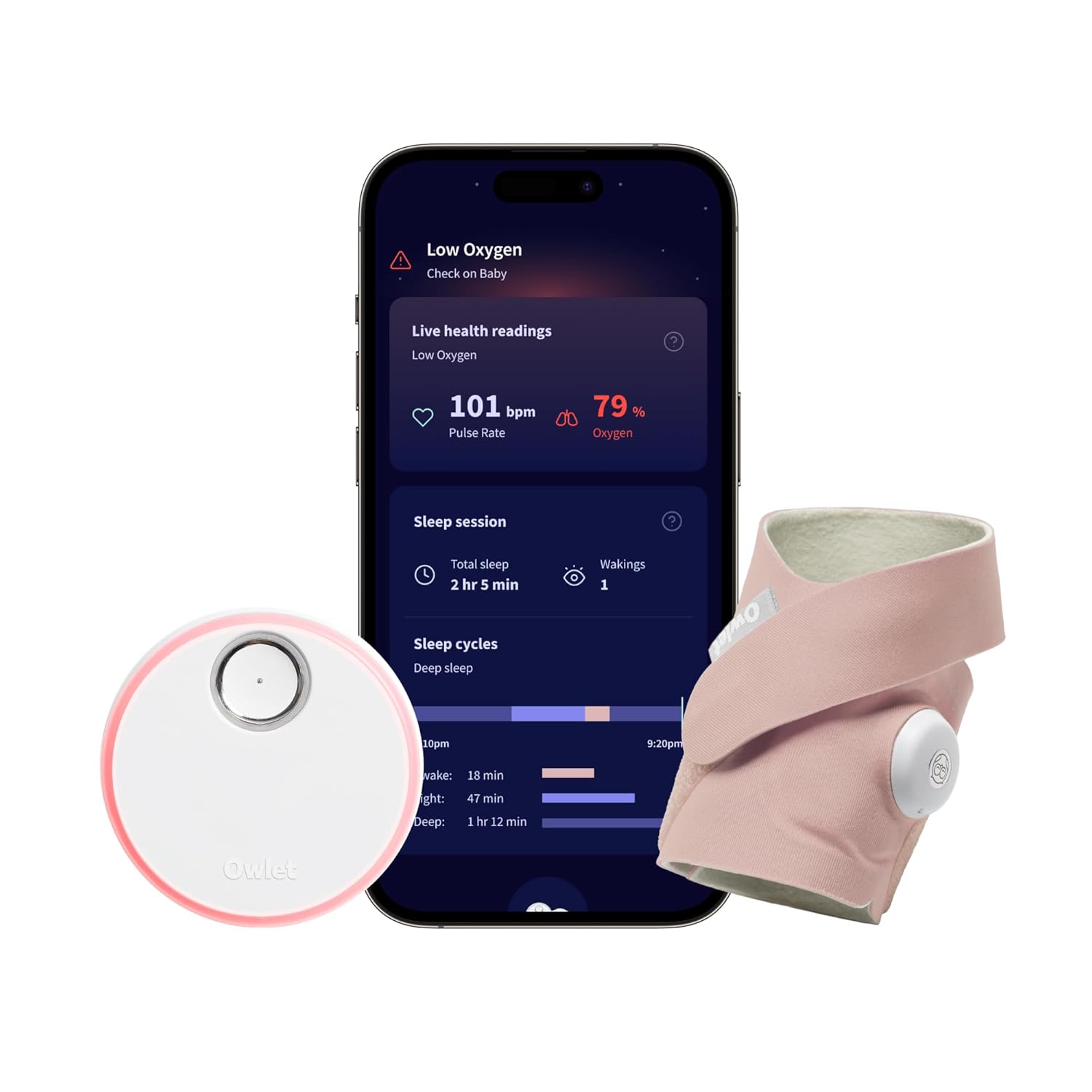
The Owlet Dream Sock® takes a completely different approach from the cameras on this list: instead of watching the crib, it’s a comfortable fabric sock that wraps around your baby’s foot and tracks pulse rate and oxygen levels while they sleep, sending live readings and sleep-state insights to your phone. It’s the top pick for parents who want wearable wellness data rather than — or in addition to — a video feed. (Owlet also sells a Dream Duo bundle that pairs this sock with an HD camera if you want both.)
The sock is designed for healthy infants roughly 1-18 months (6-30 lbs), has about a 16-hour battery, and connects via Bluetooth and 2.4 GHz WiFi to a base station that glows and chimes when readings move outside the preset zones. The app shows live pulse and oxygen readings plus sleep cycles and wakings. Core live readings and notifications work with no subscription; an optional Owlet360 plan adds deeper trends and reports.
Two things to keep front of mind. First, this is a consumer wellness product, not a medical device — it’s intended to give parents information and reassurance, not to diagnose, treat, or prevent any medical condition, and it doesn’t replace safe-sleep guidance from your pediatrician. Second, some parents find the readings and occasional false alerts more anxiety-inducing than calming. But for those who specifically want wearable sleep and vitals insight, Owlet is the best-known and best-supported option, with 256-bit encryption protecting the data.
Pros:
- Wearable sock tracks pulse rate and oxygen during sleep
- Live readings and sleep-state insights in the app
- Base station alerts when readings leave preset zones
- Core features work with no subscription
- 256-bit encryption on your baby’s data
Cons:
- A wellness device only — not medical equipment, and not a substitute for pediatric advice
- Sized for infants ~6-30 lbs; occasional false alerts
- No video (pair with a camera or the Dream Duo bundle)
5. eufy Baby Monitor E20 — Best Budget / Hybrid WiFi
Price: ~$100
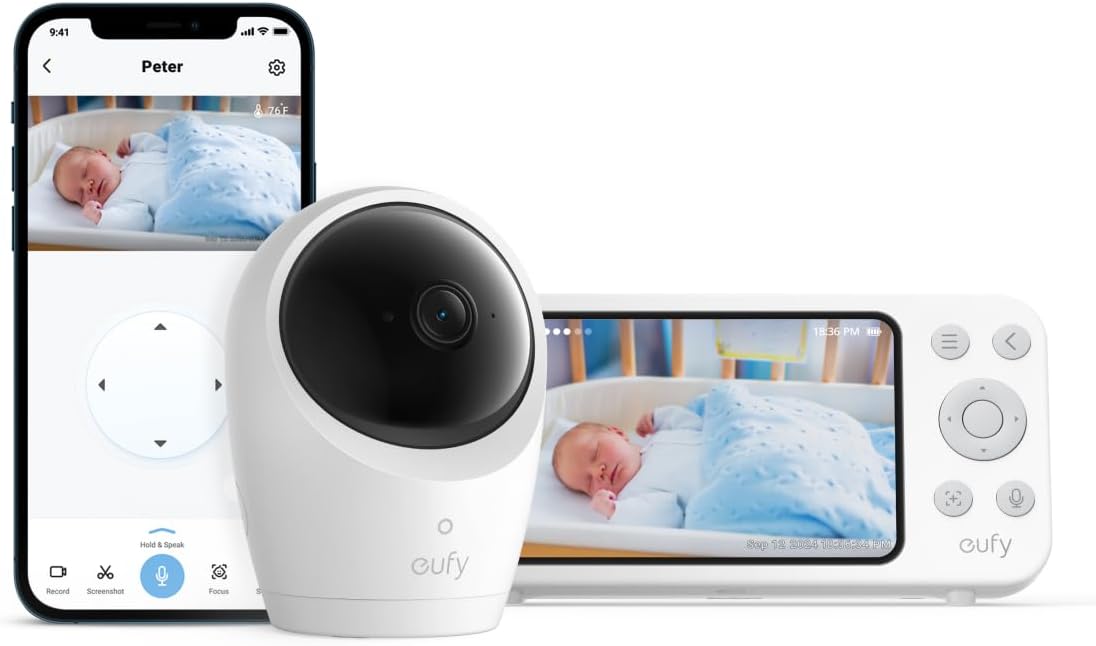
The eufy Baby Monitor E20 is the smartest value on this list because it refuses to make you choose between a dedicated screen and app monitoring — it does both. Its hybrid connection lets you watch on the included 5-inch parent-unit screen with no internet at all, or connect over WiFi to check in from your phone when you’re away. That flexibility, at around $100, is genuinely rare and makes it our top budget pick.
You get sharp 2K-resolution video, a motorized pan/tilt camera that rotates to sweep the room or follow your phone taps, 4x zoom, solid night vision, and a built-in rechargeable battery in the camera. It also does 24/7 recording and smart alerts (with eufy’s ANR noise reduction). For nervous first-time parents who want the reassurance of a screen on the nightstand but the freedom of an app, it’s a smart, affordable middle ground.
The trade-offs are what you’d expect at the price: the app and ecosystem aren’t as deep as premium brands, there’s no breathing or vitals tracking, and the parent unit is functional rather than fancy. But for a capable 2K monitor that works both offline and online for around $100, the E20 is hard to beat — and the hybrid design is a real privacy advantage since you can keep it fully offline if you prefer.
Pros:
- Hybrid WiFi + no-WiFi dedicated screen (use either)
- Sharp 2K video with motorized pan/tilt and 4x zoom
- Included 5-inch parent unit and in-camera battery
- 24/7 recording and smart alerts
- Excellent value at around $100
Cons:
- No breathing or vitals tracking
- App and ecosystem less deep than premium brands
- Basic parent-unit interface
6. VTech RM5766-2HD Smart Wi-Fi 2-Camera — Best with a Dedicated Screen
Price: ~$160
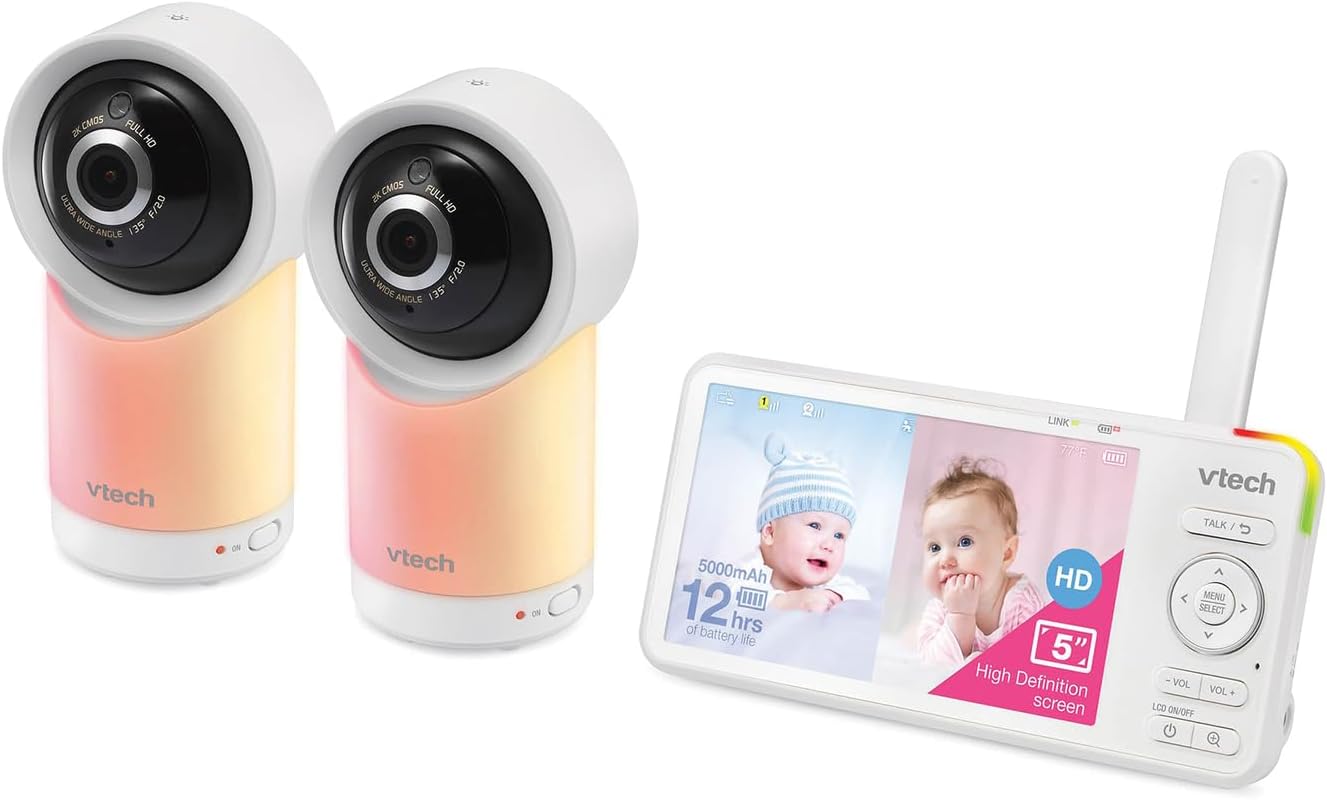
The VTech RM5766-2HD is the pick for parents who want a proper handheld screen but still like the option of an app — and who need to watch two rooms or two kids at once. It ships with two 1080p pan/tilt cameras and a dedicated 5-inch HD parent-unit display, so you always have a reliable, low-latency view on the nightstand without touching your phone. When you’re out, VTech’s Smart WiFi app gives you remote access to the same feeds.
Each camera pans a full 360 degrees and tilts 100 degrees, with up to 30x zoom in the app, automatic infrared night vision, a soothing night light, and two-way talk. The parent unit runs up to about 15 hours on a charge and can display both cameras, which is ideal for twins, siblings, or covering a crib and a play area.
The compromises: there’s no breathing or sleep tracking here, the app isn’t as polished as Nanit’s or Cubo’s, and it’s more of a classic “video baby monitor plus WiFi” than a data-rich smart platform. But the dedicated screen is a real privacy and reliability advantage — it keeps working even if your WiFi hiccups — and a two-camera system at this price is excellent value. For parents who want a screen first and app second, it’s the standout.
Pros:
- Two 1080p pan/tilt cameras plus a 5-inch HD parent screen
- Reliable dedicated display works even without WiFi
- Optional app for remote viewing when away
- 360-degree pan, 100-degree tilt, 30x app zoom, night light
- Great value for a dual-camera system
Cons:
- No breathing, vitals, or sleep tracking
- App is less refined than premium camera brands
- Larger footprint with two cameras and a parent unit
Smart Baby Monitor Comparison Table
| Monitor | Price | Best For | Connection | Video | Sleep/Breathing Tracking | Parent Screen | Subscription |
|---|---|---|---|---|---|---|---|
| Nanit Pro Smart Baby Monitor & Wall Mount | ~$300 | Best overall | WiFi / app | 1080p HD | Sensor-free breathing motion + sleep | No (app) | Optional (deep insights) |
| Cubo Ai Plus Smart Baby Monitor | ~$200 | AI safety alerts | WiFi / app | 1080p HD | Sleep reports + AI face/rollover alerts | No (app) | Optional (1 yr incl.) |
| Miku Pro Smart Baby Monitor | ~$400 | Contactless breathing | WiFi / app | 1080p HD | Contactless breathing + sleep | No (app) | Optional (analytics) |
| Owlet Dream Sock® Smart Baby Monitor | ~$300 | Wearable sleep tracker | Bluetooth + WiFi / app | None (wearable) | Pulse rate + oxygen + sleep | Base station | Optional (Owlet360) |
| eufy Baby Monitor E20 | ~$100 | Budget / hybrid | Hybrid WiFi + no-WiFi | 2K | None | Yes (5-in.) | None |
| VTech RM5766-2HD Smart Wi-Fi 2-Camera | ~$160 | Dedicated screen | WiFi + dedicated screen | 1080p (2 cams) | None | Yes (5-in.) | None |
Prices fluctuate; check the current listing for the latest pricing.
Smart Baby Monitor Buying Guide
Choosing a baby monitor is less about the biggest spec sheet and more about how you want to watch your baby, how much you’ll worry either way, and what you’re comfortable putting on your home network. Here’s what actually matters.
WiFi Monitor vs. Dedicated-Screen Monitor (Read This First)
This is the single most important choice, because it shapes everything else — convenience, privacy, and reliability. There are three approaches:
- WiFi / app-only (Nanit Pro, Cubo Ai Plus, Miku Pro): the camera connects to your home WiFi and you watch on your phone from anywhere. You get the smartest features — sleep tracking, AI alerts, remote check-ins from work — but the feed travels over the internet, so security and a solid connection matter.
- Dedicated-screen (the parent unit on the VTech RM5766-2HD): a handheld screen talks directly to the camera over its own radio link, with no internet involved. It’s the most private and the most reliable in a WiFi dead zone, but you can’t check in remotely unless the model also has an app.
- Hybrid (eufy E20, and VTech’s app mode): you get both — a dedicated screen for at-home peace of mind plus WiFi/app access for when you’re away. This is the most flexible, and it lets privacy-minded parents keep the monitor fully offline if they choose.
If you value remote check-ins and smart sleep data, go WiFi. If you want maximum privacy and rock-solid reliability, a dedicated screen (or a hybrid you can keep offline) is the safer bet.
Camera Resolution and Night Vision
Resolution determines how much detail you can make out, especially when you zoom. 1080p HD is the sweet spot and covers most picks here; the eufy E20’s 2K adds extra sharpness for the price. Don’t over-index on the number, though — a good 1080p sensor with a quality lens beats a mediocre higher-resolution one.
Night vision is non-negotiable, since you’re mostly watching in a dark nursery. Every camera here uses infrared for clear black-and-white night viewing. A nice bonus on some models (like the Cubo Ai Plus) is night vision with no glowing red light, which won’t disturb a light sleeper.
Sleep and Breathing Tracking (What It Is — and Isn’t)
This is where “smart” monitors go beyond a camera, and it’s also where you should set expectations carefully. These are consumer wellness and convenience features that give you information — they are not medical devices, they don’t diagnose or prevent anything, and they don’t replace safe-sleep practices or your pediatrician’s guidance. With that framing, there are three common approaches:
- Sensor-free / camera-based (Nanit Pro): the camera reads breathing movement and tracks sleep with nothing electronic on the baby.
- Contactless radio sensing (Miku Pro): built-in sensors track breathing motion and sleep through blankets, no wearable at all.
- Wearable (Owlet Dream Sock®): a fabric sock tracks pulse rate and oxygen levels and sends live readings.
All three can be reassuring and produce genuinely interesting sleep data. Just choose based on what you’re comfortable with — some parents love a wearable’s live readings, while others find that camera-based, wearable-free tracking causes less second-guessing.
Two-Way Audio and Alerts
Two-way talk turns the monitor into an intercom so you can soothe your baby with your voice before deciding whether to go in — every pick here has it. Alerts are what make a monitor proactive: cry detection, sound and motion notifications, temperature and humidity warnings, and AI alerts for a covered face or rollover (Cubo Ai Plus). Look for customizable alerts so you’re notified about what matters to you without being buzzed constantly.
The App and Ecosystem
If you’re going WiFi, the app is your whole experience, so its quality matters. Nanit and Cubo have the most polished, feature-rich apps; VTech and eufy are more functional. Consider family sharing too — Cubo, for example, supports permission-based access for up to seven people, handy for two parents plus grandparents or a nanny. Some monitors also work with Alexa or Google Home to pull the feed up on a smart display.
Privacy and Security (Encryption Matters)
A WiFi camera pointed at your child’s crib is exactly the kind of device you want locked down. Prioritize monitors with strong encryption and two-factor authentication — the Miku Pro (crypto chip, dual-layer encryption, 2FA), Cubo Ai Plus (CTIA Cybersecurity Certified, 256-bit encryption, 2FA), and Owlet (256-bit encryption) all take this seriously. Always change the default password, enable two-factor login, and keep firmware updated. And remember the privacy trump card: a dedicated-screen or hybrid monitor you keep offline (VTech’s parent unit, the eufy E20 in local mode) never puts the feed on the internet at all. For a broader look at keeping connected cameras private, our best smart indoor security cameras guide digs into encryption and local storage in depth.
Subscription Costs
The sticker price isn’t always the whole cost. Several monitors reserve their smartest features — deep sleep analytics, longer video history — for an optional subscription:
- Nanit offers rich sleep insights via a paid Insights plan (live video and alerts work without it).
- Cubo Ai includes one year of Cubo Ai Care; advanced AI and analytics continue on a plan after that.
- Miku and Owlet keep core monitoring free, with optional memberships (Miku membership, Owlet360) for deeper trends and storage.
- eufy and VTech charge no subscription at all — everything works out of the box.
Decide up front whether the premium data is worth an ongoing fee for you. If not, a no-subscription monitor like the eufy E20 or VTech RM5766-2HD delivers full core functionality at $0/month.
Frequently Asked Questions
Are smart baby monitors safe to rely on, and can they prevent SIDS?
No baby monitor — smart or otherwise — should be treated as a medical or safety guarantee, and none of the devices here are marketed to prevent any medical condition. They are consumer wellness and convenience products that give you video, sleep information, and alerts. They do not replace safe-sleep practices (a firm, flat, empty crib and back sleeping) or advice from your pediatrician. Use them for the reassurance and information they provide, not as a substitute for supervision or medical guidance. If you have any health concern about your baby, talk to your pediatrician.
WiFi baby monitor or a dedicated-screen one — which is better?
It depends on what you value. WiFi/app monitors (Nanit Pro, Cubo Ai Plus, Miku Pro) let you check in from anywhere and offer the smartest features like sleep tracking and AI alerts. Dedicated-screen monitors (the VTech RM5766-2HD’s parent unit) are more private and more reliable in WiFi dead zones but usually can’t be viewed remotely. Hybrid models like the eufy Baby Monitor E20 give you both, and let privacy-minded parents keep the monitor offline. For most tech-comfortable parents, a WiFi or hybrid monitor is the sweet spot.
Do these monitors require a monthly subscription?
Not necessarily. The eufy Baby Monitor E20 and VTech RM5766-2HD work fully with no subscription. Nanit, Cubo Ai, Miku, and Owlet all provide core monitoring for free, but reserve their deepest analytics, AI features, and longer video history for an optional plan (Cubo includes one year to start). Check what the free tier covers before you buy so there are no surprises.
Which baby monitor tracks breathing without a wearable?
Two here do it wearable-free. The Miku Pro uses contactless sensor technology to track breathing motion and sleep through blankets, with nothing on the baby. The Nanit Pro tracks breathing movement and sleep using its overhead camera and a plain fabric Breathing Band (no electronics on the baby). Both are wellness/information features, not medical breathing monitors. If you prefer a wearable that also reports pulse and oxygen, the Owlet Dream Sock® is the alternative.
How do I keep a WiFi baby monitor secure?
Treat it like any camera on your network. Choose a monitor with strong encryption and two-factor authentication — the Cubo Ai Plus, Miku Pro, and Owlet all emphasize this. Then change the default password to a strong unique one, enable two-factor login, keep the firmware updated, and only share access with people you trust. If maximum privacy matters most, a dedicated-screen monitor like the VTech RM5766-2HD or the eufy E20 kept in offline mode never sends the feed over the internet. A secure home network helps too — our best WiFi mesh system for a smart home guide covers keeping devices reliably and safely connected.
The Bottom Line
A smart baby monitor is the rare purchase where there’s a great option at every budget and for every parenting style. For most families, the Nanit Pro Smart Baby Monitor & Wall Mount is the best all-around choice — a gorgeous overhead crib view, the most useful sleep data, and a polished app. If you want the camera to actively flag a covered face or rollover, the Cubo Ai Plus and its AI alerts are the standout, while the Miku Pro delivers contactless breathing tracking with nothing on your baby.
Prefer a wearable that reports pulse and oxygen? The Owlet Dream Sock® is the best-known option — just remember it’s a wellness device, not medical equipment. And if you’re watching your budget or your privacy, the eufy Baby Monitor E20 gives you a hybrid 2K monitor with a screen and an app for around $100, while the VTech RM5766-2HD is the best pick for parents who want a reliable dedicated screen and a two-camera setup for twins or two rooms.
Whichever you choose, pair it with safe-sleep basics and your pediatrician’s guidance — the monitor is there for information and peace of mind, not to replace either. And if you’re building out the rest of a connected home, our guides to the best smart indoor security cameras and thoughtful smart home gifts for mom will help you round things out.