Quick Picks
Short on time? Here are the best smart deadbolts under $200 right now, every one verified on Amazon and confirmed under the price ceiling:
- Yale Assure Lock 2 with Wi-Fi & Keypad ($189) — Best overall
- Aqara Smart Lock U100 ($150) — Best for Apple HomeKit
- Kwikset Halo Touch Fingerprint Wi-Fi ($143) — Best fingerprint with no hub
- ULTRALOQ U-Bolt Pro with WiFi Hub ($130) — Most entry methods
- Wyze Auto-Lock Bolt ($77) — Best budget fingerprint
- SwitchBot Smart Lock Pro ($63) — Best no-drill retrofit for renters
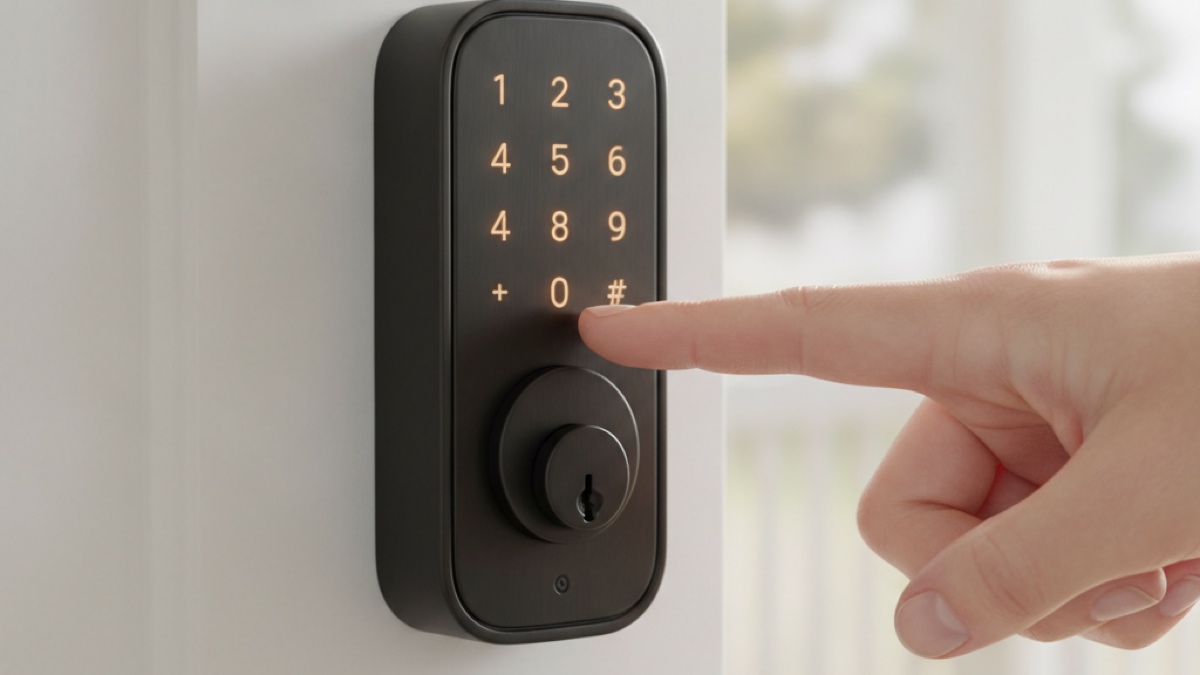
A smart deadbolt is the upgrade that finally retires the spare key under the doormat. You unlock with a code, a fingerprint, or your phone; you hand guests a temporary PIN instead of a key; and you stop wondering from the office whether you locked up this morning. The good news for 2026 is that you no longer have to spend $300+ to get there. The best smart deadbolts under $200 now include fingerprint readers, built-in Wi-Fi, Apple Home Key, and auto-lock — all features that were premium-only a couple of years ago.
The catch is that “under $200” is a real budget line, and crossing it changes what you get. The picks below hit the sweet spot: genuinely good locks that don’t ask you to overpay. If money is no object and you want ultra-wideband hands-free entry, commercial-grade build, or an invisible in-door design, our full best smart locks 2026 buyer’s guide covers the premium tier. This article stays focused: excellent deadbolts that cost less than $200.
Below you’ll find individual reviews, a comparison table, a plain-English buying guide (keypad vs. fingerprint vs. app, retrofit vs. full replacement, HomeKit/Alexa/Google, auto-lock, battery life, and what you give up under $200), and an FAQ.
How We Picked
We started from the products, not the article. Every deadbolt on this list was verified as currently listed on Amazon with a working product page and a confirmed price under $200 before it earned a spot. From there we prioritized a real spread of price and entry methods so there’s a clear answer for different homes: a sub-$100 budget pick, a no-drill retrofit for renters, a HomeKit option for Apple households, fingerprint readers for the families who want them, and a near-the-ceiling pick from a name-brand lock company. We also cut anything that was out of stock, discontinued, or — in one case — a fingerprint Yale model that crept over the $200 line.
Yale Assure Lock 2 with Wi-Fi & Keypad — Best Overall
Price: ~$189
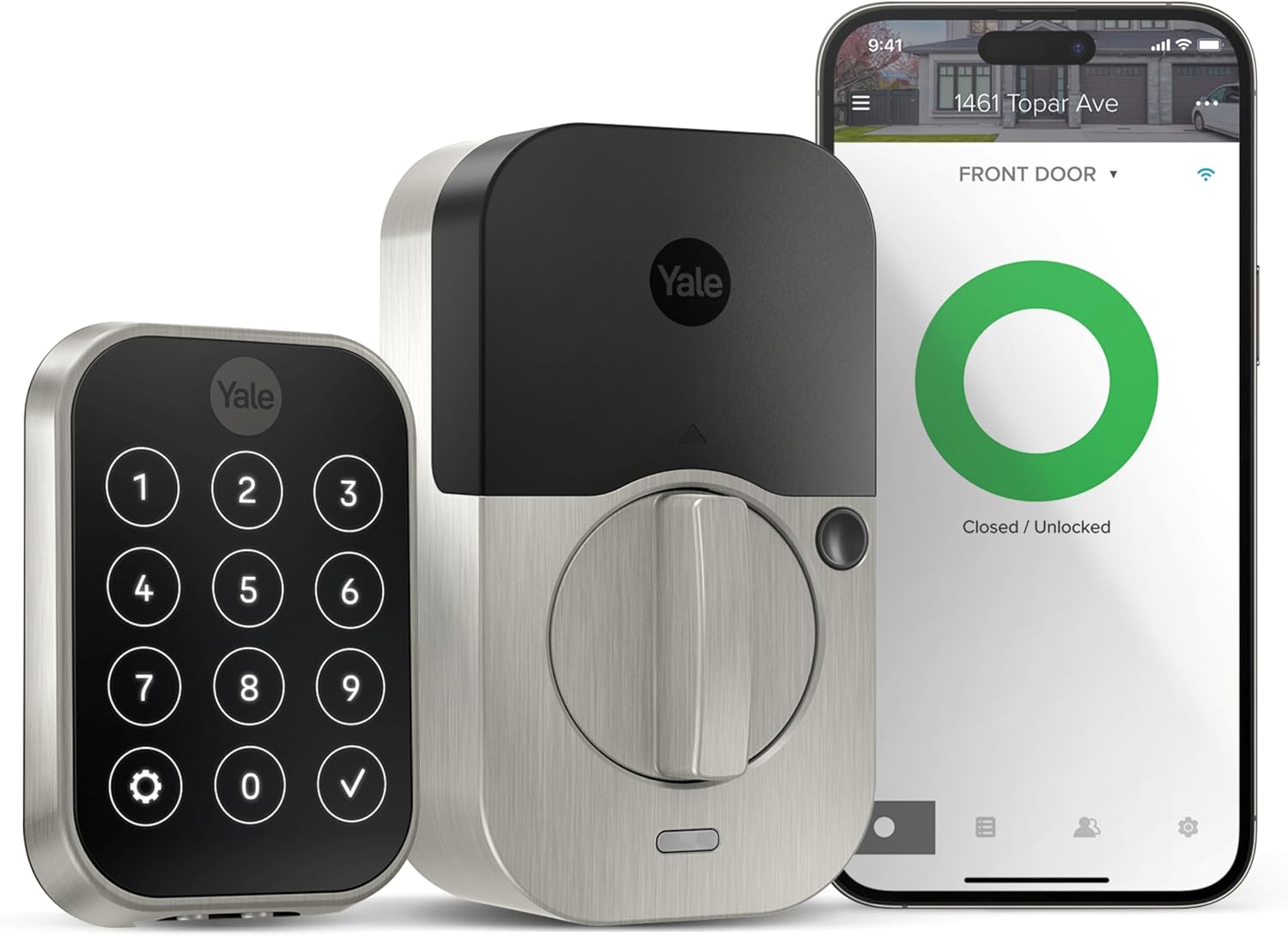
Yale is one of the oldest names in locks, and the Assure Lock 2 is the model that earns the brand a place under $200. This version (YRD450-WF1-619, satin nickel) includes built-in Wi-Fi, so you can lock, unlock, and check the door’s status from anywhere without a separate bridge or hub. The illuminated touchscreen keypad takes codes, the slim profile looks at home on a modern door, and it still accepts a physical backup key. What makes it our overall pick is the combination of a trusted brand, no-hub Wi-Fi, and a feature set that hits the essentials — app control, remote access, shareable scheduled codes, entry/exit history — without padding the price past the budget bracket.
Key features:
- Built-in Wi-Fi — no bridge or hub required
- Illuminated touchscreen keypad with code entry
- Physical backup keyway
- Shareable/scheduled access codes and activity history
- Works with the Yale Access app; Alexa and Google integrations available
Pros:
- Trusted, long-established lock brand
- No-hub Wi-Fi keeps the total cost down
- Clean, low-profile design
- Backup key for peace of mind
Cons:
- No fingerprint reader at this price (the Touch version with a fingerprint sensor crosses $200)
- Runs on AA batteries rather than rechargeable
- Larger smart-home ecosystems may want a hub for Matter
Verdict: If you want a well-rounded, name-brand smart deadbolt and you’re willing to spend right up to the $200 line, the Assure Lock 2 with Wi-Fi is the safe, satisfying choice. You give up the fingerprint sensor to stay under budget, but everything else is here.
Aqara Smart Lock U100 — Best for Apple HomeKit
Price: ~$150
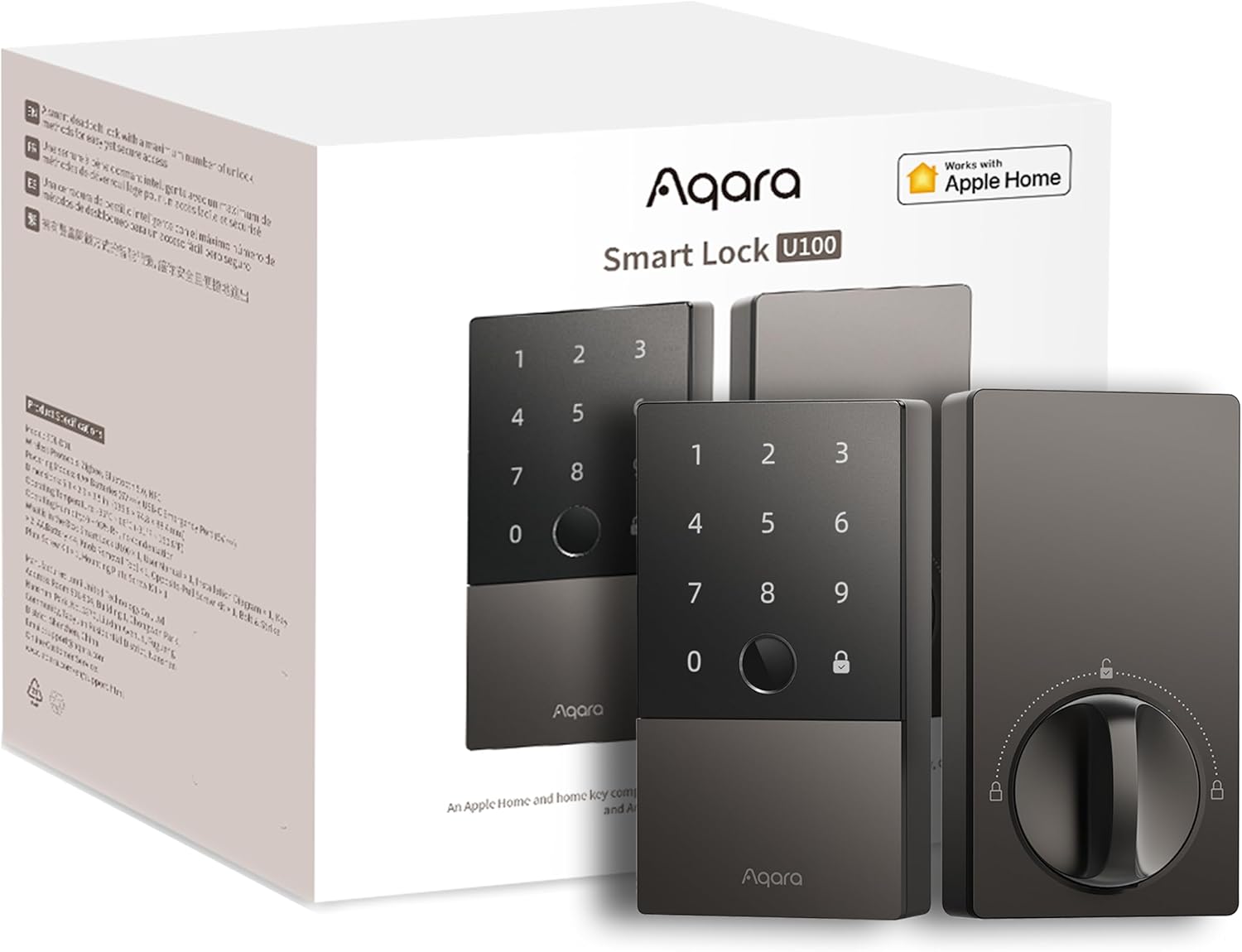
For Apple households, the Aqara U100 is the standout under $200. It supports Apple Home Key, so you can tap your iPhone or Apple Watch to the lock to get in — even drawing on the phone’s power reserve if the battery is nearly dead. On top of that you get a fingerprint reader, a touchscreen keypad, Bluetooth, and a physical backup key, so everyone in the household has a way in that suits them. It works with Apple HomeKit, Alexa, Google, and IFTTT, and the IP65 weatherproof rating holds up on an exposed front door. Apple users who’ve waited for a sub-$200 lock that does Home Key and fingerprint don’t have to compromise here.
Key features:
- Apple Home Key support (tap to unlock with iPhone/Apple Watch)
- Fingerprint reader plus touchscreen keypad
- IP65 weatherproof rating
- Works with Apple HomeKit, Alexa, Google, IFTTT
- Physical backup key
Pros:
- Best-in-class Apple integration at this price
- Multiple entry methods (Home Key, fingerprint, code, key)
- Weather-resistant for outdoor doors
- Fingerprint data is stored and encrypted locally
Cons:
- Full Matter/remote access benefits from an Aqara hub
- Bluetooth-based, so out-of-home control leans on the hub or HomeKit setup
- Runs on AA batteries
Verdict: If you live in the Apple ecosystem, this is the lock to buy under $200. Home Key plus a fingerprint sensor for around $150 is genuinely hard to beat.
Kwikset Halo Touch Fingerprint Wi-Fi Smart Lock — Best Fingerprint With No Hub
Price: ~$143
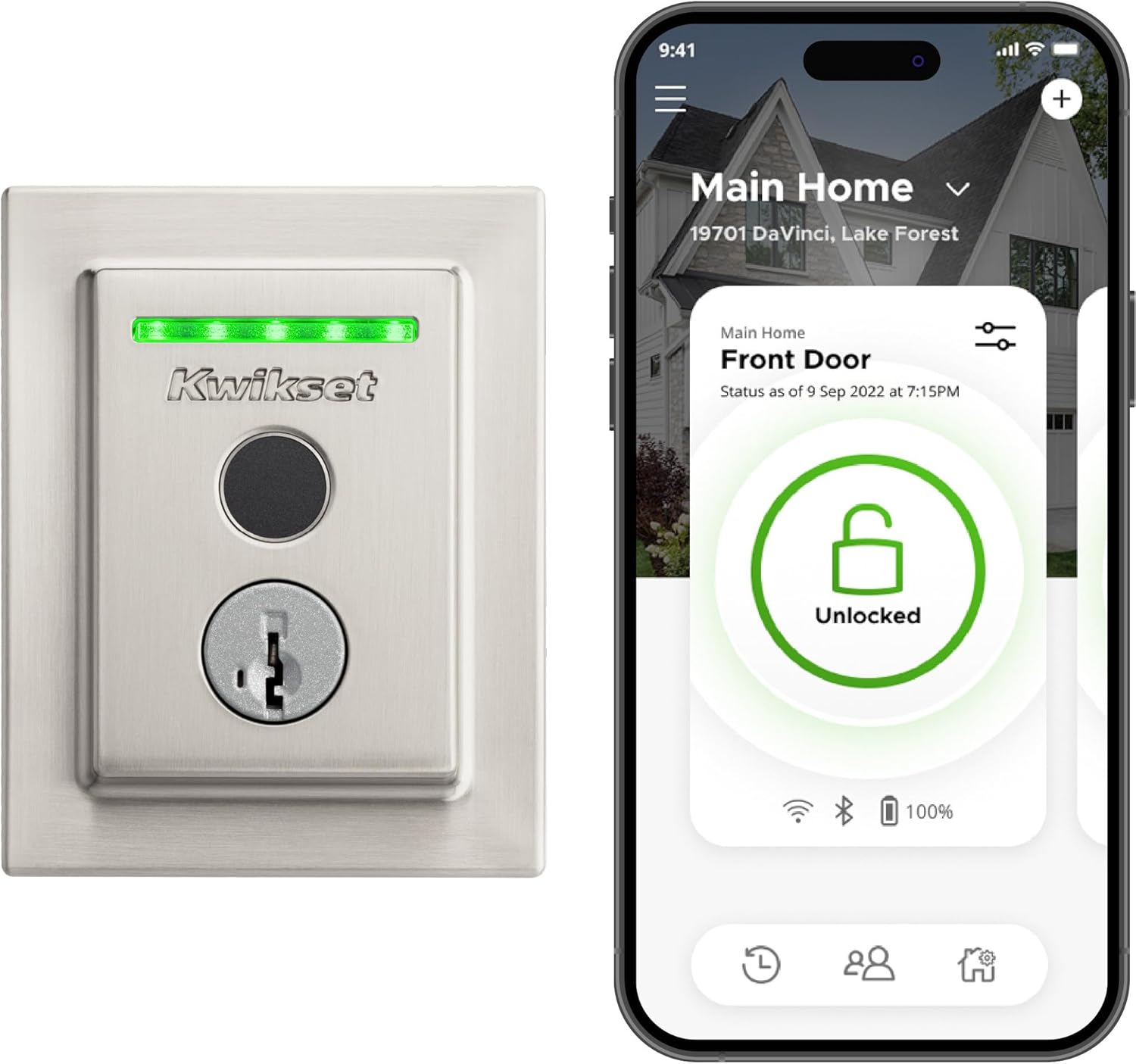
The Kwikset Halo Touch keeps things refreshingly simple: a fast fingerprint reader and built-in Wi-Fi, with no separate hub to buy or hide. Press your finger to the sensor and you’re in; from the Kwikset app you get remote lock/unlock, geofenced auto-unlock as you arrive, and status alerts from anywhere. It stores up to 100 fingerprints, so it scales to a full household. Because it skips a touchscreen keypad in favor of fingerprint-plus-key, the exterior is clean and low-profile, it carries a “Grade AAA” durability rating from Kwikset’s testing, and it includes a physical backup keyway. For biometric entry without managing codes or adding hardware, it’s the most straightforward pick on the list.
Key features:
- Fingerprint reader (stores up to 100 prints)
- Built-in Wi-Fi — no hub required
- Geofence auto-unlock via the Kwikset app
- Physical backup key
- Works with Alexa and Google Assistant
Pros:
- Fast, reliable fingerprint entry
- No hub to buy or set up
- Clean exterior with no keypad to wear out
- Easy DIY installation
Cons:
- No keypad means guests need the app or a key (no PIN option)
- No Apple Home Key support
- AA batteries rather than rechargeable
Verdict: If your priority is fingerprint entry with the least fuss and no extra hardware, the Halo Touch is the best fit under $200. Just know you’re trading the keypad for the fingerprint sensor.
ULTRALOQ U-Bolt Pro with WiFi Hub — Most Entry Methods
Price: ~$130
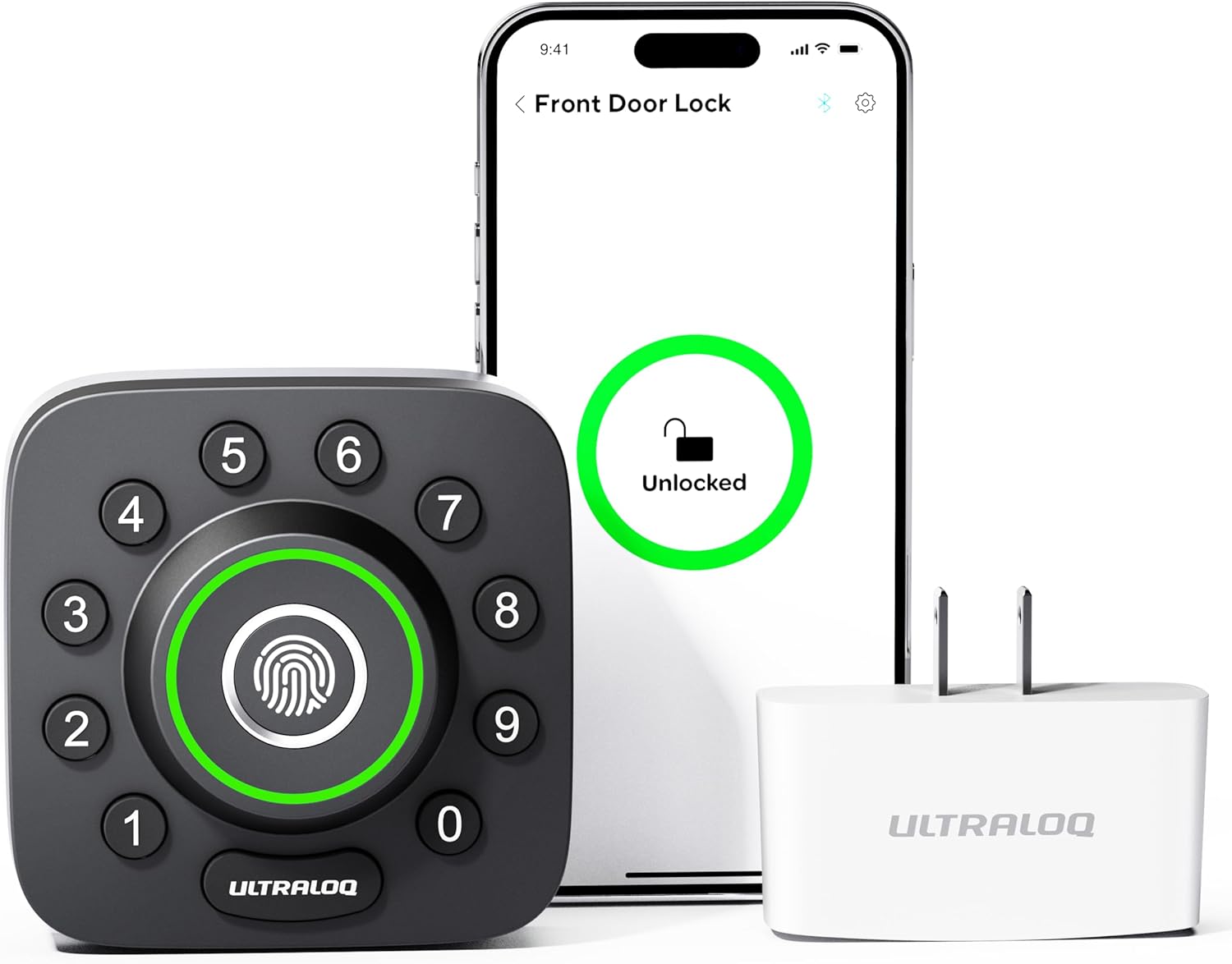
The ULTRALOQ U-Bolt Pro is the multi-tool of the bunch, billed as a 7-in-1 lock: fingerprint, keypad code, app control, Bluetooth, auto-unlock, knock-to-open, and a physical key. This bundle includes the WiFi Bridge, so you get remote control and notifications without buying it separately. The anti-peep keypad lets you pad your real PIN with random digits to throw off anyone watching, the fingerprint reader is quick, and ULTRALOQ rates it for around a year of battery life. If different people in your home prefer different ways in — kids on a PIN, you on a fingerprint, a guest on a temporary code — this lock covers everyone.
Key features:
- 7-in-1 entry: fingerprint, code, app, Bluetooth, auto-unlock, knock, key
- Includes the WiFi Bridge for remote access
- Anti-peep keypad
- IP65 weatherproof, up to ~1 year battery life
- Works with Alexa and Google Assistant
Pros:
- The widest range of entry methods on this list
- WiFi Bridge included (no separate purchase)
- Anti-peep keypad adds real-world security
- Strong battery life
Cons:
- No Apple Home Key support
- Slightly bulkier exterior than minimalist designs
- App experience is good, not best-in-class
Verdict: For households that want every possible way in covered, the U-Bolt Pro with the WiFi Bridge is the value play. Lots of features, a fair price, and nothing important left out.
Wyze Auto-Lock Bolt — Best Budget Fingerprint
Price: ~$77
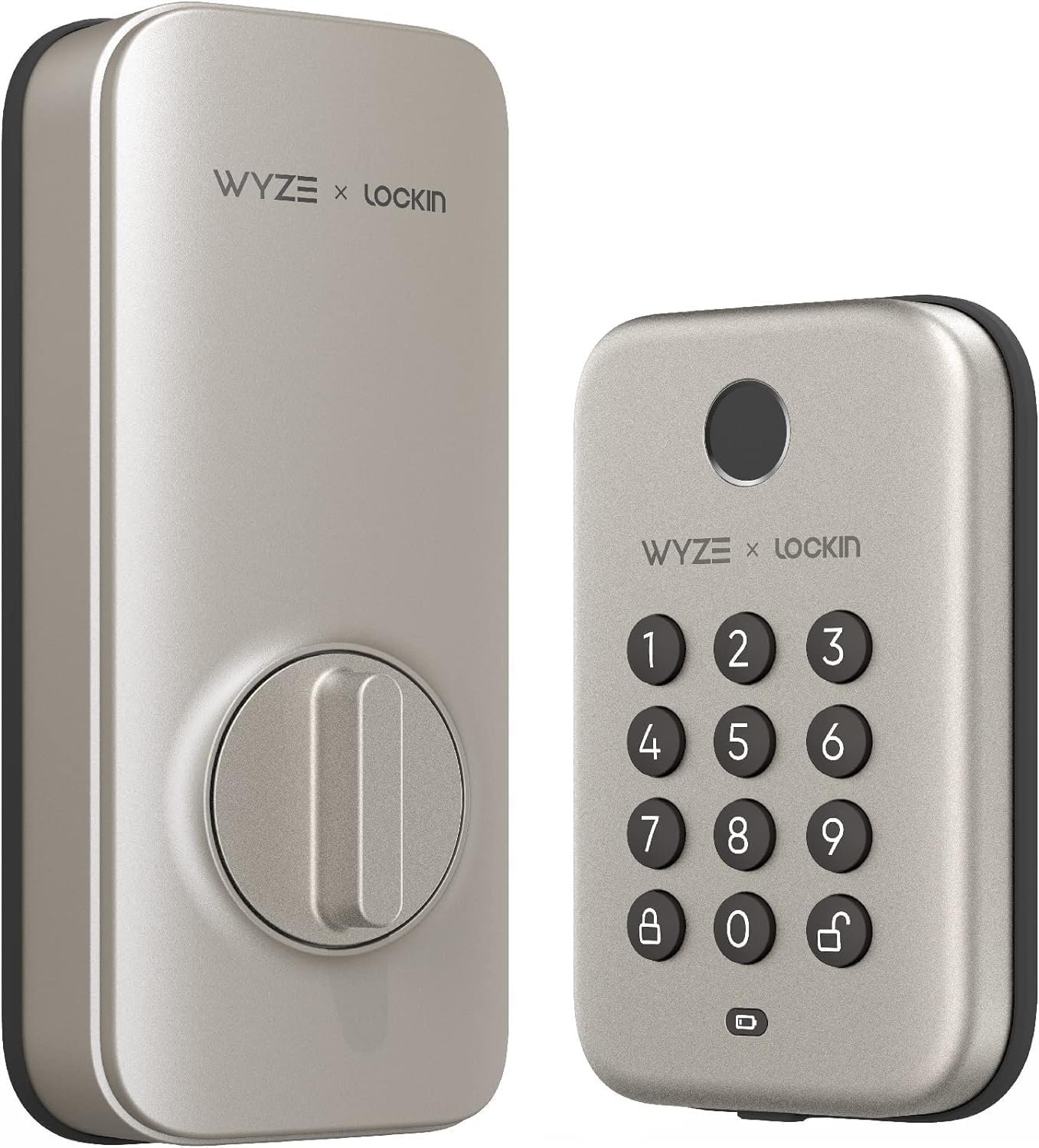
It’s genuinely surprising to get fingerprint entry on a real deadbolt for under $80, but that’s the Wyze Auto-Lock Bolt. You get a fingerprint sensor, a backlit keypad for codes, and auto-lock so the door secures itself behind you. Wyze keeps the cost down by making it a Bluetooth lock — there’s no built-in Wi-Fi — so remote control from outside the house is limited, but day-to-day entry is fast and keyless. The deadbolt and keypad are separate pieces (keypad outside, lock body inside), and it’s rated IPX5 for weather resistance. For dipping a toe into smart locks without spending much, or for a second keyless door, this is the easiest yes on the list.
Key features:
- Fingerprint unlock plus backlit keypad
- Auto-lock after entry
- IPX5 weatherproof keypad
- In-app history and scheduled access (via Bluetooth)
- Easy DIY installation
Pros:
- Fingerprint entry at an unbeatable price
- Auto-lock built in
- Simple installation
- Affordable enough to put on a second door
Cons:
- Bluetooth only — no built-in Wi-Fi for true remote control
- Plastic-forward construction feels less premium
- No Apple Home Key or Matter support
Verdict: The best way to get fingerprint entry on a budget. As long as you don’t need to control the lock from across town, the Auto-Lock Bolt delivers the core smart-lock experience for less than half the price of the others here.
SwitchBot Smart Lock Pro — Best No-Drill Retrofit for Renters
Price: ~$63
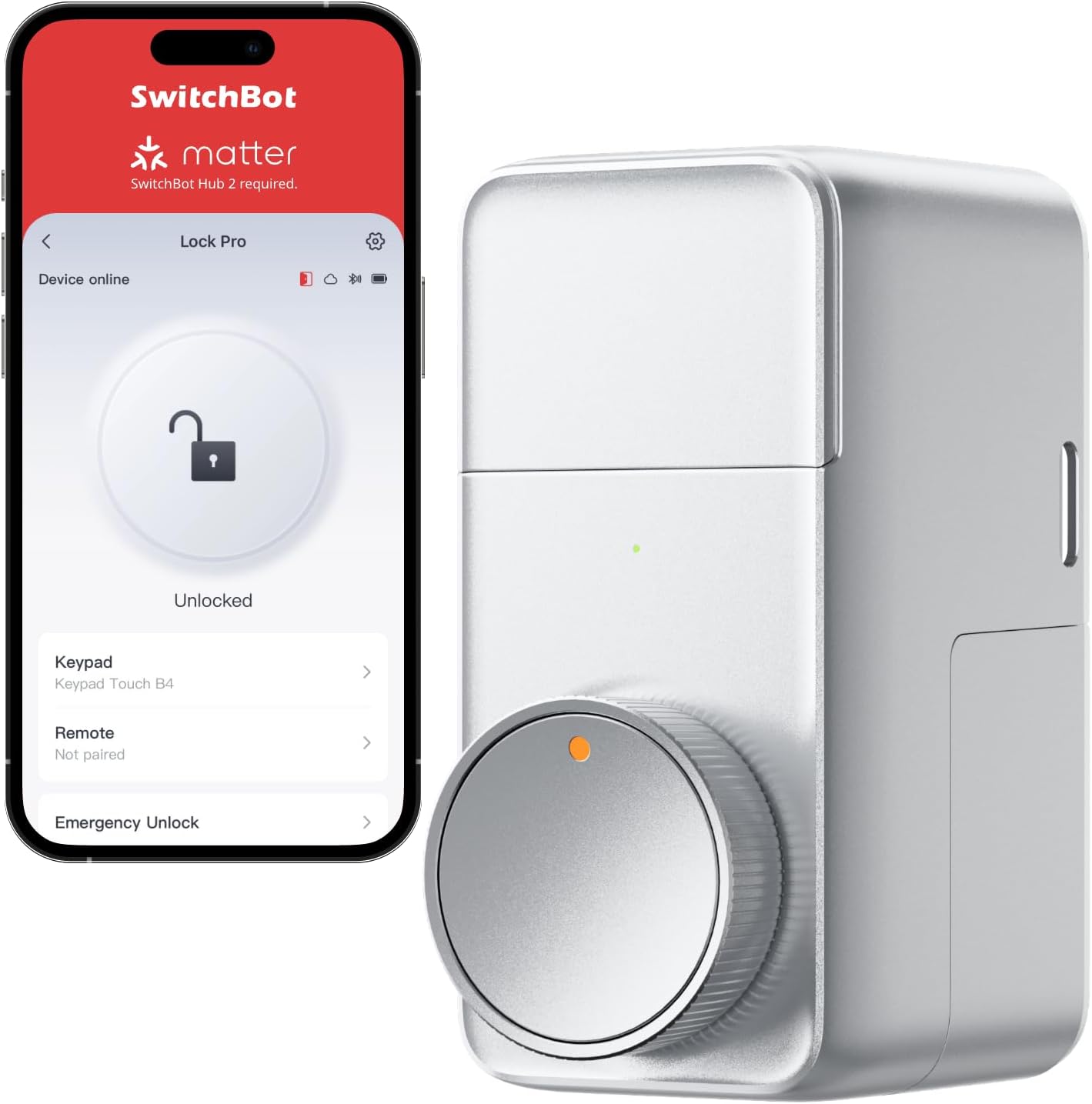
If you rent — or just don’t want to replace your existing hardware — the SwitchBot Smart Lock Pro is the answer. Instead of swapping out your deadbolt, it mounts over the inside thumb-turn and twists it for you. Installation is no-drill and reversible (usually with included adhesive), so you can take it with you when you move and leave no marks behind, with the exterior of the door untouched. It runs on Bluetooth out of the box with auto-lock and app control; add a SwitchBot Hub (sold separately) and you unlock remote access plus Matter, Siri, Alexa, and Google. It’s the cheapest pick here and the only true retrofit — the obvious choice for apartments, dorms, and short-term rentals.
Key features:
- No-drill retrofit — installs over your existing deadbolt thumb-turn
- Reversible install, keeps your existing keys working
- Auto-lock and app control over Bluetooth
- Add SwitchBot Hub for remote access, Matter, and Siri/Alexa/Google
- Pairs with a SwitchBot Keypad (sold separately) for PIN entry
Pros:
- Perfect for renters — no permanent changes
- Lowest price on the list
- Keeps your existing keys and exterior hardware
- Expandable with hub and keypad accessories
Cons:
- Needs the separate hub for remote/Matter features
- Keypad and hub are extra purchases for the full experience
- Bulkier interior unit than a built-in deadbolt
Verdict: The renter’s pick, full stop. For around $63 you get keyless, app-controlled, auto-locking entry without touching your landlord’s hardware — and you can grow it with accessories later.
Smart Deadbolt Comparison (All Under $200)
| Lock | Price | Fingerprint | Keypad | Built-in Wi-Fi | Apple Home Key | Install Type |
|---|---|---|---|---|---|---|
| Yale Assure Lock 2 (Wi-Fi & Keypad) | ~$189 | No | Yes | Yes | No | Full replacement |
| Aqara Smart Lock U100 | ~$150 | Yes | Yes | Via hub | Yes | Full replacement |
| Kwikset Halo Touch | ~$143 | Yes | No | Yes | No | Full replacement |
| ULTRALOQ U-Bolt Pro (w/ Hub) | ~$130 | Yes | Yes | Yes (bridge incl.) | No | Full replacement |
| Wyze Auto-Lock Bolt | ~$77 | Yes | Yes | No (Bluetooth) | No | Full replacement |
| SwitchBot Smart Lock Pro | ~$63 | Via keypad | Add-on | Via hub | Via hub/Matter | No-drill retrofit |
Prices are what we confirmed on Amazon at the time of writing and will fluctuate; tap any “Check Latest Price” button above for the current number.
Buying Guide: How to Choose a Smart Deadbolt Under $200
Keypad vs. Fingerprint vs. App — Pick Your Entry Method
The biggest decision is how you’ll actually get in the door. Each method has a place:
- Keypad (PIN code): The most universal. Anyone you give a code to can get in, and you can set codes to expire. The downside is codes can be shoulder-surfed (anti-peep keypads like the ULTRALOQ’s help).
- Fingerprint: The fastest and most convenient for the people who live there — no code to remember, no phone to pull out. Great for adults; less reliable for very young kids or in freezing/wet conditions. The Wyze, Kwikset, ULTRALOQ, and Aqara picks all include it.
- App / phone: Best for remote control — letting in a guest while you’re at work, checking the door, getting alerts. Requires Wi-Fi or a hub for true out-of-home access; Bluetooth-only locks (Wyze, base SwitchBot) limit this to when you’re nearby.
Most of the best smart deadbolts under $200 combine two or three of these. Decide which one you’ll use 90% of the time, then make sure your pick nails it.
Retrofit vs. Full Replacement
There are two install paths, and your living situation usually decides for you:
- Full replacement locks (Yale, Aqara, Kwikset, ULTRALOQ, Wyze) swap out your entire deadbolt — a 20–30 minute job with a screwdriver. You get a clean, integrated exterior keypad or fingerprint reader, but it changes the look of your door and isn’t ideal if you don’t own the place.
- Retrofit locks (SwitchBot Lock Pro) leave your deadbolt in place and motorize the inside thumb-turn. No drilling, fully reversible, exterior untouched — built for renters. The trade-off is a bulkier interior unit and add-on accessories (keypad, hub) for the full feature set.
HomeKit, Alexa, and Google — Match Your Ecosystem
Buy the lock that fits the smart-home platform you already use:
- Apple (HomeKit / Home Key): The Aqara U100 is the clear under-$200 pick, with tap-to-unlock Home Key support. If Apple integration matters to you broadly, our Apple HomeKit best devices guide covers the rest of the ecosystem.
- Alexa / Google: Nearly every lock here works with both for voice status checks and (where supported) voice locking. Yale, Kwikset, and ULTRALOQ all integrate cleanly.
- Matter: The SwitchBot (with hub) and Aqara (with hub) support Matter, the cross-platform standard that future-proofs your setup. At this price, full Matter support usually means adding a hub.
A lock is one piece of a larger picture. If you’re building out entry-point security, our DIY smart home security system guide shows how a deadbolt fits alongside cameras, sensors, and a doorbell.
Auto-Lock and Battery Life
Auto-lock is the feature you’ll appreciate most after a week — the door re-locks itself a set time after it closes, so “did I lock up?” stops being a worry. Every lock here offers it in some form; the Wyze even puts it in the product name.
Battery life varies by entry style. AA-powered keypad-and-fingerprint locks (Yale, Aqara, Kwikset) typically last 6–12 months, and the ULTRALOQ is rated around a year. None of the sub-$200 picks use a rechargeable battery pack — that’s a premium-tier feature. Budget roughly $10–15 a year for AAs. Every lock warns you well in advance when batteries run low, and most include a backup key or a way to jump-power the lock if you ignore the warnings.
What You Give Up Under $200 vs. Premium
Staying under $200 is the right move for most people, but the premium tier ($250–$400) adds a few things:
- Ultra-wideband (UWB) hands-free unlock — the door senses your phone and opens as you walk up.
- Rechargeable battery packs instead of disposable AAs.
- Invisible / in-door designs (like Level) that leave the exterior unchanged.
- Commercial-grade (BHMA Grade 1) build on more models; budget locks more often land at Grade 2/3, which still exceeds many traditional locks.
If any of those are dealbreakers, read our full best smart locks 2026 guide. For everyone else, the locks above deliver what matters — keyless entry, remote awareness, and shareable access — without the premium price.
Install Difficulty
Be honest about your comfort level:
- Easiest: The SwitchBot retrofit (no drilling) and the Wyze (straightforward swap) are genuine 15-minute jobs.
- Moderate: Yale, Aqara, Kwikset, and ULTRALOQ replace the full deadbolt. If you can install a basic deadbolt, you can install these. Before buying, measure your door thickness (most fit 1-3/8” to 1-3/4”) and backset (door edge to bolt-hole center — usually 2-3/8” or 2-3/4”).
- Watch-outs: Don’t over-tighten screws (the #1 cause of motor problems), and run the calibration step so the lock learns its locked and unlocked positions.
Frequently Asked Questions
Are smart deadbolts under $200 actually secure?
Yes. The mechanical bolt in a sub-$200 smart lock is the same kind that secures a traditional lock, and most carry recognized durability ratings (ANSI/BHMA Grade 2 or 3, with some hitting Grade 1). The digital side uses encryption for app and Bluetooth communication. The most common real-world weakness isn’t the lock — it’s weak app passwords and access codes that never get changed. Use a strong, unique password, enable two-factor authentication, and audit who has codes every few months.
Can I install a smart deadbolt myself?
For nearly all of these, yes. Full-replacement locks take about 20–30 minutes with a screwdriver if you can install a normal deadbolt. The SwitchBot retrofit is even easier — it mounts over your existing lock with no drilling. Measure your door thickness and backset before buying to make sure your pick fits.
Which smart deadbolt is best for renters?
The SwitchBot Smart Lock Pro. It retrofits over your existing deadbolt without drilling, leaves the exterior of the door untouched, keeps your existing keys working, and is fully reversible when you move out. It’s also the cheapest pick here at around $63.
Do smart deadbolts work without Wi-Fi or the internet?
The lock itself always works locally — codes, fingerprints, and the physical key all function even if your internet is down. What you lose without Wi-Fi (or a hub) is remote control: unlocking the door or checking its status from outside the house. Bluetooth-only locks like the Wyze Auto-Lock Bolt and the base SwitchBot work when you’re nearby; for true remote access you need a built-in-Wi-Fi lock (Yale, Kwikset, ULTRALOQ) or a hub.
What happens to a smart deadbolt when the batteries die?
You’ll get repeated low-battery warnings, usually weeks ahead of time. If the batteries fully die anyway, most of these locks include a physical backup key, and several can be momentarily jump-powered (for example, by holding a 9V battery to external contacts) long enough to open the door. Pay attention to the warnings and you won’t get locked out.
Is a fingerprint lock better than a keypad lock?
It depends on who uses the door. Fingerprint entry is faster for the adults who live there, with nothing to remember. A keypad is more flexible for guests and helpers because you can hand out and revoke temporary codes without enrolling a fingerprint. Several picks here — the Aqara U100, ULTRALOQ U-Bolt Pro, and Wyze Auto-Lock Bolt — give you both.
The Bottom Line
You don’t need to spend $300 for a great smart deadbolt in 2026. For most people, the Yale Assure Lock 2 with Wi-Fi & Keypad ($189) is the best all-around pick. Apple households should grab the Aqara Smart Lock U100 ($150) for Home Key plus fingerprint, renters should go with the no-drill SwitchBot Smart Lock Pro ($63), and anyone who just wants fingerprint entry on a budget can’t beat the Wyze Auto-Lock Bolt ($77).
If you want premium features like UWB hands-free unlock, step up to our full best smart locks 2026 buyer’s guide. Otherwise, any lock here will retire your spare key for good without breaking $200.