Quick Picks
Short on time? Here are our top recommendations across every budget:
- ecobee Smart Thermostat Premium ($249) — Best overall
- Google Nest Thermostat ($130) — Best value
- Wyze Programmable Smart WiFi Thermostat ($60) — Best budget
- ecobee Smart Thermostat Enhanced ($170) — Best mid-range
- Honeywell Home T9 WiFi Smart Thermostat ($199) — Best for multi-room comfort
- Amazon Smart Thermostat ($80) — Best for Alexa homes
A good smart thermostat is one of the few smart home upgrades that pays for itself. According to the EPA’s ENERGY STAR program, a properly configured smart thermostat can trim roughly 8% off your annual heating and cooling costs — and brands routinely report real-world savings between 10% and 23% depending on your old habits. On top of the savings, you get remote control from your phone, automatic scheduling, and the kind of “set it and forget it” comfort that makes summer cooling and winter heating effortless.
The catch is that the smart thermostat market is crowded, and the right pick depends heavily on your wiring, your HVAC system, and which voice assistant you already use. That’s why we put together this guide: six thermostats we’ve verified are currently available, spanning from a $60 budget unit to a $249 premium flagship, so there’s a clear answer no matter your budget.
Below you’ll find individual reviews, a side-by-side comparison table, a plain-English buying guide (C-wire, HVAC compatibility, geofencing, rebates, and more), and an FAQ. If you’ve already narrowed it down to two brands, our ecobee vs Nest thermostat breakdown goes deeper on that specific matchup.
How We Picked
We started from the products, not the article. Every thermostat on this list was verified as currently listed on Amazon with a working product page before it earned a spot. From there, we prioritized:
- A real price spread — budget ($60-$80), mid-range ($130-$200), and premium ($249) so the list works for any wallet
- Easy DIY installation — all six can be installed in 30-60 minutes by a confident homeowner
- Broad HVAC compatibility — conventional gas/electric, heat pumps, and multi-stage systems
- Proven ecosystems — mature apps, reliable Wi-Fi, and support for at least one major voice assistant
- Energy features that matter — geofencing, smart scheduling, and eligibility for utility rebate programs
We did not rank purely by price. The “best overall” pick reflects the best balance of features, comfort, and value — not just the most expensive box.
The 6 Best Smart Thermostats of 2026
1. ecobee Smart Thermostat Premium — Best Overall
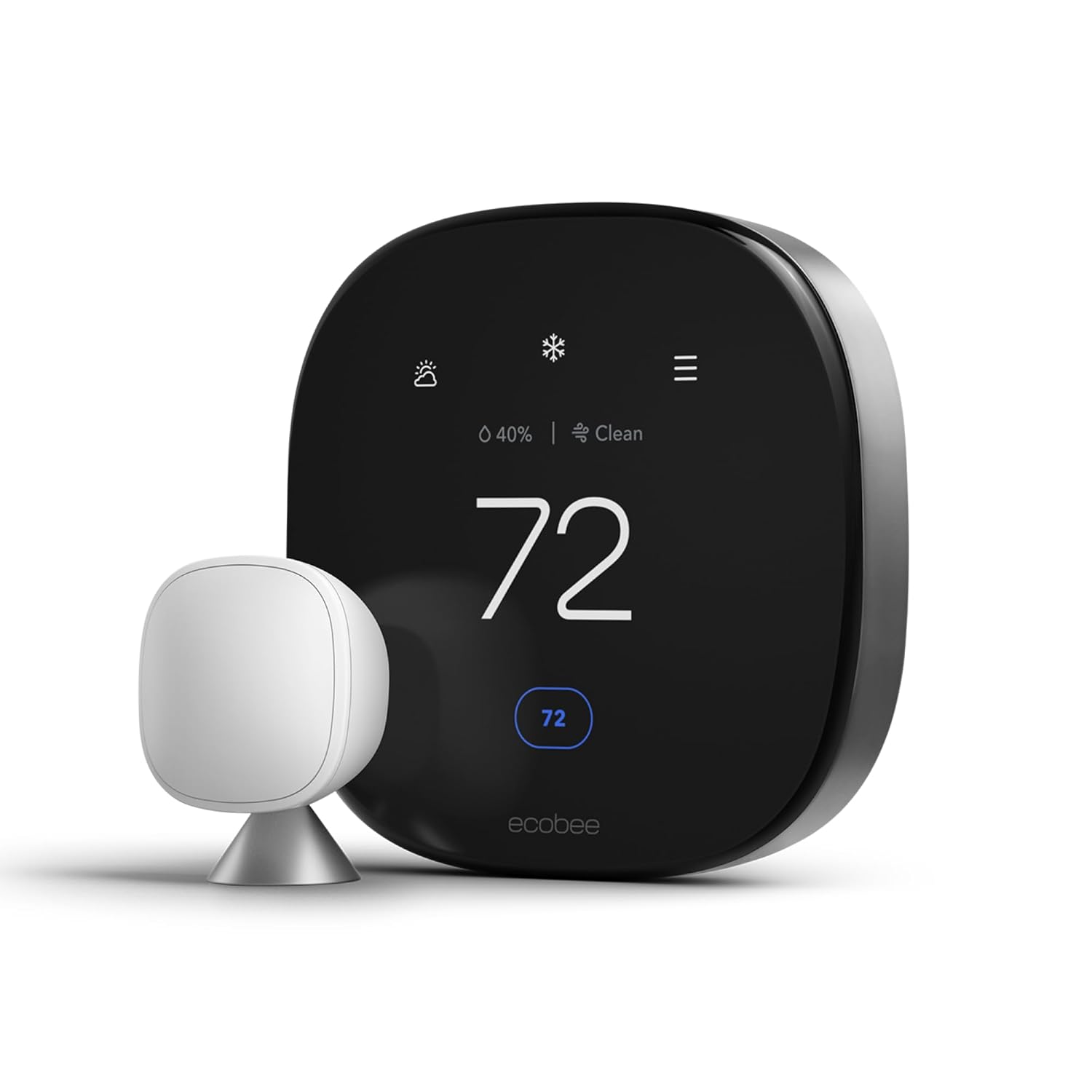
Price: ~$249
The ecobee Smart Thermostat Premium earns the top spot because it does almost everything well and includes hardware that competitors charge extra for. In the box you get the thermostat plus one SmartSensor, which monitors both temperature and occupancy in another room. That occupancy detection is the secret sauce — it lets the thermostat prioritize the rooms you’re actually in, so your bedroom stays comfortable at night even though the wall unit is out in the hallway.
It’s also the only thermostat here with a built-in air quality monitor and a full Amazon Alexa speaker baked in, meaning it can answer questions, control other smart devices, and play music without a separate Echo. The 3.5-inch color touchscreen is bright and reads like a smartphone, and the included Power Extender Kit handles homes that lack a C-wire.
Pros:
- Includes a SmartSensor with occupancy detection
- Built-in Alexa speaker and air quality monitor
- Works with Alexa, Google Assistant, Apple HomeKit, and SmartThings
- Power Extender Kit included for C-wire-free installs
- 3-year warranty
Cons:
- Most expensive option here
- Information-rich interface has a slight learning curve
The Premium is the pick for larger or multi-story homes where even temperatures matter, and for anyone who wants the most capable thermostat without buying add-ons later.
2. Google Nest Thermostat — Best Value
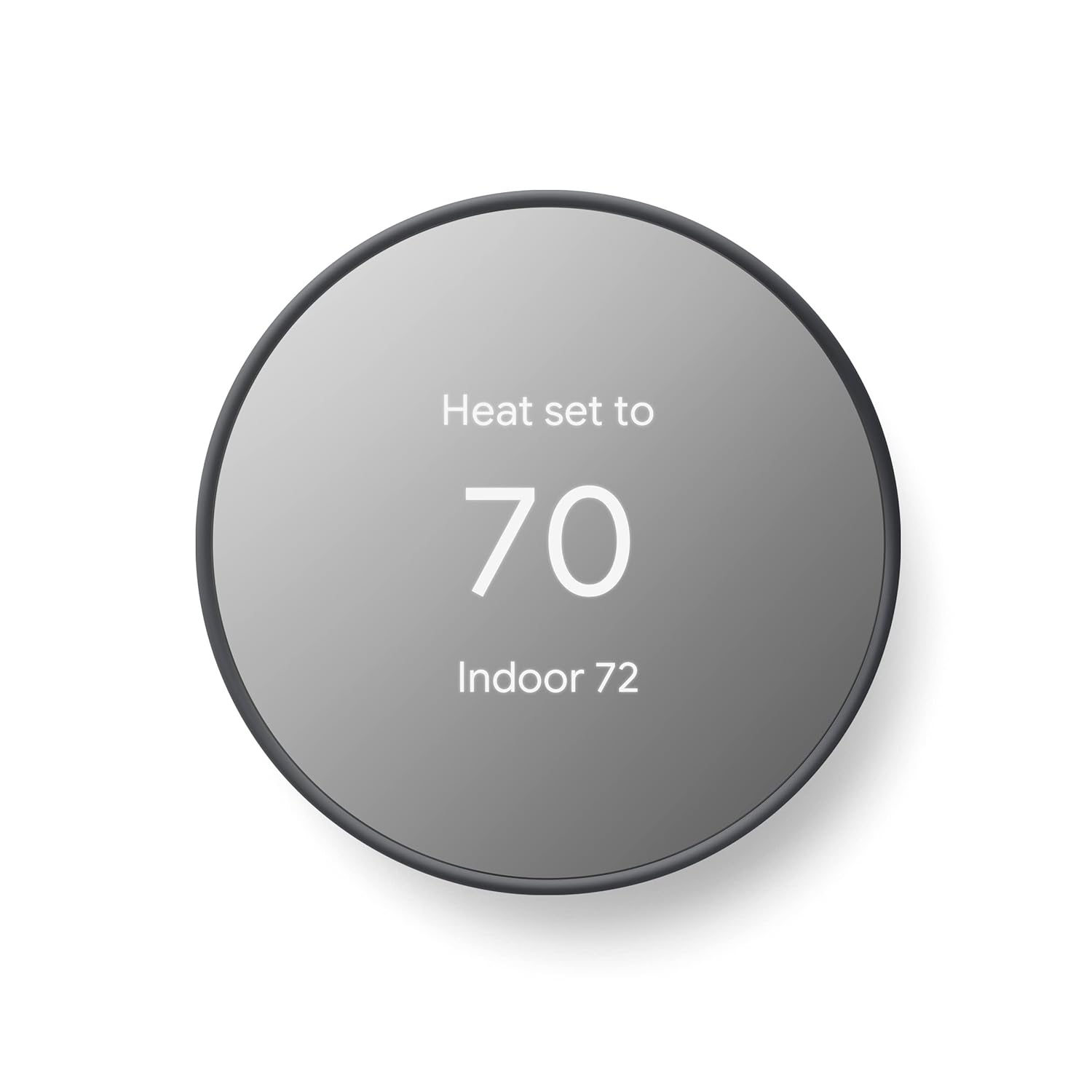
Price: ~$130
If you want the most popular smart thermostat brand without spending premium money, the Google Nest Thermostat is the sweet spot. It drops the rotating dial and metal body of the pricier Nest Learning Thermostat in favor of a simpler touch strip and a mirrored display, but it keeps the features that matter most: smartphone control, energy history, Home/Away geofencing, and Nest’s “Savings Finder” that suggests small schedule tweaks to lower your bill.
It’s compatible with about 85% of home HVAC systems and ENERGY STAR certified. Setup is genuinely beginner-friendly, with the Google Home app walking you through the wiring photo-by-photo. The main trade-off versus the flagship Nest is that this model doesn’t actively learn your schedule the way the Learning Thermostat does — you set a schedule and it suggests refinements.
Pros:
- Excellent price for a name-brand thermostat
- Clean, intuitive Google Home app
- Geofencing and energy-saving suggestions built in
- Works with Google Assistant and Alexa
- Available in several colors to match decor
Cons:
- No auto-learning (schedule-based, not adaptive)
- Temperature sensors sold separately
For most single-zone homes and apartments, the Nest Thermostat delivers 90% of the experience at half the price of the flagship. It’s the easy recommendation for first-time buyers. (Renters should also check our guide to the best smart thermostats for apartments.)
3. Wyze Programmable Smart WiFi Thermostat — Best Budget
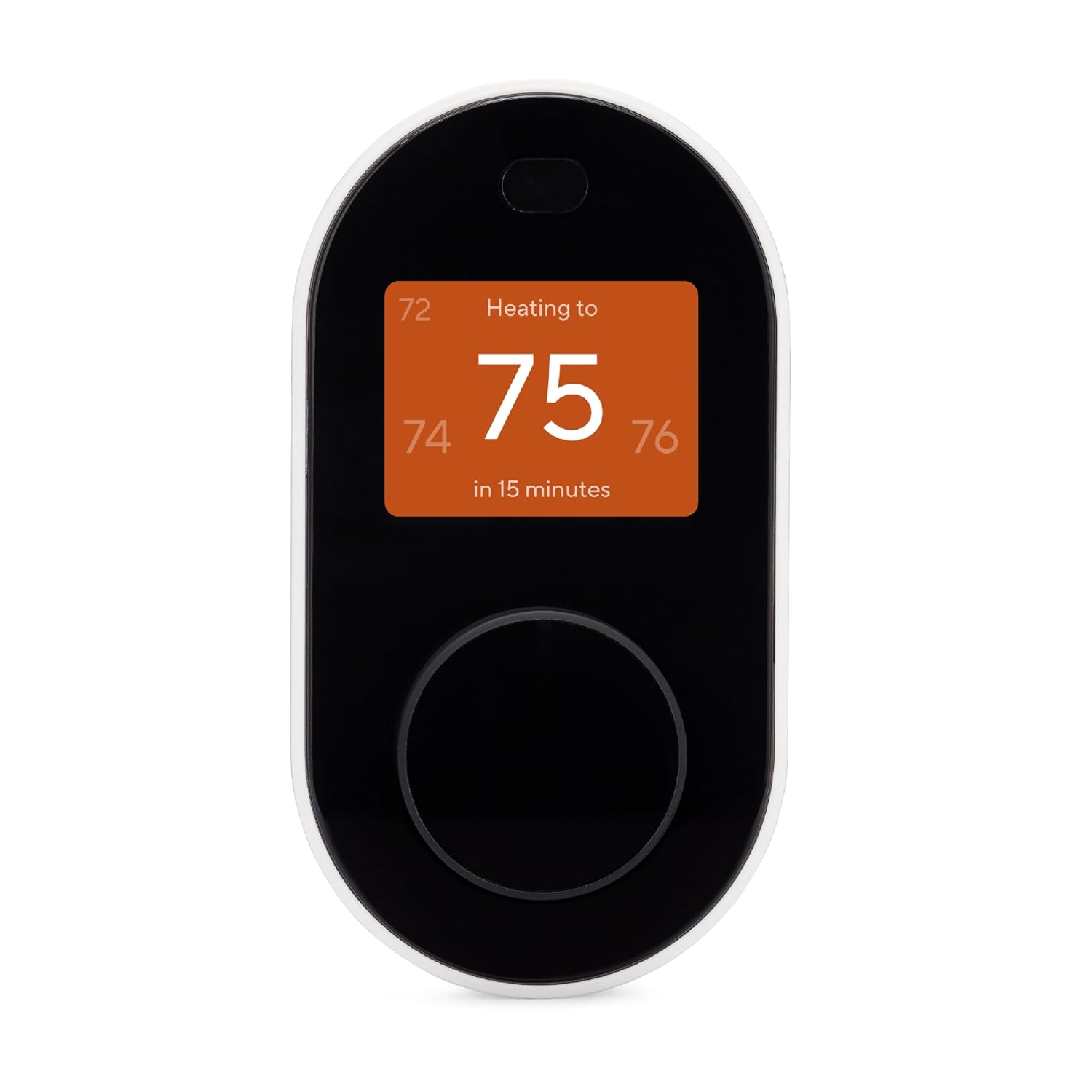
Price: ~$60
The Wyze Programmable Smart WiFi Thermostat proves you don’t need to spend a fortune to go smart. For around $60 it delivers the essentials: app control from anywhere, scheduling, geofencing-based “Home/Away” behavior, and an energy-usage view — all through the same Wyze app that runs Wyze cameras and plugs. The oval design with a black glass face and dial is genuinely attractive for the price.
It works with Alexa and Google Assistant for voice control, and Wyze’s “Behavior Detection” mode can auto-adjust based on whether anyone’s home. The catch is that, like most thermostats, it generally needs a C-wire (or the included C-wire adapter for some systems), and the build quality is plastic rather than premium glass and metal. But as a no-frills way to cut your energy bill, it’s hard to beat the value.
Pros:
- Lowest price on this list by a wide margin
- Simple setup and friendly app
- Geofencing and scheduling included
- Works with Alexa and Google Assistant
Cons:
- Plastic build feels less premium
- Fewer advanced features than ecobee or Nest
- C-wire typically required
If your goal is “make my old thermostat smart for as little as possible,” this is the pick.
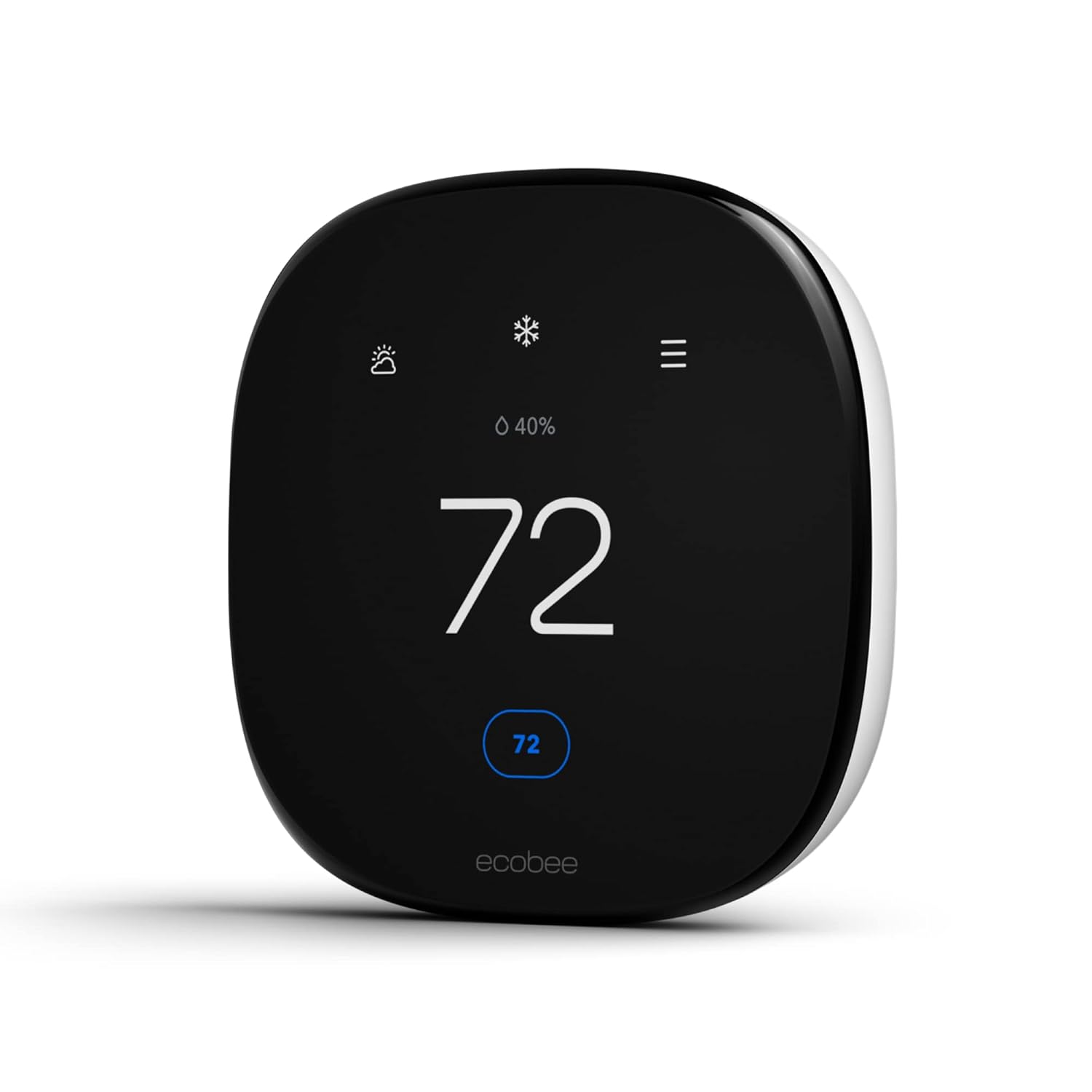
4. ecobee Smart Thermostat Enhanced — Best Mid-Range
Price: ~$170
The ecobee Smart Thermostat Enhanced is the smart middle ground: it shares the same sharp touchscreen, app, and energy intelligence as the flagship Premium, but trims the extras to hit a friendlier price. You lose the built-in Alexa speaker, the air quality monitor, and the included SmartSensor that come with the Premium — but the core comfort and savings engine is identical.
That makes it a fantastic choice if you don’t need a thermostat that doubles as a smart speaker. You still get ecobee’s excellent eco+ energy features, geofencing, detailed energy reports, and broad compatibility with Alexa, Google Assistant, Apple HomeKit, and SmartThings. And if you decide later that you want room-by-room comfort, you can add SmartSensors as your budget allows.
Pros:
- Same screen and software as the pricier Premium
- Full smart-home compatibility (including HomeKit)
- Works with optional SmartSensors you can add later
- Power Extender Kit included for C-wire-free installs
Cons:
- No SmartSensor included in the box
- No built-in speaker or air quality monitor
This is the thermostat to buy if you want ecobee’s quality and ecosystem without paying for hardware you won’t use.
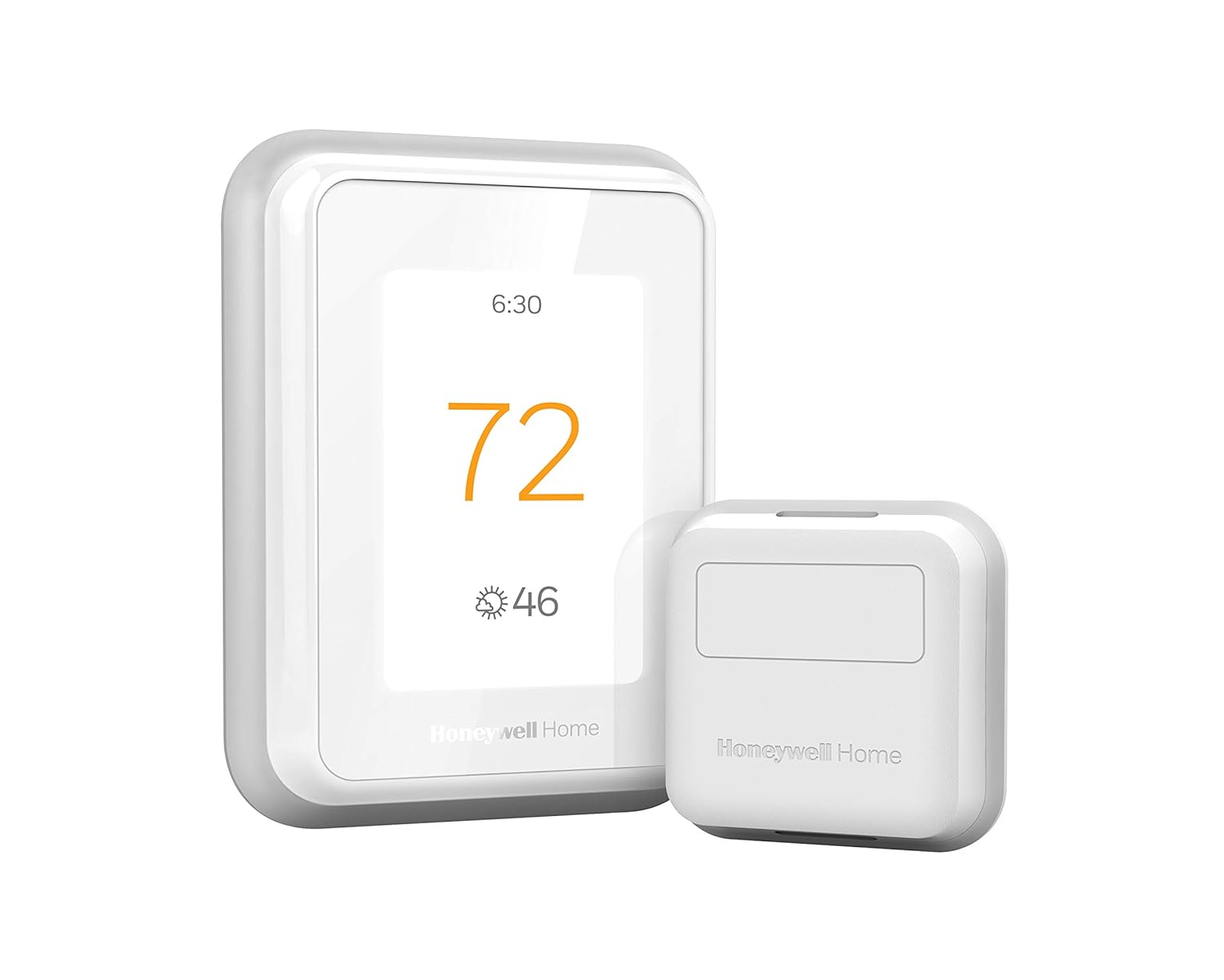
5. Honeywell Home T9 WiFi Smart Thermostat — Best for Multi-Room Comfort
Price: ~$199
The Honeywell Home T9 WiFi Smart Thermostat is built around a single idea: comfort in the rooms you actually use. It ships with one Smart Room Sensor that detects temperature, humidity, and motion, and you can add more (the system supports up to 20). Because the sensors track motion, the T9 can automatically focus on occupied rooms — a smart approach for homes with hot or cold spots that a single hallway thermostat can’t fix.
Honeywell’s heritage in HVAC shows in its broad compatibility, including many heat pump and multi-stage systems, and the bright vertical touchscreen is easy to read. The Honeywell Home app handles scheduling, geofencing, and remote control, and the T9 works with both Alexa and Google Assistant. It’s a particularly strong pick for larger single-family homes where even temperatures are the priority.
Pros:
- Includes a motion-sensing Smart Room Sensor
- Supports up to 20 sensors for whole-home coverage
- Strong compatibility, including many heat pump systems
- Works with Alexa and Google Assistant
Cons:
- App is less polished than Nest or ecobee
- No built-in voice assistant speaker
If your home has rooms that are always too hot or too cold, the T9’s sensor-first design is the most direct fix on this list.
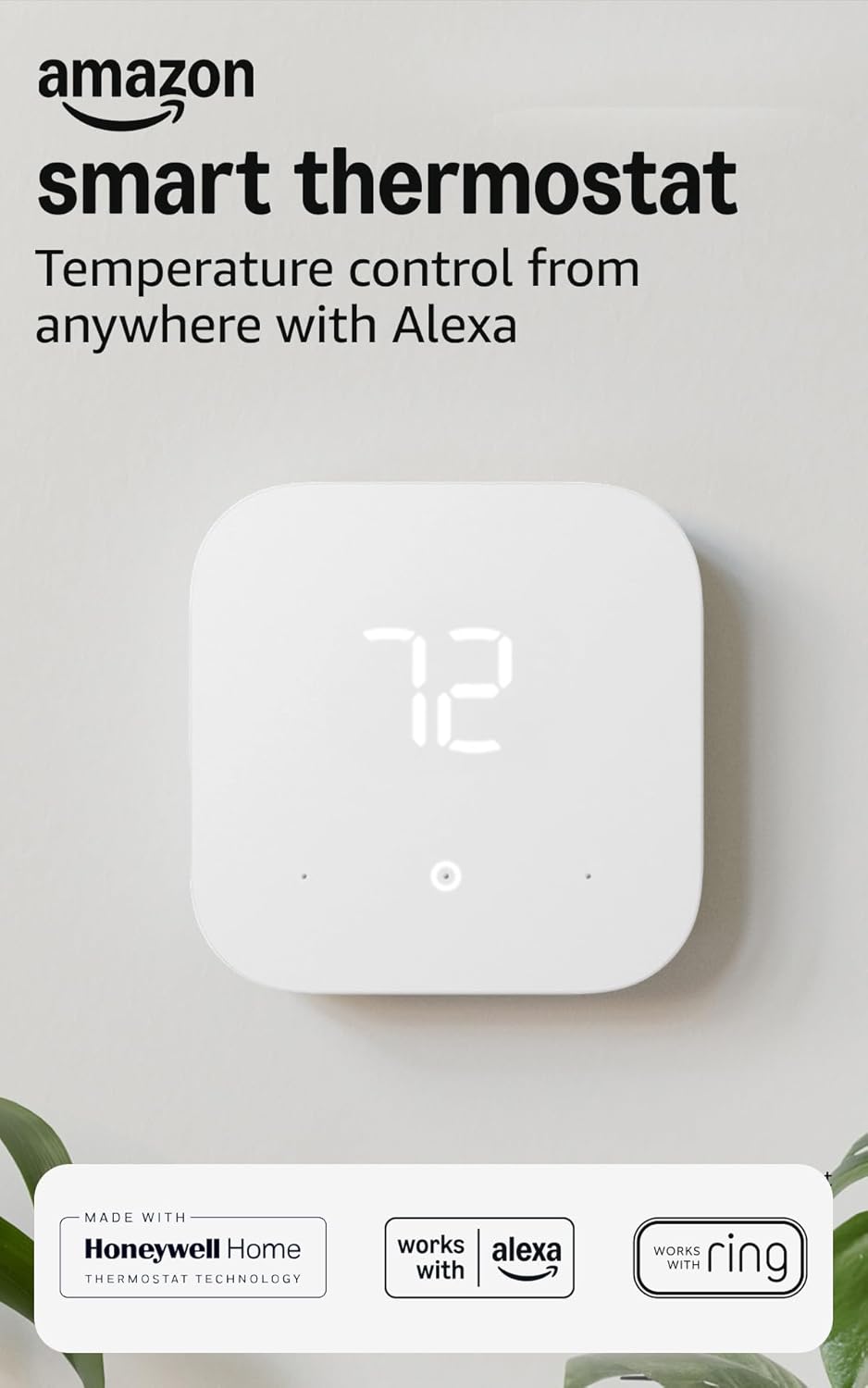
6. Amazon Smart Thermostat — Best for Alexa Homes
Price: ~$80
The Amazon Smart Thermostat is the budget pick for households already living in Alexa’s world. It’s built on licensed Honeywell Home thermostat technology, so the temperature control is solid, and at around $80 it’s one of the cheapest name-associated smart thermostats you can buy. Setup and control happen entirely through the Alexa app — there’s no separate thermostat app to learn.
Alexa Hunches can automatically adjust the temperature when you’re away, and you control everything by voice through any Echo device. The trade-offs are that it’s Alexa-centric (no Google Assistant or HomeKit), it lacks a touchscreen interface on the unit itself, and Amazon explicitly notes a C-wire is required, so confirm your wiring before buying. For an Alexa household on a budget, though, it’s the most natural fit.
Pros:
- Inexpensive and ENERGY STAR certified
- Deep Alexa integration with Hunches automation
- Backed by Honeywell Home thermostat technology
- Works with Ring for routines
Cons:
- Alexa only — no Google Assistant or HomeKit
- C-wire required (no included adapter)
- Minimal on-device controls
If your home runs on Echo speakers and you want smart climate control for cheap, this is the one.
Smart Thermostat Comparison Table
| Thermostat | Price | Best For | Included Sensor | Voice Assistants | C-Wire Adapter |
|---|---|---|---|---|---|
| ecobee Smart Thermostat Premium | ~$249 | Best overall | Yes (occupancy) | Alexa (built-in), Google, Siri | Included |
| Google Nest Thermostat | ~$130 | Best value | No | Google, Alexa | No |
| Wyze Programmable Smart WiFi Thermostat | ~$60 | Best budget | No | Alexa, Google | Some systems |
| ecobee Smart Thermostat Enhanced | ~$170 | Best mid-range | No (optional) | Alexa, Google, Siri | Included |
| Honeywell Home T9 | ~$199 | Multi-room comfort | Yes (motion) | Alexa, Google | No |
| Amazon Smart Thermostat | ~$80 | Alexa homes | No | Alexa only | Required |
Prices fluctuate; check the current listing for the latest pricing.
Smart Thermostat Buying Guide
Picking the right smart thermostat is less about brand loyalty and more about matching the device to your home. Here’s what actually matters.
The C-Wire Requirement (Read This First)
The single most common installation headache is the C-wire, short for “common wire.” It delivers continuous low-voltage power to keep a smart thermostat’s Wi-Fi and screen running. Older homes — especially those with simple heat-only setups — often don’t have one.
Here’s how the thermostats on this list handle it:
- ecobee Premium and Enhanced include a Power Extender Kit (PEK) that adds C-wire functionality, so they work in most homes without one.
- Nest Thermostat can sometimes run without a C-wire on compatible systems, but reliability varies.
- Amazon Smart Thermostat explicitly requires a C-wire — no adapter included.
- Wyze includes an adapter for some systems but generally prefers a C-wire.
Before you buy anything, pull your current thermostat off the wall and photograph the wiring. If you see a wire in the “C” terminal, you’re set. If not, lean toward an ecobee or budget for a few dollars’ worth of C-wire adapter.
Check HVAC Compatibility
Smart thermostats work with most standard 24-volt systems: gas, oil, electric, central air, and heat pumps (including many dual-fuel setups). They do not work with high-voltage systems like electric baseboard or in-wall heaters (typically 120V or 240V) without special equipment.
Both ecobee and Google offer free online compatibility checkers where you enter your existing wiring. Use them — thirty seconds there saves a return shipping label. If you have a heat pump or multi-stage system, the Honeywell T9 and the ecobee models are the safest bets.
Geofencing vs. Learning vs. Scheduling
There are three ways a smart thermostat decides when to heat and cool:
- Scheduling — you set the times and temperatures. Every thermostat here does this.
- Geofencing — the thermostat uses your phone’s location to know when you’ve left and switches to an energy-saving “Away” mode automatically. All six support some form of this.
- Learning — the thermostat watches your manual adjustments and builds a schedule for you. This is the headline feature of the pricier Nest Learning Thermostat; most thermostats here lean on scheduling plus geofencing instead, which for many people works just as well.
Don’t overpay for “learning” if you have a predictable routine — a good schedule plus geofencing captures most of the savings.
Energy Rebates Can Lower the Real Price
Many utility companies offer rebates of $50-$100 (sometimes more) on ENERGY STAR-certified smart thermostats, and some run “demand response” programs that pay you a yearly bill credit to let them nudge your temperature a degree or two during peak demand. Every thermostat on this list is eligible for at least some of these programs. Check your utility’s website before you buy — a $130 Nest can effectively become a $50 Nest after a rebate.
Voice Assistant Support
Match the thermostat to the ecosystem you already use:
- Alexa household: Amazon Smart Thermostat (native) or ecobee (built-in Alexa speaker on the Premium)
- Google household: Nest Thermostat integrates most cleanly
- Apple HomeKit user: the ecobee models are your only HomeKit-compatible options here
- Mixed or no preference: ecobee supports the widest range
Hub vs. Standalone
Good news: none of these thermostats require a separate smart home hub. They connect directly to your home Wi-Fi. The only “hub-like” hardware is optional room sensors (ecobee SmartSensor, Honeywell Smart Room Sensor), which pair wirelessly to the thermostat itself. If you want whole-home temperature balancing without a complicated setup, the T9 and ecobee Premium handle it out of the box.
A Note on Summer Cooling
Smart thermostats aren’t just for winter. In summer, geofencing and scheduling keep your AC from blasting an empty house, and features like ecobee’s “Feel Like” and Nest’s “Sunblock” account for humidity and direct sunlight so you stay comfortable at slightly higher set points — which is exactly where the cooling savings come from. If your bigger summer problem is a single hot room or a window unit, pair a smart thermostat with one of our recommended smart AC controllers.
Frequently Asked Questions
Do smart thermostats really save money?
Yes, though how much depends on your old habits. ENERGY STAR estimates around 8% in annual heating and cooling savings, while manufacturers report 10-23% in real-world use. If you previously left the heat or AC running while away, you’ll see the biggest gains. If you already ran a strict programmable schedule, savings will be more modest — but you still get remote control and convenience.
Can I install a smart thermostat myself?
For most homes, yes. Installation typically takes 30-60 minutes: turn off power at the breaker, photograph and label your existing wires, mount the new base, connect the matching wires, and snap on the display. The apps walk you through it step by step. If you’re not comfortable working with wiring — or you have a complex multi-stage or heat pump system — a professional install runs about $100-$200.
What is a C-wire and do I need one?
A C-wire (common wire) provides constant power to the thermostat. Some smart thermostats need one; others include an adapter (like ecobee’s Power Extender Kit) or can run without one on certain systems. Check your existing wiring before buying. If you don’t have a C-wire, the ecobee Premium and Enhanced are the most foolproof choices because the adapter is in the box.
Which smart thermostat is best for a heat pump?
The Honeywell Home T9 and both ecobee models have strong heat pump support, including many dual-fuel (auxiliary heat) configurations. Always run the manufacturer’s online compatibility check with your specific wiring before purchasing.
ecobee vs. Nest — which should I get?
It comes down to ecosystem and home size. ecobee includes an occupancy sensor and works with Apple HomeKit, making it great for larger homes and Alexa/Apple users. Nest offers the cleanest Google Home experience and excellent value. We break the matchup down in detail in our ecobee vs Nest thermostat guide.
Do these thermostats need a subscription?
No. All six work fully without any paid subscription. You get app control, scheduling, geofencing, and energy reports for free. Optional add-ons (like extra sensors) are one-time hardware purchases, not recurring fees.
The Bottom Line
There’s no single “best” smart thermostat for everyone — there’s a best one for your home, your wiring, and your budget. For most people who want the most capable, comfort-focused option, the ecobee Smart Thermostat Premium is the one to get, with its included occupancy sensor and built-in Alexa. If you want a trusted name for less, the Google Nest Thermostat is the value champion, and the Wyze Programmable Smart WiFi Thermostat proves you can go smart for around $60.
Whichever you choose, two steps make or break the experience: check your wiring for a C-wire before you buy, and look up your utility’s rebate program after. Do those, and a smart thermostat will pay you back in lower bills and a more comfortable home — year-round.