Quick Picks
Short on time? Here are our top recommendations across every budget:
- Ring Battery Doorbell ($100) — Best overall
- eufy Security Video Doorbell E340 ($180) — Best for no subscription
- Google Nest Doorbell (Battery) ($180) — Best smart detection
- Aqara Video Doorbell G4 ($120) — Best for Apple HomeKit
- Wyze Wireless Video Doorbell Pro ($70) — Best value
- WYZE Video Doorbell v2 ($40) — Best budget
A video doorbell is one of the highest-impact smart home upgrades you can make. For the price of a nice dinner out, you get a camera that shows you who’s at the door from anywhere, two-way talk so you can answer the bell from your phone, and motion alerts that catch package thieves before they’re gone. It’s the device most people add first when they start building a smart home — and for good reason.
The catch is that the category is crowded and confusing. Some doorbells lock every recorded clip behind a monthly subscription, while others store footage locally for free. Some run on a rechargeable battery you can mount in ten minutes; others need the low-voltage wiring your old chime used. And not every doorbell plays nicely with the voice assistant you already own. That’s why we put this guide together: six doorbells we verified are currently available on Amazon, spanning a $40 budget pick to a $180 dual-camera flagship, so there’s a clear answer no matter your budget or ecosystem.
Below you’ll find individual reviews, a comparison table, a plain-English buying guide (battery vs. wired, subscriptions vs. local storage, resolution, field of view, package detection, voice assistant support, and chime compatibility), and an FAQ. If avoiding monthly fees is your top priority, our deeper dive on the best video doorbell with no subscription goes further on local-storage options.
How We Picked
We started from the products, not the article. Every doorbell on this list was verified as currently listed on Amazon with a working product page before it earned a spot. From there, we prioritized:
- A real price spread — budget ($40-$70), mid-range ($100-$120), and premium ($180) so the list works for any budget
- A mix of power options — both battery-powered models you can mount anywhere and wired models that never need charging
- Storage flexibility — at least one strong no-monthly-fee option with local storage built in
- Ecosystem coverage — support for Alexa, Google, and Apple HomeKit across the lineup
- The features that actually matter — clear video, a tall field of view to catch packages, and reliable motion detection
We did not rank purely by price. The “best overall” pick reflects the best balance of features, reliability, and value — not just the cheapest box or the most expensive one.
The 6 Best Video Doorbells of 2026
1. Ring Battery Doorbell — Best Overall
Price: ~$100
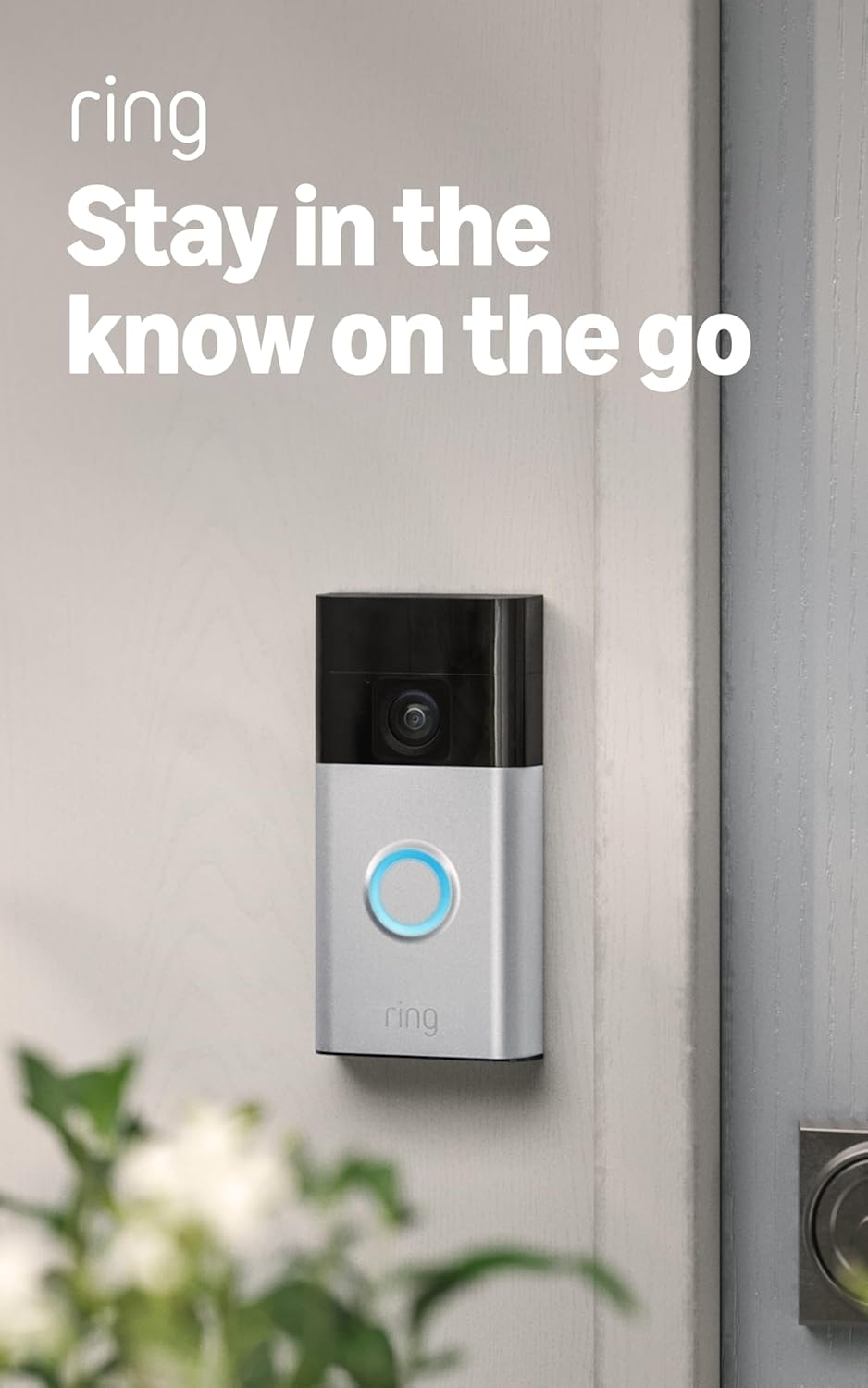
The Ring Battery Doorbell takes the top spot because it nails the things most people care about: it’s dead simple to install, it just works, and it slots into the most popular smart home ecosystem on the planet. It runs on a removable rechargeable battery pack, so you can mount it on any door frame in about ten minutes with the included screws — no electrician, no wiring. When the battery runs low (usually a few months between charges), you pop out the pack and recharge it over USB while a backup keeps you covered.
The headline feature is “Head-to-Toe” video: a tall, nearly square field of view that shows a visitor from their face all the way down to packages sitting at their feet. That’s exactly what you want from a doorbell, where the action happens vertically. You also get color video in daylight, infrared night vision, two-way talk, and customizable motion zones to cut down on alerts from passing cars. It integrates seamlessly with Alexa, so an Echo Show can pop up the live feed and announce when someone’s at the door.
The honest downside is the subscription. Without a Ring Protect plan (starting around $5/month), you get live view and real-time alerts but no saved recordings — so if you want to go back and watch what happened, you’ll need to pay. For Alexa households that don’t mind the fee, though, nothing else here is this polished.
Pros:
- Battery-powered — installs in minutes with no wiring
- Tall Head-to-Toe field of view captures packages
- Best-in-class Alexa and Echo Show integration
- Removable battery and quick-release mount
- Huge, mature ecosystem of compatible devices
Cons:
- Recorded video requires a Ring Protect subscription
- No Apple HomeKit support
- Battery life drops in cold winter climates
2. eufy Security Video Doorbell E340 — Best for No Subscription
Price: ~$180
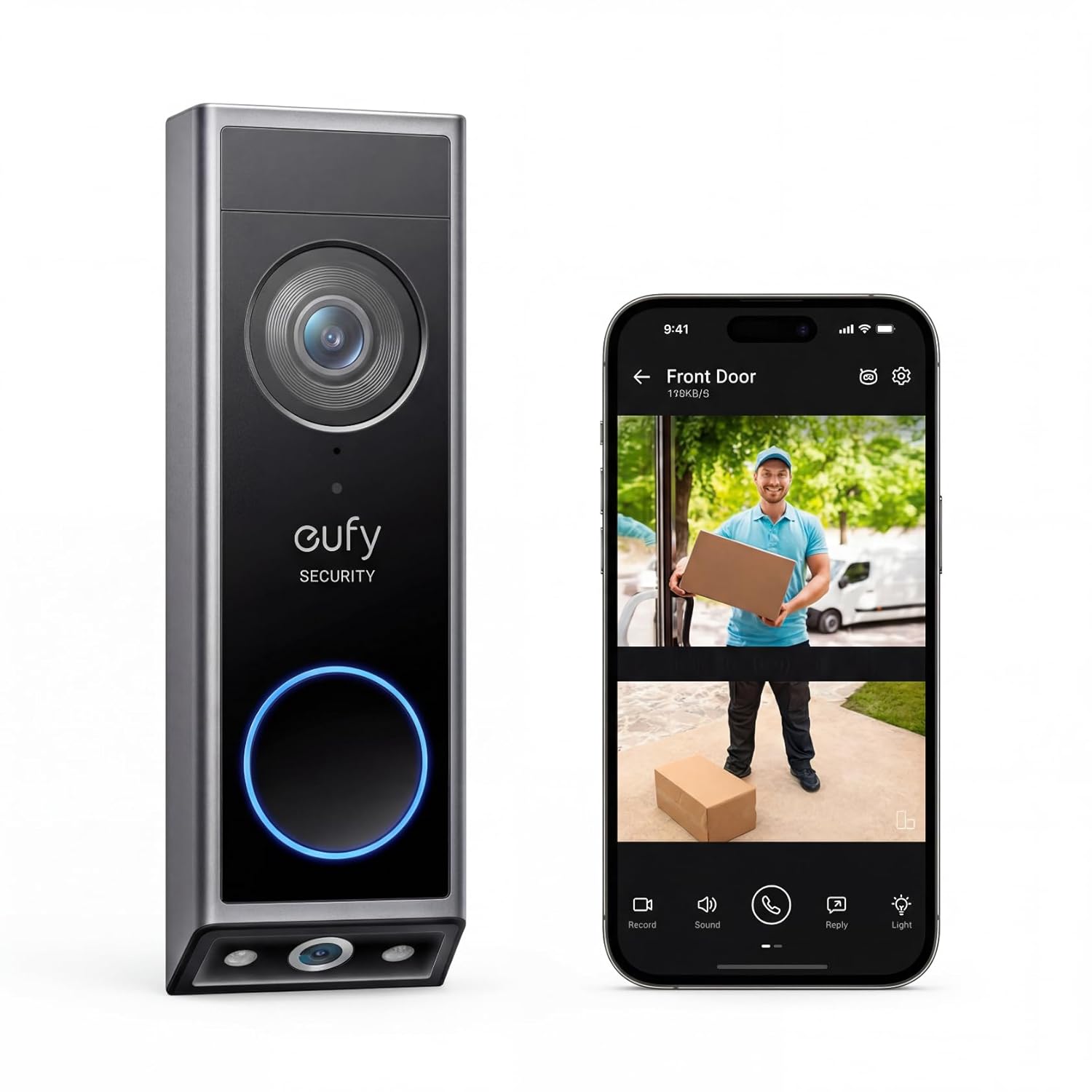
If the thought of paying a monthly fee forever bothers you, the eufy Security Video Doorbell E340 is the answer. It stores everything locally on 8GB of built-in storage with no subscription required — ever. There’s no cloud paywall standing between you and your own footage, and all of its AI features (person detection, package detection) run on the device itself for free. Over a few years, that’s hundreds of dollars saved versus a subscription doorbell.
What makes the E340 special is its dual-camera design. One camera gives you the standard head-to-toe view of whoever’s at the door, while a second downward-facing camera watches the ground specifically for packages. That eliminates the blind spot every single-camera doorbell has, where a parcel set right against your door drops out of frame. It captures 2K detail, has genuinely good color night vision, and can run on either its rechargeable battery or your existing doorbell wiring — your choice.
It works with Alexa and Google for live viewing on smart displays. The trade-offs are that the app isn’t quite as slick as Ring’s, and the dual-camera hardware makes it one of the larger doorbells here. But if owning your data and skipping fees is the priority, this is the best of the bunch.
Pros:
- Zero subscription — 8GB local storage included
- Dual cameras eliminate the package blind spot
- 2K resolution with strong color night vision
- Works wired or on rechargeable battery
- All AI detection runs locally for free
Cons:
- Larger and bulkier than single-camera doorbells
- App is less refined than Ring or Nest
- One of the pricier picks here
3. Google Nest Doorbell (Battery) — Best Smart Detection
Price: ~$180
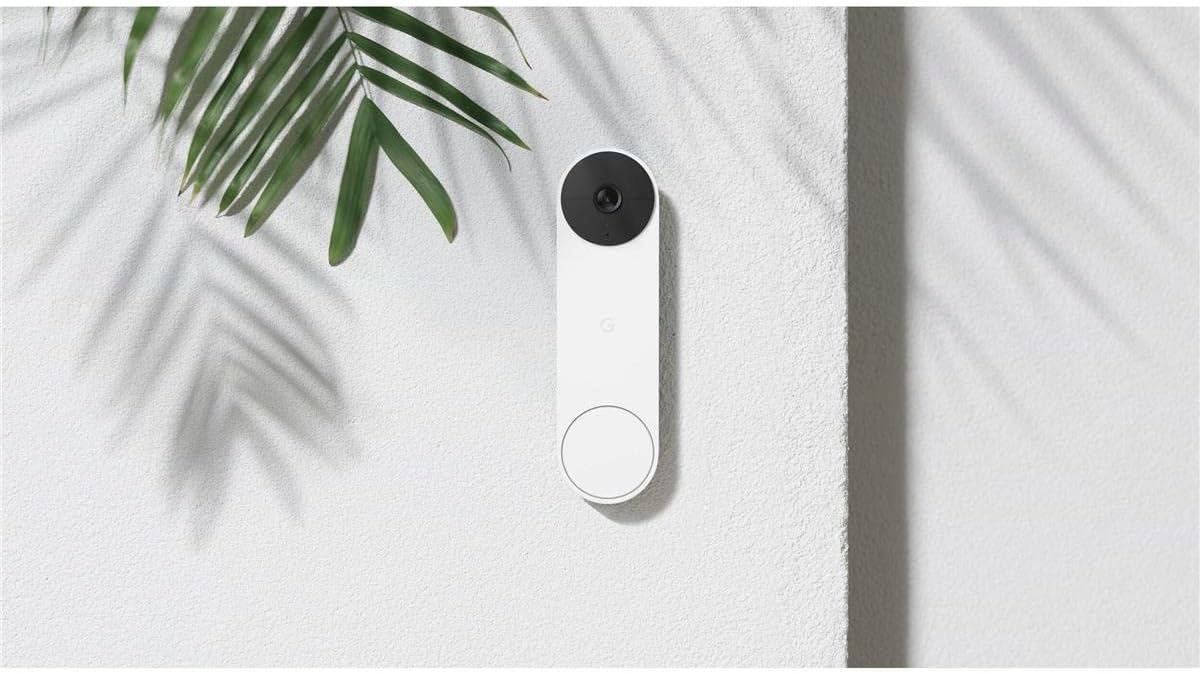
The Google Nest Doorbell (Battery) is the smartest doorbell on this list when it comes to telling you what’s actually happening. Out of the box — with no subscription at all — it gives you free on-device alerts that distinguish between a person, a package, an animal, and a vehicle. So instead of a generic “motion detected” buzz, you get “package delivered” or “person at the front door,” which dramatically cuts down on nuisance alerts. Most rivals charge a monthly fee for that level of intelligence.
Like the Ring, it’s battery-powered for tool-free installation, or you can hardwire it to your existing chime if you prefer. It has a tall 3:4 portrait field of view (great for seeing packages), HDR video that handles harsh backlighting on a sunny porch, and clean, easy-to-read alerts in the Google Home app. If you live in a Google/Nest household or own a Nest Hub display, the integration is excellent — ask any Nest speaker and it’ll announce visitors.
The optional Nest Aware subscription unlocks 24/7 recording and longer event history, but unlike Ring you genuinely don’t need it for the core experience — you still get a few hours of free event recording. The main catch is that it’s Google-only: no Apple HomeKit, and Alexa support is limited.
Pros:
- Free on-device person/package/animal/vehicle alerts
- Battery-powered or hardwired
- Excellent HDR handles bright, backlit porches
- Free event recording without a subscription
- Deep Google Home and Nest Hub integration
Cons:
- No Apple HomeKit, limited Alexa support
- 24/7 recording requires Nest Aware
- Larger event history needs a paid plan
4. Aqara Video Doorbell G4 — Best for Apple HomeKit
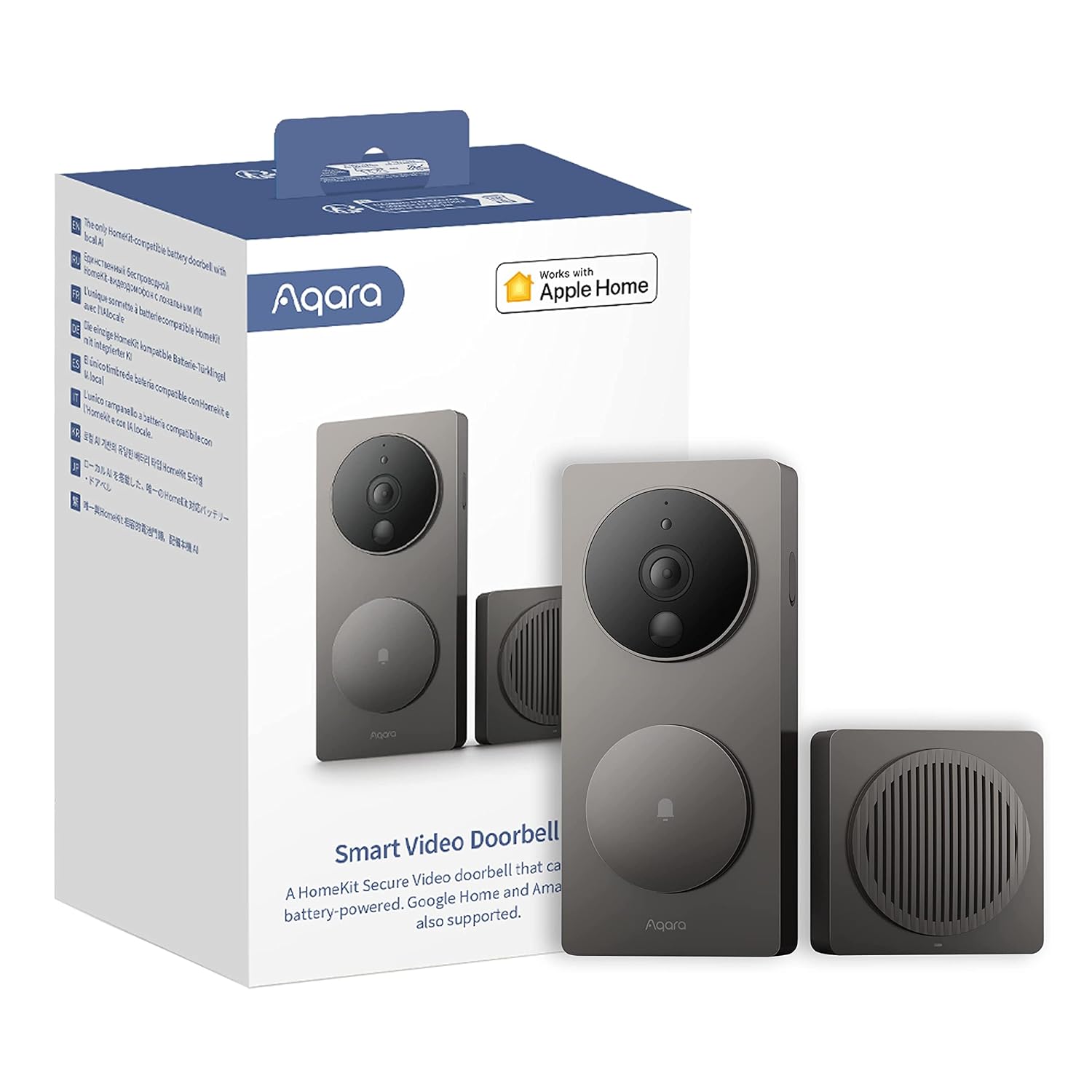
Price: ~$120
If you’re an Apple household, the Aqara Video Doorbell G4 is the pick — it’s one of the very few battery-powered doorbells that supports Apple HomeKit Secure Video. That means visitor clips show up right in the Apple Home app, recordings can be encrypted and stored in your iCloud+ plan (which most iPhone users already pay for), and you can ask Siri or view the feed on a HomePod or Apple TV. For people who’ve committed to Apple’s privacy-first ecosystem, that’s hard to find anywhere else.
It’s also impressively flexible. The G4 includes a plug-in chime in the box (which doubles as the Wi-Fi hub), runs on six AA batteries or wired power, and isn’t locked to Apple — it also works with Alexa, Google Home, and IFTTT. A standout trick is local face recognition that runs on the device and can trigger smart home automations, like turning on the porch light when it recognizes a family member.
Resolution tops out at 1080p rather than 2K, so it’s a step behind the eufy on pure image sharpness, and the AA battery setup is a little old-school. But as the rare true HomeKit doorbell that also plays nicely with everyone else, it earns its spot.
Pros:
- Genuine Apple HomeKit Secure Video support
- Chime/hub included in the box
- Also works with Alexa, Google, and IFTTT
- Local face recognition triggers automations
- Battery or wired power
Cons:
- 1080p resolution, not 2K
- Runs on AA batteries (not a rechargeable pack)
- HomeKit Secure Video needs an iCloud+ plan for recordings
5. Wyze Wireless Video Doorbell Pro — Best Value
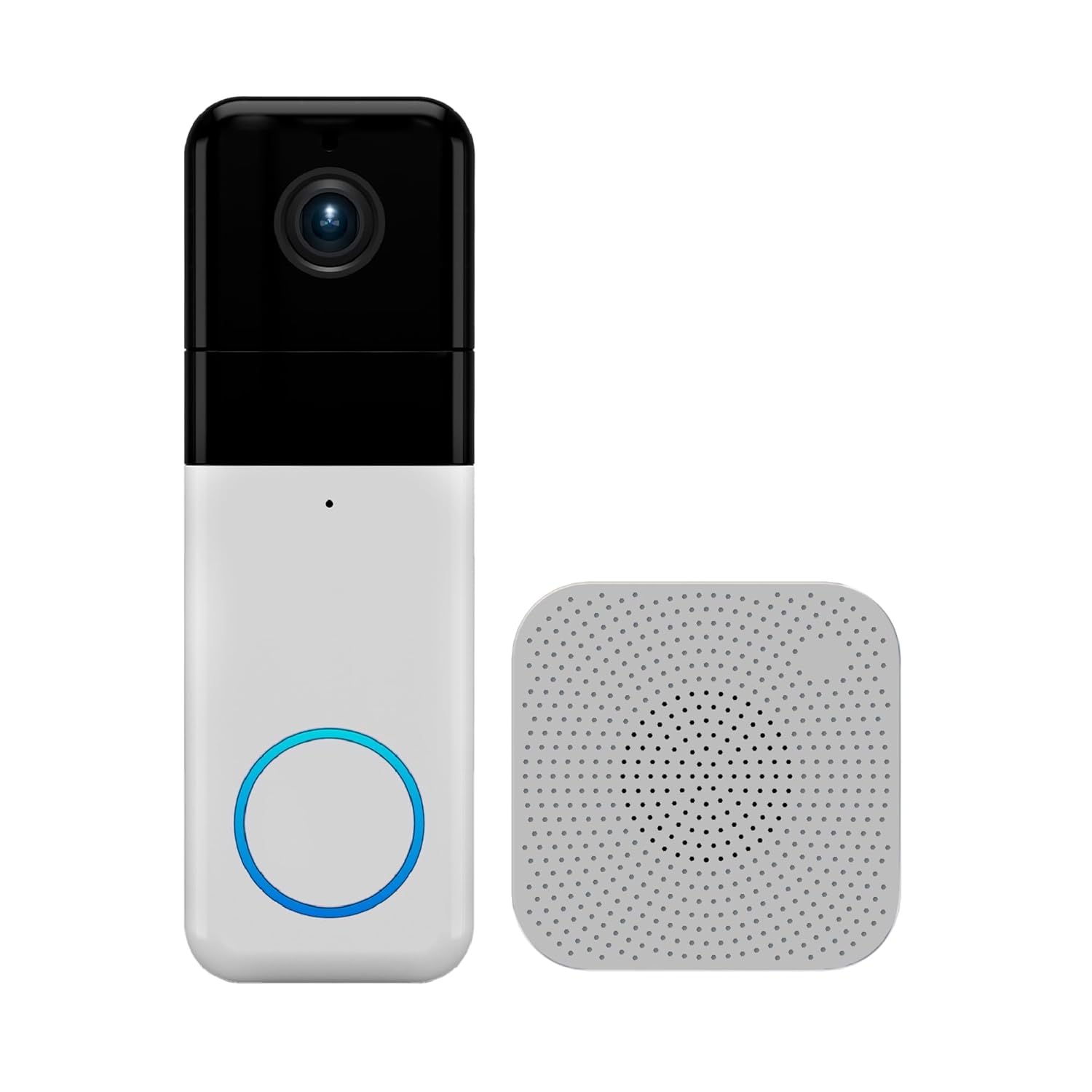
Price: ~$70
The Wyze Wireless Video Doorbell Pro is the value champion — it delivers features you’d expect from a $150 doorbell at roughly half the price. You get sharp 1440p (2K-class) video, a tall 1:1 head-to-toe aspect ratio that frames the whole doorway, two-way audio, and night vision, plus a plug-in chime included in the box. It’s fully wireless and battery-powered, so installation is a five-minute, no-tools job.
What makes Wyze a perennial favorite is how it handles storage. You can add a microSD card for free local recording, and Wyze’s cloud service is far cheaper than the big brands — Cam Plus runs a couple of dollars a month if you want AI person detection and longer clips, but you’re never forced into a pricey plan just to use the thing. For a first doorbell, a rental, or a budget-conscious whole-home setup where you want a couple of them, the value is unbeatable.
The compromises are the ones you’d expect at this price: the app and ecosystem aren’t as polished as Ring or Nest, build quality is good-not-premium, and Wyze’s customer support has a reputation for being slow. But on a pure features-per-dollar basis, nothing else here comes close.
Pros:
- 1440p (2K-class) video at a budget price
- Tall 1:1 head-to-toe view captures packages
- Chime included; fully wireless install
- Optional free microSD local storage
- Cheapest cloud plans in the category
Cons:
- App and ecosystem less polished than premium brands
- No Apple HomeKit
- Wyze customer support can be slow
6. WYZE Video Doorbell v2 — Best Budget
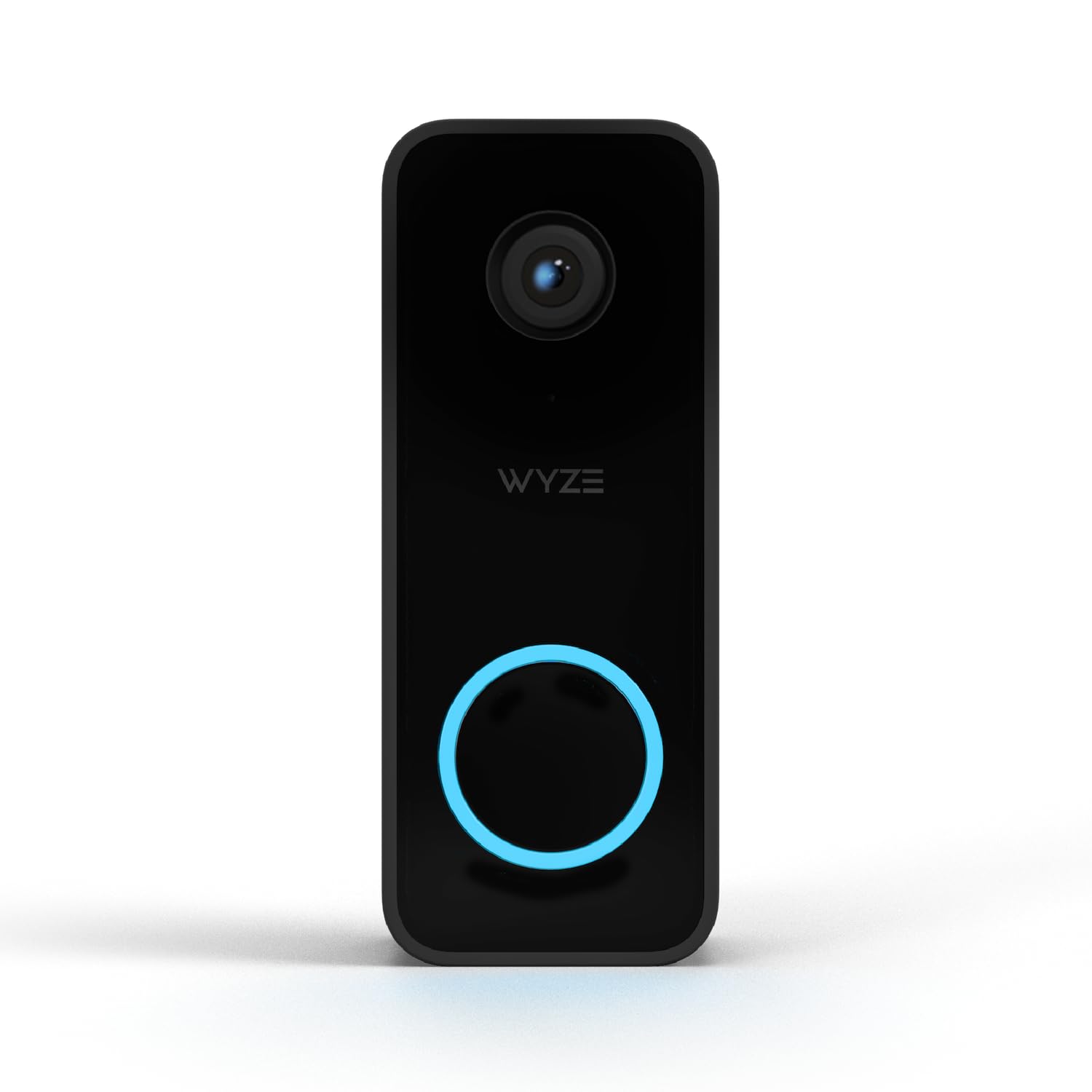
Price: ~$40
When you just want a real, reliable video doorbell for the least money possible, the WYZE Video Doorbell v2 is the answer. At around $40 it’s the cheapest pick here by a wide margin, yet it still covers the essentials: 2K-class video, a tall head-to-toe view, two-way audio, color night vision, and motion alerts to your phone. It’s a wired doorbell, so it connects to your existing 16-24V doorbell wiring and never needs charging — ideal if you already have a working chime setup and just want to make it smart.
Because it’s wired, it can do continuous monitoring without worrying about battery drain, and it works with both Alexa and Google Assistant for live viewing on smart displays. As with the Pro, you can add a microSD card for local recording, and Wyze’s optional cloud plans are inexpensive.
It is the most basic doorbell on this list — the construction is plasticky, it requires existing wiring (no battery option), and you don’t get the advanced package-specific detection of the pricier models. But for the price of a couple of pizzas, getting a genuine 2K-class smart doorbell on your door is a remarkable deal.
Pros:
- Cheapest video doorbell here (~$40)
- 2K-class video with a tall head-to-toe view
- Wired — never needs charging
- Works with Alexa and Google
- Optional microSD local storage
Cons:
- Requires existing doorbell wiring (no battery option)
- Basic build quality
- Lacks advanced package/AI detection of pricier picks
Video Doorbell Comparison Table
| Doorbell | Price | Best For | Power | Resolution | No-Fee Storage | Voice Assistants |
|---|---|---|---|---|---|---|
| Ring Battery Doorbell | ~$100 | Best overall | Battery | 1536p (Head-to-Toe) | No (needs Ring Protect) | Alexa |
| eufy Security Video Doorbell E340 | ~$180 | No subscription | Battery or wired | 2K (dual cam) | Yes (8GB built in) | Alexa, Google |
| Google Nest Doorbell (Battery) | ~$180 | Smart detection | Battery or wired | 960 x 1280 (HDR) | Partial (free events) | Google, limited Alexa |
| Aqara Video Doorbell G4 | ~$120 | Apple HomeKit | AA battery or wired | 1080p | Via iCloud+ / local | Apple, Alexa, Google |
| Wyze Wireless Video Doorbell Pro | ~$70 | Best value | Battery | 1440p | Yes (microSD) | Alexa, Google |
| WYZE Video Doorbell v2 | ~$40 | Best budget | Wired | 2K-class | Yes (microSD) | Alexa, Google |
Prices fluctuate; check the current listing for the latest pricing.
Video Doorbell Buying Guide
Picking the right video doorbell is less about brand loyalty and more about matching the device to your home, your phone, and how much you’re willing to pay over time. Here’s what actually matters.
Battery vs. Wired (Read This First)
This is the single biggest fork in the road, and it usually comes down to whether you already have doorbell wiring.
- Battery doorbells (Ring Battery, Nest Battery, Wyze Pro) mount anywhere with a couple of screws — no wiring, no electrician. The trade-off is recharging every few months. Cold winters and busy doorways drain them faster. They’re the easiest installs and the obvious choice for renters or doors without existing wiring.
- Wired doorbells (Wyze v2) connect to your existing 16-24V doorbell transformer and never need charging. They can monitor continuously without battery anxiety, but you need compatible wiring and a few minutes of basic DIY.
- Hybrid models (eufy E340, Aqara G4) let you choose — run them on battery now, hardwire them later. That flexibility is genuinely useful and worth paying a little extra for.
Before buying a wired model, pull your old doorbell off the wall and confirm you have two low-voltage wires. If you have no wiring at all, go battery.
Subscription vs. Local Storage
This is where a cheap doorbell can quietly become expensive. A $5/month subscription is $60 a year, or $300 over five years — often several times the price of the doorbell itself.
- Subscription-required (Ring): without a plan you only get live view and alerts; saved recordings need Ring Protect. Great experience, ongoing cost.
- Subscription-optional (Nest): you get free event recording out of the box; a plan only adds 24/7 recording and longer history.
- No subscription at all (eufy E340, both Wyze with a microSD card): footage stores locally for free, forever. If avoiding fees is your priority, start here — and see our no-subscription video doorbell guide for more options.
There’s no universally right answer — just be honest about whether you’ll value the polish of a subscription service enough to pay for it indefinitely.
Resolution and Field of View
Resolution matters, but field of view matters more on a doorbell. A 2K doorbell (eufy, Wyze) gives noticeably sharper images than 1080p when you zoom in to read a face or a license plate. But the shape of the view is what separates a doorbell from a regular camera.
Look for a tall (3:4 or 1:1) “head-to-toe” field of view. A wide, letterbox view designed for a backyard camera will miss a package sitting right at your feet. Every pick on this list uses a tall aspect ratio for exactly that reason — the eufy goes a step further with a dedicated second camera aimed at the ground.
Package Detection
If catching deliveries (and porch pirates) is your goal, look for package-specific detection, not just generic motion. The Nest Doorbell calls out “package delivered” with free on-device AI, and the eufy E340’s downward camera is purpose-built to watch parcels on the ground. Most other models add package alerts through their (usually paid) AI tiers. Generic motion detection works, but you’ll wade through a lot more false alarms.
Voice Assistant Support (Alexa, Google, HomeKit)
Match the doorbell to the ecosystem you already use:
- Alexa: Ring is the gold standard — live feed and announcements pop up instantly on any Echo Show. Most others support Alexa too.
- Google: The Nest Doorbell is the natural fit, with seamless alerts on Nest Hub displays and Google speakers.
- Apple HomeKit: The hard one. The Aqara G4 is the standout, with true HomeKit Secure Video. Ring, Nest, and Wyze do not support HomeKit, so iPhone-centric households should steer toward the Aqara.
If you’re still deciding between platforms, our Alexa vs. Google Home comparison breaks down which assistant fits your home.
Existing Chime Compatibility
A common surprise: your existing in-wall chime may not “ding” with a new smart doorbell, especially battery models. Battery doorbells usually ignore your old chime entirely, but several (Wyze Pro, Aqara G4) include a plug-in chime in the box so you still hear the bell indoors. Wired doorbells can often ring your mechanical chime, though some need a small “power kit” or jumper — check the listing for your transformer voltage (most need 16-24V AC). When in doubt, a battery doorbell with an included chime is the most foolproof path: no wiring, no compatibility guesswork.
Frequently Asked Questions
Do all video doorbells require a monthly subscription?
No. This is one of the biggest myths in the category. Ring requires a Ring Protect plan to save recordings, but the eufy Security Video Doorbell E340 stores footage locally on built-in storage with no fee ever, both Wyze doorbells support free microSD recording, and the Google Nest Doorbell includes free event recording out of the box. If avoiding fees matters to you, plenty of doorbells deliver full functionality at $0/month — you just store the video yourself instead of in someone’s cloud.
Do I need existing doorbell wiring to install one?
Not necessarily. Battery-powered models like the Ring Battery Doorbell and Google Nest Doorbell (Battery) mount with a couple of screws and need no wiring at all — perfect for renters or doors without an existing bell. The eufy E340 and Aqara G4 can run on battery or be hardwired, your choice. Only the wired-only WYZE Video Doorbell v2 requires existing 16-24V doorbell wiring. If you have no wiring, go with a battery model.
Which video doorbell works with Apple HomeKit?
The Aqara Video Doorbell G4 is the standout choice — it’s one of the few battery-capable doorbells with genuine Apple HomeKit Secure Video support, so clips appear in the Apple Home app and can store securely through your iCloud+ plan. Ring, Google Nest, and Wyze do not support HomeKit. If you’re committed to Apple’s ecosystem and want Siri and HomePod integration, the Aqara is the one to get.
What field of view should a video doorbell have?
Look for a tall vertical (3:4 or 1:1) “head-to-toe” field of view rather than a wide letterbox shape. Doorbells need to see from a visitor’s face down to packages on the ground, and a tall aspect ratio captures that. Every pick in this guide uses a head-to-toe view for that reason, and the eufy E340 adds a dedicated second camera aimed at the ground so parcels right against your door never drop out of frame.
How long does a battery video doorbell last between charges?
For battery models like the Ring and Nest, expect a few months between charges under typical use, though heavy traffic and cold winter weather shorten that. Most use a removable rechargeable pack you swap and charge over USB, so downtime is minimal. If recharging sounds like a hassle, choose a hybrid model (eufy E340, Aqara G4) and hardwire it, or go with the wired WYZE v2 and never think about batteries again.
Are cheap video doorbells any good?
Yes — the budget end has gotten genuinely good. The ~$40 WYZE Video Doorbell v2 still delivers 2K-class video, a head-to-toe view, two-way audio, and free local storage on a microSD card. You give up the polished apps and advanced AI detection of pricier brands, but for catching deliveries and seeing who’s at the door, it does the core job well.
The Bottom Line
A video doorbell is the rare smart home upgrade where there’s a great option at every price. For most people, the Ring Battery Doorbell is the easiest recommendation — it installs in minutes, works flawlessly with Alexa, and does everything a doorbell should, as long as you don’t mind the Ring Protect fee. If that monthly cost is a dealbreaker, the eufy Security Video Doorbell E340 gives you dual cameras and free local storage forever, while the Google Nest Doorbell (Battery) offers the smartest free alerts in the business.
Apple households should go straight for the Aqara Video Doorbell G4 and its real HomeKit support. And if you’re watching every dollar, the Wyze Wireless Video Doorbell Pro and the wired WYZE Video Doorbell v2 prove you don’t have to spend much to get a sharp, capable smart doorbell on your door.
Whatever you choose, a doorbell is just one piece of a connected entryway. If you’re thinking bigger, our guides to the best outdoor smart cameras and the broader Ring vs. Arlo vs. Wyze camera comparison will help you round out your home’s security.